AudioMaster: Audio Editor
ダウンロード: App Store

このページはアプリまたはその開発者の公式ページではなく、情報提供および論評を目的として作成された独立した編集出版物です。明示的に別段の記載がない限り、アプリおよびその開発者は、MWM、Apple、Google Play、アプリのパブリッシャー、またはアプリの開発者と提携、承認、後援、認可、またはその他の公式的な関係はなく、このページのいかなる内容も、アプリがMWMのサービスを使用して開発されたことを意味するものではありません。すべての商標、ロゴ、スクリーンショット、その他のコンテンツはそれぞれの所有者の財産です。


ロゴ: AudioMaster: Audio Editor
ダウンロード: App Store

AudioMaster: Audio Editor

録音した音源をラジオ放送レベルのマスタリングへ。ワンタップで、プロフェッショナルな音量ブーストとAIによる音質補正を行い、ポッドキャスト、音楽、動画を自動的に強化します。

主要数値

ダウンロード

1M+

ユーザー評価

4.5/5

評価数

2K+

開発元

Future Moments LLC

カテゴリ

Music

対応言語

23

最新バージョン

3.11

サイズ

175.2 MB

リリース日

2016年7月14日
機能

わずか数秒でプロの仕上がり

AudioMasterは高度なアルゴリズムを使用して、モバイルでの録音をSpotify、YouTube、Apple Podcastsですぐに使えるスタジオクオリティのマスタリング音源に変換します。

ワンタップで瞬時にマスタリング

プロ仕様に設計された39種類のジャンル別プリセットを使用して、音量を最大化し、サウンドを自動的に調整します。

AIによるノイズクリーニング

ボイスメモ、インタビュー、自宅録音のデモからバックグラウンドのヒスノイズなどを瞬時に除去し、録音内容を救い出します。

FAQ

よくある質問

について知っておくべきこと AudioMaster: Audio Editor

AudioMaster: Audio Editor Appとは何ですか?

AudioMasterは、録音の音量を瞬時に最大化し、音響特性を向上させるオーディオエディターアプリです。AIビデオやリールも作成できます。

AudioMasterはオーディオマスタリングプリセットを提供していますか?

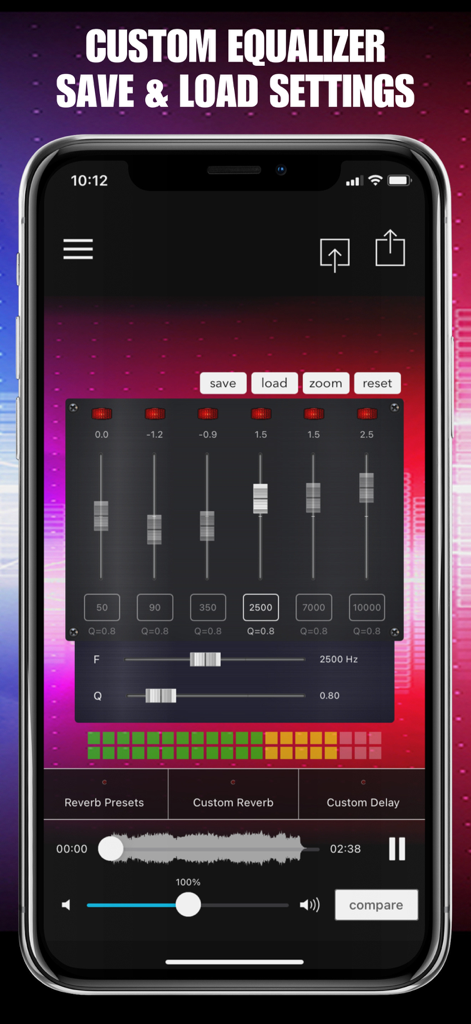
はい、AudioMasterは13のジャンルにわたる39のプリセットと、各ジャンルに3つの設定を提供しています。また、完全に調整可能な6バンドイコライザーにより、カスタムサウンドシェーピングも可能です。

AudioMasterはビデオ編集や作成に使用できますか?

はい、AudioMasterはAIビデオやリールの作成をサポートしています。Video Audio Splitter MSV RemixやMAIVE AI Video Generatorなどの機能を提供しています。

以下のスクリーンショットと説明は、アプリの公式ストアリスティングから直接取得されたものであり、アプリ開発者の所有物です。

アプリストア

スクリーンショット
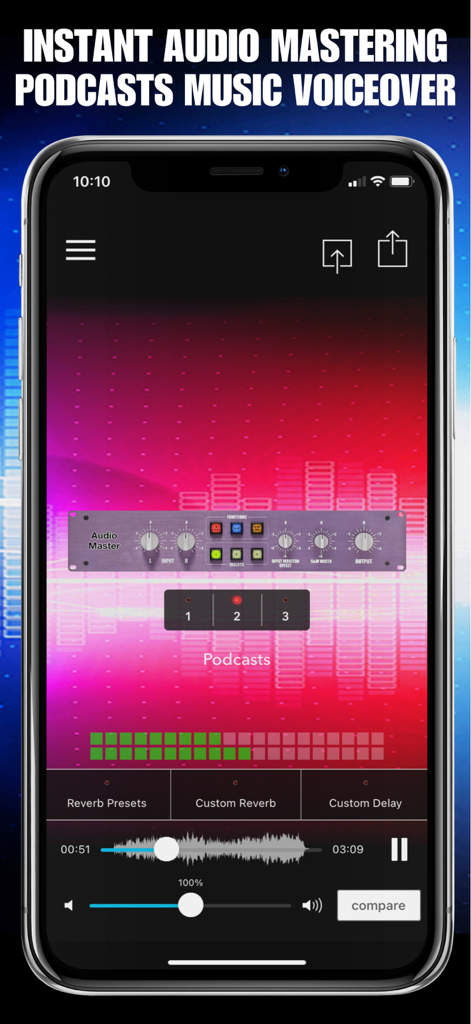
AudioMaster: Audio Editor - ポッドキャスト制作のためのプロフェッショナルなマスタリングコントロールと波形を表示するAudioMasterのモバイルアプリインターフェース
ポッドキャスト制作のためのプロフェッショナルなマスタリングコントロールと波形を表示するAudioMasterのモバイルアプリインターフェース

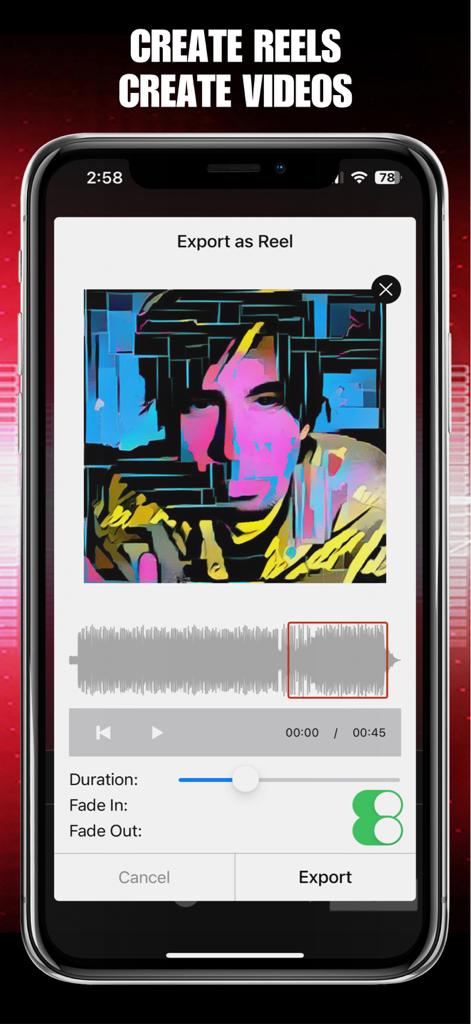
AudioMaster: Audio Editor - オーディオ波形とビジュアル設定を備えたリール書き出し機能を表示するAudioMasterアプリのインターフェース
オーディオ波形とビジュアル設定を備えたリール書き出し機能を表示するAudioMasterアプリのインターフェース

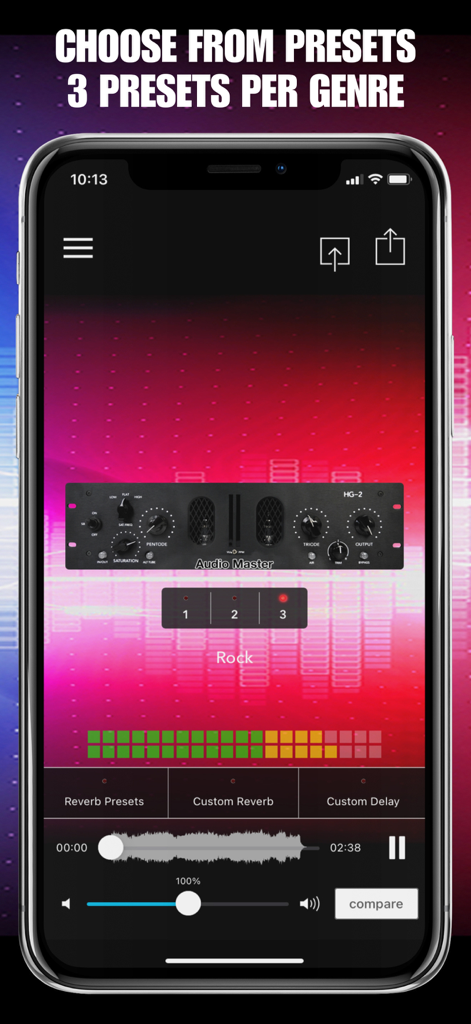
AudioMaster: Audio Editor - ロックジャンル向けの3つのマスタリングプリセットが表示されたAudioMasterアプリのインターフェースのスマートフォン画面
ロックジャンル向けの3つのマスタリングプリセットが表示されたAudioMasterアプリのインターフェースのスマートフォン画面

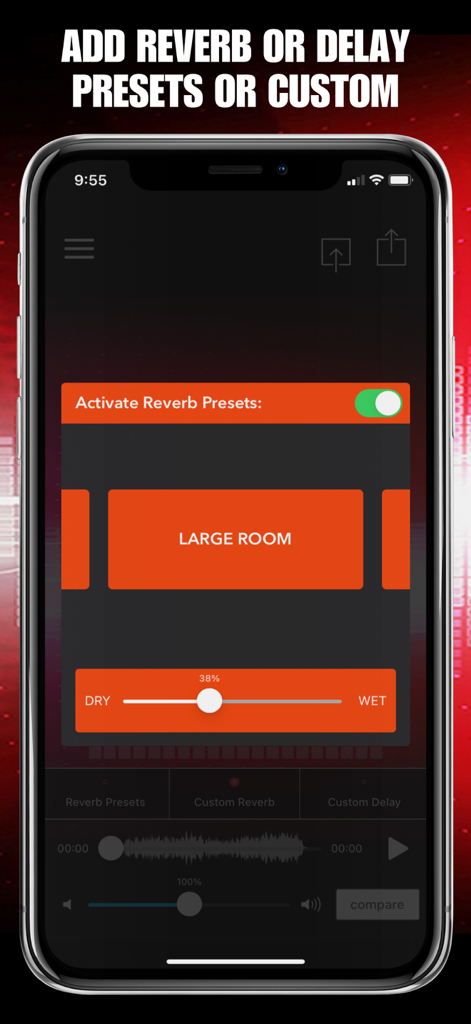
AudioMaster: Audio Editor - リバーブプリセットのオプションとオーディオの奥行きを調整するスライダーを備えたAudioMasterアプリのインターフェース
リバーブプリセットのオプションとオーディオの奥行きを調整するスライダーを備えたAudioMasterアプリのインターフェース

AudioMaster: Audio Editor - 6バンドのスライダーと保存設定を備えたAudioMasterアプリのカスタムイコライザーインターフェース
6バンドのスライダーと保存設定を備えたAudioMasterアプリのカスタムイコライザーインターフェース

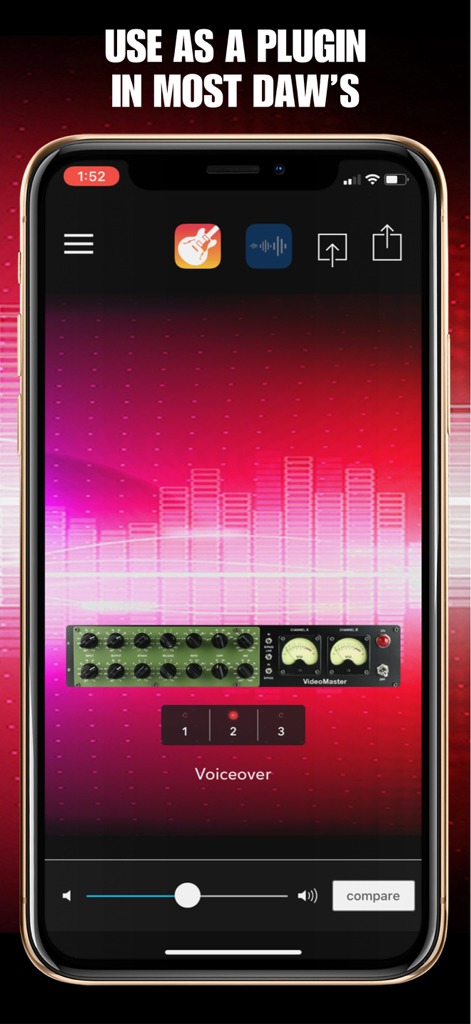
AudioMaster: Audio Editor - プロフェッショナルなナレーションマスタリングのために、モバイル・デジタル・オーディオ・ワークステーション(DAW)内のプラグインとして使用されている様子を示すAudioMasterアプリのインターフェース
プロフェッショナルなナレーションマスタリングのために、モバイル・デジタル・オーディオ・ワークステーション(DAW)内のプラグインとして使用されている様子を示すAudioMasterアプリのインターフェース

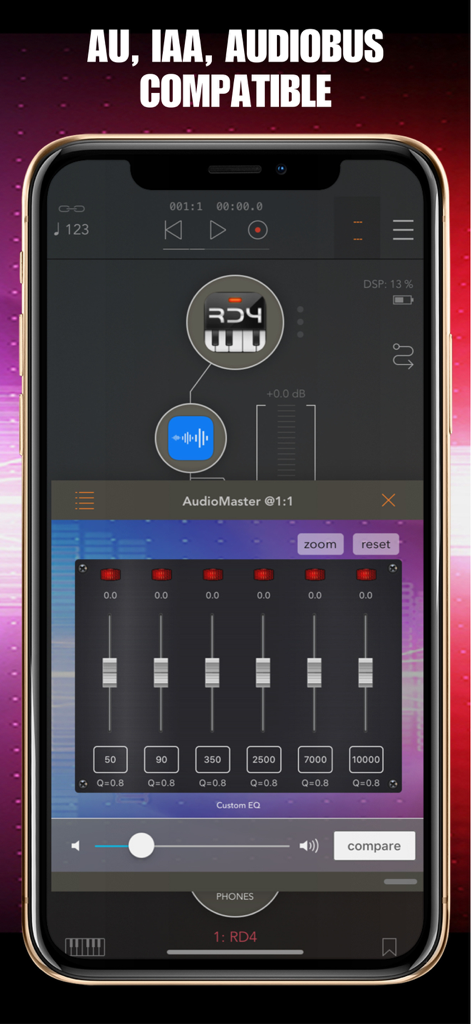
AudioMaster: Audio Editor - 6バンドのカスタムイコライザーとAU IAA Audiobusへの対応を示すAudioMasterアプリのインターフェース
6バンドのカスタムイコライザーとAU IAA Audiobusへの対応を示すAudioMasterアプリのインターフェース

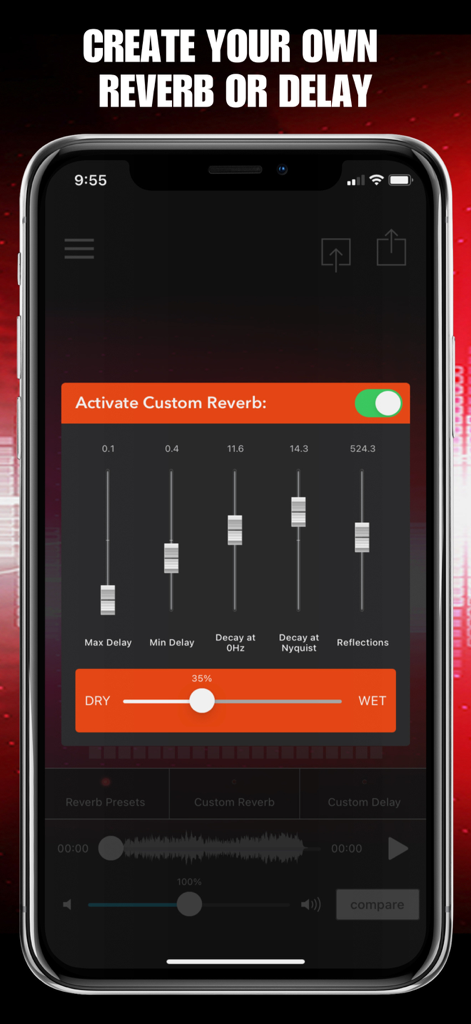
AudioMaster: Audio Editor - 調整可能なスライダーを備えたカスタムリバーブとディレイの設定を表示するAudioMasterアプリのモバイル画面

調整可能なスライダーを備えたカスタムリバーブとディレイの設定を表示するAudioMasterアプリのモバイル画面

説明

Musicians! Podcasters! Voiceover Artists! Let AudioMaster put the final touches on your audio. AudioMaster instantly maximizes the volume and enhances the sonic characteristics of your recording. Create AI Videos and Reels too! Our audio algorithm automatically adjusts levels and gives an overall sweetening of the sound. Think of it as the difference between a good sounding mix and a louder, professional sounding finished master. Choose between our fully adjustable 6 band equalizer or presets of 3 settings per genre. Export, save and share anywhere. Audiobus, IAA and AUv3 compatible. Free to download so you can try before you buy. Export in many different formats! Use for Podcasts, Music, Voiceover, Demos, Memos, etc. Voice Memo Cleaner Remove Noise from Audio Video Audio Splitter MSV Remix Remix the Audio of Your Video MicSwap Remix AI Audio Stem Separator Audio Cleaner AI Audio Cleanup Magic MAIVE Ai Video Generator VideoVerb Add Reverb to Your Videos Hear Boost Get Super Hearing & Recording MicSwap Mic Modeler & Recorder MicSwap MultiTrack Multitrack Mic Modeler & Recorder MicSwap Video Edit Video Audio with Mic Models & FX MicSwap Camera The Best Sounding Video Camera AudioFix Denoise & Clean the Sound of Your Video VideoMaster Instant Audio Post-Production for Videos AudioVerb Add Reverb & Delay to Your Audio AudioMaster Audio Mastering for Podcasts & Music Volume Booster Easily Boost the Sound of Your Audio or Video 39 PRESETS IN 13 GENRES • Flat EQ • Podcasts • Voiceover • Rock • Folk • Blues • Classical • Country • Hip Hop • Electronic • Jazz • Latin • New Age • Pop • R&B / Soul AudioMaster is free to download. We offer 3 subscription plans: Monthly Unlimited Use 6 Month Unlimited Use Yearly Unlimited Use If you choose to subscribe, your subscriptions will automatically renew at the end of the selected time and will charge your credit card through your iTunes account. You can turn off auto-renew at any time from your iTunes account settings. Payment will be charged to iTunes Account at confirmation of purchase.Subscription automatically renews unless auto-renew is turned off at least 24-hours before the end of the current period. Account will be charged for renewal within 24-hours prior to the end of the current period, and identify the cost of the renewal. Subscriptions may be managed by the user and auto-renewal may be turned off by going to the user's Account Settings after purchase. Any unused portion of a free trial period, if offered, will be forfeited when the user purchases a subscription to that publication, where applicable AudioMaster - Audio Master Future Moments LLC privacy policy: http://future-moments.com/faq Future Moments LLC terms of use: http://future-moments.com/faq

Download

ダウンロード: App Store
おすすめ

類似アプリ

似た機能とユーザー体験を持つアプリ

このページはアプリまたはその開発者の公式ページではなく、情報提供および論評を目的として作成された独立した編集出版物です。明示的に別段の記載がない限り、アプリおよびその開発者は、MWM、Apple、Google Play、アプリのパブリッシャー、またはアプリの開発者と提携、承認、後援、認可、またはその他の公式的な関係はなく、このページのいかなる内容も、アプリがMWMのサービスを使用して開発されたことを意味するものではありません。すべての商標、ロゴ、スクリーンショット、その他のコンテンツはそれぞれの所有者の財産です。