
このページはアプリまたはその開発者の公式ページではなく、情報提供および論評を目的として作成された独立した編集出版物です。明示的に別段の記載がない限り、アプリおよびその開発者は、MWM、Apple、Google Play、アプリのパブリッシャー、またはアプリの開発者と提携、承認、後援、認可、またはその他の公式的な関係はなく、このページのいかなる内容も、アプリがMWMのサービスを使用して開発されたことを意味するものではありません。すべての商標、ロゴ、スクリーンショット、その他のコンテンツはそれぞれの所有者の財産です。

Autodesk Construction Cloud
3Dモデル、図面、重要なワークフローを現場に持ち込みましょう。手戻りをなくし、建設管理で最も信頼されているモバイルプラットフォームで高品質なプロジェクトを期限内に完了させましょう。
ダウンロード
1M+ユーザー評価
評価数
24K+開発元
カテゴリ
Business対応言語
18最新バージョン
7.69.0サイズ
638.9 MBリリース日
2012年2月15日どこからでも現場をマスター
ドキュメント管理、進捗追跡、高品質なプロジェクトの期限内かつ予算内での完了のために、業界をリードするプラットフォームで現場チームの能力を強化しましょう。
BIM・2D図面へのインスタントアクセス
iPadでRevitおよびAutoCADモデルを直接表示しましょう。バージョンを比較し、図面にリアルタイムで注釈を付けて、手戻りをなくし、精度を確保しましょう。
シームレスなRFI・課題追跡
その場で担当者を割り当てることで、障害をより迅速に解決しましょう。課題に写真やドキュメントをリンクして、明確な責任の証跡を維持しましょう。
よくある質問
について知っておくべきこと Autodesk Construction Cloud
Autodesk Construction Cloud アプリとは何ですか?
Autodesk Construction Cloud アプリは、250万以上のプロジェクトで利用されている建設管理ツールです。Autodesk Build、BIM Collaborate、Docs、PlanGrid を統合し、包括的なプロジェクト管理を実現します。
Autodesk Construction Cloud モバイルアプリはどの Autodesk 製品と統合されていますか?
Autodesk Construction Cloud モバイルアプリは、Autodesk Build、BIM Collaborate、Autodesk Docs、Revit、Navisworks、PlanGrid、AutoCAD と統合されており、それらの機能を現場で利用できるようにします。
Autodesk Construction Cloud はプロジェクトのスケジュール管理にどのように役立ちますか?
Autodesk Construction Cloud アプリは、一元化されたスケジュールを提供します。ユーザーは期間で表示したり、重要な項目をフィルタリングしたり、依存関係を確認したり、スケジュール提案を評価したりして、プロジェクトを順調に進めることができます。
Autodesk Construction Cloud アプリで問題の追跡と解決はできますか?
はい、Autodesk Construction Cloud アプリを使用すると、設計から引き渡しまで問題の追跡が可能です。期日、担当者、写真、ファイル、RFI を追加して、問題をより迅速に解決できます。
Autodesk Construction Cloud アプリはフォームを使用して品質管理をどのように促進しますか?
Autodesk Construction Cloud アプリは、安全プログラムや日報チェックリストなどの重要な情報を収集するための適応可能なフォームを提供します。これにより、より高品質なプロジェクトの提供を支援します。
Autodesk Construction Cloud は資産ライフサイクル管理をサポートしていますか?
はい、Autodesk Construction Cloud アプリは、設計から試運転、引き渡しまでのプロジェクト資産のライフサイクルを管理します。資産はアプリ内で追跡、保存され、他のワークフローに接続されます。
Autodesk Construction Cloud モバイルアプリで図面にアクセスするにはどうすればよいですか?
Autodesk Construction Cloud モバイルアプリは、最新の図面や共有プランへの迅速なアクセスを提供します。ユーザーは現場から直接、シートのダウンロード、検索、比較、共有、マークアップを行うことができます。
Autodesk Construction Cloud アプリはどのような種類の 3D モデルをサポートしていますか?
Autodesk Construction Cloud アプリは、Revit、AutoCAD からの 3D モデルや、RVT、DWG、NWC、IFC、NWD などのその他のファイルタイプをサポートしており、現場での重要な意思決定を迅速化します。
Autodesk Construction Cloud アプリは RFI をどのように管理しますか?
Autodesk Construction Cloud アプリは、プロジェクトライフサイクル全体にわたる RFI を接続し、シームレスな RFI 管理を提供します。これにより、重複作業が削減され、説明責任が向上します。
Autodesk Construction Cloud アプリで提出書類情報を表示および検索できますか?
はい、Autodesk Construction Cloud アプリを使用すると、関連するすべての提出書類情報を手元に保持できます。ユーザーは提出書類をすばやく検索して、進捗状況や次のステップを確認できます。
Autodesk Construction Cloud アプリはどのような写真機能を提供していますか?
Autodesk Construction Cloud アプリでは、写真のキャプチャ、タグ付け、参照、ジオロケーションが可能です。写真は進捗状況を追跡し、問題、RFI、スケジュールアクティビティにリンクできます。
以下のスクリーンショットと説明は、アプリの公式ストアリスティングから直接取得されたものであり、アプリ開発者の所有物です。
アプリストア
スクリーンショット
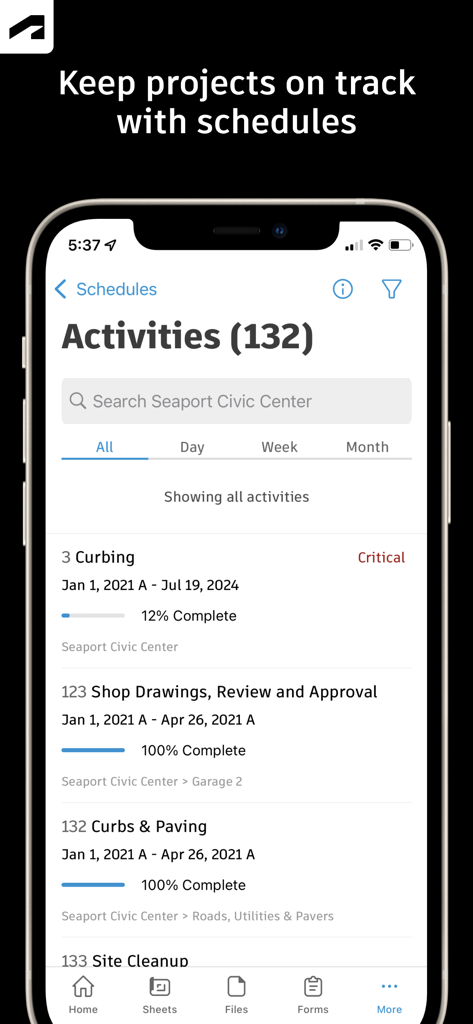
Autodesk Construction Cloudモバイルアプリに、進捗追跡と完了率が表示されたプロジェクトアクティビティスケジュールが表示されている
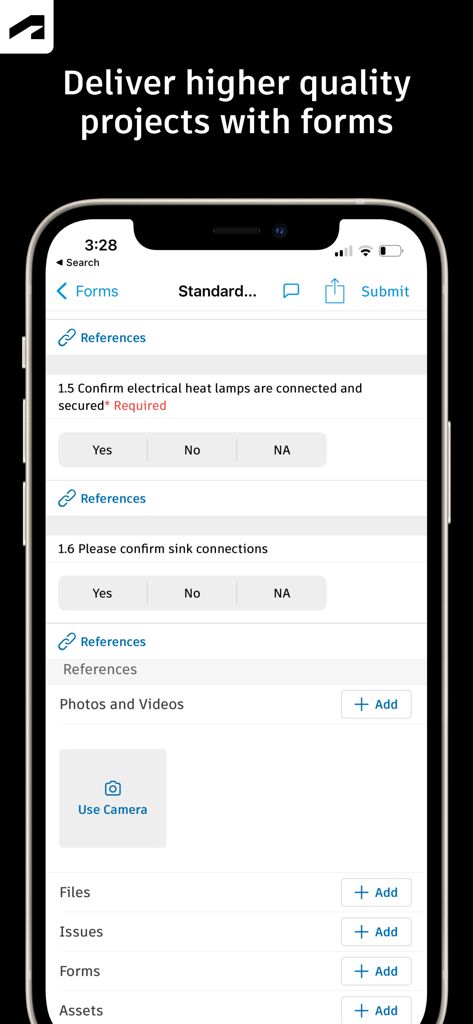
Autodesk Construction Cloudのモバイルインターフェイスに、プロジェクト品質管理のためのチェックリスト付きの建設現場検査フォームが表示されている
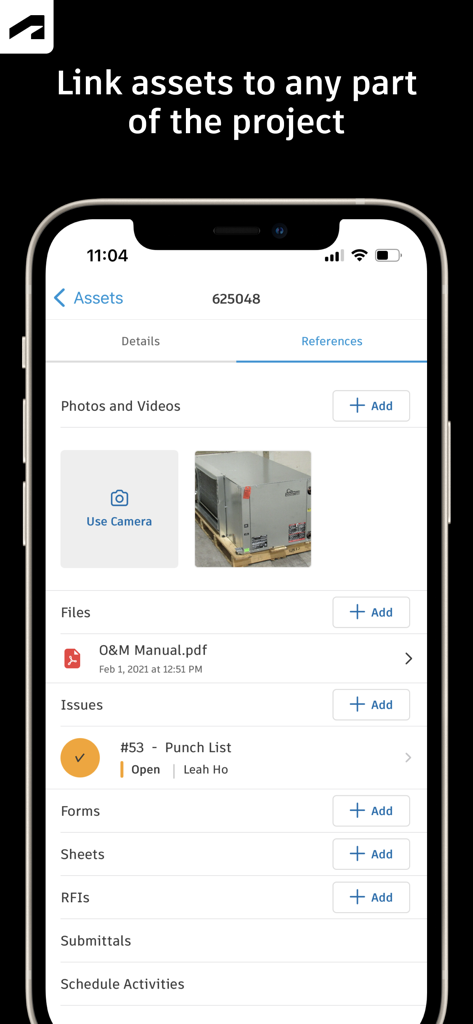
Autodesk Construction Cloudモバイルアプリの画面に、写真、ファイル、パンチリストの課題を含むアセット参照が表示されている
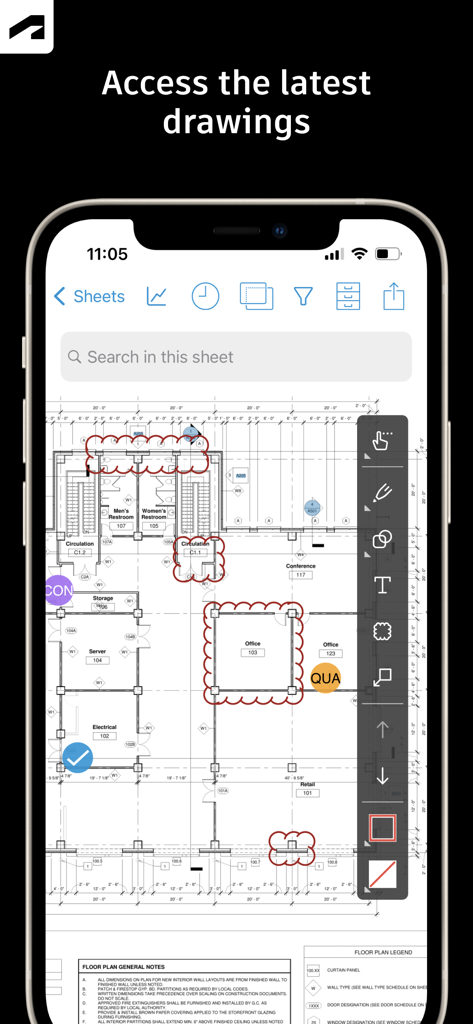
Autodesk Construction Cloudアプリに、スマートフォンの建設図面と注釈ツールが表示されている
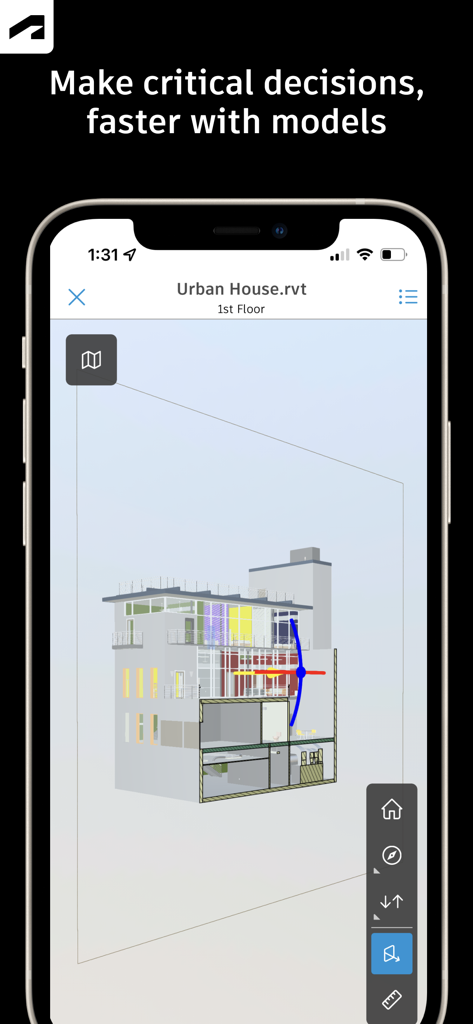
Autodesk Construction Cloudアプリを使用してスマートフォンに表示された、建物の3D建築モデル

Autodesk Construction Cloudアプリに、ステータスとレビュー担当者の情報が含まれた、デザインコラムラップのRFI詳細画面が表示されている
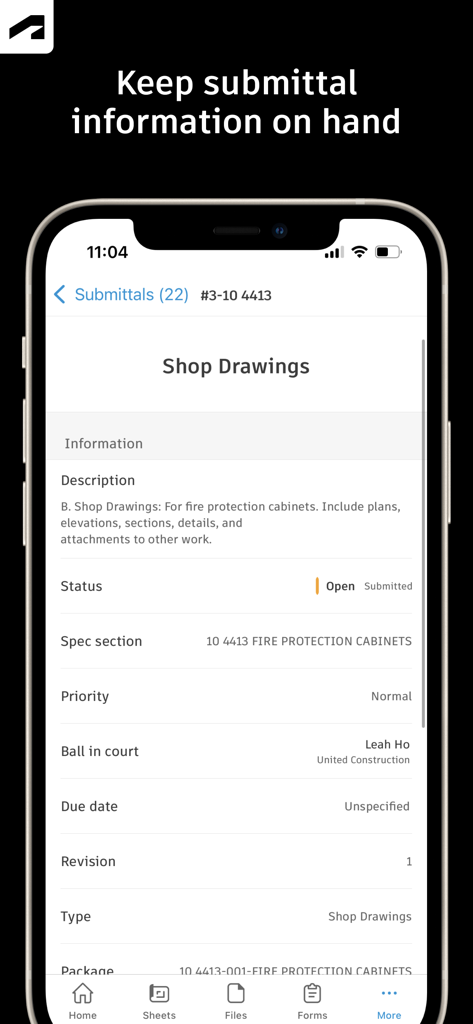
Autodesk Construction Cloudアプリに、モバイルデバイス上のショップ図面の提出詳細が表示されている
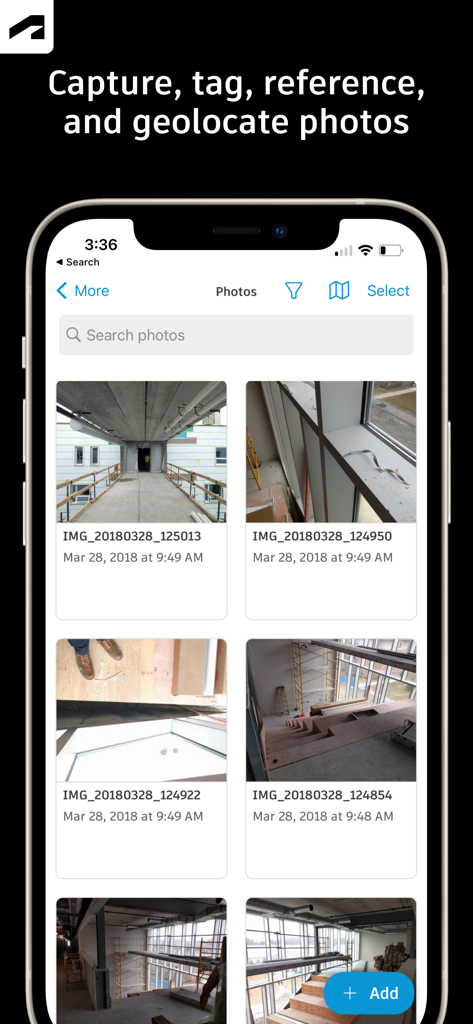
Autodesk Construction Cloudモバイルアプリのインターフェイスに、建設現場の進捗写真のギャラリーが表示されている
説明
Download
類似アプリ
似た機能とユーザー体験を持つアプリ

Doximity
Doximity

PrepWizard
CyberDynamite LLC

MaintainX Work Orders
MAINTAINX INC.

WAGO
WAGO Kontakttechnik GmbH & Co. KG

Flash.It
Structured Steel Pty Ltd

iCoder CPT RVU ICD10 HCPCS
StarInix Corporation

Summons Partner+
n.u. logistics

OneClick Code - Building Codes
One Click Reports

德馨ּּ维修
小东 何
このページはアプリまたはその開発者の公式ページではなく、情報提供および論評を目的として作成された独立した編集出版物です。明示的に別段の記載がない限り、アプリおよびその開発者は、MWM、Apple、Google Play、アプリのパブリッシャー、またはアプリの開発者と提携、承認、後援、認可、またはその他の公式的な関係はなく、このページのいかなる内容も、アプリがMWMのサービスを使用して開発されたことを意味するものではありません。すべての商標、ロゴ、スクリーンショット、その他のコンテンツはそれぞれの所有者の財産です。