AutoResponder for WA
ダウンロード: App Store

このページはアプリまたはその開発者の公式ページではなく、情報提供および論評を目的として作成された独立した編集出版物です。明示的に別段の記載がない限り、アプリおよびその開発者は、MWM、Apple、Google Play、アプリのパブリッシャー、またはアプリの開発者と提携、承認、後援、認可、またはその他の公式的な関係はなく、このページのいかなる内容も、アプリがMWMのサービスを使用して開発されたことを意味するものではありません。すべての商標、ロゴ、スクリーンショット、その他のコンテンツはそれぞれの所有者の財産です。

ロゴ: AutoResponder for WA
ダウンロード: App Store

AutoResponder for WA

ノーコード自動化で中小企業をスケールアップ。リードに即時返信し、営業時間外の対応をスケジュールし、未保存の番号にメッセージを送信して、コミュニケーションの疲労なく生産性を維持します。

主要数値

ダウンロード

42K+

ユーザー評価

4.2/5

評価数

500

開発元

Kailashben Radadiya

カテゴリ

Social Networking

対応言語

8

最新バージョン

2.0

サイズ

36.2 MB

リリース日

2024年8月2日
機能

スマート自動化でビジネスをスケールアップ

WhatsAppを24時間年中無休のカスタマーサービス powerhouse に変革しましょう。リードを管理し、返信を自動化し、現代の起業家のために設計されたツールで時間を確保します。

ノーコードチャットボットビルダー

コーディングを一切書かずに、反復的なFAQに自動応答し、新しいリードに即座に挨拶します。

カスタム返信スケジューリング

オフライン中のビジネス時間に合わせて自動返信を設定し、クライアントを決して無視させないようにします。

以下のスクリーンショットと説明は、アプリの公式ストアリスティングから直接取得されたものであり、アプリ開発者の所有物です。

アプリストア

スクリーンショット
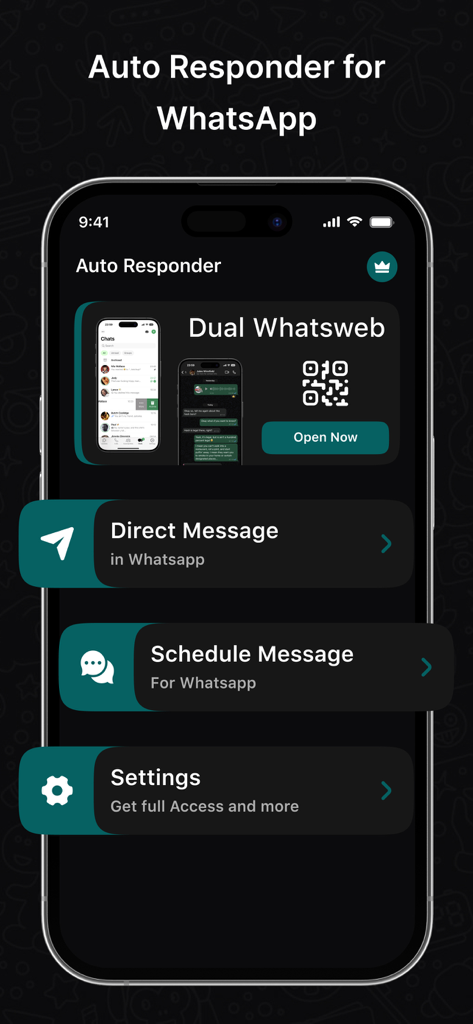
AutoResponder for WA - WhatsApp自動応答アプリのホーム画面に、デュアルWhatsweb、ダイレクトメッセージ、スケジュールメッセージのオプションが表示されています。
WhatsApp自動応答アプリのホーム画面に、デュアルWhatsweb、ダイレクトメッセージ、スケジュールメッセージのオプションが表示されています。

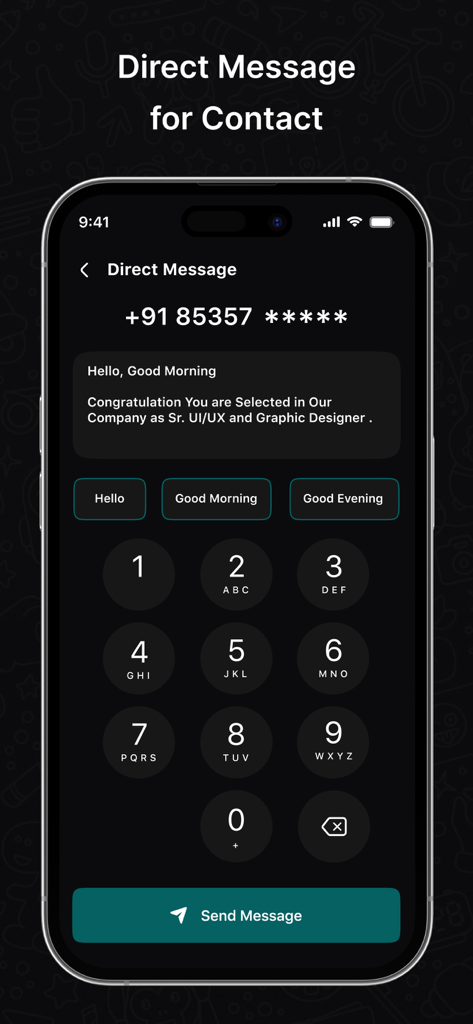
AutoResponder for WA - クイック返信オプション付きの未保存番号へのWhatsAppダイレクトメッセージ送信インターフェイス
クイック返信オプション付きの未保存番号へのWhatsAppダイレクトメッセージ送信インターフェイス

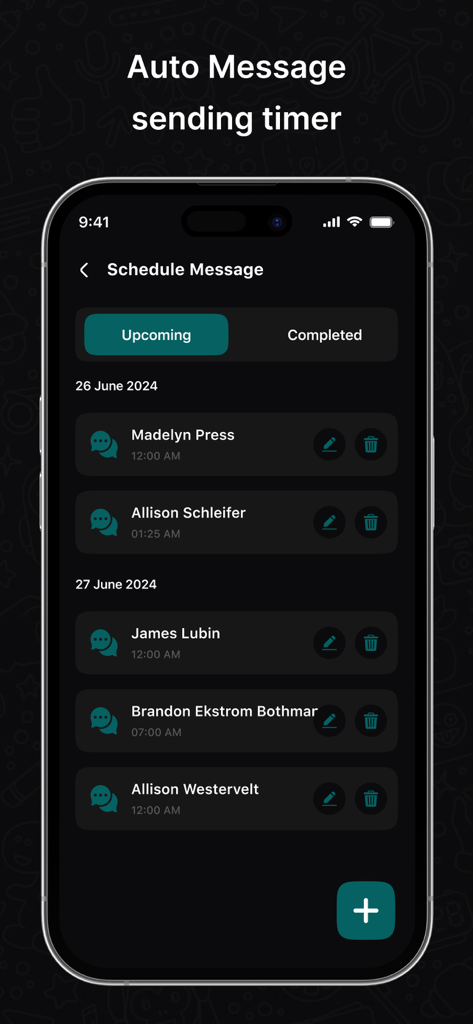
AutoResponder for WA - AutoResponder for WAアプリのスケジュールメッセージ機能を示す携帯電話画面。さまざまな連絡先に対する今後の自動メッセージのリストが表示されています。
AutoResponder for WAアプリのスケジュールメッセージ機能を示す携帯電話画面。さまざまな連絡先に対する今後の自動メッセージのリストが表示されています。

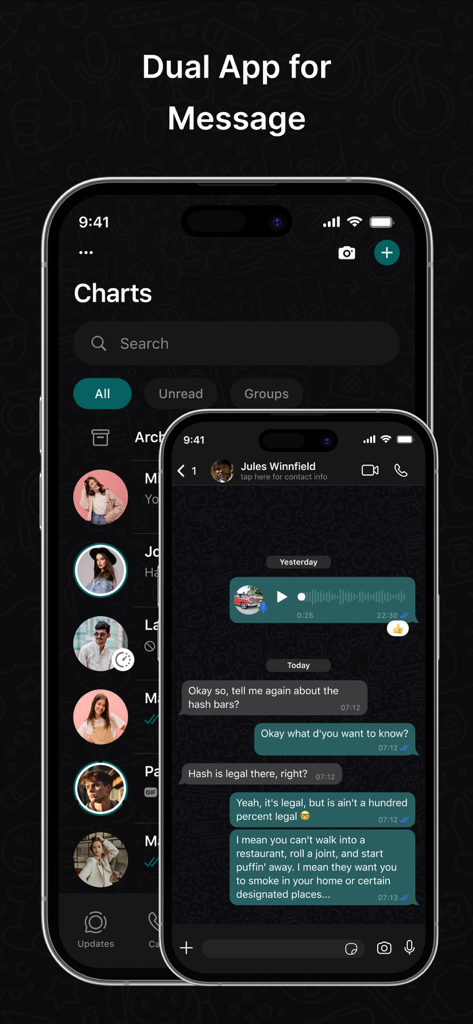
AutoResponder for WA - チャットリストと会話を示すAutoResponder for WAのデュアルアプリメッセージングインターフェイス

チャットリストと会話を示すAutoResponder for WAのデュアルアプリメッセージングインターフェイス

説明

Automatically respond to custom received WhatsApp or WA Business messages with this bot. You have a lot of settings to customise each auto reply for your needs. Build Your Bot Create your own chat bot more easily than any other apps in the world. No more technical skills required to build your bot.
AutoResponder for WhatsApp is best tool for WhatsApp to send messages to any numbers that are not saved in your Contacts. How it works? 1. Enter a number to which you are going to send message. 2. Type your text message and tap on send button. 3. This will take you to the official app then a chat window is created on WhatsApp with the given number. 1.Contact Matters Always choose to whom you want to send a reply. 2.Smart Reply Customise the reply time. You can set WhatsAuto to send auto reply continuously or to send after some time delay or to send only once. 3.Schedule Schedule your time to turn WhatsAuto On and Off automatically to send auto reply to your incoming messages. This feature is useful when you're out of business hours. 4.WhatsWeb You just have to open WhatsWeb and scan the other account's QR code and now you are done to use the dual chat feature with this web cloning app. Note - This app or app developer is not associated with WhatsApp. WhatsApp is a registered trademark of WhatsApp Inc. You should follow WhatsApp's terms & condition while sending messages through WhatsAuto App. SUBSCRIPTION AND TERMS: You may purchase an auto-renewing subscription through an In-App Purchase to enjoy all App Features without Ads: • Auto-renewable subscription • Weekly, 1 month and 1-year durations • Your subscription will be charged to your iTunes account at confirmation of purchase and will automatically renew (at the duration selected) unless auto-renew is turned off at least 24 hours before the end of the current period. • Current subscription may not be canceled during the active subscription period; however, you can manage your subscription and/or turn off auto-renewal by visiting your iTunes Account Settings after purchase. Read our full Terms of Service and our Privacy Policy at: * Link to Privacy Policy: https://autoresponderforwa.blogspot.com/2024/07/privacy-policy.html * Link to Terms of use: https://autoresponderforwa.blogspot.com/2024/07/terms-conditions.html * Link to EULA : https://autoresponderforwa.blogspot.com/2024/07/eula.html

Download

ダウンロード: App Store

このページはアプリまたはその開発者の公式ページではなく、情報提供および論評を目的として作成された独立した編集出版物です。明示的に別段の記載がない限り、アプリおよびその開発者は、MWM、Apple、Google Play、アプリのパブリッシャー、またはアプリの開発者と提携、承認、後援、認可、またはその他の公式的な関係はなく、このページのいかなる内容も、アプリがMWMのサービスを使用して開発されたことを意味するものではありません。すべての商標、ロゴ、スクリーンショット、その他のコンテンツはそれぞれの所有者の財産です。