Ava: Transcribe Voice to Text
ダウンロード: App Store

このページはアプリまたはその開発者の公式ページではなく、情報提供および論評を目的として作成された独立した編集出版物です。明示的に別段の記載がない限り、アプリおよびその開発者は、MWM、Apple、Google Play、アプリのパブリッシャー、またはアプリの開発者と提携、承認、後援、認可、またはその他の公式的な関係はなく、このページのいかなる内容も、アプリがMWMのサービスを使用して開発されたことを意味するものではありません。すべての商標、ロゴ、スクリーンショット、その他のコンテンツはそれぞれの所有者の財産です。


ロゴ: Ava: Transcribe Voice to Text
ダウンロード: App Store

Ava: Transcribe Voice to Text

世界最高精度のリアルタイム字幕で、聴覚障害者および難聴者コミュニティを支援します。AIを活用した、完全な自立を目指して設計された色分け文字起こし機能により、会議、講義、社交の場での会話を無理なく追うことができます。

主要数値

ダウンロード

267K+

ユーザー評価

4.4/5

評価数

4K+

開発元

Transcense Inc.

カテゴリ

Social Networking

対応言語

6

最新バージョン

2.8.34

サイズ

63.2 MB

リリース日

2016年5月3日
機能

会話の可能性を広げる

仕事やプライベートのために設計された、世界最先端のリアルタイム文字起こしツールでコミュニケーションの壁を打ち破りましょう。

グループでのやり取りを把握

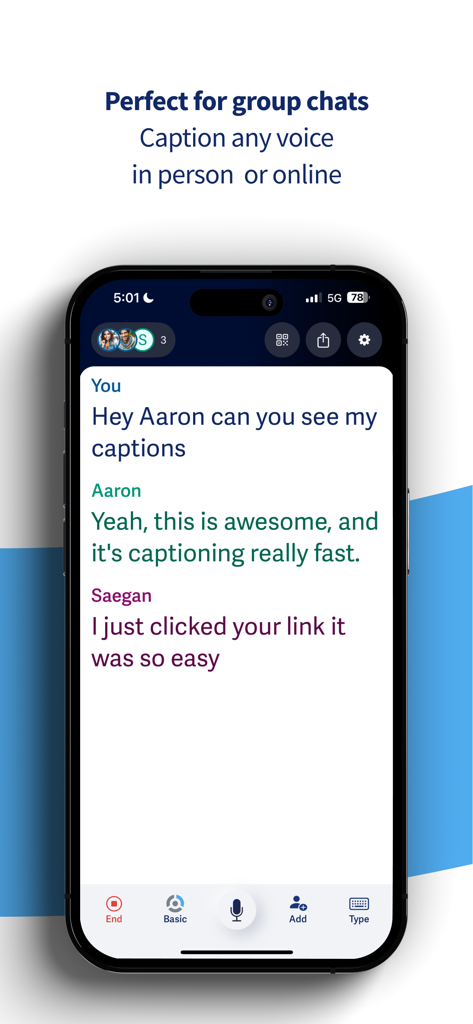
発言者を色分けして特定できる機能により、騒がしい会議や社交の場でも、誰が話しているかを正確に把握して参加し続けることができます。

デジタルの格差を埋める

Zoom、Teams、講義などの字幕をあらゆるデバイスで即座に表示。職場での生産性と完全な自立を維持します。

以下のスクリーンショットと説明は、アプリの公式ストアリスティングから直接取得されたものであり、アプリ開発者の所有物です。

アプリストア

スクリーンショット
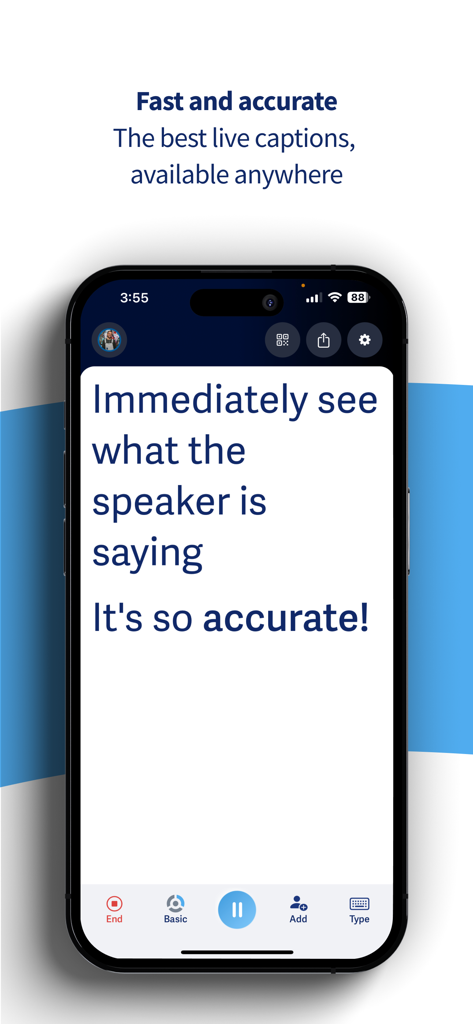
Ava: Transcribe Voice to Text - iPhoneでリアルタイムのライブ文字起こしを表示しているAvaアプリのスクリーンショット
iPhoneでリアルタイムのライブ文字起こしを表示しているAvaアプリのスクリーンショット

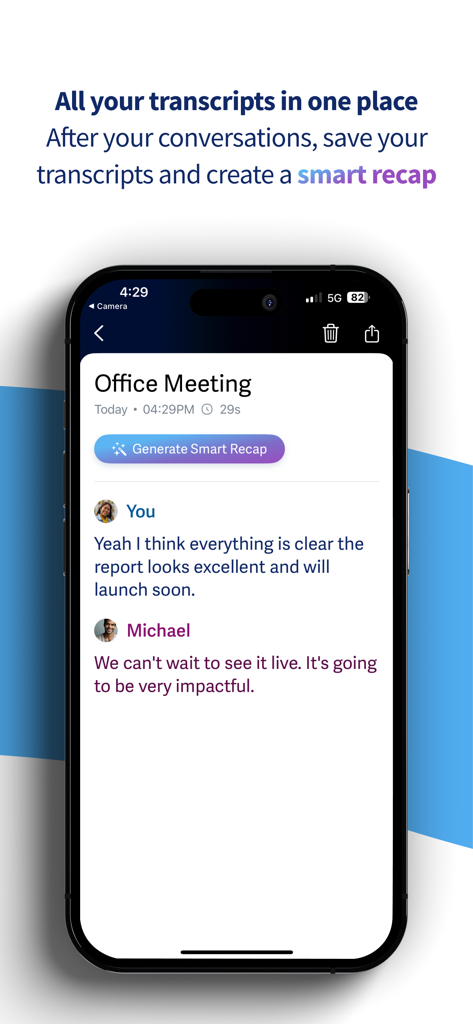
Ava: Transcribe Voice to Text - Avaアプリでオフィスの会議の文字起こしとスマート要約ボタンを表示しているスマートフォンの画面
Avaアプリでオフィスの会議の文字起こしとスマート要約ボタンを表示しているスマートフォンの画面

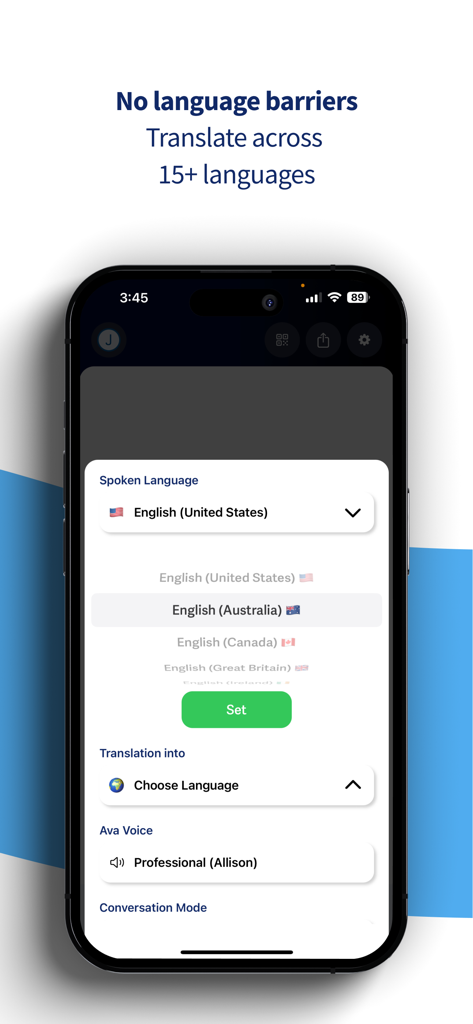
Ava: Transcribe Voice to Text - 15言語にわたる発話言語の選択と翻訳設定を表示しているAvaアプリのインターフェース
15言語にわたる発話言語の選択と翻訳設定を表示しているAvaアプリのインターフェース

Ava: Transcribe Voice to Text - 発言者を色分けして特定しながら、グループの会話をリアルタイムで文字起こししているAvaアプリを表示したスマートフォンの画面。
発言者を色分けして特定しながら、グループの会話をリアルタイムで文字起こししているAvaアプリを表示したスマートフォンの画面。

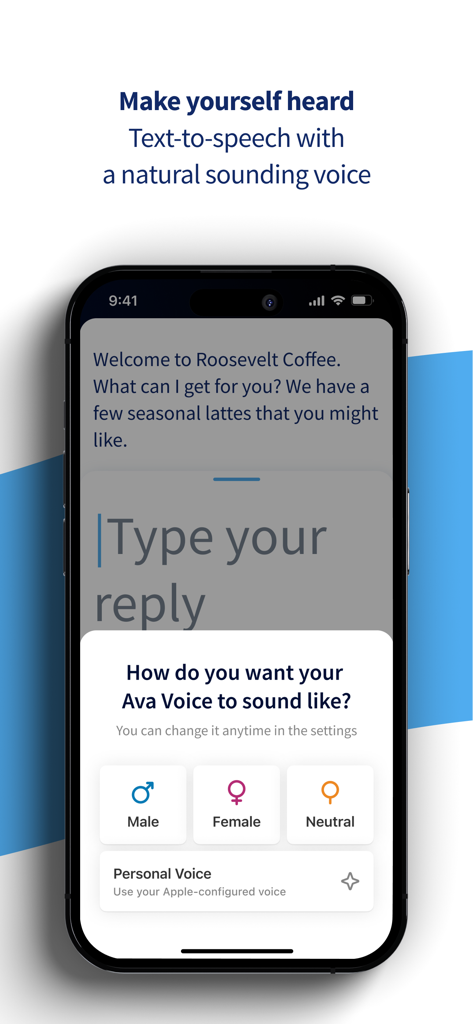
Ava: Transcribe Voice to Text - 男性、女性、中性的な声のテキスト読み上げ音声選択オプションを表示しているAvaアプリのインターフェース

男性、女性、中性的な声のテキスト読み上げ音声選択オプションを表示しているAvaアプリのインターフェース

説明

Ava uses captions to live transcribe voice to text to provide accessibility for people who are Deaf or hard of hearing (HoH). Ava's speech-to-text app provides 24/7 real-time audio transcription with about 5 errors in 100 words based on AI, and the highest possible accuracy with Ava Scribe at about 1 error in 100 words. Use Ava to transcribe or live caption voice to text for classrooms, business meetings, doctor’s appointments, shopping, events, and more. Ava's speech-to-text app makes transcribing any live communication easy for friends, family, and organizations to be inclusive, accessible and ADA compliant! How Ava live captions work: • Download Ava on your phone to instantly transcribe voice to text from up to a meter away. Teach Ava to improve and learn your vocabulary as it transcribes voice to text by tapping on words to correct them or adding your own custom vocabulary. • To use voice to text in group conversations, invite users to download the Ava app with a QR code or link so they can connect with you instantly. Ava shows a real-time color-coded transcript of who says what. • Need accessibility for people who are HoH or Deaf in more complex situations? Use the ‘Discover’ menu to learn how to set up Ava to live transcribe voice to text in any situation! Why Ava is the best speech to text app: • Ava uses your smartphone’s mic to transcribe voice to text so you have live captions, in your pocket – it's always available, anytime, anywhere. • Communicating with hearing people is faster than ever with Ava's text-to-speech technology! Simply type what you want to say, and have Ava read out loud for you • Never miss out on podcasts, live videos, live conversations, and more with Ava's dictation! • Use Ava in the workplace or in the classroom to live transcribe voice to text for voice memos, conference calls, lectures, business meetings, and more! • Use this Ava mobile app along with Ava CC, our companion computer app. It's perfect for online meetings or hybrid classes using any videoconferencing service including Zoom, Microsoft Teams, and Google Meet. Questions? Suggestions? Speak to our trusty customer support team through email at help@ava.me! Ava Free plan (for occasional users): • Live caption any conversation with unlimited basic captions per month and up to 40-minute-long sessions. • No limits on group size or number of devices connected, when you join a session on Ava, live captions are unlimited! • Save transcriptions to remember your conversations. • Text to speech: Simply type and Ava will read out loud for you. Ava Community plan (for power users): • Live caption any conversation with 3 hours of premium captions for $9.99 per month paid annually or $14.99 per month paid monthly and up to 40-minute-long sessions. Buy additional hours for $4.99 per hour. • With Premium captions, expect about 5 errors in 100 words. • Invite friends for even more free live caption hours! • Live transcribe and translate conversations in 16 languages. Ava professional plans for Organizations — the workplace, schools and events: Want to create an accessible workplace or school environment that is ADA compliant? Ava’s advocacy team is here to help setup accessibility at work, school, events, or places of worship with the Ava for organizations plans. • Infinite premium live caption time and conversations up to 2 hours (Ava Pro) or 8 hours (Ava Enterprise). • Unlimited high quality live captions with accuracy of about 5 errors in 100 words. For key conversations, use Scribe to get the highest possible accuracy with about 1 error in 100 words. • Live caption and translate up to 16 languages. • No time limits for premium captions. • Customized vocabulary for your organization. • Caption on your computer with Ava CC or any browser with Ava Web. www.ava.me/privacy www.ava.me/terms

Download

ダウンロード: App Store

このページはアプリまたはその開発者の公式ページではなく、情報提供および論評を目的として作成された独立した編集出版物です。明示的に別段の記載がない限り、アプリおよびその開発者は、MWM、Apple、Google Play、アプリのパブリッシャー、またはアプリの開発者と提携、承認、後援、認可、またはその他の公式的な関係はなく、このページのいかなる内容も、アプリがMWMのサービスを使用して開発されたことを意味するものではありません。すべての商標、ロゴ、スクリーンショット、その他のコンテンツはそれぞれの所有者の財産です。