Awesome Note 2 for iPad

Awesome Note 2 for iPad

ダウンロード: App Store
ロゴ: Awesome Note 2 for iPad

Awesome Note 2:iPadのためのオールインワン・ビジュアル・ライフプランナー

ノート、スケジュール、日記を統合した、美しくカスタマイズ可能な空間で、あなたの生産性を向上させましょう。ユニークなスタイルで、あらゆるクリエイティブな思考を捉えながら、カレンダーとリマインダーをシームレスに同期します。

ダウンロード: App Store

開発元

BRID

カテゴリ

Productivity

ダウンロード

151K+

ユーザー評価

3.9/5

評価数

3K+

対応言語

12

細部に宿るエレガンス

このインターフェースを利用する 151K+ 人のユーザー.

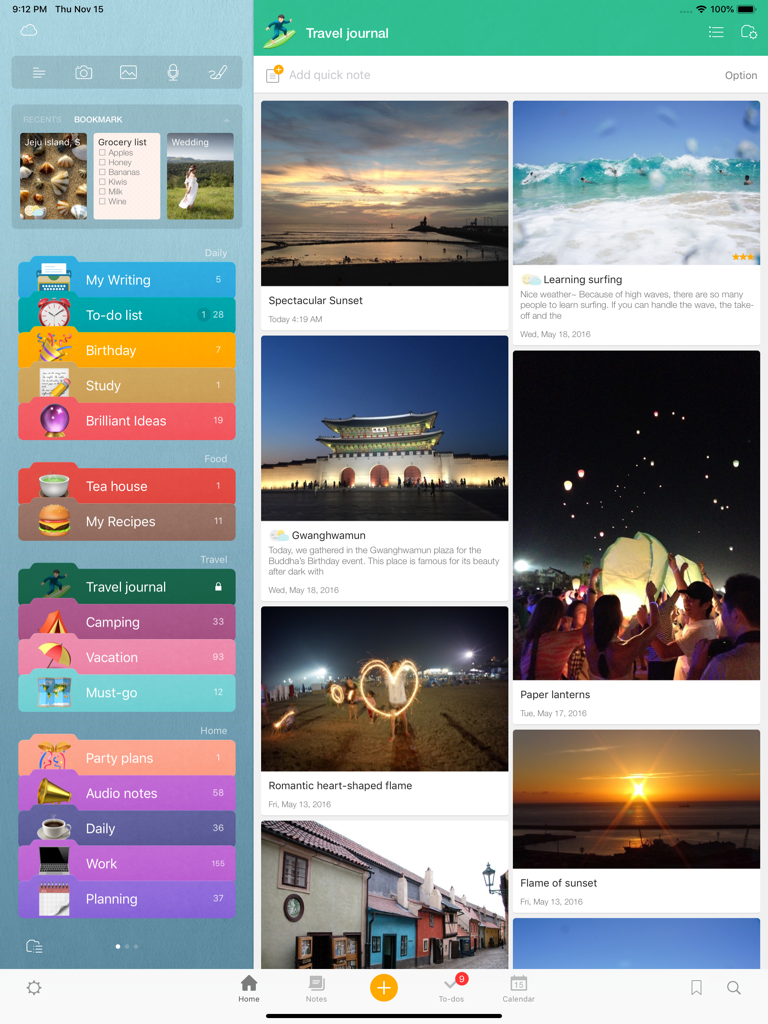
Awesome Note 2 iPadインターフェース。ビジュアルな旅行日記と整理されたカラフルなフォルダが表示されています。

Awesome Note 2 iPadインターフェース。ビジュアルな旅行日記と整理されたカラフルなフォルダが表示されています。

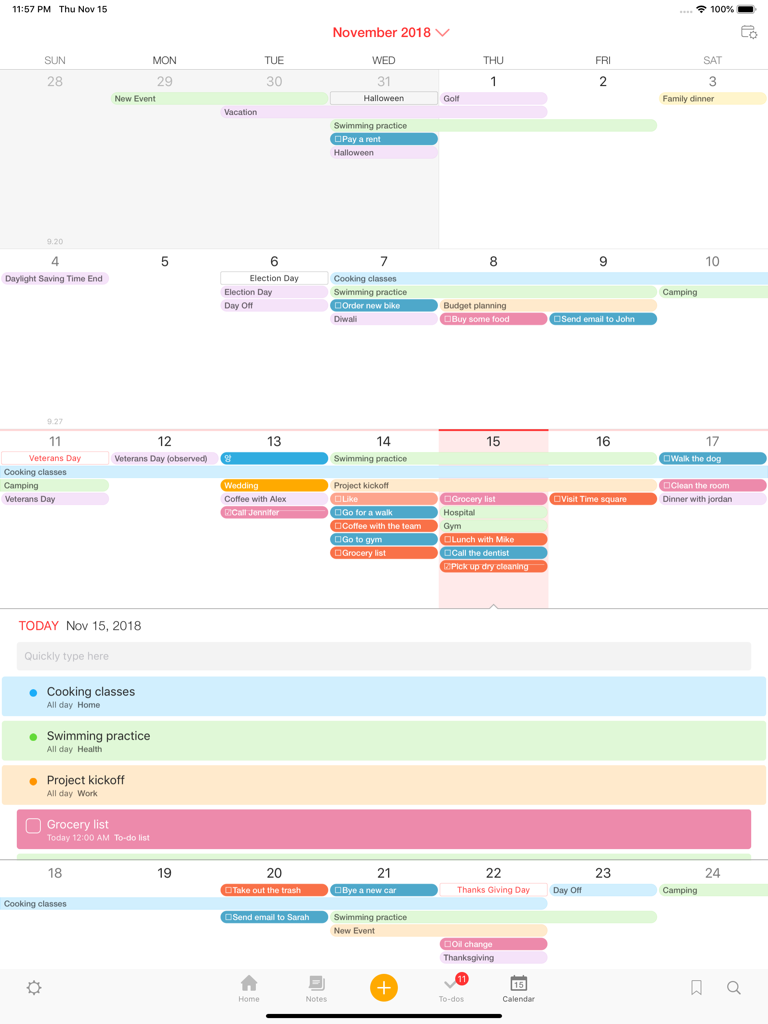
Awesome Note 2 for iPadのカラフルな月間カレンダーと日次スケジュールビュー。

Awesome Note 2 for iPadのカラフルな月間カレンダーと日次スケジュールビュー。

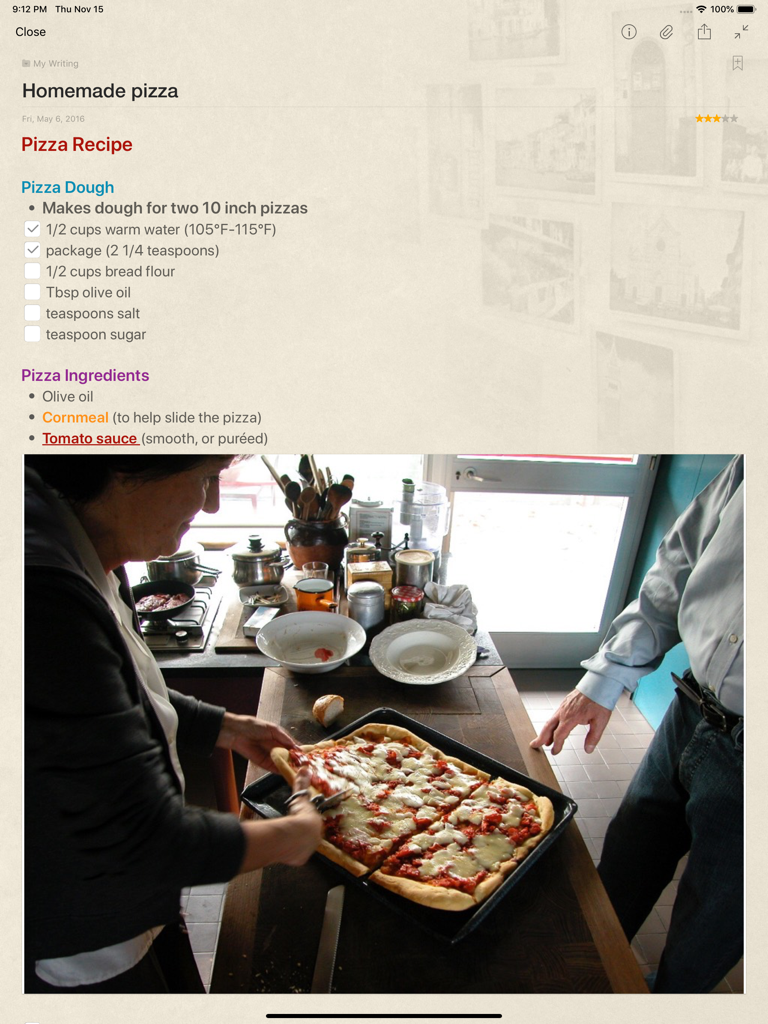
Awesome Note 2 for iPadの画面。ピザのレシピノートにはチェックボックスと自家製ピザの写真が付いています。

Awesome Note 2 for iPadの画面。ピザのレシピノートにはチェックボックスと自家製ピザの写真が付いています。

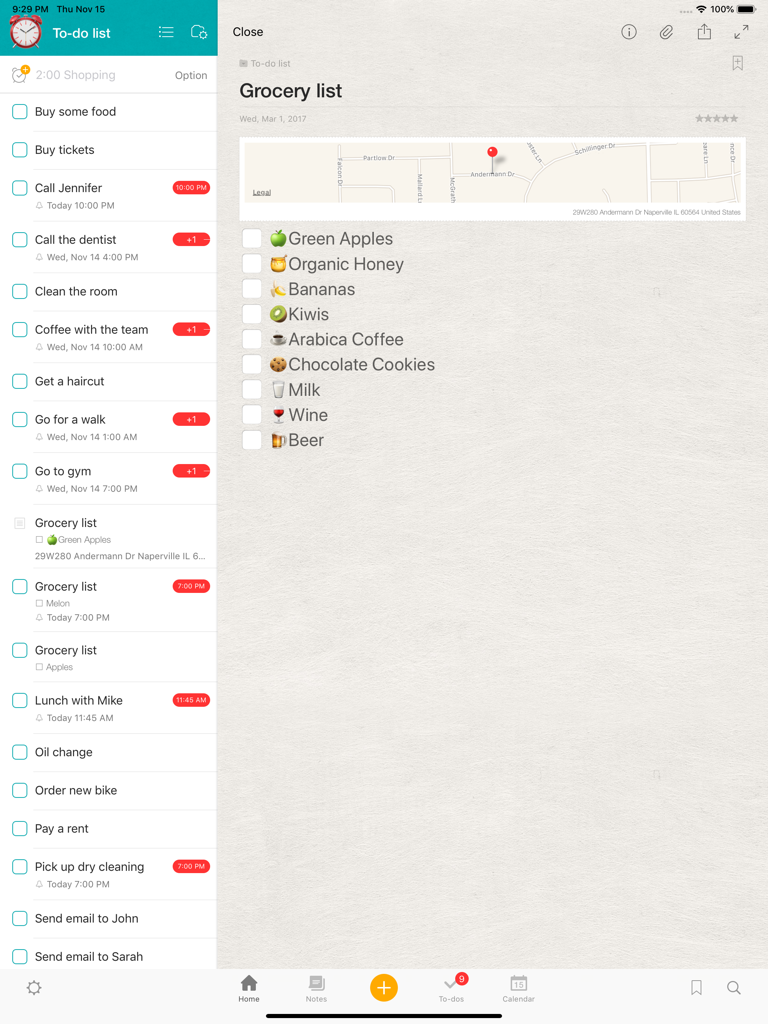
Awesome Note 2 for iPadインターフェース。ToDoリストのサイドバーと、絵文字と地図付きの詳細な買い物リストが表示されています。

Awesome Note 2 for iPadインターフェース。ToDoリストのサイドバーと、絵文字と地図付きの詳細な買い物リストが表示されています。

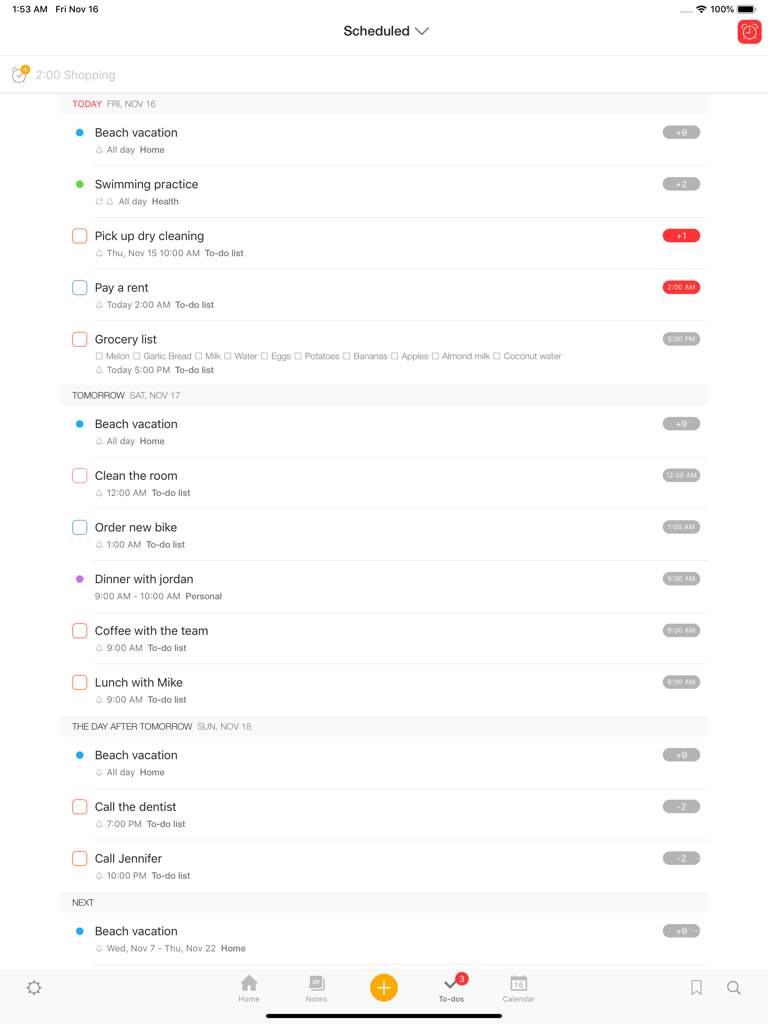
Awesome Note 2 iPadインターフェース。日付順に整理された予定タスクとToDoアイテムのリストが表示されています。

Awesome Note 2 iPadインターフェース。日付順に整理された予定タスクとToDoアイテムのリストが表示されています。

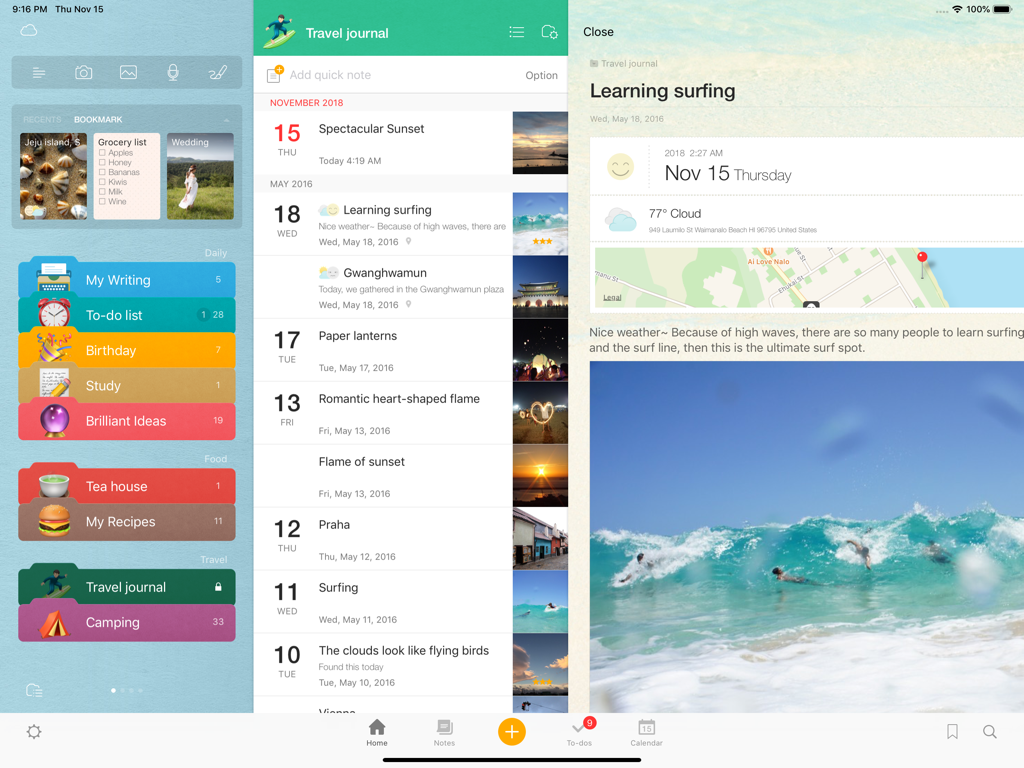
Awesome Note 2 for iPadのインターフェース。カラフルなフォルダと、写真と地図付きのビジュアル旅行日記エントリが表示されています。

Awesome Note 2 for iPadのインターフェース。カラフルなフォルダと、写真と地図付きのビジュアル旅行日記エントリが表示されています。

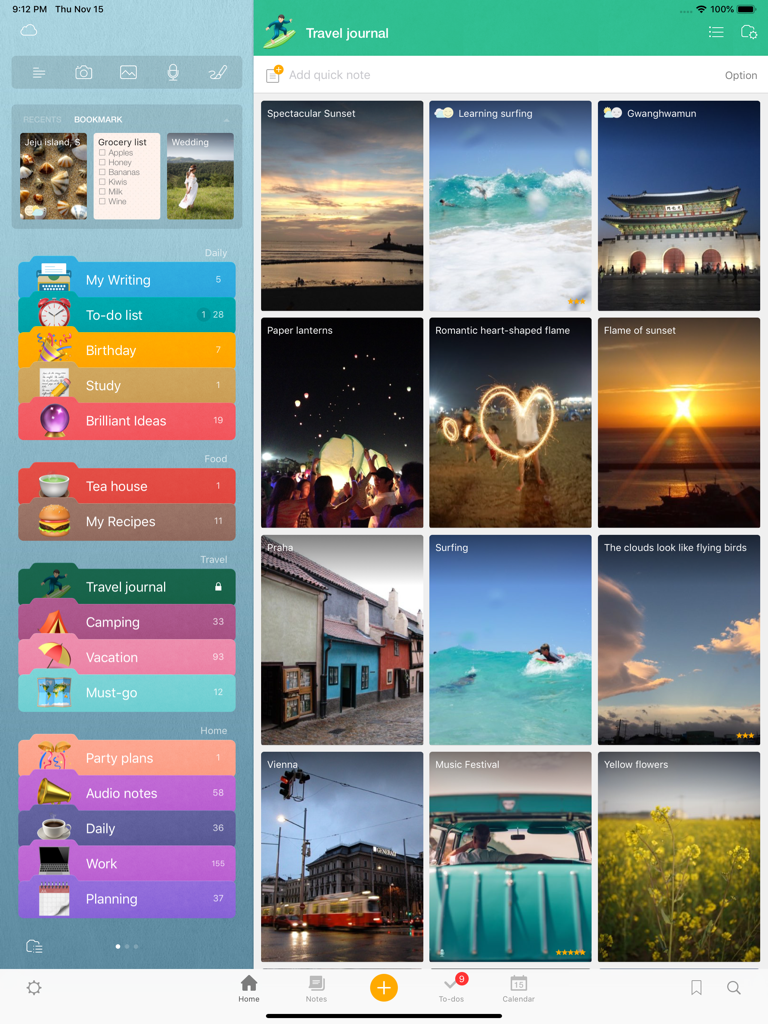
Awesome Note 2 iPadインターフェース。カラフルなノートカテゴリと、写真エントリ付きのビジュアル旅行日記が表示されています。

Awesome Note 2 iPadインターフェース。カラフルなノートカテゴリと、写真エントリ付きのビジュアル旅行日記が表示されています。

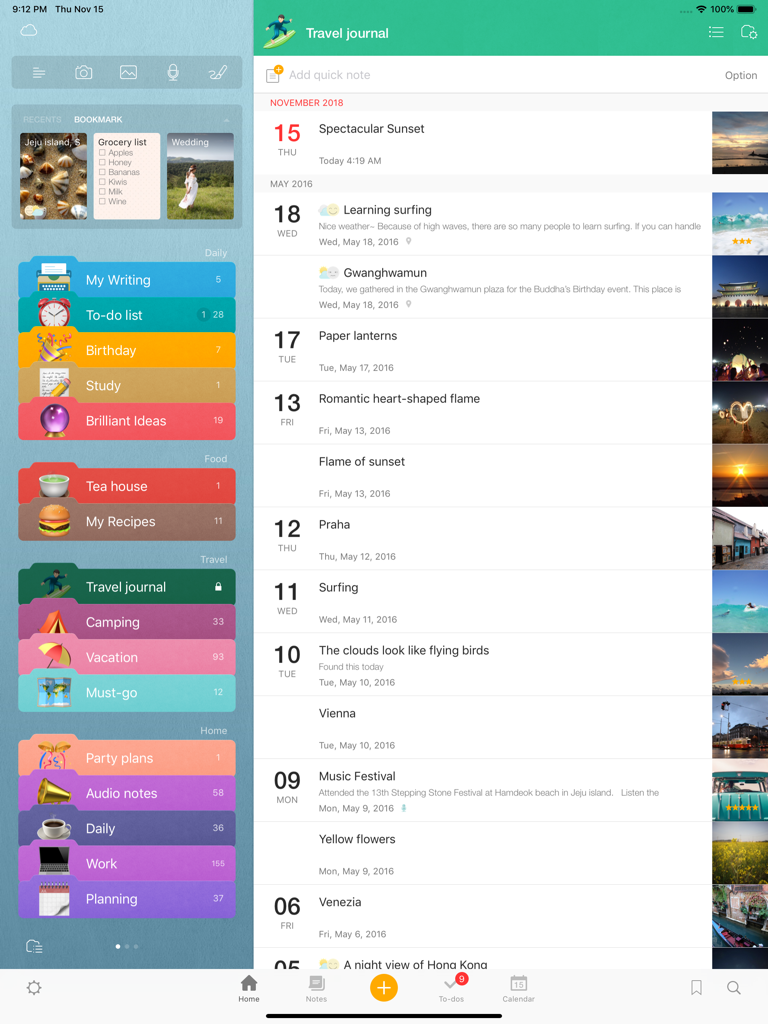
Awesome Note 2 on iPadのインターフェース。カラフルなフォルダカテゴリと、写真サムネイル付きの時系列旅行日記が表示されています。

Awesome Note 2 on iPadのインターフェース。カラフルなフォルダカテゴリと、写真サムネイル付きの時系列旅行日記が表示されています。

あなたの人生全体を、美しく整理整頓

このアプリを際立たせるツール、 151K+ 人のユーザーが選択.

🗓️

ノートとスケジュールを1つに

iOSカレンダーとリマインダーを直接同期します。アプリを切り替えることなく、個人的な日記と一緒にToDoリストや予定を管理します。

あなたのパーソナルスタイルを表現

退屈なレイアウトはもうやめましょう。独自のアイコン、色、背景で各フォルダやノートをカスタマイズして、あなただけの美的デジタルプランナーを作成しましょう。

🎨

すべてのクリエイティブなアイデアを捉える

リッチフォーマット、ボイスレコーディング、手描きのスケッチ、写真で、テキストを超えた表現を。ビジュアル思考者やデジタルジャーナリングに最適です。

アプリについて

について知っておくべきこと Awesome Note 2 for iPad.

説明

Fully renewed ‘Awesome Note 2’!  The new All-in-one Organizer, Awesome Note 2 is integrated with note and schedule management. And now it’s available!! WONDERFUL WRITING FEATURES · It can be used not only for simple notes, but also rich and wonderful writing tool. · Make notes even more powerful to add photos, voice recording and drawings. · Easily create diary notes to display feeling, weather or road map information. SIMPLE, FLEXIBLE, AND FRIENDLY ·  Broadly use as diary to record everyday life, travel notes to write anywhere, photo albums, shopping lists, and record for work or study in any theme.   NOTE AND SCHEDULING AS ONE · Manage your iOS Calendar and Reminders in one. · Check todo lists and manage all schedules with calendar · Receive notifications for important events and easily manage anniversaries such as birthdays.   NEAT AND STYLISH DESIGN · Create your own style with tastefully designed icons, folders and various note backgrounds.   Capture all the memorable moments, stories, and everything in you.    [General] - Note management by folder - Various type of list view (thumbnail, list, detail, diary, photo view) - Various type of note (regular, to-do, diary, anniversary note) - App and folder lock (Passcode and Touch-ID support) - A variety of folder colors and icons - Set your own photos as a home background - Notes and calendar search - Support landscape mode - Not required login/network connection while using the app    [Note] - Note editing feature to add various attachments - Rich text formatting - Photo, Drawing, Voice recording, Map attachment - Import current weather information - Checklist in a note - Various note backgrounds and fonts - Tags, Bookmarks   [Schedule Management] - Calendar View (with major holidays)  - To-do management view - Natural language processing support (Creating events with certain statements such as “3:00 meeting”) - Important notes notification support - Anniversary management - D-day management - Changing list orders   [Share/Sync] - iCloud sync - Evernote sync/export - Sync with iOS default Calendar and Reminders - Sharing notes through Airdrop We welcome your suggestions, improvement requests or other inquires.  Please send it to 1:1 customer support in Awesome Note Settings.  Thanks for helping us to make Awesome Note 2 better.

最新バージョン

8.9.12

サイズ

54.1 MB

リリース日

2010年12月7日

あなたの人生を、美しく整理整頓

何千人ものクリエイティブなプランナーの仲間入りをして、iPadをノート、スケジュール、思い出のための究極のオールインワンハブに変えましょう。

ダウンロード: App Store

App information, icons, screenshots, and descriptions displayed on this page are sourced from the Apple App Store and are the property of their respective developers. Download estimates and rankings are based on MWM's proprietary models and may not reflect actual figures. This page is provided for informational and analytical purposes only.

Believe this page infringes your intellectual property? File a dispute