
このページはアプリまたはその開発者の公式ページではなく、情報提供および論評を目的として作成された独立した編集出版物です。明示的に別段の記載がない限り、アプリおよびその開発者は、MWM、Apple、Google Play、アプリのパブリッシャー、またはアプリの開発者と提携、承認、後援、認可、またはその他の公式的な関係はなく、このページのいかなる内容も、アプリがMWMのサービスを使用して開発されたことを意味するものではありません。すべての商標、ロゴ、スクリーンショット、その他のコンテンツはそれぞれの所有者の財産です。

Noteful: Notes & PDF Markup
自然な筆記、強力なPDF注釈、整理されたネストタグをすべて1つのミニマリストワークスペースで、サブスクリプションの疲れなしに、あなたの学習とプロフェッショナルなプロジェクトをマスターしましょう。
ダウンロード
4M+ユーザー評価
評価数
140K+開発元
カテゴリ
Productivity対応言語
11最新バージョン
1.4.32サイズ
156.8 MBリリース日
2021年10月18日知識ワークフローをマスターする
高性能な学生とデジタル専門家のために設計されたNotefulは、自然な筆記体験と高度な整理ツールを組み合わせて、ペーパーレスの生産性を向上させます。
高精度ベクター筆記
InfiniteStrokeエンジンによる遅延ゼロ、高解像度のストロークを体験してください。Apple Pencilに完全に最適化されており、デジタル筆記を紙のように自然に感じさせます。
アクティブリコールのためのスマートレイヤー
注釈を元のPDFから分離したり、特定のレイヤーを非表示にして自分自身をテストしたりできます。医学、法律、および重要な学術研究に画期的な機能です。
よくある質問
について知っておくべきこと Noteful: Notes & PDF Markup
Notefulとは何ですか?
NotefulはiPadユーザー向けのノートアプリです。ドキュメントへの注釈付け、授業のノート作成、個人の知識システムの構築をサポートし、紙の散らかりを減らし学習を加速させることを目指しています。
Notefulは無料で使えますか?
はい、Notefulは期間制限なく無料で利用できます。アスタリスク(*)が付いている一部の高度な機能には、アプリ内での買い切り購入によるNoteful Proへのアップグレードが必要です。
Noteful Proはどのように購入しますか?
Noteful Proは、アプリ内での買い切り購入として利用できます。これにより、すべてのPro機能が永久にアンロックされ、Notefulユーザーに高度な機能の完全なセットが提供されます。
NotefulはApple Pencilに対応していますか?
はい、NotefulはネイティブのApple Pencilサポートにより、iPad上で正確な手書き入力を提供します。高解像度のベクターインクを実現するために、カスタム構築されたInfiniteStrokeインクエンジンを特徴としています。
NotefulでPDFに注釈を付けられますか?
はい、NotefulではPDFやMS Officeドキュメントをノートブックにインポートして、マークアップ、ハイライト、注釈付けが可能です。手書きの注釈をPDFとしてエクスポートすることもできます。
Notefulはどのようにノートを整理しますか?
Notefulは強力なタグ付けによる整理をサポートしています。ユーザーは、#tagまたは#nested/tagをどこにでも使ってノートを整理できます。このシステムにより、タグによるノートブックやページの閲覧が可能になり、柔軟な再編成ができます。
Notefulはノートにレイヤー機能を提供していますか?
はい、Notefulはレイヤー機能を提供しており、元のコンテンツを変更せずに個別のレイヤーに注釈を付けることができます。レイヤーは非表示、表示、再配置が可能です。この機能にはNoteful Proが必要です。
Notefulはデバイス間でノートを同期できますか?
はい、NotefulはすべてのiPhoneおよびiPadデバイスと同期します。iCloudと同期されたノートブックは、アカウントベースのキーで暗号化され、デバイス間でのセキュリティとアクセシビリティを確保します。
Notefulはノートと同時に録音をサポートしていますか?
はい、Notefulではノートを取りながら音声を録音できます。音声の再生位置はノートと同期され、包括的なレビュー体験を提供します。
Notefulのプライバシーポリシーはどこで見られますか?
Notefulのプライバシーポリシーは、ウェブサイトで入手できます。ポリシーにアクセスするための直接リンクは https://www.getnoteful.com/privacy です。
以下のスクリーンショットと説明は、アプリの公式ストアリスティングから直接取得されたものであり、アプリ開発者の所有物です。
アプリストア
スクリーンショット
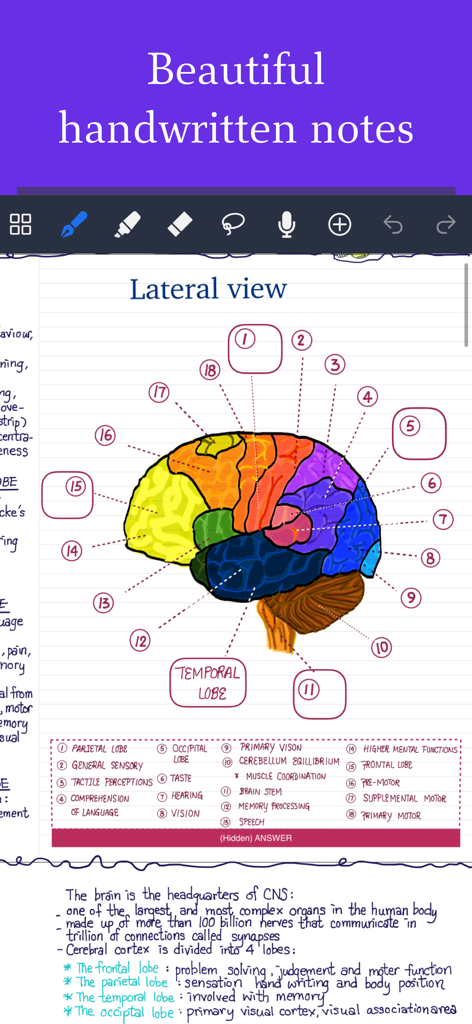
Notefulアプリに表示された脳の図を含む手書きの学習ノート
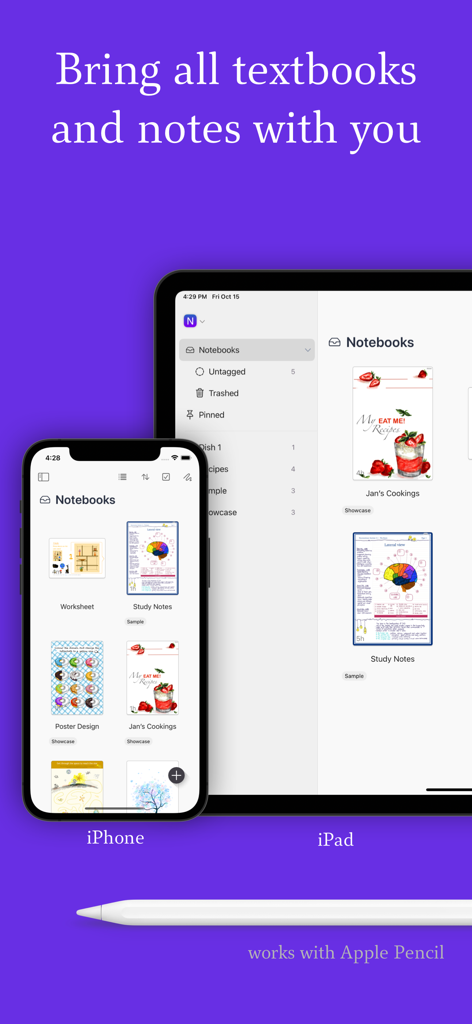
Apple Pencil対応のNotefulアプリがiPhoneとiPadで同期されたライブラリ
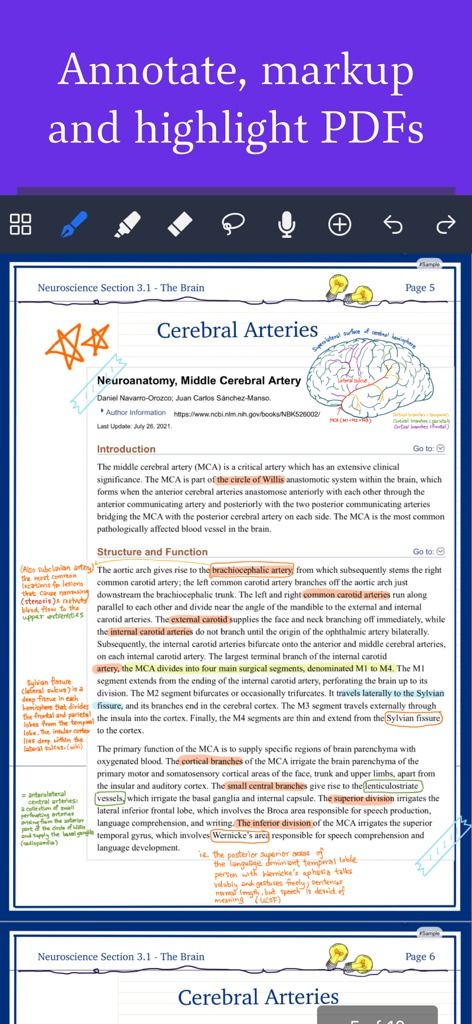
iPadのNotefulで医療PDFに行われた手書きのノートとハイライト
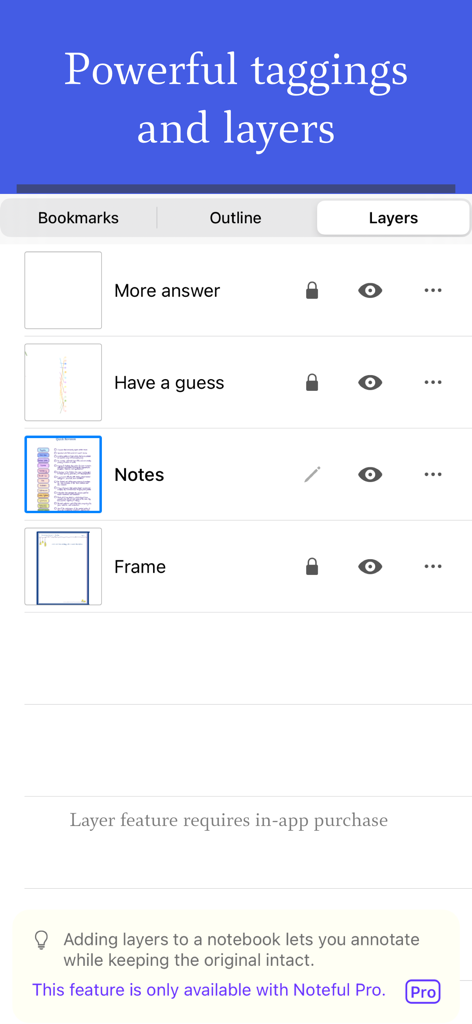
デジタル注釈とノートの整理のためにレイヤー管理パネルを示すNotefulアプリのインターフェース
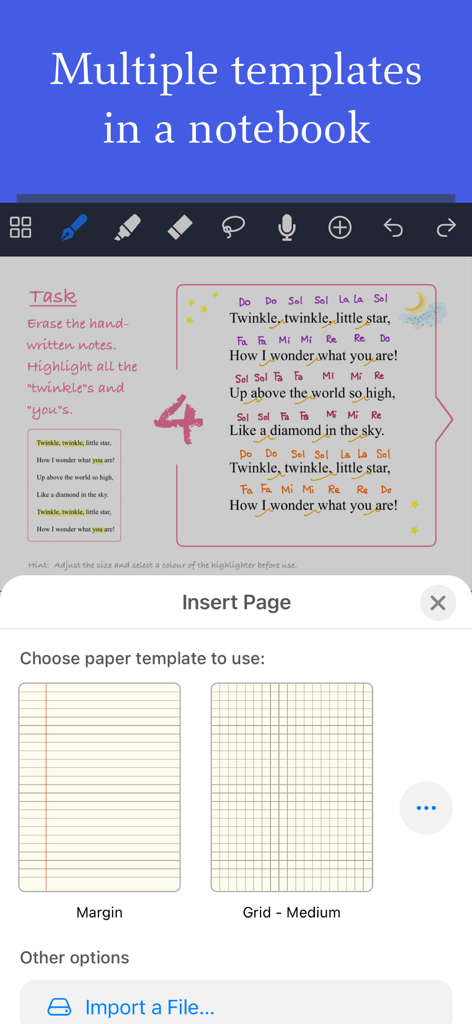
iPadのNotefulノートアプリ内で、余白とグリッド用紙テンプレートを選択する様子
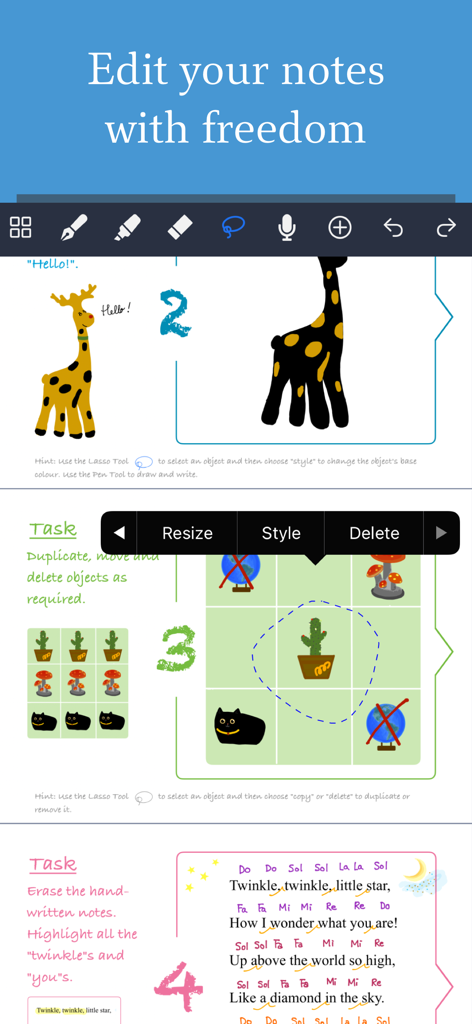
iPadのNotefulアプリインターフェースで、ラッソツール、リサイズ、注釈機能を使用した筆記編集を示す
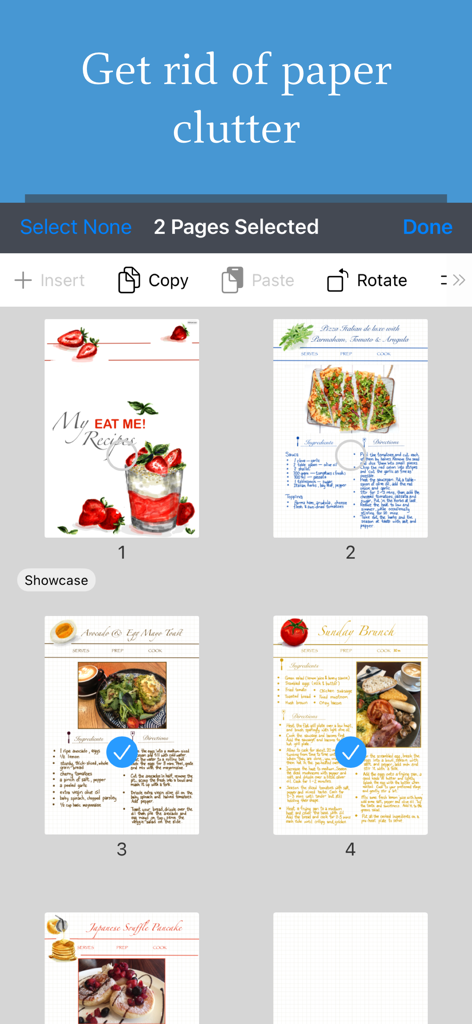
Notefulアプリインターフェースで選択および整理されているデジタルレシピページ
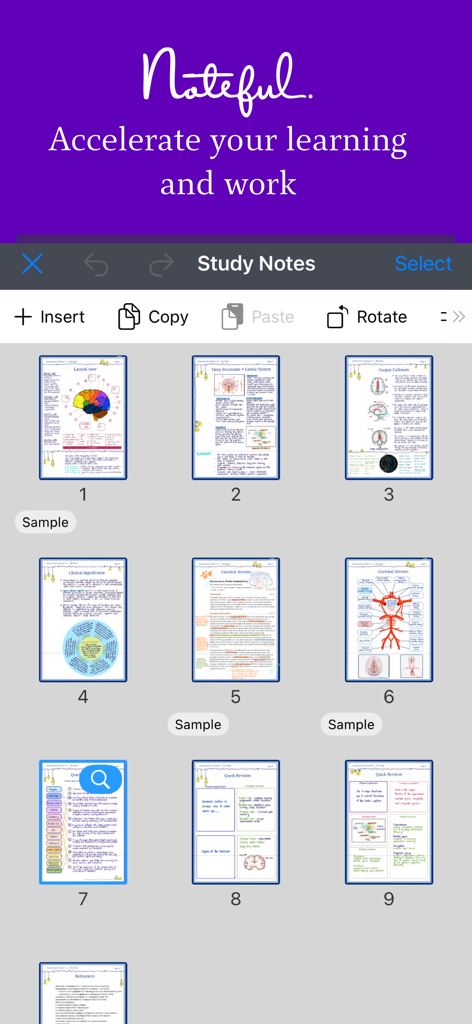
Notefulアプリインターフェースのデジタル解剖学学習ノートのグリッドビュー
説明
Download
類似アプリ
似た機能とユーザー体験を持つアプリ

Notion: Notes, Tasks, AI
Notion Labs, Incorporated

Freenotes®: AI Notes Taking
Hangzhou Free Notes Technology Co., Ltd

Structured - Daily Planner
unorderly GmbH

Google Tasks: Get Things Done
Google LLC

TickTick:To-Do List & Calendar
Appest Limited

Todoist: To Do List & Calendar
Doist Inc.

To do list MinimaList & Widget
Inner Grow Limited

monday.com - Work Platform
monday.com Ltd.

Prodrafts - Infinite Notes
EMMO Corp.
このページはアプリまたはその開発者の公式ページではなく、情報提供および論評を目的として作成された独立した編集出版物です。明示的に別段の記載がない限り、アプリおよびその開発者は、MWM、Apple、Google Play、アプリのパブリッシャー、またはアプリの開発者と提携、承認、後援、認可、またはその他の公式的な関係はなく、このページのいかなる内容も、アプリがMWMのサービスを使用して開発されたことを意味するものではありません。すべての商標、ロゴ、スクリーンショット、その他のコンテンツはそれぞれの所有者の財産です。