
このページはアプリまたはその開発者の公式ページではなく、情報提供および論評を目的として作成された独立した編集出版物です。明示的に別段の記載がない限り、アプリおよびその開発者は、MWM、Apple、Google Play、アプリのパブリッシャー、またはアプリの開発者と提携、承認、後援、認可、またはその他の公式的な関係はなく、このページのいかなる内容も、アプリがMWMのサービスを使用して開発されたことを意味するものではありません。すべての商標、ロゴ、スクリーンショット、その他のコンテンツはそれぞれの所有者の財産です。

TickTick:To-Do List & Calendar
あらゆる『すべきこと』の重圧から解放され、思考を即座に、そして完璧に実行可能な計画へと変換する。TickTickは、あなたの記憶の限界を突破し、生活の全てを掌握する力を与えている。
ダウンロード
12.5M+ユーザー評価
評価数
304.4K開発元
カテゴリ
Productivity対応言語
41最新バージョン
8.0.50サイズ
288.0 MBリリース日
2013年6月19日TickTick:To-Do List & Calendar アプリ主要機能分析
テックアナリストによる生産性向上ツールの評価
デバイス間シームレス同期
ユーザーは、あらゆるデバイスからタスクや情報を常に最新の状態で確認・管理することが可能です。
複数リマインダー設定
アプリは、ユーザーが重要な予定やタスクを見逃さないよう、柔軟なリマインダーオプションを提供します。
柔軟なカレンダー表示と連携
本ツールは、ユーザーがタスクを様々なカレンダー形式で視覚化し、既存のカレンダーアプリと統合することで、全体的なスケジュール管理を向上させます。
タスクリストの共有と共同作業
ユーザーは、同僚やチームメンバーとタスクリストを共有し、効率的な共同作業を実現することが可能です。
柔軟な繰り返しタスク設定
アプリは、定期的に発生するタスクを簡単に設定・管理することで、ユーザーの繰り返し作業の手間を削減します。
ポモドーロタイマー機能
本機能は、ユーザーが集中力を維持し、効率的に作業を進めるためのポモドーロテクニックをサポートします。
習慣化サポートと目標設定
このツールは、目標を設定し、習慣の形成を追跡することで、ユーザーの長期的な成長と規律を支援します。
高度なタスク整理と優先度設定
ユーザーは、タグ付け、優先度レベル、多様な並べ替えオプションを活用して、タスクを効率的に分類・管理できます。
タスクへのファイル添付
アプリは、関連するドキュメントや画像をタスクに直接添付できる機能を提供し、情報の一元化を図ります。
迅速なタスク追加機能
ユーザーは、メールやSiriなどの様々な方法を用いて、手軽かつ迅速にタスクを追加することが可能です。
よくある質問
について知っておくべきこと TickTick:To-Do List & Calendar
What is TickTick?
TickTick is a powerful to-do and task management app that helps users organize their agenda, create memos, share lists, collaborate on tasks, and track habits with seamless cloud synchronization.
Does TickTick sync across all my devices?
Yes, TickTick offers seamless cloud synchronization across all your devices. It supports over 10 platforms, including mobile, tablet, desktop, and smartwatch, ensuring tasks are always updated.
Can I integrate TickTick with my existing calendar?
Yes, TickTick integrates with calendar applications and offers flexible calendar views, including a grid view for Premium users. This allows for organized task scheduling within your preferred calendar.
Does TickTick support task collaboration?
Yes, TickTick supports collaboration. You can share task lists for team collaboration. Premium users can share a task list with up to 29 members for enhanced teamwork.
Is TickTick a free application?
TickTick is always free to use, offering core features. Users can upgrade to a Premium account to access advanced features like more lists, reminders, and larger attachment uploads.
Does TickTick include a habit tracker?
Yes, TickTick includes a habit tracker feature. Users can set a Goal to develop habits, with Premium users able to add more than five habits for comprehensive tracking.
Can I use a Pomodoro Timer within TickTick?
Yes, TickTick features an integrated Pomo Timer to help users stay concentrated. This tool assists in boosting productivity by managing focus and break intervals directly within the app.
How many reminders can TickTick set for a task?
TickTick provides multiple reminders for tasks. Premium users can set up to five reminders for each task, ensuring important deadlines and events are not missed.
Does TickTick integrate with Siri?
Yes, TickTick integrates with Siri. Users can use Siri to create tasks faster and easier, streamlining the task creation process through voice commands.
Can TickTick track countdowns for events?
Yes, TickTick tracks countdowns for events. Users can keep track of birthdays, anniversaries, and other significant dates. Premium offers support for more than five countdowns.
How does TickTick Premium subscription billing work?
TickTick Premium subscriptions are auto-renewable. Payment is charged to your iTunes account upon confirmation. The subscription automatically renews unless cancelled at least 24 hours before the current period ends.
Does TickTick integrate with Apple Health?
Yes, TickTick integrates with HealthKit. This allows users to sync their focus time data from the Pomo Timer feature directly to Apple Health.
以下のスクリーンショットと説明は、アプリの公式ストアリスティングから直接取得されたものであり、アプリ開発者の所有物です。
アプリストア
スクリーンショット
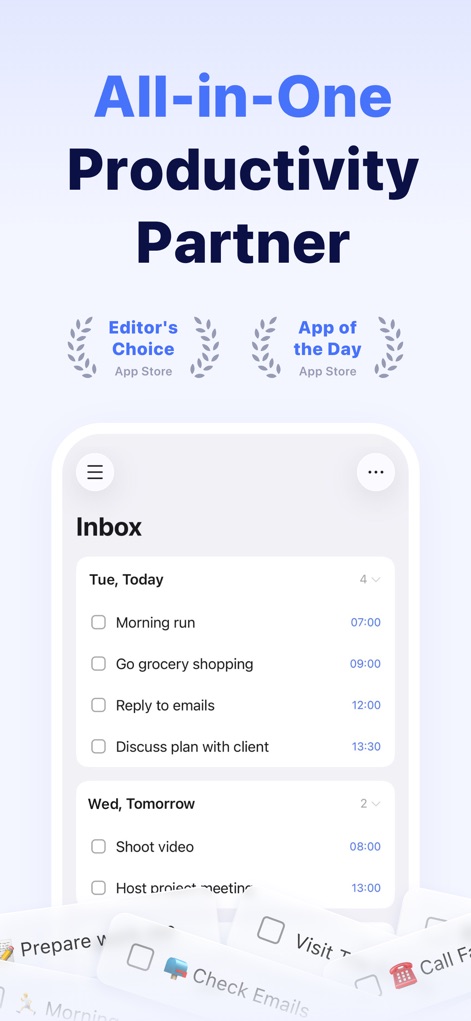
総合生産性ハブ
この画面では、タスクリスト形式で今日の予定を整理できる受信トレイ表示と、アプリが受賞した「Editor's Choice」といったアワード実績の強調表示を確認できます。
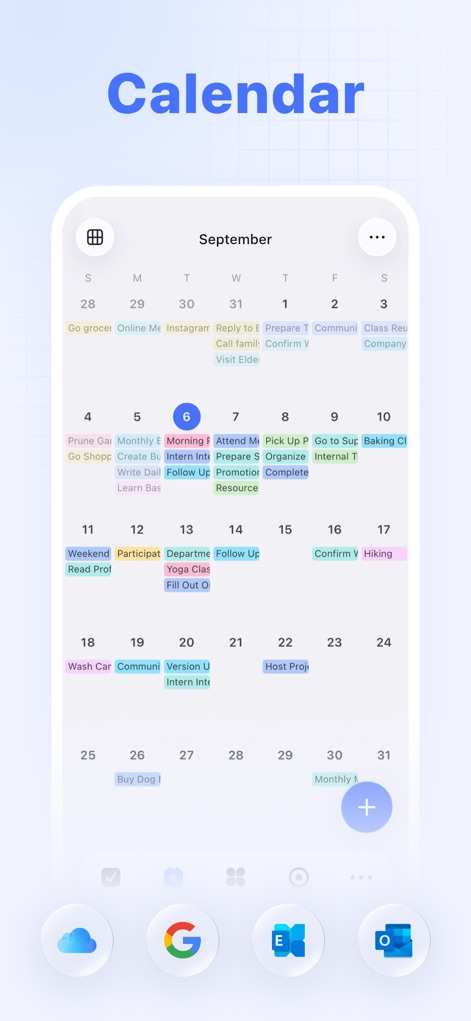
直感的なカレンダー
月間カレンダービューでは、タスクが色分けされたブロックで視覚的に表示され、さらに主要なクラウドサービス(Google、Outlookなど)との連携機能も利用可能です。
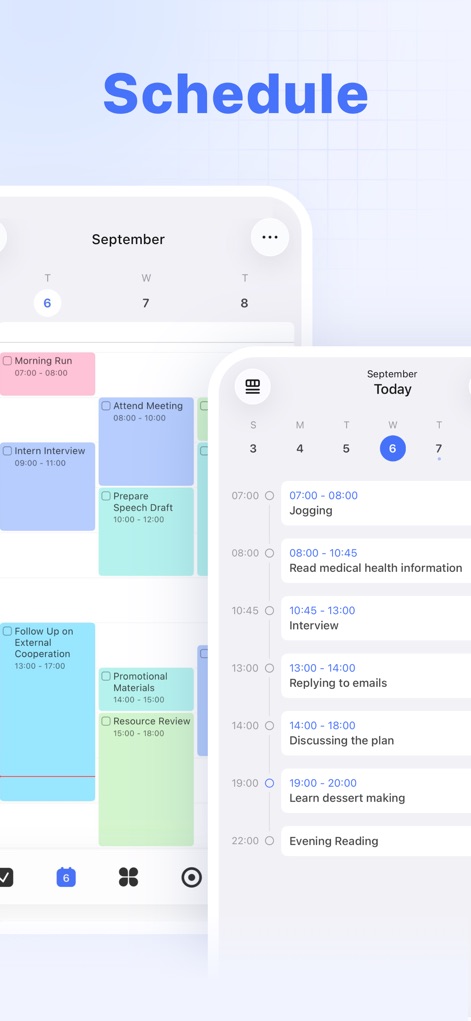
詳細スケジュール管理
時間軸で整理されたタスクブロックにより、日々のスケジュールを明確に把握でき、複数のタスクが同時に表示されることで効率的な計画立案をサポートします。
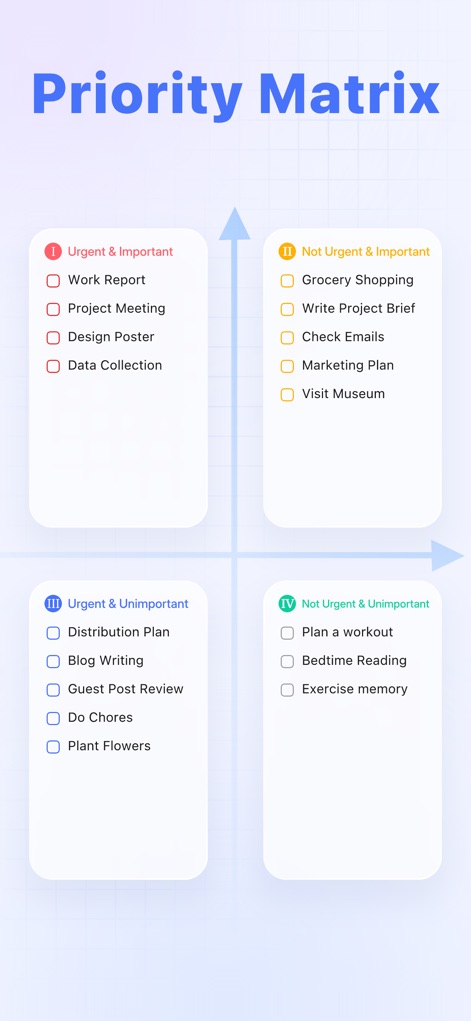
優先順位を明確に
アイゼンハワーマトリクスを用いてタスクを緊急度と重要度で分類し、優先度に基づいて色分けされたタスクリストで、ユーザーは作業の優先順位を直感的に判断できます。
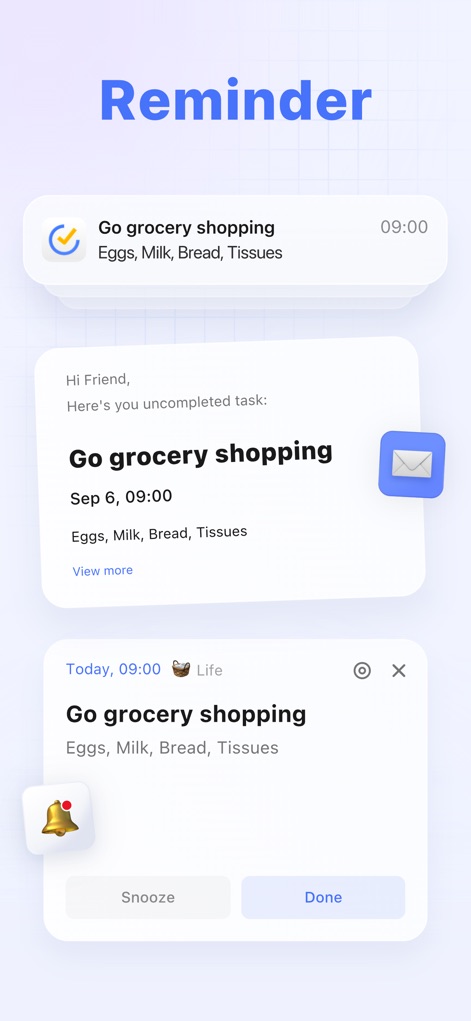
確実な通知機能
このアプリは、シンプルな通知、メール形式のメッセージ、アプリ内アラートといった複数の形式でタスクリマインダーを表示し、ユーザーはスヌーズまたは完了オプションを通じて通知を管理できます。
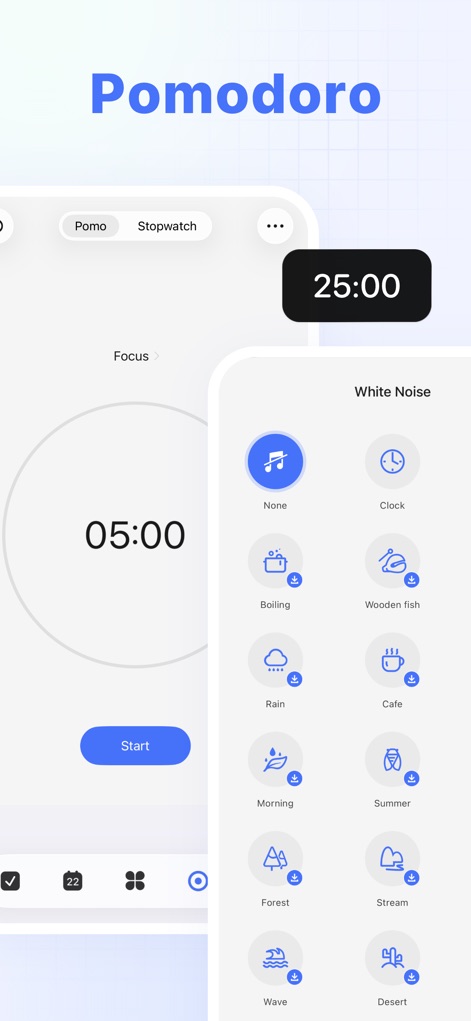
集中力向上ツール
ポモドーロタイマーの集中モードを活用して作業効率を高め、集中を促す雨音やカフェの喧騒などの多様なホワイトノイズオプションで最適な作業環境を構築できます。
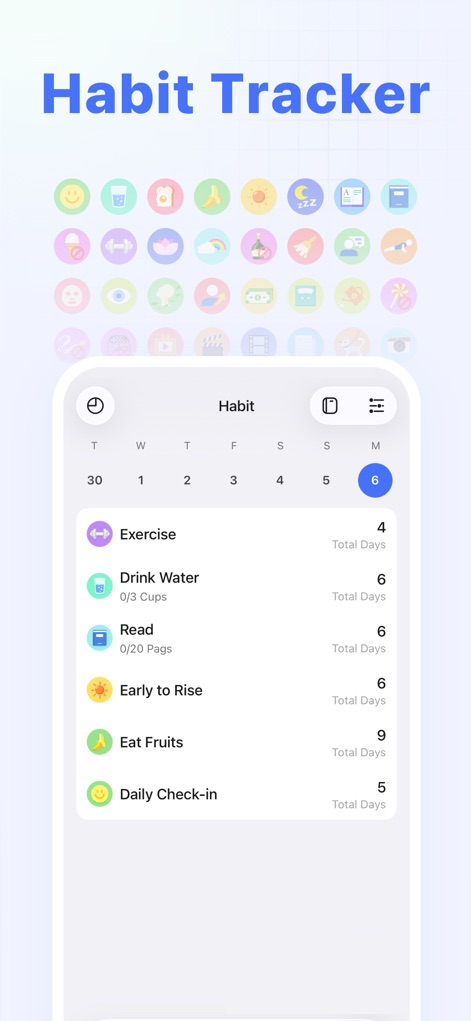
習慣化をサポート
多彩なアイコンを用いて習慣を視覚的に管理し、各習慣の進捗状況を日数で追跡する表示により、ユーザーは目標達成へのモチベーションを維持できます。
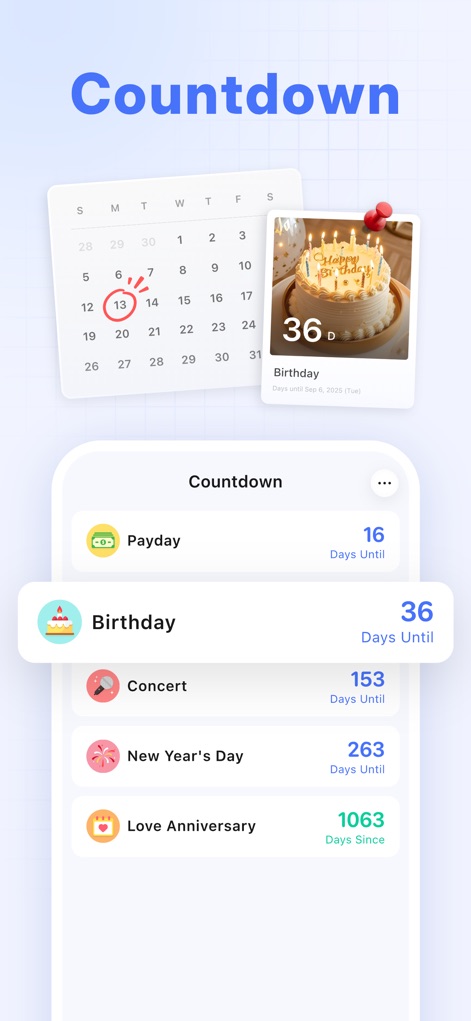
大切な日を忘れない
この機能では、誕生日や給料日などの重要なイベントまでのカウントダウンが表示され、カレンダー上で記念日を視覚的に強調することでユーザーは忘れずに準備を進められます。
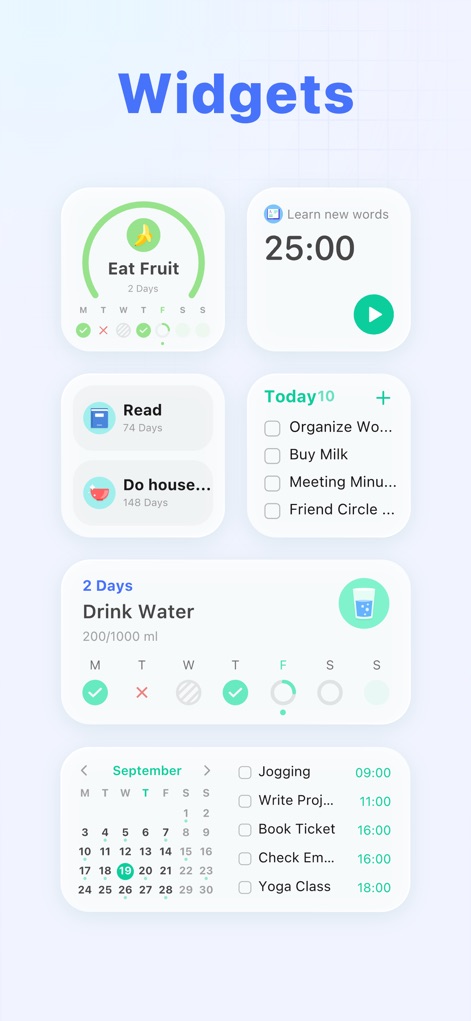
即座にアクセス
ホーム画面ウィジェットを通じて、今日のタスク一覧を素早く確認でき、習慣トラッカーやポモドーロタイマーのウィジェット機能により、アプリを開かずに生産性ツールへアクセス可能です。
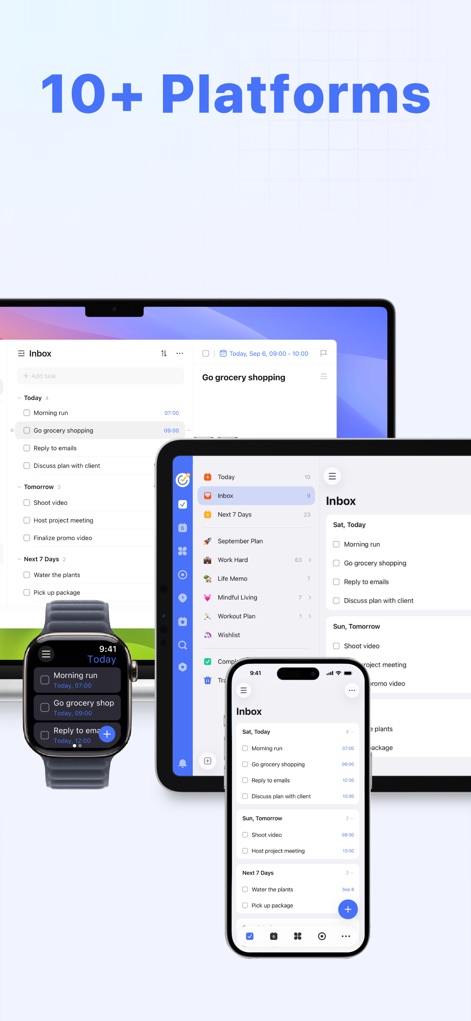
シームレスな連携
複数のデバイス間で同期されたタスク管理画面により、どこからでも作業を継続でき、スマートフォン、タブレット、PC、スマートウォッチへの幅広い対応がユーザーの多様なワークスタイルを支えます。
説明
Download
類似アプリ
似た機能とユーザー体験を持つアプリ

Notion: Notes, Tasks, AI
Notion Labs, Incorporated

Freenotes®: AI Notes Taking
Hangzhou Free Notes Technology Co., Ltd

Structured - Daily Planner
unorderly GmbH

Google Tasks: Get Things Done
Google LLC

Noteful: Notes & PDF Markup
Noteful Technologies Ltd

Todoist: To Do List & Calendar
Doist Inc.

To do list MinimaList & Widget
Inner Grow Limited

monday.com - Work Platform
monday.com Ltd.

Prodrafts - Infinite Notes
EMMO Corp.
このページはアプリまたはその開発者の公式ページではなく、情報提供および論評を目的として作成された独立した編集出版物です。明示的に別段の記載がない限り、アプリおよびその開発者は、MWM、Apple、Google Play、アプリのパブリッシャー、またはアプリの開発者と提携、承認、後援、認可、またはその他の公式的な関係はなく、このページのいかなる内容も、アプリがMWMのサービスを使用して開発されたことを意味するものではありません。すべての商標、ロゴ、スクリーンショット、その他のコンテンツはそれぞれの所有者の財産です。