BABYMONSTER LIGHT STICK

BABYMONSTER LIGHT STICK

ダウンロード: App Store
ロゴ: BABYMONSTER LIGHT STICK

BABYMONSTER LIGHT STICK:究極のMONSTIEZの海に参加しよう

座席を同期させて一体感のある光のショーに参加し、フルカラーホイールで自分好みの光にカスタマイズできるセルフモードで、コンサート体験をさらに向上させましょう。

開発元

FANLIGHT Co., Ltd

カテゴリ

Entertainment

ダウンロード

57K+

ユーザー評価

4.7/5

評価数

0

対応言語

6

輝きの一瞥

このインターフェースを利用する 57K+ 人のユーザー.

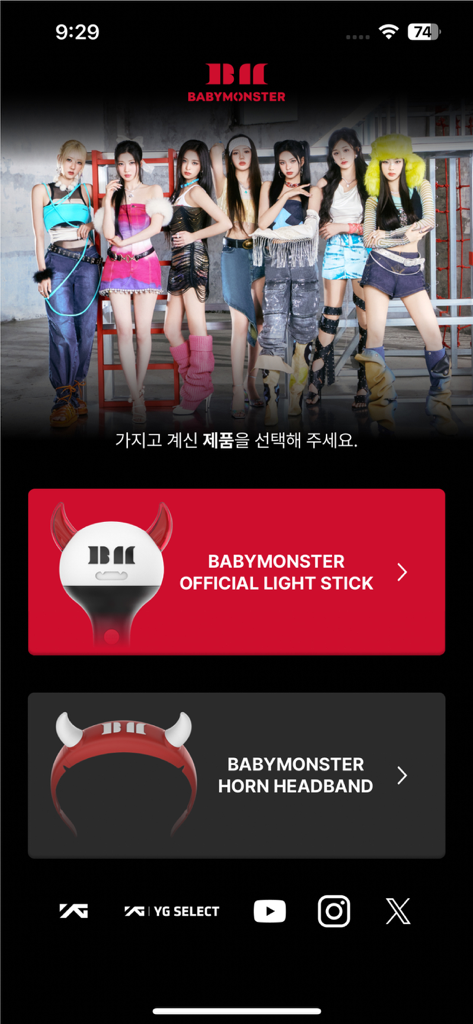
BABYMONSTERアプリのホーム画面。公式ライトスティックまたはホーンヘッドバンドを選択するオプションが表示されます。
BABYMONSTERアプリのホーム画面。公式ライトスティックまたはホーンヘッドバンドを選択するオプションが表示されます。

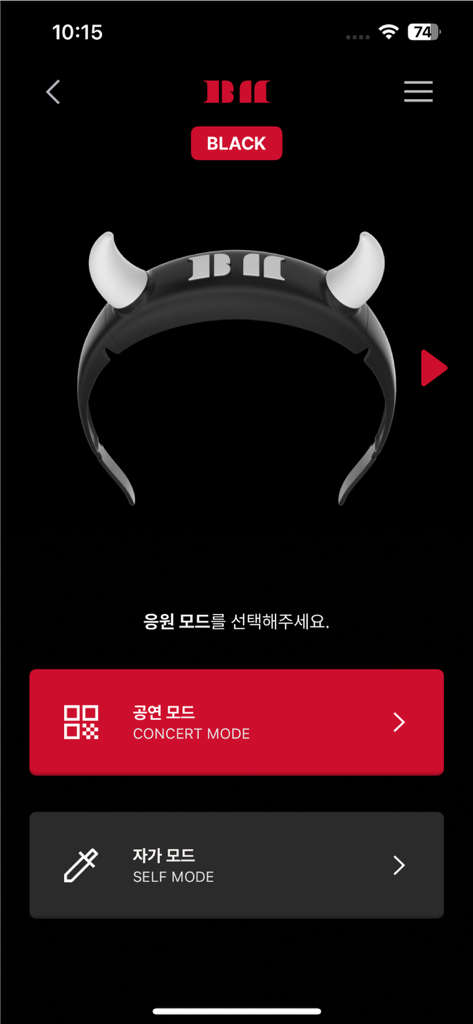
BABYMONSTERライトスティックアプリのインターフェース。デビルホーンライトスティックの画像とともに、コンサートモードとセルフモードのオプションが表示されます。
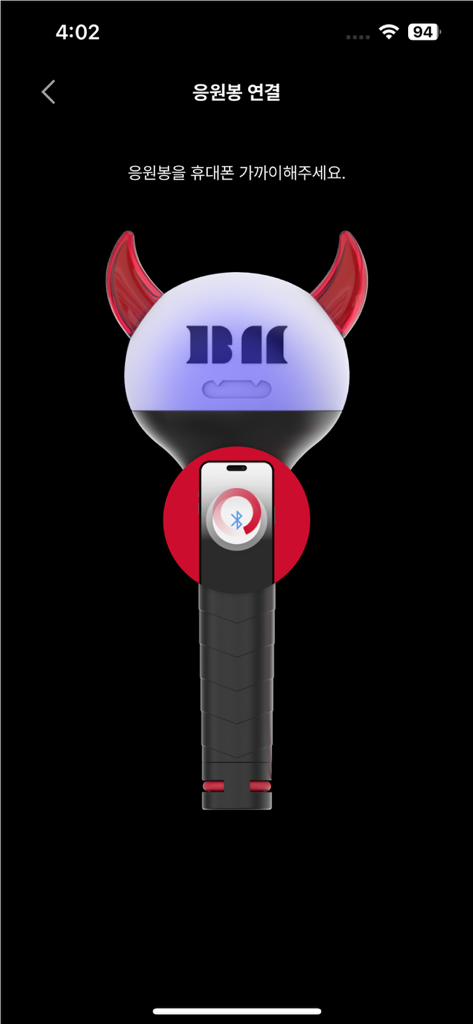
BABYMONSTERライトスティックアプリのインターフェース。デビルホーンライトスティックの画像とともに、コンサートモードとセルフモードのオプションが表示されます。

BABYMONSTER LIGHT STICKアプリのインターフェース。スマートフォンとのBluetoothペアリングのグラフィカルチュートリアルが表示されます。
BABYMONSTER LIGHT STICKアプリのインターフェース。スマートフォンとのBluetoothペアリングのグラフィカルチュートリアルが表示されます。

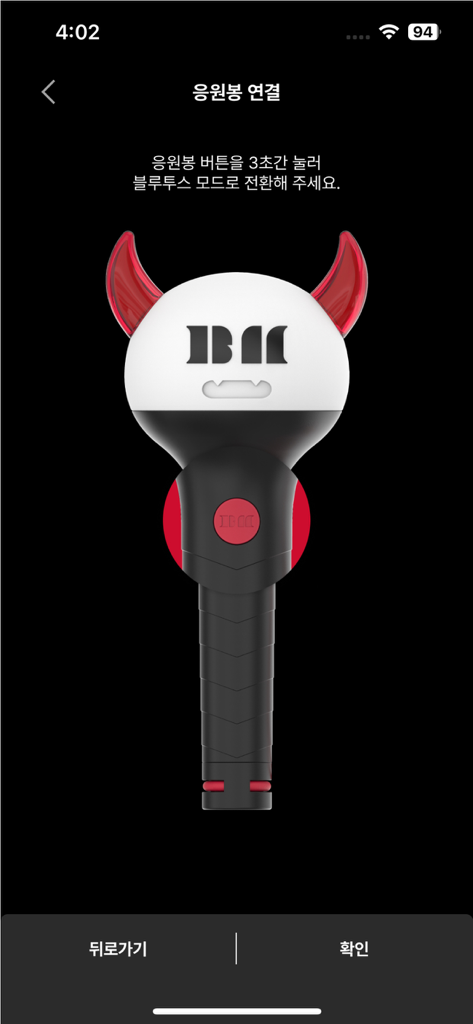
Bluetooth接続画面上のBABYMONSTER公式ライトスティックのイラスト。
Bluetooth接続画面上のBABYMONSTER公式ライトスティックのイラスト。

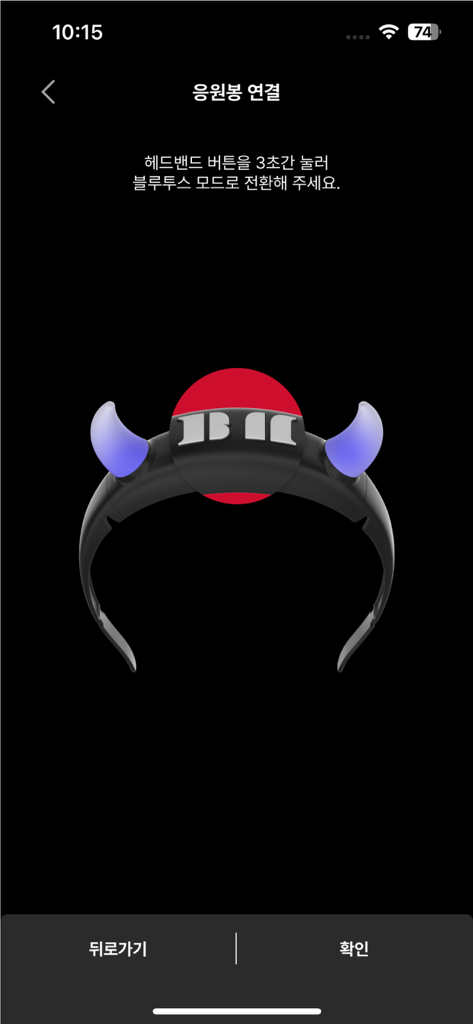
BABYMONSTERライトスティックアプリのBluetoothペアリングインターフェース。光るヘッドバンドのアイコンが表示されます。
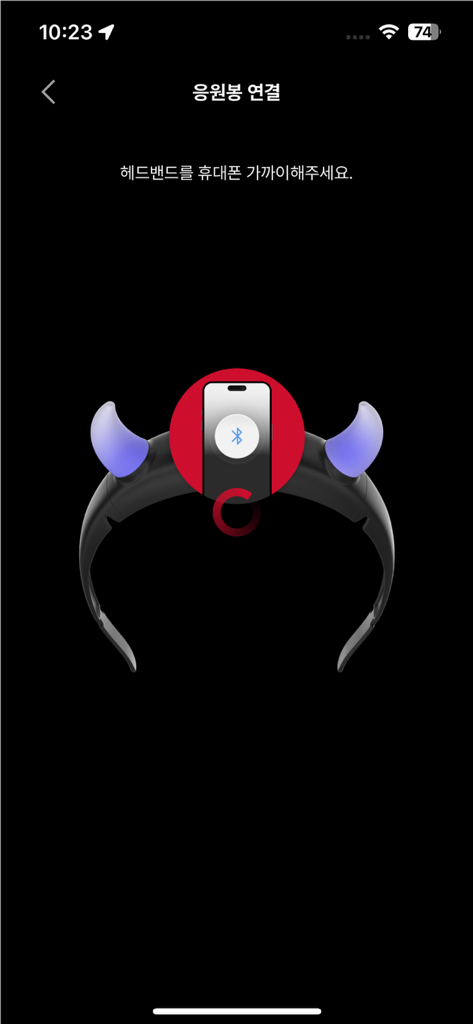
BABYMONSTERライトスティックアプリのBluetoothペアリングインターフェース。光るヘッドバンドのアイコンが表示されます。

BABYMONSTERライトスティックヘッドバンドアクセサリーのBluetoothペアリングプロセスを示すスマートフォンスクリーン。
BABYMONSTERライトスティックヘッドバンドアクセサリーのBluetoothペアリングプロセスを示すスマートフォンスクリーン。

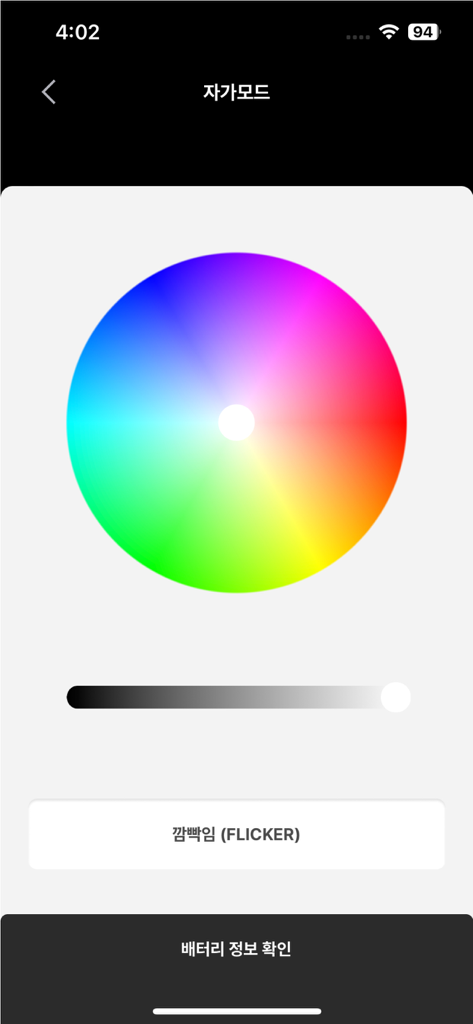
BABYMONSTER Light Stickアプリのインターフェース。セルフモードでのカスタム照明効果のためのカラーホイールが表示されます。
BABYMONSTER Light Stickアプリのインターフェース。セルフモードでのカスタム照明効果のためのカラーホイールが表示されます。

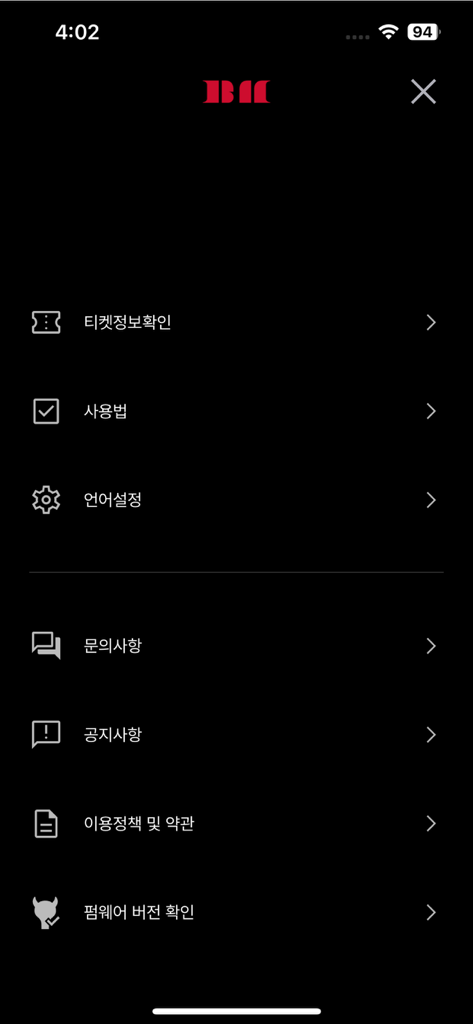
BABYMONSTER LIGHT STICKモバイルアプリの設定メニュー画面。チケット情報とデバイス設定のオプションが含まれています。

BABYMONSTER LIGHT STICKモバイルアプリの設定メニュー画面。チケット情報とデバイス設定のオプションが含まれています。

MONSTIEZスピリットを照らそう

このアプリを際立たせるツール、 57K+ 人のユーザーが選択.

🏟️

海の参加者になろう

座席情報を同期させて、一体感のあるライブパフォーマンスに参加しましょう。音楽と何千人ものファンの pulsating in harmony を感じてください。

🎨

あなたの色、あなたの雰囲気

セルフモードでクリエイティブなコントロールを。デジタルカラーホイールを使用して、部屋の装飾やバイラルTikTokコンテンツに合わせて光をカスタマイズできます。

🔋

ビートを逃さない

リアルタイムでバッテリー残量を確認し、シームレスなBluetoothペアリングをお楽しみください。アンコールごとにライトスティックの電源が持続することを確認します。

アプリについて

について知っておくべきこと BABYMONSTER LIGHT STICK.

説明

This is the mobile app for the BABYMONSTER LIGHT STICK. The app supports BABYMONSTER official light stick. [MAIN FEATURES] 1. CONCERT MODE Pair your light stick with your concert seat information to enjoy various light stick performance during the concert. This menu will only be available during the concert period. 2. CONNECTING TO BLUETOOTH ON YOUR SMARTPHONE Press the button on the light stick for 3 seconds to set up the “Bluetooth mode”. Turn on the Bluetooth function of your smartphone and hold your smartphone close to the light stick to sync them together. Some smartphones require the GPS function to be turned on to enable Bluetooth connectivity. If you cannot connect to Bluetooth, please turn on the GPS function. 3. SELF MODE When your light stick is successfully connected to your smartphone, changing the color on the color wheel of the app will change your light stick color accordingly. 4. BATTERY LEVEL CHECK In the “SELF MODE” page of the app, click the “Check Battery Status” button at the bottom of the screen to check the battery level of your light stick and replace the battery if needed. ※ This function may differ ​​depending on battery performance and smartphone model. [NOTICE BEFORE CONCERT] - Check the seat information on your ticket before the concert and enter it into your light stick using the app. - To take part in the light stick performance, be sure to set the light stick to “Concert mode” by pressing its button for 3 seconds after pairing it with your seat information on the app. - If the light stick’s wireless performance does not work properly, it may be due to unsuccessful pairing or not completing the pairing process. Please complete the pairing process using the app. - Please be seated in the same seat you registered for your light stick. Moving to another seat may result in different light stick performance. - Check the battery level of your light stick in advance to ensure battery sufficiency during the concert. - There will be a Wireless Control Fanlight Support Center located at the venue. [REQUIRED ACCESS] To use the app and the light stick, the following accesses are required. ※ To grant access, please tap the [Allow] button when the pop-up appears. - DEVICE STORAGE: To store the QR/barcode, seat information, etc. - PHONE: To read the phone status and its identity - CAMERA: To read the QR/barcode - GPS: To connect to Bluetooth - BLUETOOTH: To connect the light stick

最新バージョン

1.0.5

サイズ

85.0 MB

リリース日

2024年11月7日

モンスターの海に参加する準備はできましたか?

ショーの一部になるチャンスをお見逃しなく。公式アプリを今すぐダウンロードして、座席を同期させ、好みの光にカスタマイズし、次のBABYMONSTER公演に向けてライトスティックをコンサート準備万端にしましょう。

ダウンロード: App Store

App information, icons, screenshots, and descriptions displayed on this page are sourced from the Apple App Store and are the property of their respective developers. Download estimates and rankings are based on MWM's proprietary models and may not reflect actual figures. This page is provided for informational and analytical purposes only.

Believe this page infringes your intellectual property? File a dispute