BeatCutter
BeatCutter
ダウンロード: App Store

このページはアプリまたはその開発者の公式ページではなく、情報提供および論評を目的として作成された独立した編集出版物です。明示的に別段の記載がない限り、アプリおよびその開発者は、MWM、Apple、Google Play、アプリのパブリッシャー、またはアプリの開発者と提携、承認、後援、認可、またはその他の公式的な関係はなく、このページのいかなる内容も、アプリがMWMのサービスを使用して開発されたことを意味するものではありません。すべての商標、ロゴ、スクリーンショット、その他のコンテンツはそれぞれの所有者の財産です。


ロゴ: BeatCutter
ダウンロード: App Store

BeatCutter

あらゆるオーディオを、カオスなフラクタルと進化する音響的抽象化へと変貌させます。サウンドの探求者のために設計されたBeatCutterは、強力なAUv3プラグインとして、iPadとmacOSのスタジオにインダストリアルなグリッチ、サイバーパンクのテクスチャ、フラクタルフィードバックをもたらします。

主要数値

ダウンロード

5K+

ユーザー評価

4.6/5

評価数

100

開発元

Igor Vasiliev

カテゴリ

Music

対応言語

1

最新バージョン

1.9.2

サイズ

13.7 MB

リリース日

2021年4月2日
機能

音響カオスを解き放つ

8つの再構成可能なバスを使用して、現代のサウンド探求者のために設計された実験的なマルチチャンネルマトリックスで、あらゆるオーディオソースを未来的サウンドスケープと複雑なリズムへと変貌させます。

マルチチャンネルスライシングマトリックス

8つの再構成可能なバスを使用して、オーディオを瞬時にスライスし、ユニークでリズム主導のパターンに再結合することで、プロデューサーズブロックを打破します。

ジェネレーティブフラクタルフィードバック

シンプルなループを超えて、複雑で映画的な抽象化とインダストリアルなテクスチャへと移行する、生きた自己進化するサウンド構造を設計します。

以下のスクリーンショットと説明は、アプリの公式ストアリスティングから直接取得されたものであり、アプリ開発者の所有物です。

アプリストア

スクリーンショット
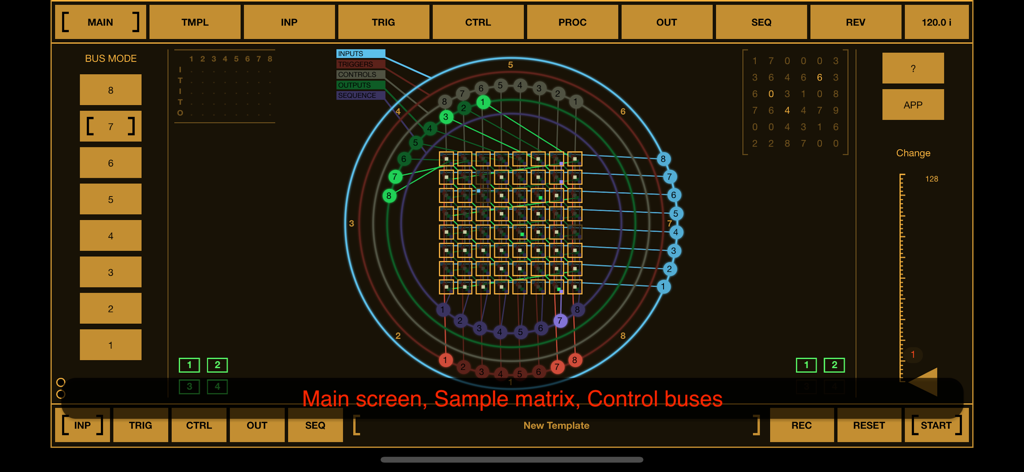
BeatCutter - BeatCutterアプリのインターフェース。サイバーパンク風のメインサンプルマトリックスと円形のコントロールバスが表示されています。
BeatCutterアプリのインターフェース。サイバーパンク風のメインサンプルマトリックスと円形のコントロールバスが表示されています。

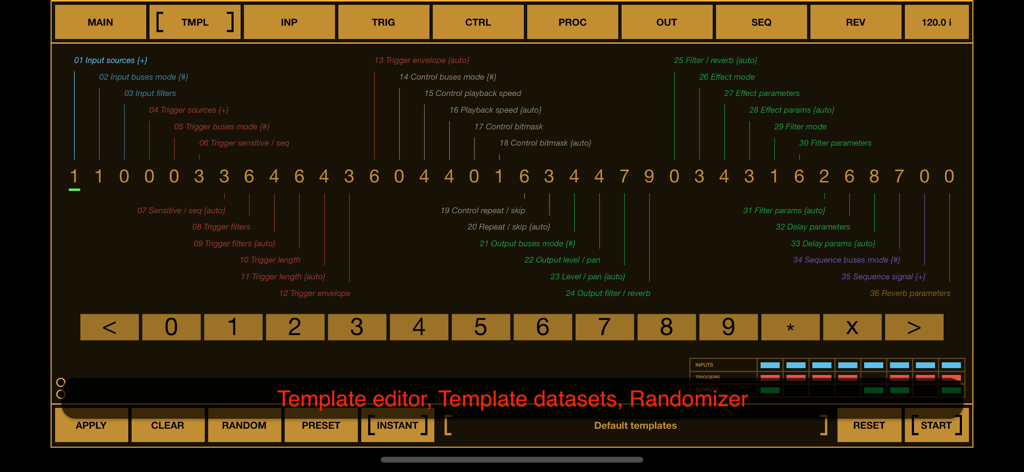
BeatCutter - BeatCutterアプリのテンプレートエディタのインターフェース。サウンドデザインのための数値パラメータとランダマイザーコントロールが表示されています。
BeatCutterアプリのテンプレートエディタのインターフェース。サウンドデザインのための数値パラメータとランダマイザーコントロールが表示されています。

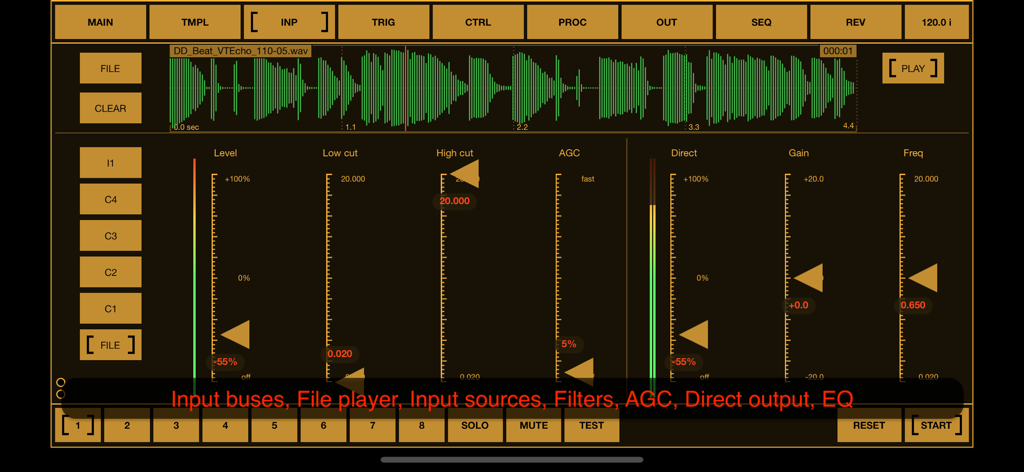
BeatCutter - BeatCutterアプリのインターフェース。波形表示とオーディオ処理コントロールを備えた入力タブが表示されています。
BeatCutterアプリのインターフェース。波形表示とオーディオ処理コントロールを備えた入力タブが表示されています。

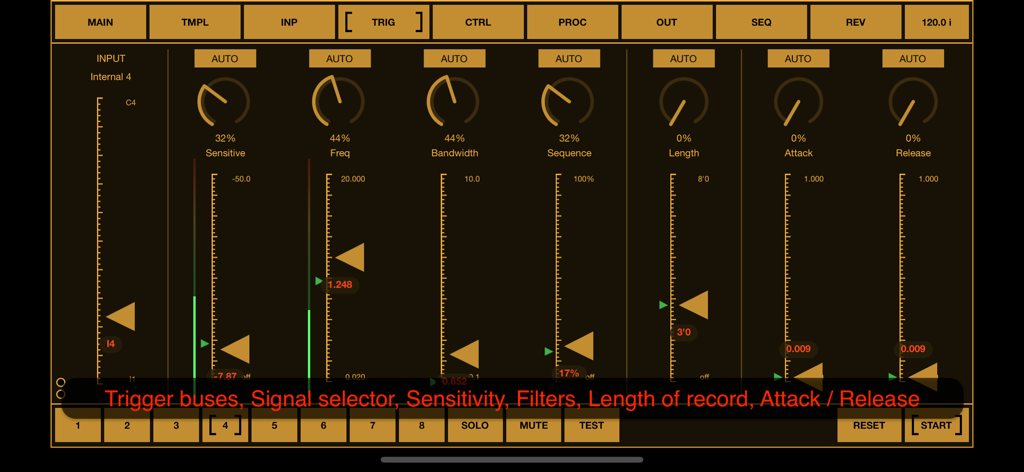
BeatCutter - BeatCutterアプリのトリガー設定画面。インダストリアルなオレンジ色のインターフェースで、感度や周波数などのオーディオコントロールパラメータが表示されています。
BeatCutterアプリのトリガー設定画面。インダストリアルなオレンジ色のインターフェースで、感度や周波数などのオーディオコントロールパラメータが表示されています。

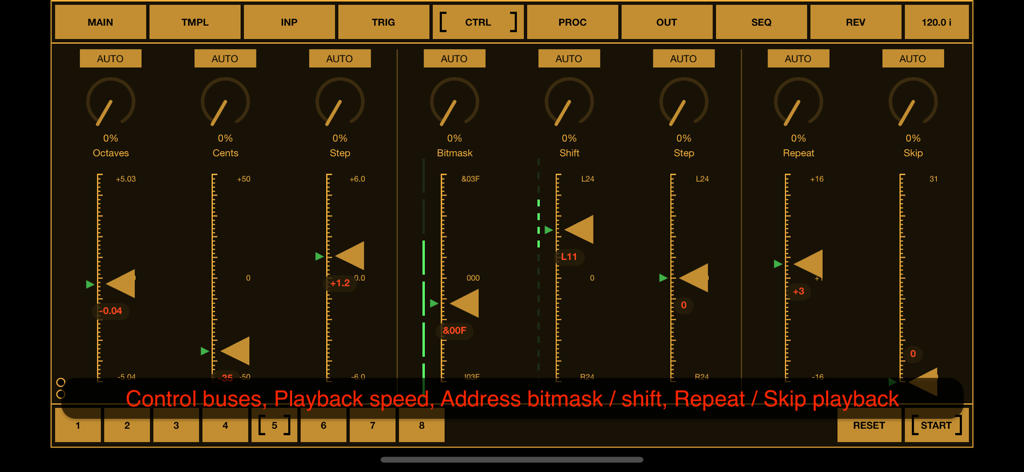
BeatCutter - BeatCutterアプリの画面。オクターブ、ビットマスク、再生パラメータのコントロールスライダーが表示されています。
BeatCutterアプリの画面。オクターブ、ビットマスク、再生パラメータのコントロールスライダーが表示されています。

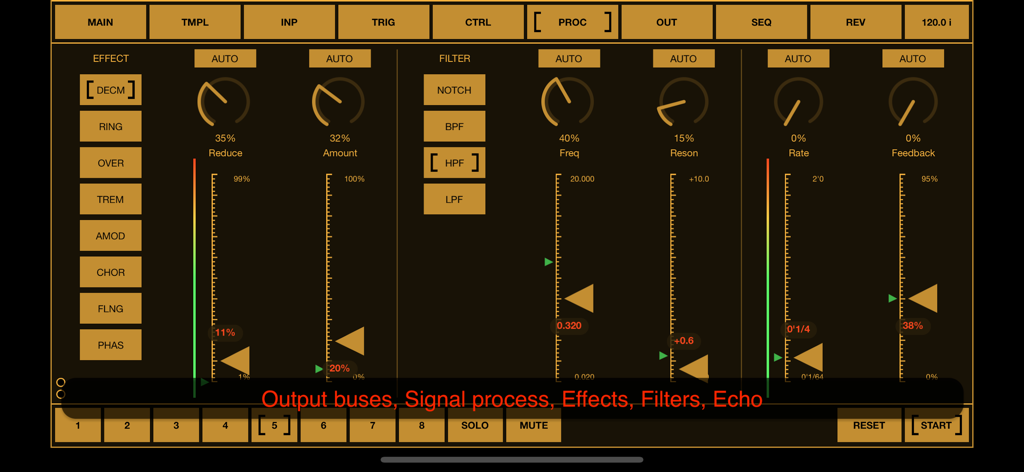
BeatCutter - BeatCutterアプリの信号処理画面。アンバー色のサイバーパンク風インターフェースに、オーディオエフェクトとフィルターコントロールが搭載されています。
BeatCutterアプリの信号処理画面。アンバー色のサイバーパンク風インターフェースに、オーディオエフェクトとフィルターコントロールが搭載されています。

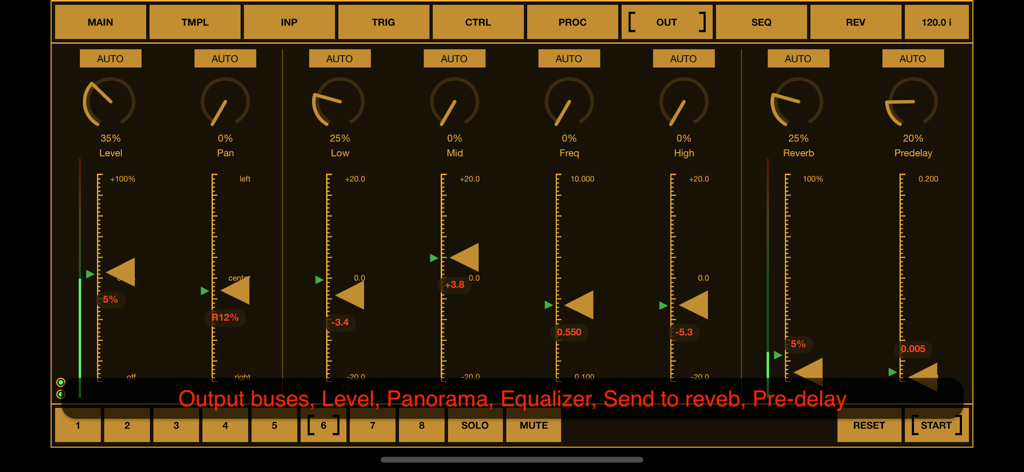
BeatCutter - BeatCutterアプリのインターフェース。レベル、パン、イコライザー、リバーブの出力コントロールが表示されています。
BeatCutterアプリのインターフェース。レベル、パン、イコライザー、リバーブの出力コントロールが表示されています。

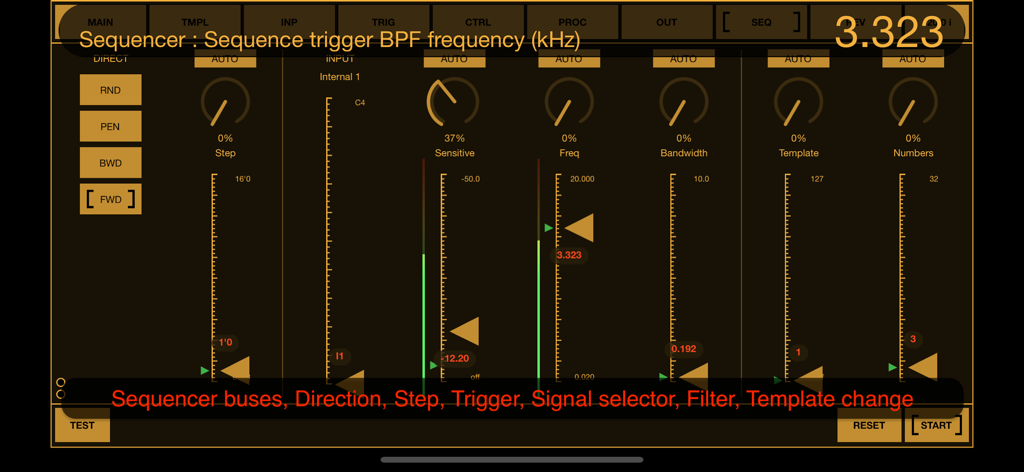
BeatCutter - BeatCutterアプリのシーケンサーインターフェース。暗い背景にオレンジ色のフェーダーを備えた周波数フィルターとテンプレートコントロールが表示されています。
BeatCutterアプリのシーケンサーインターフェース。暗い背景にオレンジ色のフェーダーを備えた周波数フィルターとテンプレートコントロールが表示されています。

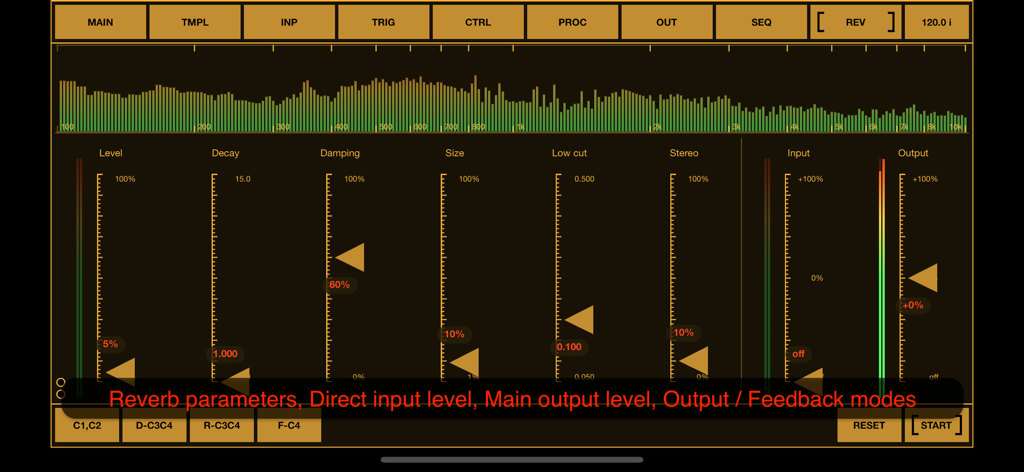
BeatCutter - BeatCutterアプリのインターフェース。リバーブパラメータ、ディケイとダンピングのスライダー、リアルタイムオーディオスペクトルビジュアライザーが表示されています。

BeatCutterアプリのインターフェース。リバーブパラメータ、ディケイとダンピングのスライダー、リアルタイムオーディオスペクトルビジュアライザーが表示されています。

説明

BeatCutter is an experimental multi-channel application for slicing and recombining sound based on rhythm. In the center of the application is a matrix of sample cells with smoothly reconfigurable recording, playback and control busses. This application is best for those who would like to experiment with large audio files or live instruments, creating chaotic constructions and patterns from sliced rhythm-driven samples. With BeatCutter you can create sound textures and abstractions with the atmosphere of cyberpunk, industrial ambience or alien jungle. This application has an almost unlimited range of options for transformation of source audio. The kind of original sound does not really matter. It can be any tracks, external musical instruments or sound from other applications. The content of the source material and your settings will define the final result, which can range from futuristic IDM to abstract music for fill the living space and soundscapes for relaxation and meditation. Please note that BeatCutter does not contain exact presets for a specific result. It has a large set of parameters that are adjusted by experiment depending on the source material. But for a quick start and search for ideas, this application has a convenient template editor, which consists of a set of numbers, where each number defines values for a group of parameters. You can change numbers in the template and listen to the result, or use the randomizer for the entire template, then change some specific parameters and save the current state as a preset. One of the most interesting and experimental features of this application is the feedback mode. This is not like analog feedback when positive loop gain occurs at some more or less stable resonant frequency. It looks more like fractals when the next level is similar to the whole structure, but in this case with constantly changes. We can say that it works like a sound structure that evolves and changes itself. This is an incredible ability to create perfect sound abstractions, unrelated to any external samples or signals and it opens up a huge potential for experimentation and inspiration. BeatCutter supports up to 4 external input and output channels, playback up to 8 files at once, works as a multi-channel audio unit. With DAWs and hosts, you can use this application as an effect plugin. The application interface is designed for convenient work with the most common MIDI controllers containing 8 faders and 8 knobs. BeatCutter is a universal application for iOS and macOS. It can work on iPhone and iPad as well as Mac / MacBook with M1 chip (and later). BeatCutter works on iPhone and iPad standalone, as an Audio Unit or Inter-App Audio module, and supports Audiobus and Ableton Link. On macOS, BeatCutter can works both as a standalone application and as an Audio unit with DAWs and audio unit hosts like Ableton Live, Logic Pro, GarageBand, MainStage, Cockos Reaper, Plogue Bidule, Hosting AU, and other hosts that support AUv3 plugins. All application features are available on iOS and macOS, including MIDI support (with a midi learn option), audio unit parameters and importing samples from any directory on device. BeatCutter has a built-in detailed description of all parameters also available as PDF file on application site. Quick start demo: https://youtu.be/nhwOK4tXFvQ https://youtu.be/_OekZzgAmCw https://youtu.be/Kt5rb8KtNs4 https://youtu.be/89H4l-0Es70 You can find more information on BeatCutter and other experimental and audio processing applications at: https://motion-soundscape.blogspot.com

Download

ダウンロード: App Store

このページはアプリまたはその開発者の公式ページではなく、情報提供および論評を目的として作成された独立した編集出版物です。明示的に別段の記載がない限り、アプリおよびその開発者は、MWM、Apple、Google Play、アプリのパブリッシャー、またはアプリの開発者と提携、承認、後援、認可、またはその他の公式的な関係はなく、このページのいかなる内容も、アプリがMWMのサービスを使用して開発されたことを意味するものではありません。すべての商標、ロゴ、スクリーンショット、その他のコンテンツはそれぞれの所有者の財産です。







