Bixpe Worktime Tracking
ダウンロード: App Store

このページはアプリまたはその開発者の公式ページではなく、情報提供および論評を目的として作成された独立した編集出版物です。明示的に別段の記載がない限り、アプリおよびその開発者は、MWM、Apple、Google Play、アプリのパブリッシャー、またはアプリの開発者と提携、承認、後援、認可、またはその他の公式的な関係はなく、このページのいかなる内容も、アプリがMWMのサービスを使用して開発されたことを意味するものではありません。すべての商標、ロゴ、スクリーンショット、その他のコンテンツはそれぞれの所有者の財産です。

ロゴ: Bixpe Worktime Tracking
ダウンロード: App Store

Bixpe Worktime Tracking

チームの労働時間を自動化し、写真認証でタイム盗難を防ぎ、リアルタイムでプロジェクトを管理します。現代の中小企業やフィールドサービスチームのために構築されたプロフェッショナルな追跡ソリューションです。

主要数値

ダウンロード

151K+

ユーザー評価

4.3/5

評価数

1K+

開発元

ABBANZA RESEARCH INT S.L.

カテゴリ

Productivity

対応言語

5

最新バージョン

3.2.11

サイズ

134.2 MB

リリース日

2017年11月3日
機能

チームのためのオールインワン・コマンドセンター

最新の労働力のために設計された、自動化された勤怠追跡、不正防止、およびリアルタイムの労務インサイトでビジネスをスケールアップします。

すべての打刻を認証

安全なPINモードと写真認証により、タイム盗難やなりすまし打刻を排除し、現場全体の説明責任を確保します。

プロジェクトコストの最適化

労働時間を特定のクライアントまたはジョブに直接リンクして、収益性を追跡し、請求プロセスをシームレスにします。

以下のスクリーンショットと説明は、アプリの公式ストアリスティングから直接取得されたものであり、アプリ開発者の所有物です。

アプリストア

スクリーンショット
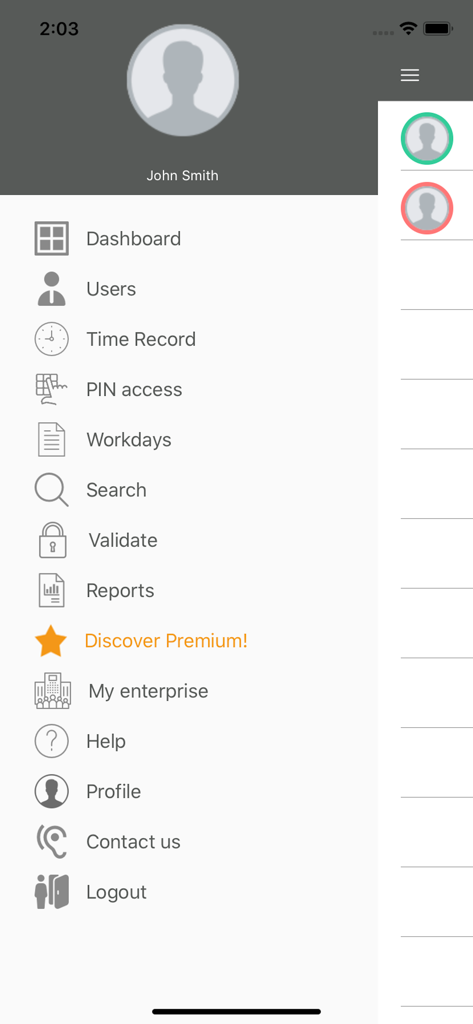
Bixpe Worktime Tracking - Bixpe 勤怠管理アプリのサイドバーメニュー。ダッシュボード、ユーザー、勤怠記録、PINアクセスオプションが表示されます。
Bixpe 勤怠管理アプリのサイドバーメニュー。ダッシュボード、ユーザー、勤怠記録、PINアクセスオプションが表示されます。

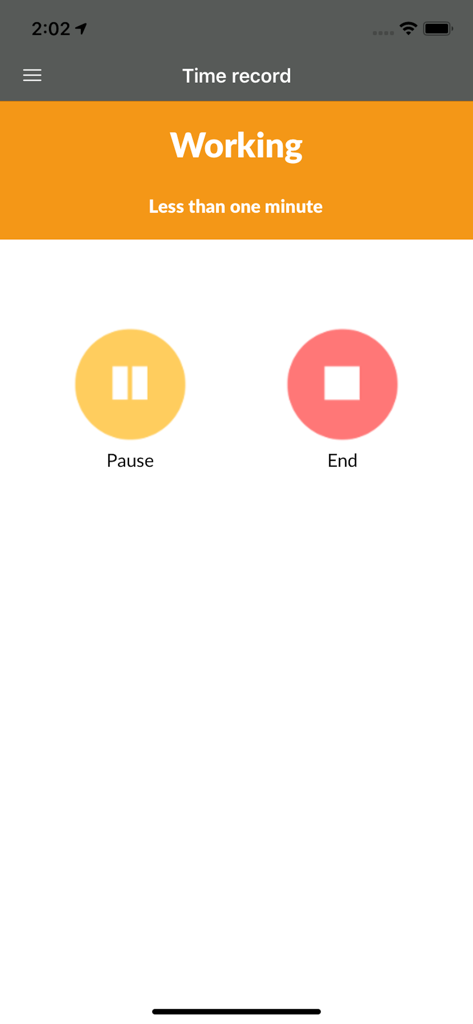
Bixpe Worktime Tracking - Bixpeアプリのインターフェース。一時停止と終了ボタンが表示されたアクティブな労働時間追跡セッションを示しています。
Bixpeアプリのインターフェース。一時停止と終了ボタンが表示されたアクティブな労働時間追跡セッションを示しています。

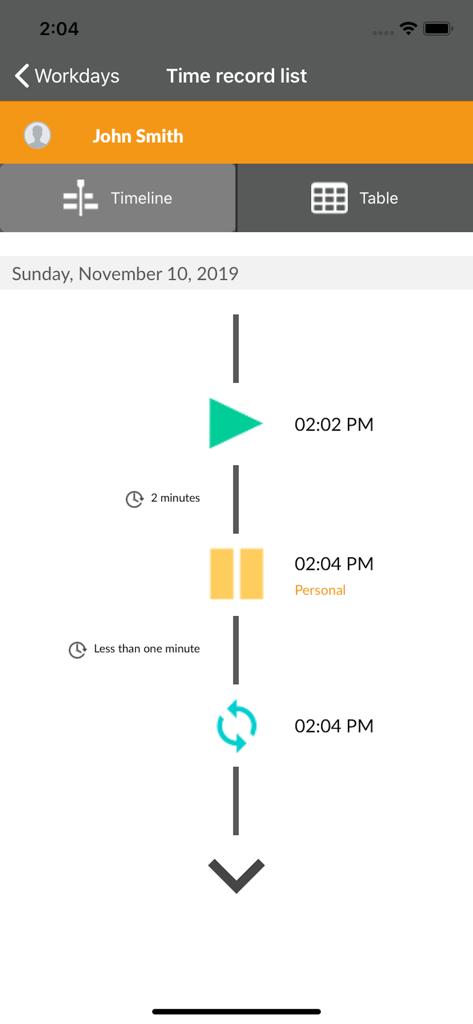
Bixpe Worktime Tracking - 従業員の勤怠追跡タイムラインビュー。日ごとのアクティビティログが表示されます。
従業員の勤怠追跡タイムラインビュー。日ごとのアクティビティログが表示されます。

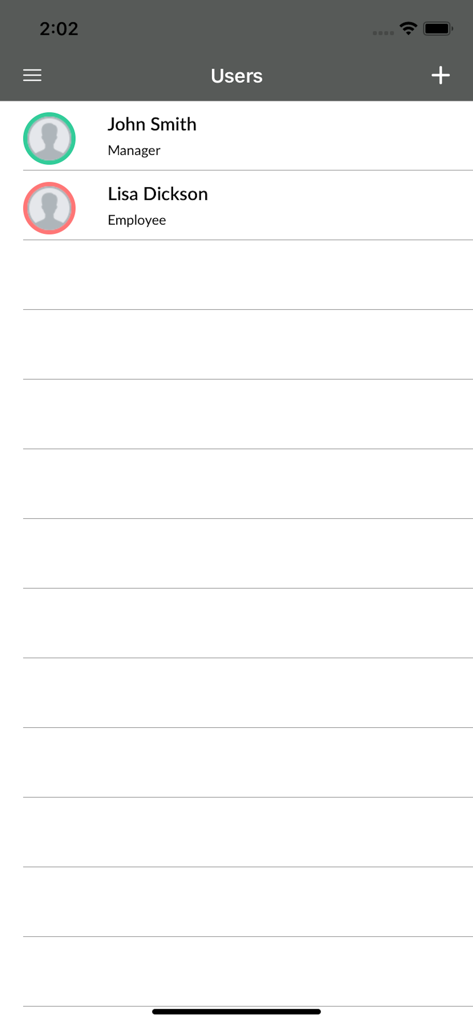
Bixpe Worktime Tracking - Bixpe勤怠管理のユーザー管理画面。スタッフの名前と役割のリストが表示されます。
Bixpe勤怠管理のユーザー管理画面。スタッフの名前と役割のリストが表示されます。

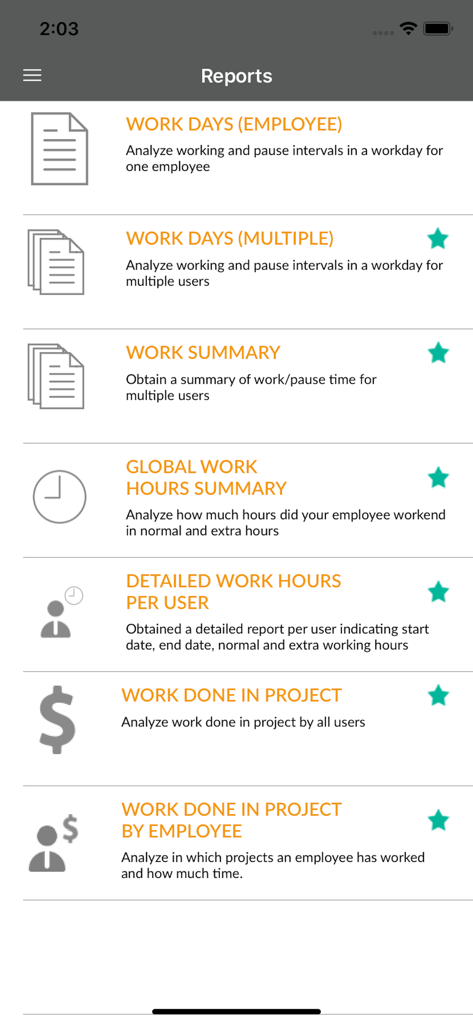
Bixpe Worktime Tracking - Bixpeアプリのレポート画面。労働時間とプロジェクト分析オプションが表示されます。
Bixpeアプリのレポート画面。労働時間とプロジェクト分析オプションが表示されます。

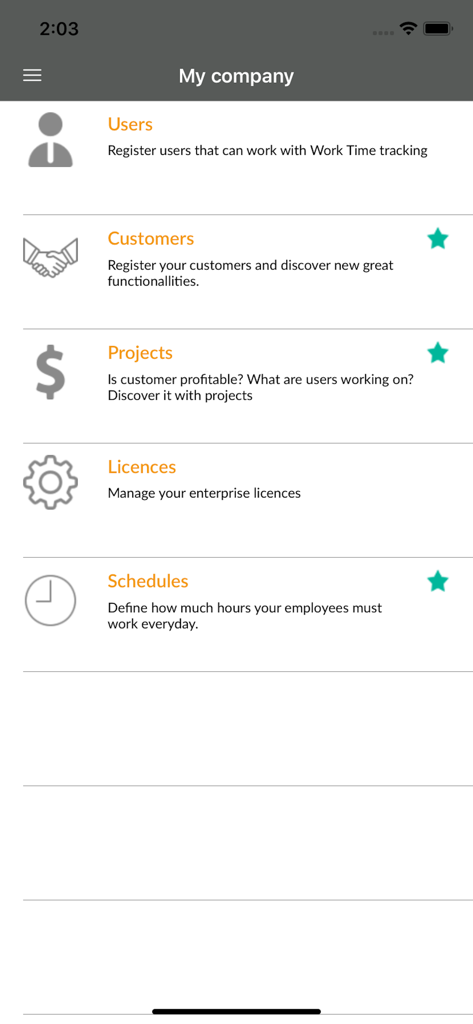
Bixpe Worktime Tracking - Bixpeアプリのメニュー。会社のユーザー、プロジェクト、勤務スケジュールを管理するためのものです。

Bixpeアプリのメニュー。会社のユーザー、プロジェクト、勤務スケジュールを管理するためのものです。

説明

With the free version of the app, on your tablet or phone you and your employees will be able to: - Register start and end of the working day - Register pauses and the reason of the pause - Stay informed about the worktime status of your employees (working, in pause, not working) - Analyze time worked. (daily, weekly) - Analyze time in paused (daily, weekly) - PIN mode Just download this app and improve your enterprise management today! ¿Employees doesn't have phone to use app? Use PIN mode! You can configure a tablet/phone at your office, and configure it in PIN Mode. Just assign a number to every employee and they will be able to clock in/out using that tablet/phone. No need to have a phone for every employee! Have doubts if having false clock-in? Need to have Team leaders to manage group of employees? Need resumed information? Or receive a notification every time an employee clocks in/ out or make a pause? Try our Premium version Premium Plan (7 DAYS FREE) ---------------------------- Discover new functionallities that will improve employees management! - Notifications: Now when an employee clock-in/out or make a pause you will receive an email and a notification instantly. No need to enter constantly on the app to check your employees status! - More information: You will have 4 year information vs 1 month in the free plan. - New reports: Get daily information of all your employees in one excel or get a resume document so you can analyze quickly how are your employees working. - New photo on clock in/out or pause: You can configure app to take a photo every time an employee clocks in, clocks out, start a pause or return from a pause. - Team leaders: Now you can create team leaders so they can manage a group of assigned employees. Are you a service company? Provide end customer access to WorkTime tracking so he can check that work billed is being done. - Project Management: How much time did my employees worked for this customer? Now you can analyze it easily using projects in our app. - Schedules Management: Establish how much time do employees have to work and analyze if they fulfilled their workday or if they overtime. - Time record assistance: We generate your time records automatically based on your timetable. - PTO management: Manage your employees PTO and also request your PTO if you are an employee. - Holidays request and management We have monthly plans and anual plans (2 months free) so you can select the best for your company! We also have licenses packages for 5, 10, 15, 20, 25, 30, 35, 40, 45, 50, 75, 100 employees. ------------------------ Payment information - Payment will be done using your iTunes Account after the 7 days free period, unless subscription is cancelled before trial period ends. - If subscription is cancelled during the trial period, no charge will be done to your iTunes Account. - Subscription will be renewed automatically at the end of the period unless auto-renew is cancelled 24 hours before expiring date. If you would like to cancel the subscription, you can turn it off through your users Account Settings after purchase. - Renewing charge will be done 24 hours prior the expiring subscription date. Terms of use: https://www.apple.com/legal/internet-services/itunes/dev/stdeula/ Privacy policy: https://www.bixpe.com/condiciones-generales-de-contratacion/

Download

ダウンロード: App Store

このページはアプリまたはその開発者の公式ページではなく、情報提供および論評を目的として作成された独立した編集出版物です。明示的に別段の記載がない限り、アプリおよびその開発者は、MWM、Apple、Google Play、アプリのパブリッシャー、またはアプリの開発者と提携、承認、後援、認可、またはその他の公式的な関係はなく、このページのいかなる内容も、アプリがMWMのサービスを使用して開発されたことを意味するものではありません。すべての商標、ロゴ、スクリーンショット、その他のコンテンツはそれぞれの所有者の財産です。