
このページはアプリまたはその開発者の公式ページではなく、情報提供および論評を目的として作成された独立した編集出版物です。明示的に別段の記載がない限り、アプリおよびその開発者は、MWM、Apple、Google Play、アプリのパブリッシャー、またはアプリの開発者と提携、承認、後援、認可、またはその他の公式的な関係はなく、このページのいかなる内容も、アプリがMWMのサービスを使用して開発されたことを意味するものではありません。すべての商標、ロゴ、スクリーンショット、その他のコンテンツはそれぞれの所有者の財産です。


BlueDriver OBD2 Scan Tool
車両のブラックボックスを暴き、ディーラーの言いなりになる時代に終止符を打つ。
ダウンロード
1M+ユーザー評価
評価数
17.1K開発元
カテゴリ
Productivity対応言語
1最新バージョン
8.9.2サイズ
271.6 MBリリース日
2011年7月6日車両診断とメンテナンスを向上させる主要機能の評価
BlueDriver OBD2 スキャンツール アプリの機能分析
トラブルコードの読み取りとクリア
チェックエンジン、ABS、エアバッグ、トランスミッションなど、多岐にわたるトラブルコードを読み取り、クリアすることが可能です。これにより、車両の問題を迅速に特定し、不必要な修理費用を削減できます。
サブスクリプション不要
アプリの主要機能にアクセスするために月額または年額のサブスクリプション料金を支払う必要がありません。これにより、ユーザーは一度の購入で長期的に診断ツールを利用でき、経済的な負担が軽減されます。
平易な言葉での推定される修理方法の説明
車両の問題に対する推定される修理方法が、平易な言葉で分かりやすく説明されます。これにより、専門知識がないユーザーでも問題解決への具体的なステップを理解し、自信を持って対応することが可能です。
実世界の修理データに基づくデータベース
数百万件の実世界の修理データに基づいた広範なデータベースを活用しています。これにより、ユーザーは信頼性の高い情報に基づいて車両の問題を診断し、効果的な解決策を見つけることが可能です。
車両固有の修理レポート生成
車両とトラブルコードに基づいた専門的な修理レポートを生成、保存、共有できます。これにより、ユーザーは問題の原因と推奨される解決策を明確に理解し、修理の意思決定を支援します。
マルチPIDインタラクティブグラフによるライブデータ表示
複数のパラメーターID(PID)を使用したインタラクティブなグラフ形式で車両のリアルタイムデータを確認できます。これにより、エンジン性能、センサー値などを視覚的に監視し、動的な問題診断に役立ちます。
拡張診断カバレッジ
GM、フォード、トヨタなどの主要メーカーの車両に対し、ABSやトランスミッションといった高度なシステム診断を提供します。これにより、標準的なOBD2では検出できない深層の問題を特定することが可能です。
排ガス検査準備状況とフリーズフレームデータの確認
排ガス検査の準備状況を確認し、トラブルコードが設定された瞬間の車両状態を示すフリーズフレームデータを表示できます。これにより、ユーザーは検査への適合性を把握し、問題発生時の状況を正確に分析することが可能です。
Bluetoothによるワイヤレススキャン
Bluetooth接続を介して車両をワイヤレスでスキャンできるため、ケーブル不要で手軽に診断作業を行うことが可能です。これにより、作業の自由度が向上し、ユーザー体験が簡素化されます。
モード6オンボードモニタリングテスト結果へのアクセス
車両のオンボードモニタリングシステムからの詳細なテスト結果(モード6データ)にアクセスできます。これにより、特定のコンポーネントやシステムの性能を深く分析し、潜在的な問題を早期に検出することが可能です。
よくある質問
について知っておくべきこと BlueDriver OBD2 Scan Tool
What is the BlueDriver OBD2 Scan Tool?
BlueDriver® transforms your iPhone or iPad into an OBD2 scan tool. It helps read codes, diagnose issues, and fix your car by connecting wirelessly via the BlueDriver Bluetooth® Sensor.
Does the BlueDriver app require a subscription?
No, the BlueDriver app itself does not require a subscription. The app is free to install, but it requires the BlueDriver Bluetooth Sensor, which is sold separately, to function.
Can the BlueDriver OBD2 Scan Tool clear my check engine light?
Yes, BlueDriver can read and clear trouble codes, including check engine lights, ABS, airbag, and transmission codes. This functionality is a core feature of the BlueDriver OBD2 Scan Tool.
How does BlueDriver connect to a vehicle?
The BlueDriver Sensor plugs into your vehicle’s data port (OBD2 port, found in cars built since 1996). It connects to the BlueDriver app on your iPhone or iPad wirelessly via Bluetooth® for full diagnostic functionality.
Does BlueDriver provide vehicle repair information?
Yes, BlueDriver provides professional-grade Repair Reports specific to your vehicle’s year, make, and model. These reports offer likely fixes for issues, explained in plain language, and link to parts.
Can I view live engine data with the BlueDriver app?
Yes, the BlueDriver app allows users to view live data with multi-PID interactive graphing. This includes information like vehicle speed, RPM, engine load, and temperature.
What vehicles support enhanced diagnostics with BlueDriver?
BlueDriver offers enhanced diagnostics for GM, Ford, Chrysler, Toyota, Nissan, Mazda, Mercedes (2005+), Mitsubishi (2008+), Hyundai/Kia (2012+) globally. BMW/Mini, Honda/Acura, VW/Audi are available in North America, and Subaru in the US.
Does BlueDriver offer vehicle recall information?
Yes, BlueDriver provides access to important information such as potential recalls, service bulletins, vehicle specifications, and maintenance schedules directly within the app.
Can I preview a BlueDriver Repair Report without buying the Sensor?
Yes, you can preview a BlueDriver Repair Report without a Sensor by entering your vehicle's VIN and a trouble code directly into the app.
以下のスクリーンショットと説明は、アプリの公式ストアリスティングから直接取得されたものであり、アプリ開発者の所有物です。
アプリストア
スクリーンショット
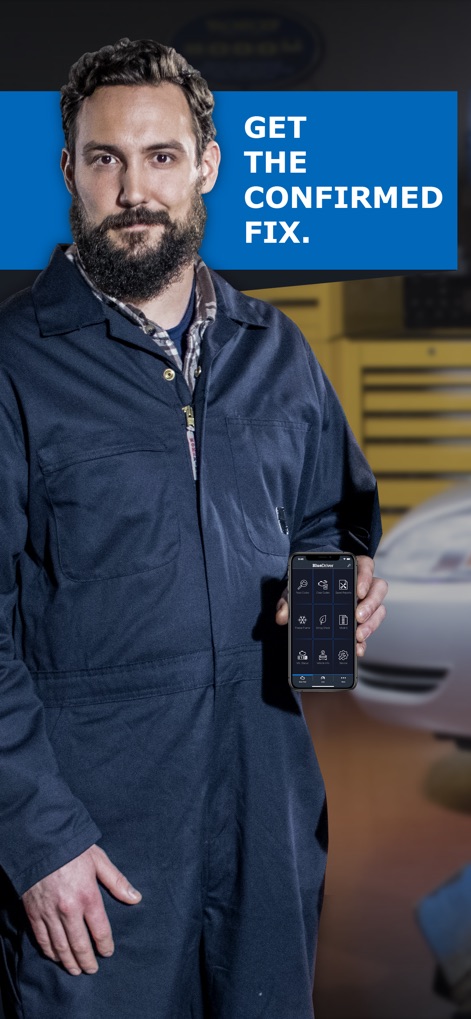
このアプリのホーム画面では、ユーザーは車両診断の主要機能へアクセスし、「GET THE CONFIRMED FIX.」という魅力的なメッセージで確実な解決策へ導かれます。
確かな診断、即座に

ユーザーは「Confirmed Trouble Codes」と「Pending Trouble Codes」のリストを確認でき、P0455のような具体的なトラブルコードとその詳細な説明が表示されます。
コードを読み解く
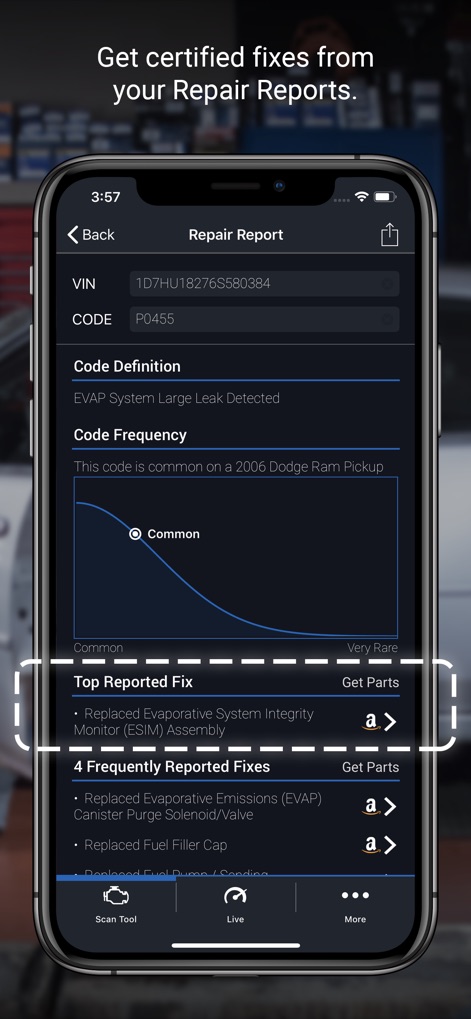
本機能では、「Code Frequency」グラフでコードの発生頻度を視覚的に把握でき、Amazonへのリンク付きで「Top Reported Fix」が提示され、具体的な修理方法がわかります。
修理レポートで解決
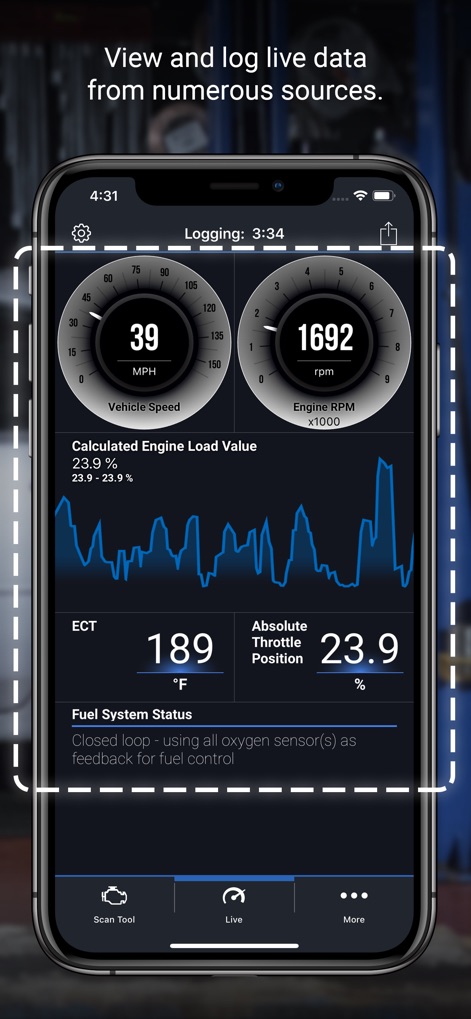
この画面では、「Vehicle Speed」や「Engine RPM」のようなリアルタイムの車両データが視覚的に表示され、ユーザーはグラフ機能で「Calculated Engine Load Value」の推移を詳細に追跡できます。
ライブデータを監視
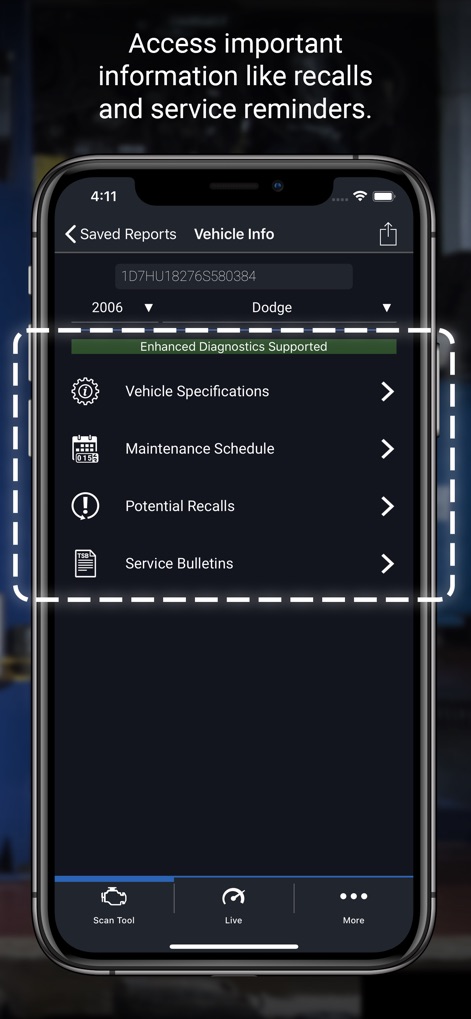
ユーザーは「Maintenance Schedule」で定期的な点検情報を確認し、「Potential Recalls」を通じて車両のリコール情報を即座に把握することで、包括的な車両管理が可能です。
車両情報を一元管理
説明
Download
類似アプリ
似た機能とユーザー体験を持つアプリ

Car Scanner ELM OBD2
Stanislav Svistunov
RepairSolutions2
Innova Electronics

OBDLink
OBD Solutions LLC
Car Mate - OBD2 CAR Scanner
Ihar Katkavets

Carly — OBD2 car scanner
Carly Solutions GmbH Co KG

FIXD OBD2 Scanner
FIXD Automotive Inc

BimmerLink for BMW and MINI
SG Software GmbH & Co. KG
OBD2 Scanner: Torque ELM 327
MONIQ TAP COMPANY LIMITED

OBDeleven VAG Car diagnostics
OBDeleven UAB
このページはアプリまたはその開発者の公式ページではなく、情報提供および論評を目的として作成された独立した編集出版物です。明示的に別段の記載がない限り、アプリおよびその開発者は、MWM、Apple、Google Play、アプリのパブリッシャー、またはアプリの開発者と提携、承認、後援、認可、またはその他の公式的な関係はなく、このページのいかなる内容も、アプリがMWMのサービスを使用して開発されたことを意味するものではありません。すべての商標、ロゴ、スクリーンショット、その他のコンテンツはそれぞれの所有者の財産です。