Bluink eID-Me Digital ID
ダウンロード: App Store

このページはアプリまたはその開発者の公式ページではなく、情報提供および論評を目的として作成された独立した編集出版物です。明示的に別段の記載がない限り、アプリおよびその開発者は、MWM、Apple、Google Play、アプリのパブリッシャー、またはアプリの開発者と提携、承認、後援、認可、またはその他の公式的な関係はなく、このページのいかなる内容も、アプリがMWMのサービスを使用して開発されたことを意味するものではありません。すべての商標、ロゴ、スクリーンショット、その他のコンテンツはそれぞれの所有者の財産です。


ロゴ: Bluink eID-Me Digital ID
ダウンロード: App Store

Bluink eID-Me Digital ID

クラウドストレージを一切使用しない唯一のデジタルウォレットで、政府発行のIDをデジタル化しましょう。iPhoneのハードウェアセキュリティを活用して、あなたのIDを完全に管理し、オンライン確認を簡素化します。

主要数値

ダウンロード

137K+

ユーザー評価

4.8/5

評価数

7K+

開発元

Bluink Ltd.

カテゴリ

Productivity

対応言語

2

最新バージョン

2.18.7

サイズ

31.5 MB

リリース日

2020年3月9日
機能

あなたのIDを、取り戻し、安全に

iPhone上に保存され、クラウドストレージの必要がなくなり、オンライン生活を簡素化する認証済みIDで、デジタルウォレット革命に参加しましょう。

プライバシー重視のアーキテクチャ

中央サーバーとはお別れです。あなたのIDデータはiPhone上にのみ保存され、アクセスまたは共有できるのはあなただけであることを保証します。

ハードウェアに紐づいたセキュリティ

iPhoneのハードウェアセキュリティを活用して、あなたの認証情報を保護します。すべてのトランザクションは、Face ID、Touch ID、または個人のPINで認証されます。

以下のスクリーンショットと説明は、アプリの公式ストアリスティングから直接取得されたものであり、アプリ開発者の所有物です。

アプリストア

スクリーンショット
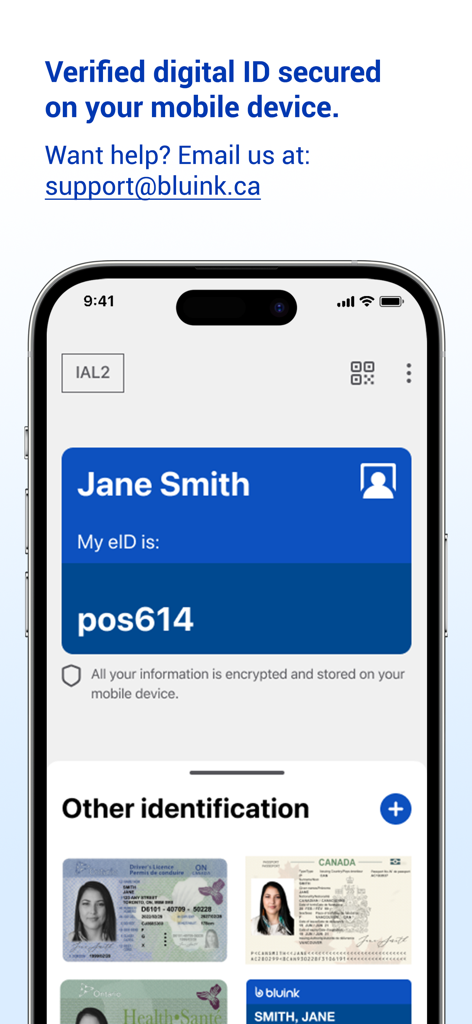
Bluink eID-Me Digital ID - Bluink eID-Meアプリのスクリーンショット。デジタルIDカードと、iPhone上の運転免許証やパスポートなどの保存されている本人確認書類が表示されています。
Bluink eID-Meアプリのスクリーンショット。デジタルIDカードと、iPhone上の運転免許証やパスポートなどの保存されている本人確認書類が表示されています。

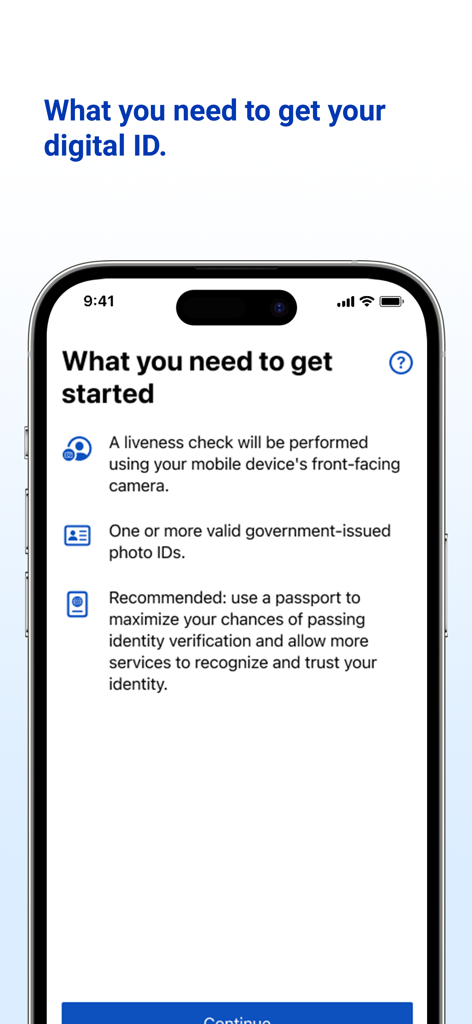
Bluink eID-Me Digital ID - eID-Meアプリのオンボーディング画面。本人確認の要件がリスト表示されています。
eID-Meアプリのオンボーディング画面。本人確認の要件がリスト表示されています。

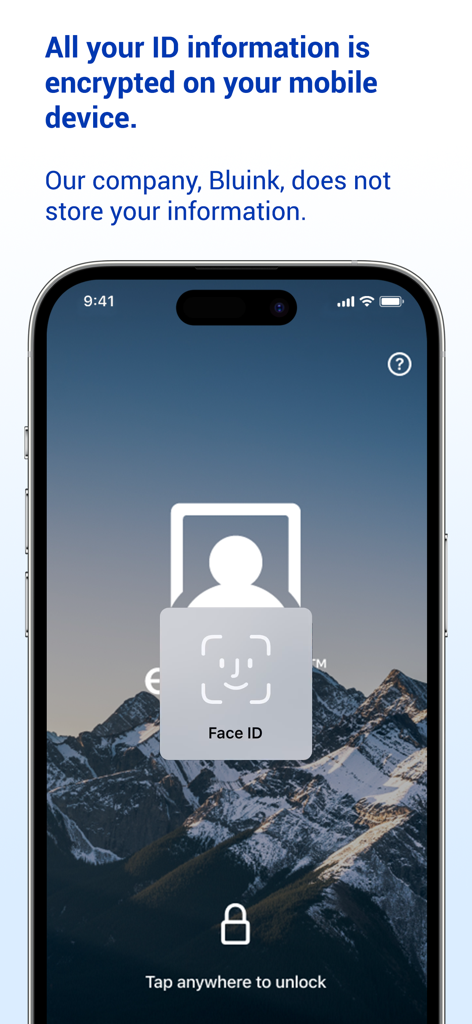
Bluink eID-Me Digital ID - スマートフォンにBluink eID-Meアプリが表示され、Face IDによるロック解除と暗号化されたデータプライバシーに関するメッセージが表示されています。
スマートフォンにBluink eID-Meアプリが表示され、Face IDによるロック解除と暗号化されたデータプライバシーに関するメッセージが表示されています。

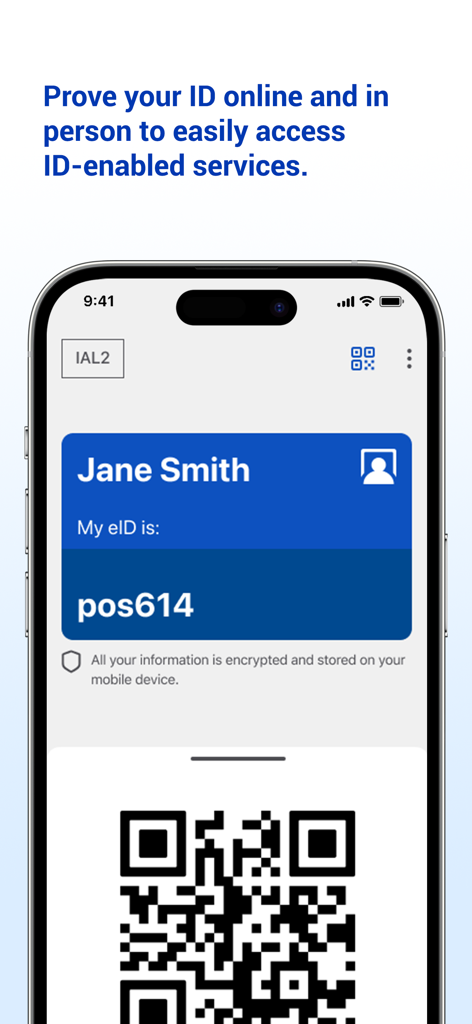
Bluink eID-Me Digital ID - Bluink eID MeアプリのデジタルIDカードが表示された携帯電話の画面。Jane Smithの名前と、確認用のQRコードが含まれています。
Bluink eID MeアプリのデジタルIDカードが表示された携帯電話の画面。Jane Smithの名前と、確認用のQRコードが含まれています。

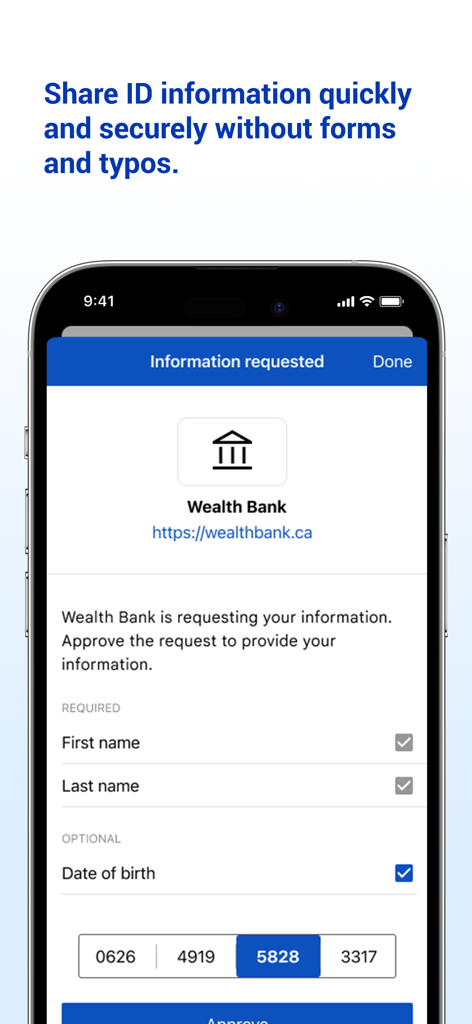
Bluink eID-Me Digital ID - Bluink eID-Meアプリのインターフェース。Wealth Bankからの個人情報共有リクエストが安全に表示されています。
Bluink eID-Meアプリのインターフェース。Wealth Bankからの個人情報共有リクエストが安全に表示されています。

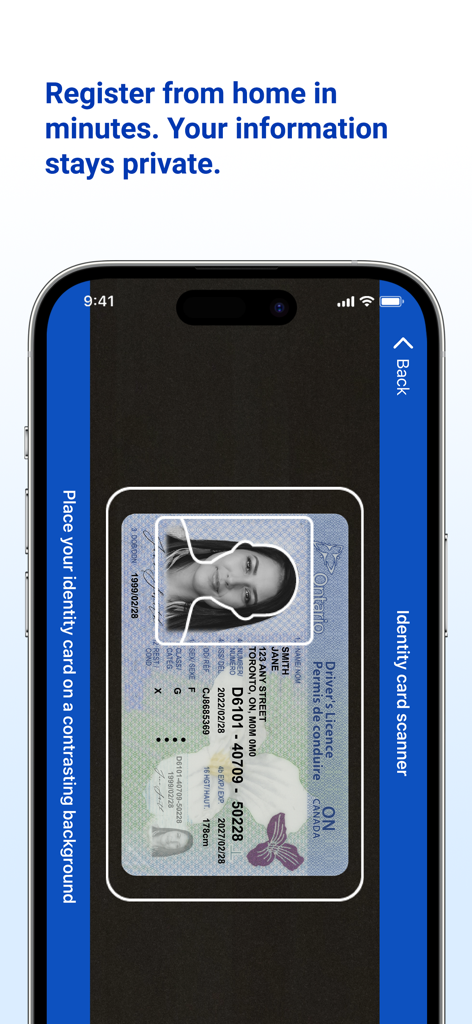
Bluink eID-Me Digital ID - Bluink eID-Meアプリを使用してデジタルID登録のために運転免許証をスキャンするスマートフォンの画面。
Bluink eID-Meアプリを使用してデジタルID登録のために運転免許証をスキャンするスマートフォンの画面。

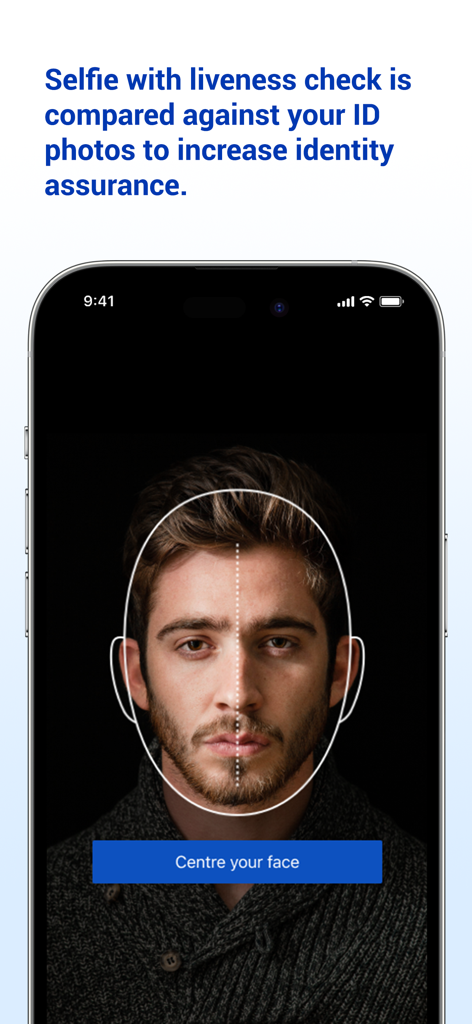
Bluink eID-Me Digital ID - eID-Meアプリでの本人確認のためのセルフィーライブネスチェックが表示されたスマートフォンの画面。

eID-Meアプリでの本人確認のためのセルフィーライブネスチェックが表示されたスマートフォンの画面。

説明

Digital ID and identity verification. REGISTRATION REQUIREMENTS 1. An iPhone (with iOS 15 or later). 2. An email address. 3. A liveness check will be performed using your mobile device's front-facing camera. 4. One or more valid government-issued photo IDs. 5. Recommended: use a passport to maximize your chances of passing identity verification and allow more services to recognize and trust your identity. REGISTRATION TUTORIAL: https://www.youtube.com/watch?v=EvR0j9ulNnA Please email us at support@bluink.ca if you have questions or need assistance. INTRODUCTION eID-Me is a secure digital identity app. eID-Me digitizes and securely stores government-issued identity and self-managed identity information on your iPhone. eID-Me makes online identity verification quicker, easier, and more secure by eliminating passwords and strengthening privacy. eID-Me cannot currently be used as a substitute for legal identification. Our goal is to improve access to services that require verified identity, including government, financial, health care, and more. If you want to help speed up eID-Me integrations, spread the word. Share eID-Me content on social media. Show eID-Me to friends. Learn more at: eid-me.com/share. HOW IT WORKS During registration, use your iPhone to prove your identity by taking a selfie with liveness check, and scanning your government-issued photo identity documents (e.g., driver’s licence, passport). Your iPhone is then issued a unique eID-Me digital identity, which includes a digital certificate with identity claims (verified pieces of information about you). You can then use your eID-Me digital identity to easily access services and securely share identity information in identity transactions both online and offline (in person). PRIVACY AND SECURITY Your identity information is always in your possession on your iPhone. It is never hosted by a centralized service or third-party provider or stored in the cloud. Once your identity information is verified, a secure certificate is installed on your iPhone. That information is not accessible to anyone but you, until you choose to share it in a transaction. eID-Me’s digital wallet is protected on the iPhone with strong encryption, leveraging its hardware security mechanisms, and is bound to your authentication method (e.g., Face ID, Touch ID, PIN). BENEFITS AND FEATURES • Secure digital ID on your iPhone. • Secure digital wallet on your iPhone containing your identity with verified ID information. • No cloud storage of your identity information. • Strong encryption and certificate-based authentication. • eID-Me identity is bound to your iPhone’s authentication method (e.g., Face ID, Touch ID, PIN). • Strong privacy protection with complete control over your identity and information.

Download

ダウンロード: App Store

このページはアプリまたはその開発者の公式ページではなく、情報提供および論評を目的として作成された独立した編集出版物です。明示的に別段の記載がない限り、アプリおよびその開発者は、MWM、Apple、Google Play、アプリのパブリッシャー、またはアプリの開発者と提携、承認、後援、認可、またはその他の公式的な関係はなく、このページのいかなる内容も、アプリがMWMのサービスを使用して開発されたことを意味するものではありません。すべての商標、ロゴ、スクリーンショット、その他のコンテンツはそれぞれの所有者の財産です。