
このページはアプリまたはその開発者の公式ページではなく、情報提供および論評を目的として作成された独立した編集出版物です。明示的に別段の記載がない限り、アプリおよびその開発者は、MWM、Apple、Google Play、アプリのパブリッシャー、またはアプリの開発者と提携、承認、後援、認可、またはその他の公式的な関係はなく、このページのいかなる内容も、アプリがMWMのサービスを使用して開発されたことを意味するものではありません。すべての商標、ロゴ、スクリーンショット、その他のコンテンツはそれぞれの所有者の財産です。

Blur Photo Editor
これ1つの強力なアプリで、SNS向けに一眼レフ品質のボケ味を実現したり、AI搭載の顔・オブジェクトぼかし機能で機密情報を瞬時に隠したりすることができます。
ダウンロード
4M+ユーザー評価
評価数
43K+開発元
カテゴリ
Photo & Video対応言語
33最新バージョン
5.8.7サイズ
244.3 MBリリース日
2015年11月13日プライバシーとスタイルを極める
美しさを追求するクリエイターやプライバシーを重視するユーザーのための、究極のツールキット。プロの精度で写真を編集、ぼかし、保護します。
映画のような一眼レフ効果
ハイエンドなボケ味、モーション、レンズぼかしツールを使用して、普通の写真をプロ級のポートレートに変貌させます。
スマート・プライバシー・シールド
AI搭載のモザイク機能で、顔、ナンバープレート、プライベート情報を瞬時に隠し、機密データを安全に保ちます。
よくある質問
について知っておくべきこと Blur Photo Editor
Blur Photo Editorとは何ですか?
Blur Photo Editorは、背景をぼかしたり、顔をピクセル化したり、オブジェクトを隠したり、さまざまなぼかし効果やフィルターを写真に適用したりできるiOSアプリです。iPhoneやiPadでの正確な写真編集のために設計されています。
Blur Photo Editorで画像の特定の部分をぼかすことはできますか?
はい、Blur Photo Editorでは、背景、顔、ナンバープレート、クレジットカード番号など、特定の領域を正確にぼかすことができます。タッチぼかしやAI搭載ツールなどの機能が含まれており、ターゲットを絞った編集が可能です。
Blur Photo EditorにはAI機能はありますか?
はい、Blur Photo EditorにはAI搭載機能があります。AIによる顔の検閲やワンタップでの背景ぼかしなどが含まれており、ユーザーの写真編集プロセスを簡素化および強化します。
Blur Photo Editorアプリを使って写真をぼかすにはどうすればいいですか?
写真をぼかすには、Blur Photo Editorを開き、(+)ボタンをタップして写真を選択し、[ぼかし]をタップして指で写真上をスワイプし、効果を選択して強度を調整し、写真を保存します。
Blur Photo Editorで利用できるぼかし効果にはどのような種類がありますか?
Blur Photo Editorには、ガウスぼかし、ボケ、モーション、モザイク、ウォーター、ガラス、ディストーション、ペイントぼかしなど、さまざまな効果があります。円形や線形などのレンズぼかしオプションや、シェイプぼかしも備えています。
Blur Photo Editorで写真にテキストやフィルターを追加できますか?
はい、Blur Photo Editorでは、白黒、セピア、ビンテージなどのさまざまな写真フィルターを適用できます。また、異なるフォント、色、スタイルで写真にカスタムテキストを追加することもできます。
Blur Photo Editorは無料アプリですか?
いいえ、Blur Photo Editorは無料でダウンロードできますが、アプリの全機能と高度な機能すべてにアクセスするには、自動更新サブスクリプションが必要です。
Blur Photo Editorはどのようなサブスクリプションオプションを提供していますか?
Blur Photo Editorは、週次および年次の自動更新サブスクリプションオプションを提供しています。これらのサブスクリプションには無料トライアル期間が含まれており、24時間前までにキャンセルされない限り、自動的に有料プランに移行します。
Blur Photo Editorで画像のぼかしを解除できますか?
はい、Blur Photo Editorにはぼかし解除機能が含まれています。このツールを使用すると、編集中に誤ってぼかしてしまった画像の特定の部分を正確に復元またはぼかし解除できます。
Blur Photo Editorは写真コラージュ作成をサポートしていますか?
はい、Blur Photo Editorには写真コラージュメーカーが搭載されています。複数のレイアウトを提供しており、ユーザーはアプリケーション内で直接、さまざまな画像を1つのコラージュにまとめることができます。
以下のスクリーンショットと説明は、アプリの公式ストアリスティングから直接取得されたものであり、アプリ開発者の所有物です。
アプリストア
スクリーンショット
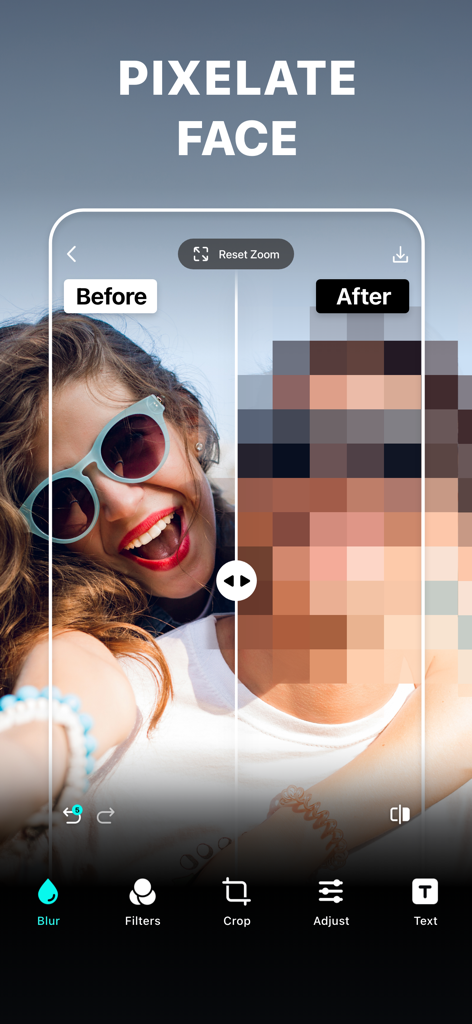
『ぼかし写真加工』アプリでプライバシーのために顔にモザイクをかけた前後の比較
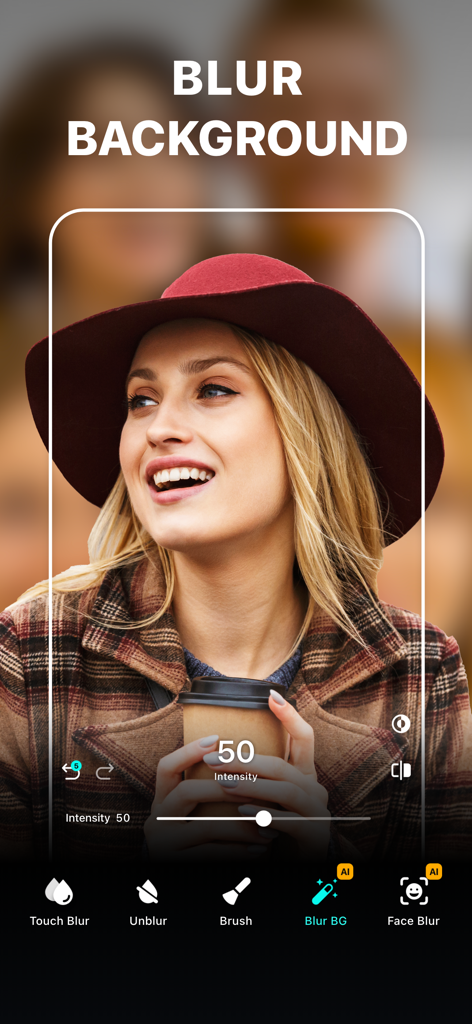
帽子をかぶった女性のポートレートに背景ぼかしツールを適用した『ぼかし写真加工』アプリのインターフェース
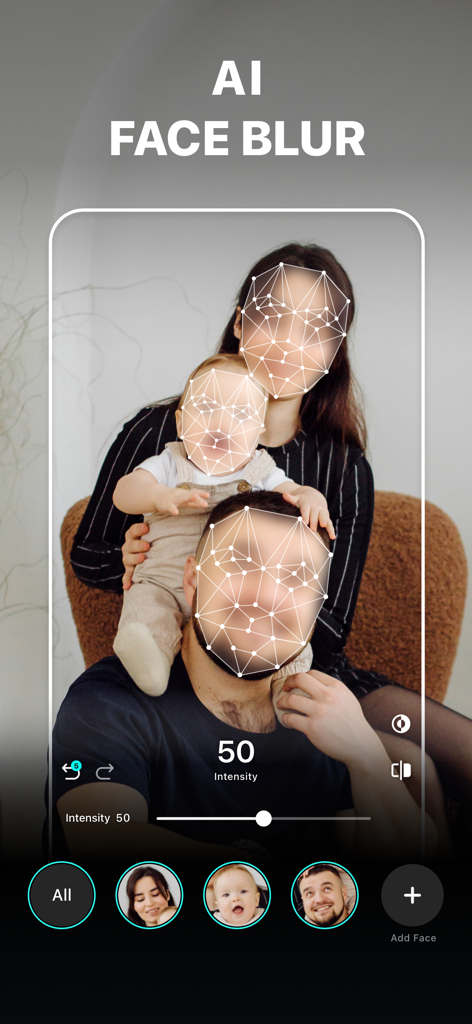
プライバシーのために家族写真にAI顔ぼかし機能を適用した『ぼかし写真加工』アプリのインターフェース
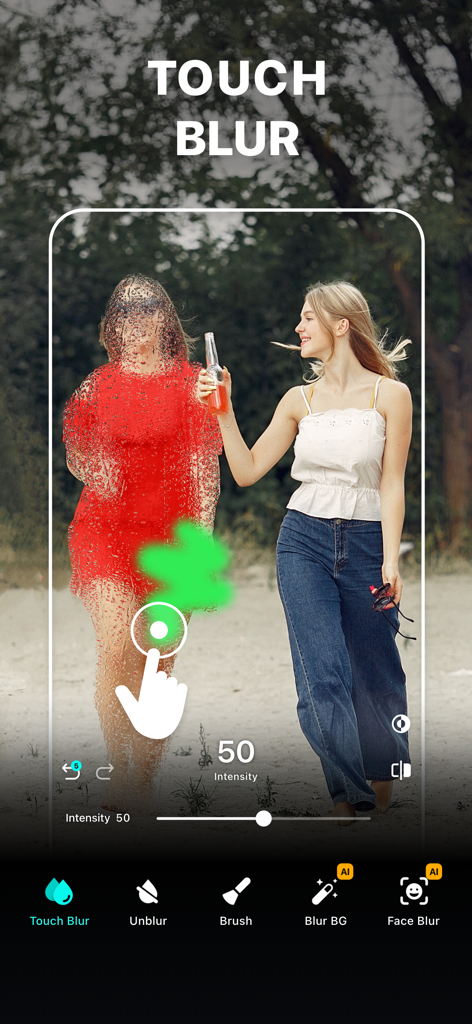
『ぼかし写真加工』アプリのタッチぼかしツールを使用して、写真内の人物を手動で隠している様子
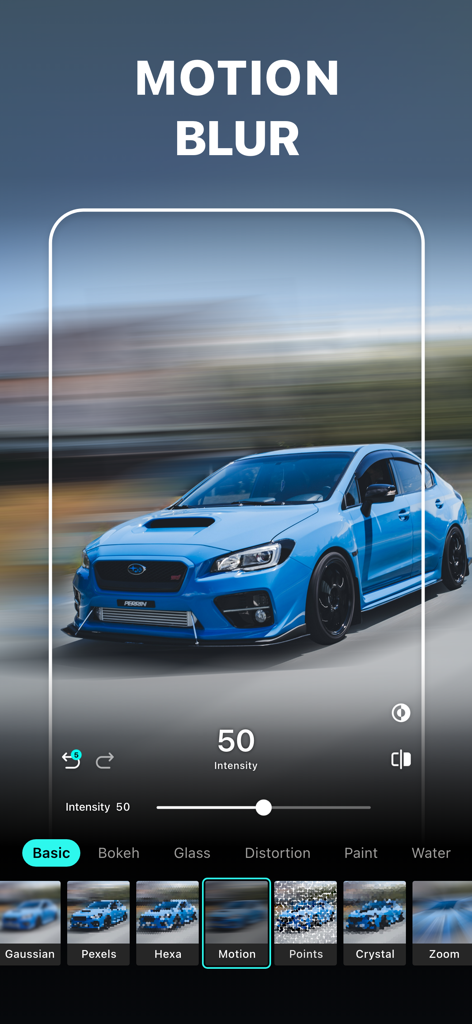
『ぼかし写真加工』アプリのインターフェースで、青いスポーツカーにモーションブラー効果を適用した様子
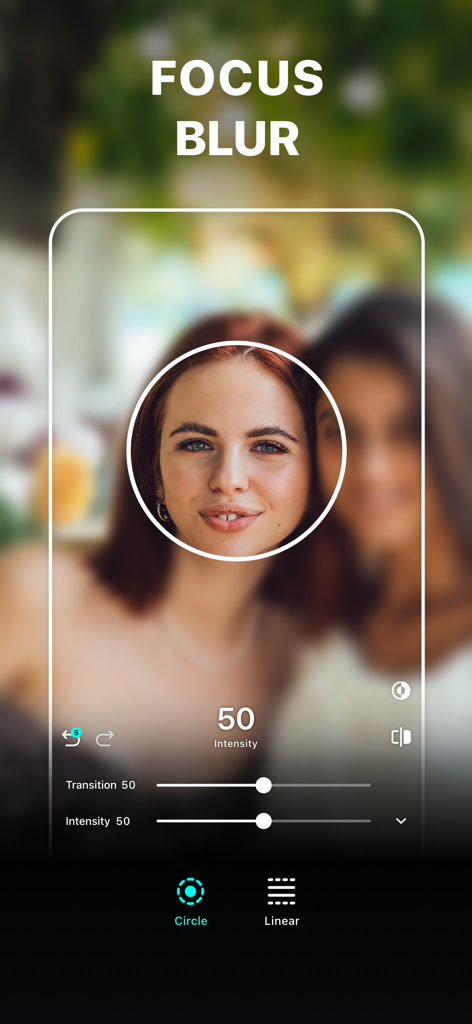
女性のポートレートに円形のフォーカス領域を設定したフォーカスぼかしツール
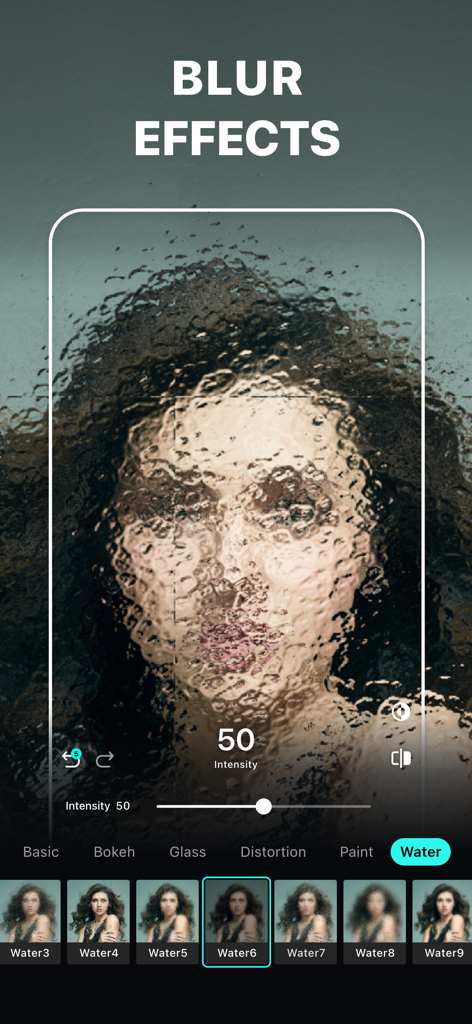
ポートレート写真にアーティスティックなウォーターぼかし効果を適用した『ぼかし写真加工』アプリのインターフェース
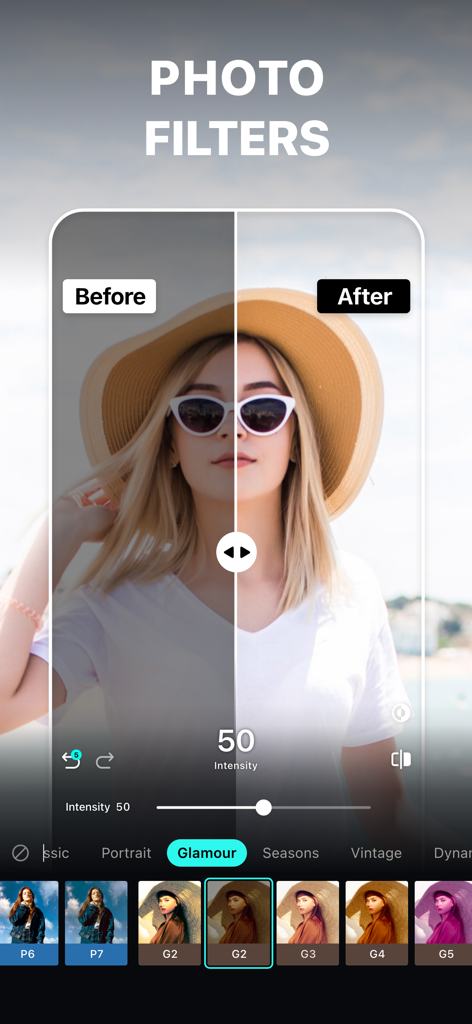
『ぼかし写真加工』アプリで、帽子をかぶった女性の写真にフィルターを適用した前後の比較
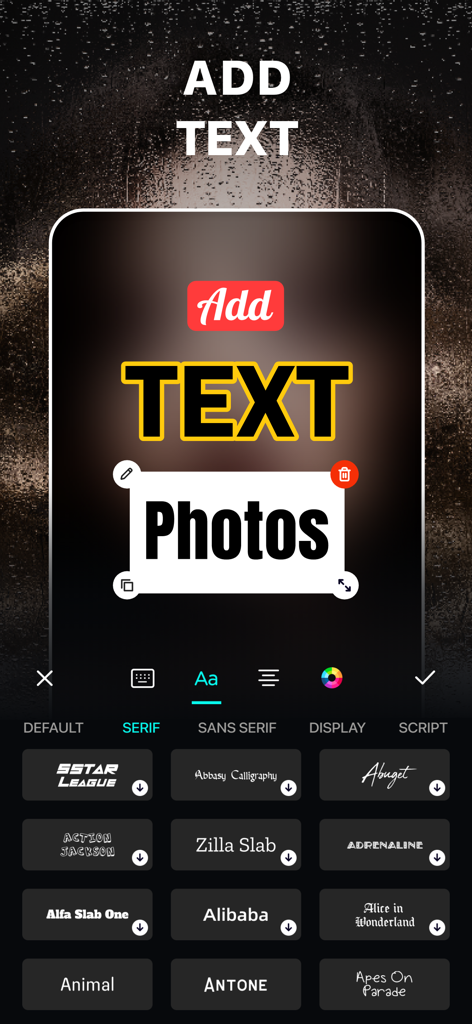
多彩なフォントオプションを使用して写真にテキストを追加・カスタマイズする方法を示す『ぼかし写真加工』アプリのインターフェース
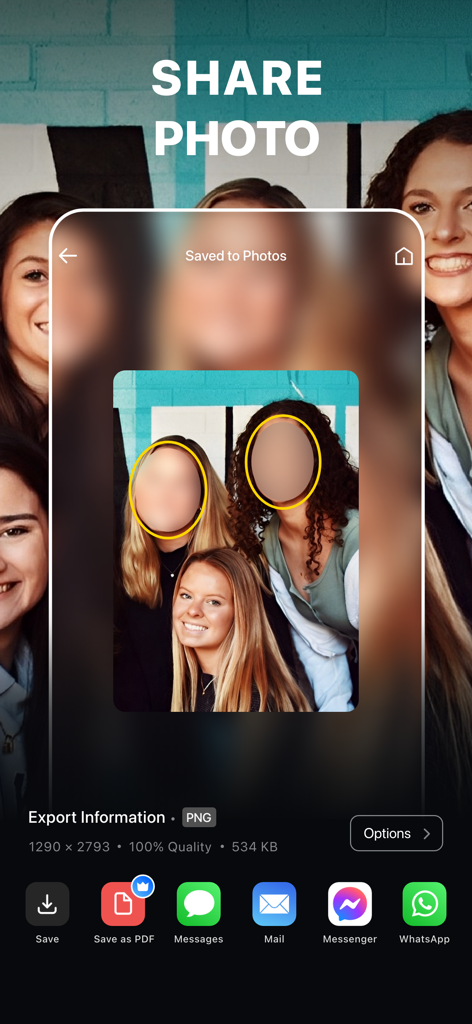
顔を隠した写真をさまざまなプラットフォームに書き出すための共有画面を表示したモバイルアプリのインターフェース
説明
Download
類似アプリ
似た機能とユーザー体験を持つアプリ
Blur Background Photo Effect
Shiho Sadamizu
Blur Photo Effect Background
Honk Honk Punch Pty Ltd

Blur Photo - Background & Face
Alenrom sp. z o.o.
Blur Photo Editor: blur effect
Ryoichi Fukugawa

Motion Blur Photo Editor
Daria Khalitova
Blurr: Motion Blur Effect Pro
Viacheslav Khakhulin
Blurry Photo Aрр
AI Photo Editor Lab SRL
Blur Photo Background
SUNWOONG JANG

Blur Photo - Effect Editor
Appenvision Ltd
このページはアプリまたはその開発者の公式ページではなく、情報提供および論評を目的として作成された独立した編集出版物です。明示的に別段の記載がない限り、アプリおよびその開発者は、MWM、Apple、Google Play、アプリのパブリッシャー、またはアプリの開発者と提携、承認、後援、認可、またはその他の公式的な関係はなく、このページのいかなる内容も、アプリがMWMのサービスを使用して開発されたことを意味するものではありません。すべての商標、ロゴ、スクリーンショット、その他のコンテンツはそれぞれの所有者の財産です。