
このページはアプリまたはその開発者の公式ページではなく、情報提供および論評を目的として作成された独立した編集出版物です。明示的に別段の記載がない限り、アプリおよびその開発者は、MWM、Apple、Google Play、アプリのパブリッシャー、またはアプリの開発者と提携、承認、後援、認可、またはその他の公式的な関係はなく、このページのいかなる内容も、アプリがMWMのサービスを使用して開発されたことを意味するものではありません。すべての商標、ロゴ、スクリーンショット、その他のコンテンツはそれぞれの所有者の財産です。


Blur Photo & Mosaic
写真の匿名性を完全に掌握し、デジタル世界で自己表現を解き放つ。このアプリは、ユーザーに自分のイメージを思い通りに操作する力を与えている。
ダウンロード
10M+ユーザー評価
評価数
270.0K開発元
カテゴリ
Photo & Video対応言語
36最新バージョン
293.3サイズ
284.4 MBリリース日
2015年2月18日オンライン共有とプライバシー保護を重視するユーザー向け主要機能評価
アプリケーション機能分析: 'Blur Photo & Mosaic'
自動プライバシー保護加工
このアプリは、車のナンバープレートや人物の顔を自動的に認識し、ぼかし加工を施すことで、ユーザーのプライバシーを簡単に保護することを可能にします。
高度な手動ぼかし・モザイク加工
ユーザーは指でなぞるだけで写真の特定領域をぼかしたりピクセル化したりできます。複数のモザイク種類と厚みや濃度の調整機能により、多様な表現と精密なプライバシー保護が可能です。
SNS向けアイコン編集
本ツールは、写真をSNSに適した円形に切り抜き、アイコンの枠線の色を編集する機能を提供し、オンラインでのプロフィールの視覚的魅力を高めます。
複数写真の結合・コラージュ
ユーザーは複数の写真をまとめて1つの画像に結合し、配置を調整することで、魅力的なコラージュを簡単に作成できます。
豊富なフィルターとテクスチャ効果
このアプリは、写真にフィルターを適用したりテクスチャを追加したりすることで、ノスタルジックな雰囲気を持つユニークな作品を生み出すことを可能にします。
写真へのテキスト追加
ユーザーは写真にテキストを追加することで、メッセージやキャプションを直接画像に埋め込み、表現の幅を広げることができます。
よくある質問
について知っておくべきこと Blur Photo & Mosaic
How does Blur Photo & Mosaic allow users to blur photos?
The Blur Photo & Mosaic app allows users to blur or pixelate areas of a photo by tracing with their finger. It offers several mosaic varieties and adjustable thickness and strength for the mosaic effect.
Can Blur Photo & Mosaic automatically blur faces and license plates?
Yes, Blur Photo & Mosaic automatically blurs car license plates and the faces of people. This feature efficiently handles sensitive information in photos, making it suitable for censoring.
What additional photo editing features does Blur Photo & Mosaic offer?
Blur Photo & Mosaic provides features like making photos soft, joining multiple photos into a single image, cutting photos into circles for SNS, adding text, applying filters, and adding textures.
Can I create photo collages with the Blur Photo & Mosaic app?
Yes, the Blur Photo & Mosaic app allows users to combine multiple photos into a single image, effectively creating collages. This feature supports arranging various layouts for combined images.
Does Blur Photo & Mosaic support object removal?
Yes, Blur Photo & Mosaic includes an "Object Eraser" feature. This tool allows users to remove unwanted objects or elements precisely from their photos.
Are there filter and texture options in Blur Photo & Mosaic?
Yes, Blur Photo & Mosaic allows users to create nostalgic photos by applying filters and adding texture to photos. This enhances the visual style of images with various effects.
Can I add text to my photos using Blur Photo & Mosaic?
Yes, Blur Photo & Mosaic provides the functionality to add text to your photos. This allows for personalized captions and annotations directly within the app's editing interface.
Does Blur Photo & Mosaic offer special features for social media (SNS)?
Yes, Blur Photo & Mosaic offers "Processing for SNS" features. These include cutting photos into a circle and editing the border color of the icon, optimized for social media platforms.
以下のスクリーンショットと説明は、アプリの公式ストアリスティングから直接取得されたものであり、アプリ開発者の所有物です。
アプリストア
スクリーンショット
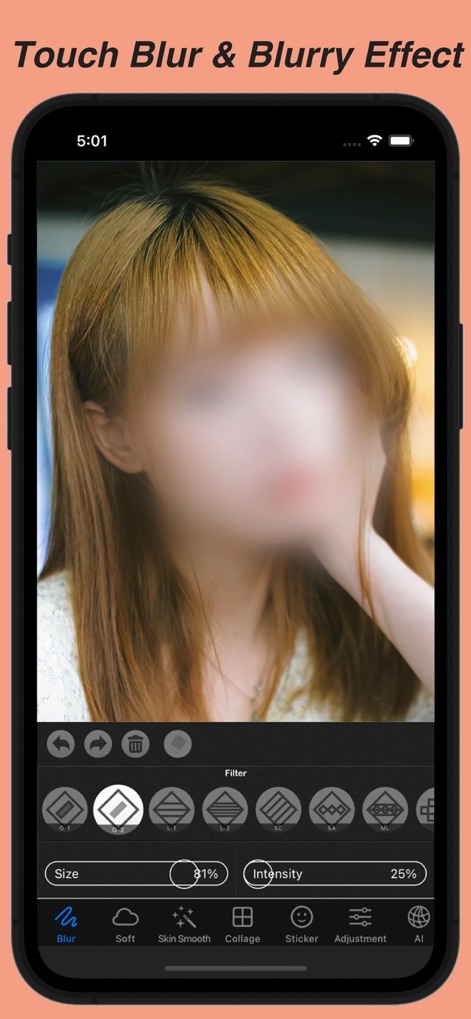
指でなぞることで写真の特定部分をぼかすことができ、ぼかしの強さや範囲を直感的に調整可能です。
指でタッチぼかし

モザイクの種類からピクセル加工を選択し、サイズと強度をスライダーで細かく調整できます。
ピクセル化で目隠し
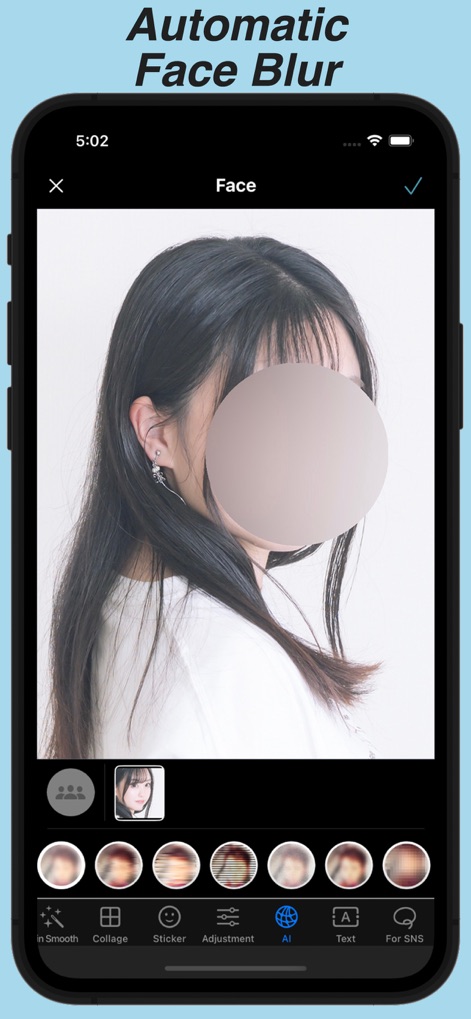
AIが自動で顔を認識し、ワンタップで顔をぼかすことができ、迅速なプライバシー保護が実現します。
顔自動認識で簡単ぼかし
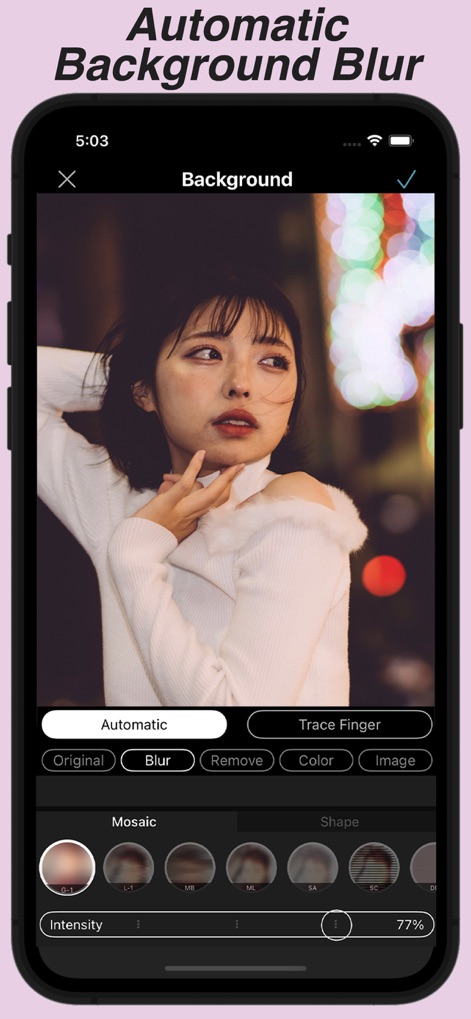
被写体を自動で抽出し背景をぼかすことでプロのような仕上がりに、モザイクの種類や形状も選べます。
背景ぼかしで主役際立つ

多彩なペイントやシェイプスタンプで画像を楽しく装飾し、色や形を自由に選んでクリエイティブな表現が可能です。
豊富なスタンプでデコる
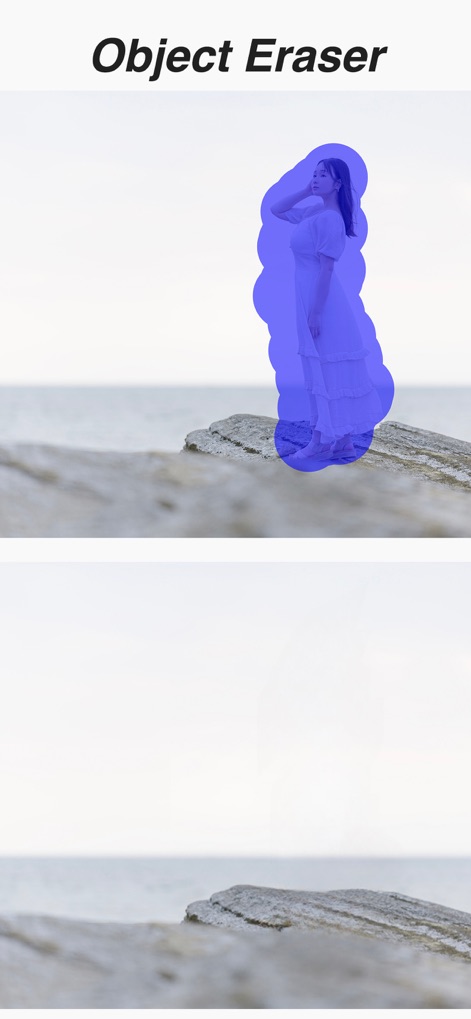
青い選択範囲で写真内の不要なオブジェクトを簡単に指定し、違和感なく背景と馴染ませて消去できます。
不要なオブジェクト消去
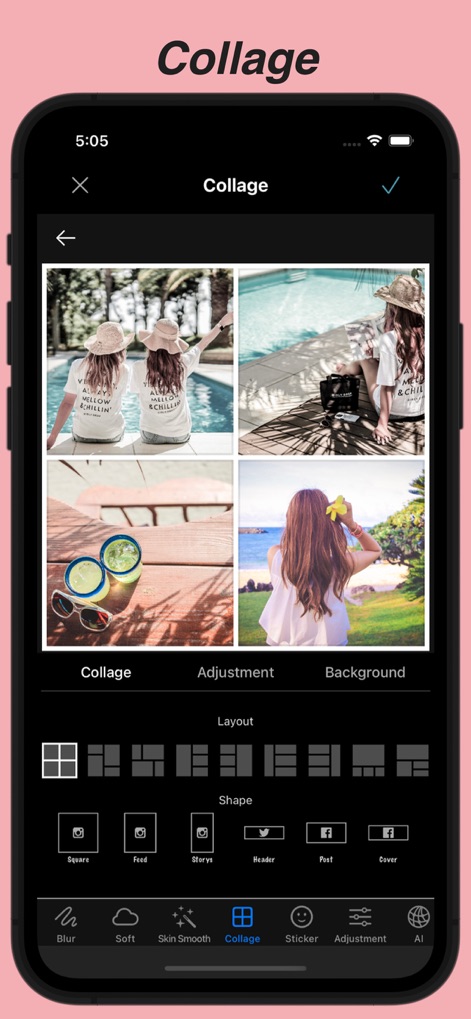
複数の写真を組み合わせて魅力的なコラージュを作成でき、多様なレイアウトや形状から選択が可能です。
複数枚を美しく結合
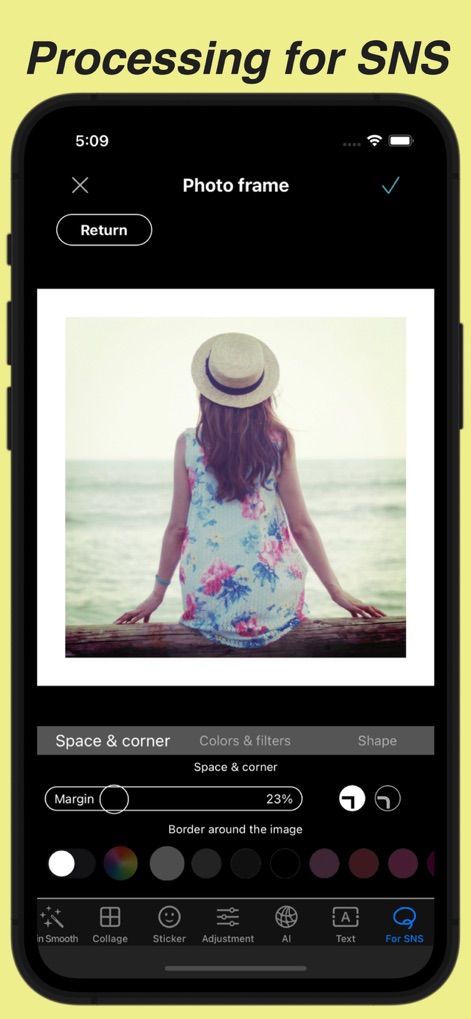
SNS投稿に最適な写真フレームを適用でき、余白のサイズや角の丸み、さらに枠の色も調整可能です。
SNS向けに簡単加工
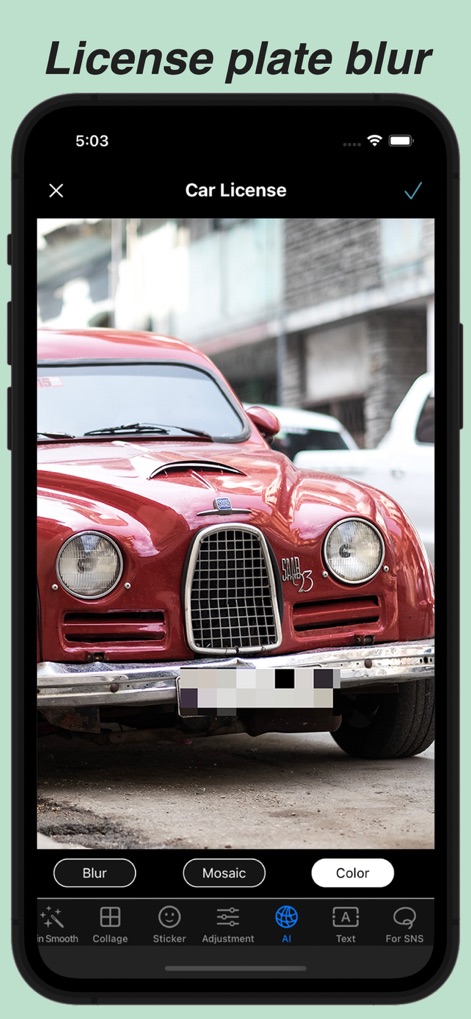
AIが自動車のナンバープレートを自動で認識しぼかすことができ、モザイクや色による処理も選択可能です。
ナンバープレート自動ぼかし
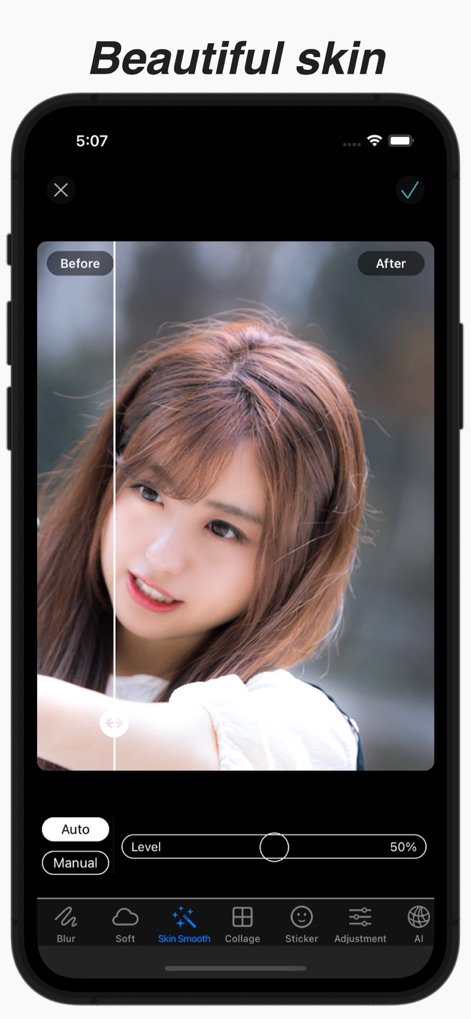
肌を滑らかにする美肌補正で、Before/Afterを比較しながら手動または自動で調整し、理想の肌を実現します。
美肌補正で輝く肌へ
説明
Download




このページはアプリまたはその開発者の公式ページではなく、情報提供および論評を目的として作成された独立した編集出版物です。明示的に別段の記載がない限り、アプリおよびその開発者は、MWM、Apple、Google Play、アプリのパブリッシャー、またはアプリの開発者と提携、承認、後援、認可、またはその他の公式的な関係はなく、このページのいかなる内容も、アプリがMWMのサービスを使用して開発されたことを意味するものではありません。すべての商標、ロゴ、スクリーンショット、その他のコンテンツはそれぞれの所有者の財産です。