
このページはアプリまたはその開発者の公式ページではなく、情報提供および論評を目的として作成された独立した編集出版物です。明示的に別段の記載がない限り、アプリおよびその開発者は、MWM、Apple、Google Play、アプリのパブリッシャー、またはアプリの開発者と提携、承認、後援、認可、またはその他の公式的な関係はなく、このページのいかなる内容も、アプリがMWMのサービスを使用して開発されたことを意味するものではありません。すべての商標、ロゴ、スクリーンショット、その他のコンテンツはそれぞれの所有者の財産です。

BNZ Mobile
世界中どこからでも、NZの口座の安全な管理、請求書の支払い、KiwiSaverの追跡が可能です。あなたのグローバルなライフスタイルに合わせて設計された5つ星モバイルバンキングアプリを体験してください。
ダウンロード
545K+ユーザー評価
評価数
49K+開発元
カテゴリ
Finance対応言語
2最新バージョン
17.25.0サイズ
88.0 MBリリース日
2011年6月30日ニュージーランドへの金融ブリッジ
グローバルプロフェッショナル向けに設計された高性能バンキング体験で、米国からNZの口座、退職金、家族の義務を管理しましょう。
シームレスな国際管理
国際電話の待ち時間や高額な通話料なしで、IRDの請求書支払い、NZの住宅ローン処理、家族の携帯電話料金のチャージを即座に行えます。
世界クラスのセキュリティと安心
Face ID、生体認証ログイン、高度な行動詐欺検出で資産を保護し、どこからでもあなたの過去の口座を安全に保ちます。
よくある質問
について知っておくべきこと BNZ Mobile
BNZアプリにはどのiOSバージョンが必要ですか?
はい、BNZアプリの初回ダウンロードにはiOS 17以上が必要です。以前にアプリをダウンロードしたことがある場合は、iOS 15以上が必要です。
BNZアプリはどのようにユーザーに安全なバンキングを提供しますか?
はい、BNZアプリは、個人の5桁のPIN、インターネットバンキングのパスワード、または対応デバイスでのTouch IDやFace IDなどの生体認証ログイン方法を通じて、安全なバンキングを提供します。
BNZアプリを使用して口座残高や取引履歴を表示できますか?
はい、BNZアプリでは口座残高や取引履歴を表示できます。また、画像で口座をパーソナライズしたり、送金時にプッシュ通知を設定したりすることもできます。
BNZアプリで自分の口座間で送金できますか?
はい、BNZアプリでは自分の口座間で簡単に送金できます。また、一度限りの支払いを行ったり、受取人を管理したりすることもできます。
BNZアプリは請求書の支払いを可能にしますか?
はい、BNZアプリでは請求書、クレジットカード、またはIRDへの支払いが可能です。定期的な費用の自動支払いを設定、編集、削除することもできます。
BNZアプリでプリペイド携帯電話のチャージはできますか?
はい、BNZアプリではOne NZ、Spark、Skinny、2degreesのプリペイド携帯電話サービスをアプリ内から直接チャージできます。
BNZアプリはモバイル決済のためにApple Payをサポートしていますか?
はい、BNZアプリはApple Payをサポートしています。これにより、ユーザーは携帯電話で支払いができ、より迅速で安全な取引が可能になります。
BNZアプリはどのように不正行為を検出し、防止しますか?
BNZアプリは、タイピング、スクロール、スワイプなどのユーザー行動に関する情報を収集し、ユーザーにとって典型的でないパターンを特定することで、不正行為を検出し、防止します。
BNZアプリ内で支出を分類できますか?
はい、BNZアプリでは支出を分類できます。「アクティビティ」機能では、総支出額が表示され、食料品、請求書、エンターテイメントなどの上位カテゴリに分解されます。
BNZアプリにはダークモードがありますか?
はい、BNZアプリにはダークモードのオプションが含まれています。ユーザーは設定でアプリの外観をダークモードまたはデフォルト(デバイスの設定に合わせる)に変更できます。
BNZアプリはマオリ語をサポートしていますか?
はい、BNZアプリはテ・レオ・マオリでのバンキングをサポートしています。この機能により、ユーザーはマオリ語でアプリを操作できます。
BNZアプリ内でカードのセキュリティ設定を管理できますか?
はい、BNZアプリではカードのセキュリティ設定を簡単に管理できます。Flexi Debit VisaカードのpayWave、ATM利用、オンライン購入、海外でのショッピングなどの機能を切り替えることができます。
以下のスクリーンショットと説明は、アプリの公式ストアリスティングから直接取得されたものであり、アプリ開発者の所有物です。
アプリストア
スクリーンショット
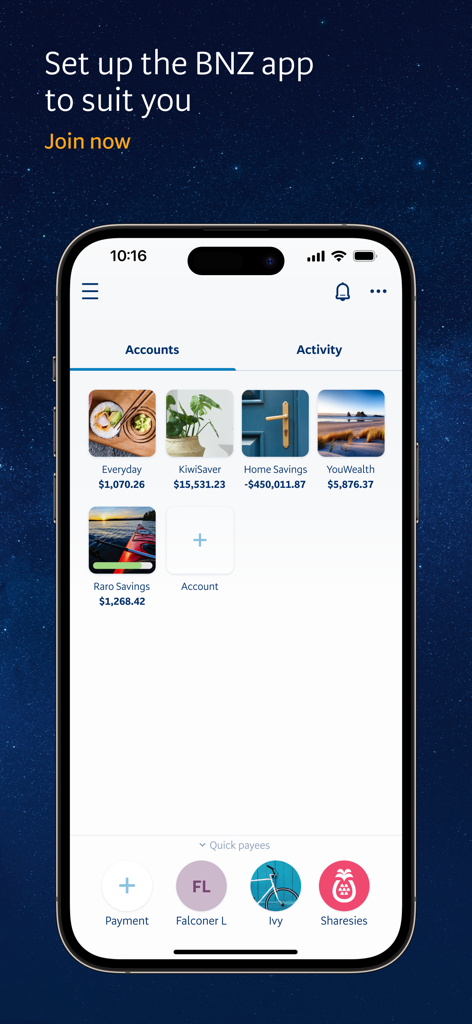
BNZ Mobileアプリのインターフェース。日常のバンキングとKiwiSaverのためのパーソナライズされた口座タイルが表示されています。
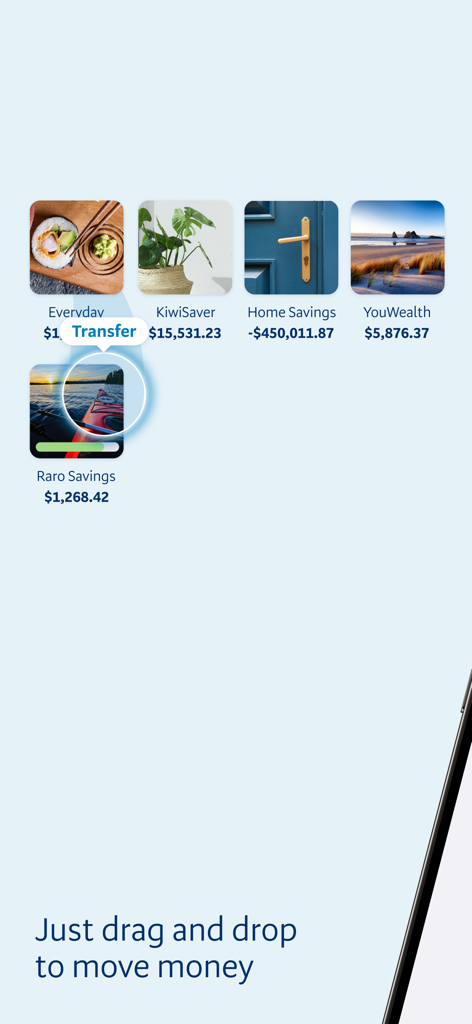
BNZ Mobileアプリのインターフェース。パーソナライズされた銀行口座間での送金のためのドラッグ&ドロップ機能が表示されています。
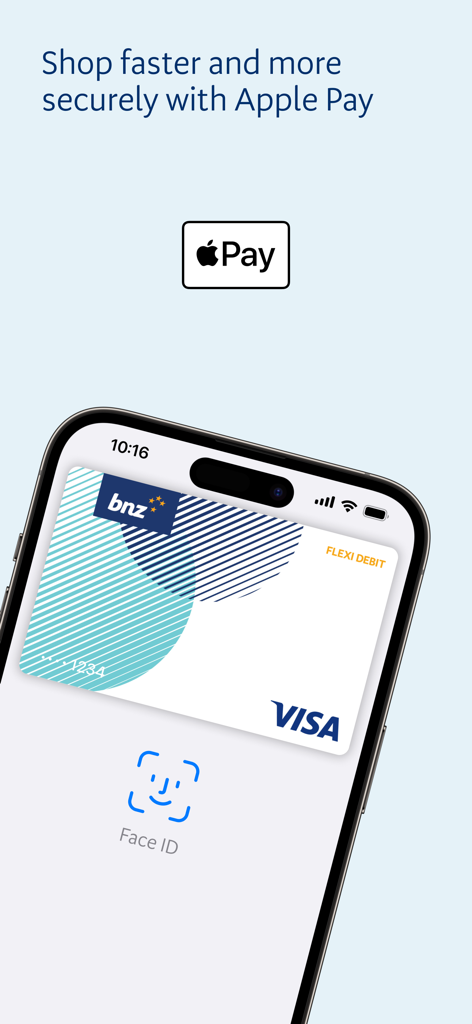
BNZ Mobileアプリの画面。Apple PayサポートとVisaカードのFace ID認証を特徴としています。
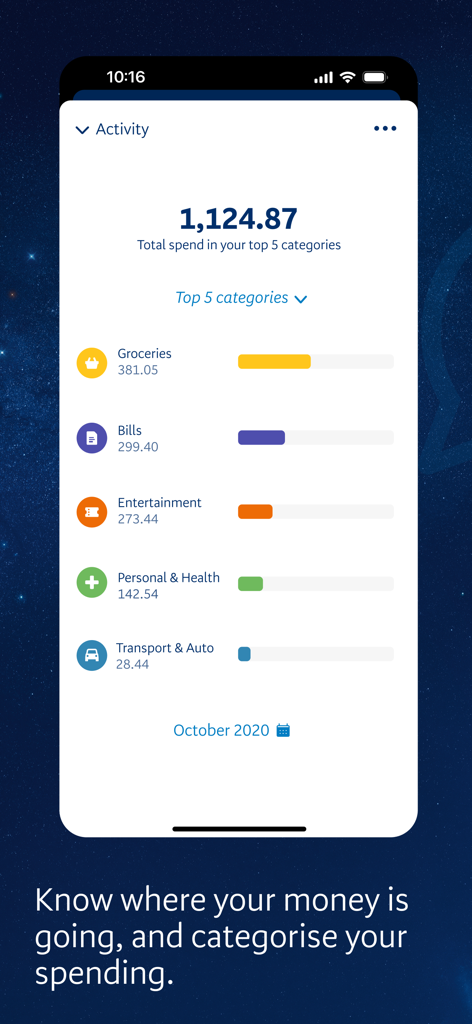
BNZ Mobileのアクティビティ画面。カテゴリ別の支出の内訳が表示されています。
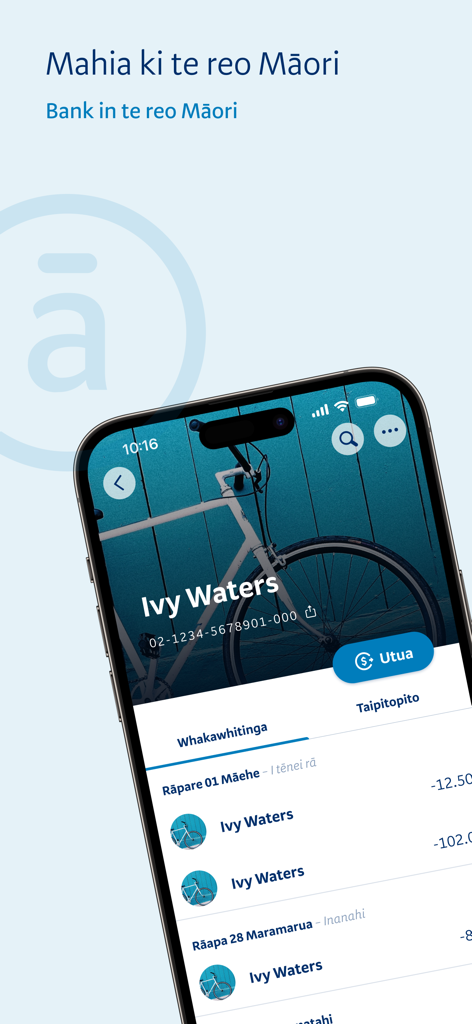
BNZ Mobileアプリの画面。マオリ語での取引履歴と口座詳細が表示されています。
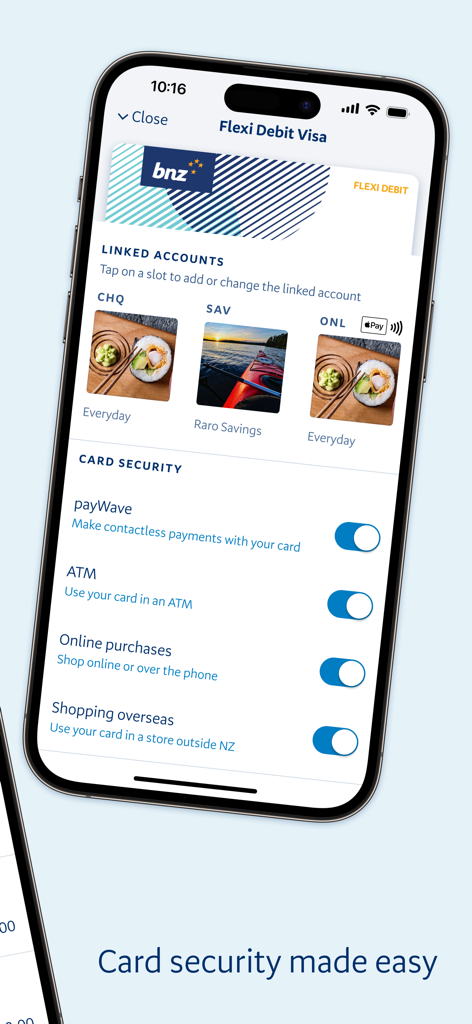
BNZ Mobileアプリの画面。パーソナライゼーション画像付きのデビットカードセキュリティコントロールとリンクされた口座が表示されています。
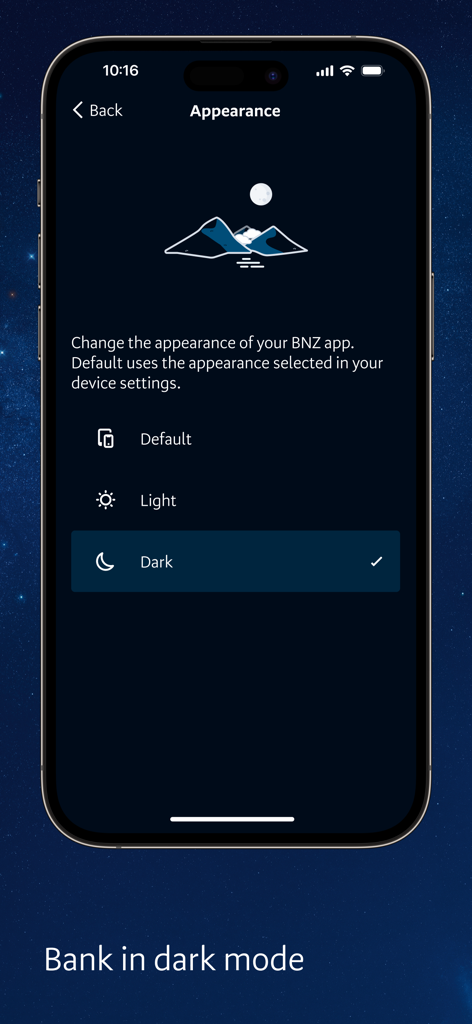
BNZ Mobileアプリの外観設定画面。ダークモードオプションが選択されています。
説明
Download
類似アプリ
似た機能とユーザー体験を持つアプリ

Enpara Bank Cep Şube
Enpara Bank Anonim Sirketi

Alinma App - تطبيق الإنماء
Alinma Bank

Huntington Mobile Banking
The Huntington National Bank, Inc

國泰世華網路銀行CUBE
Cathay United Bank

中國信託行動銀行
CTBC Bank Co., Ltd.

FNB Banking App
FirstRand Bank Limited

Riyad Bank App
Riyad Bank

CIMB OCTO MY
CIMB Bank Berhad

Regions Mobile
Regions Financial
このページはアプリまたはその開発者の公式ページではなく、情報提供および論評を目的として作成された独立した編集出版物です。明示的に別段の記載がない限り、アプリおよびその開発者は、MWM、Apple、Google Play、アプリのパブリッシャー、またはアプリの開発者と提携、承認、後援、認可、またはその他の公式的な関係はなく、このページのいかなる内容も、アプリがMWMのサービスを使用して開発されたことを意味するものではありません。すべての商標、ロゴ、スクリーンショット、その他のコンテンツはそれぞれの所有者の財産です。