
このページはアプリまたはその開発者の公式ページではなく、情報提供および論評を目的として作成された独立した編集出版物です。明示的に別段の記載がない限り、アプリおよびその開発者は、MWM、Apple、Google Play、アプリのパブリッシャー、またはアプリの開発者と提携、承認、後援、認可、またはその他の公式的な関係はなく、このページのいかなる内容も、アプリがMWMのサービスを使用して開発されたことを意味するものではありません。すべての商標、ロゴ、スクリーンショット、その他のコンテンツはそれぞれの所有者の財産です。


Brainloop Secure Client
機密性の高いデータルームへの安全なオフラインアクセス、シームレスな取締役会資料管理、リアルタイムのコーポレートガバナンスを、重要な役員に提供します。
ダウンロード
13K+ユーザー評価
評価数
0開発元
カテゴリ
Business対応言語
6最新バージョン
1.62.0サイズ
180.3 MBリリース日
2015年1月28日指先で実現する安全なコーポレートガバナンス
Brainloop Secure Clientは、役員が機密性の高い取締役会資料を管理し、文書を共同で作成し、軍事グレードの保護で投票できるようにします。
軍事グレードのセキュリティ
カスタマイズ可能なセキュリティポリシーと高度なデジタルウォーターマーキングにより、非公開情報(MNPI)を保護します。
専用の取締役会資料ビュー
重い紙の取締役会資料はもう不要です。会議の議題と文書コレクションすべてを、1つの直感的なデジタルワークスペースでアクセスできます。
以下のスクリーンショットと説明は、アプリの公式ストアリスティングから直接取得されたものであり、アプリ開発者の所有物です。
アプリストア
スクリーンショット
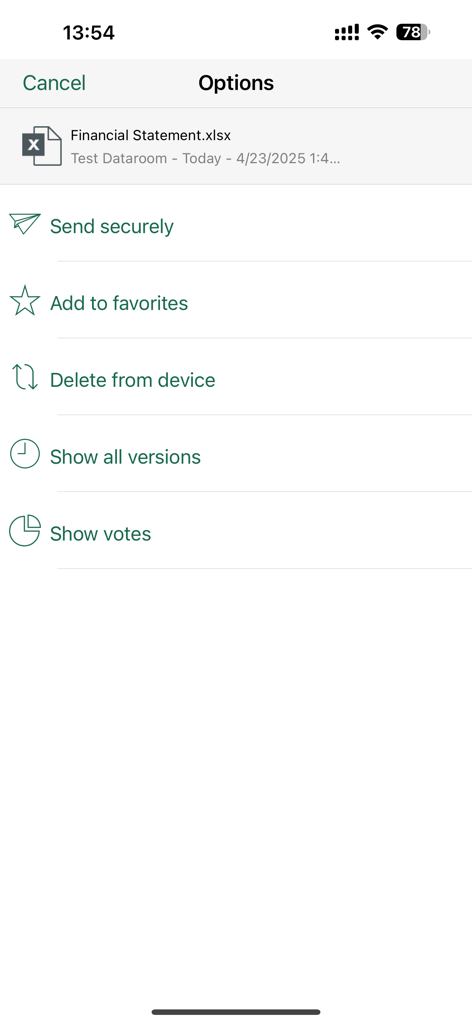
Brainloopアプリの財務諸表のオプションメニュー。セキュア共有と投票機能が表示されます。
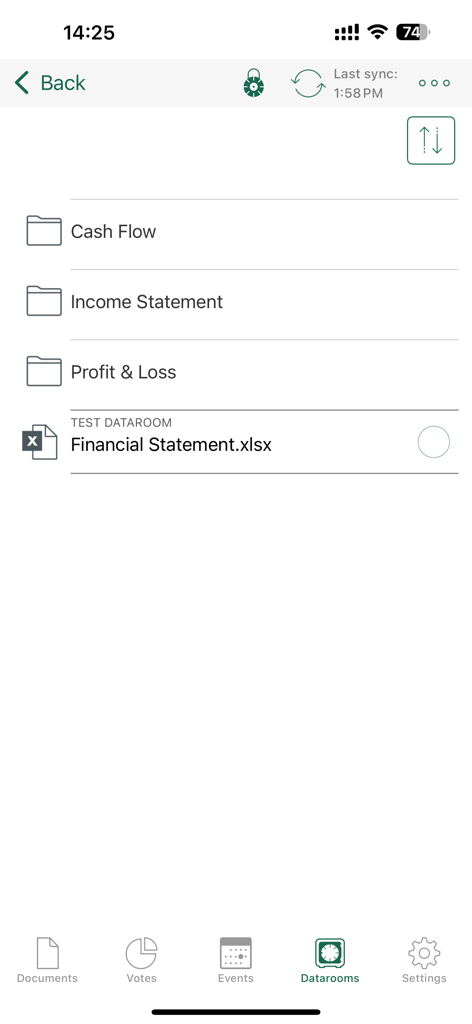
Brainloop Secure Clientデータルームアプリインターフェイス内の財務文書とフォルダのリスト。
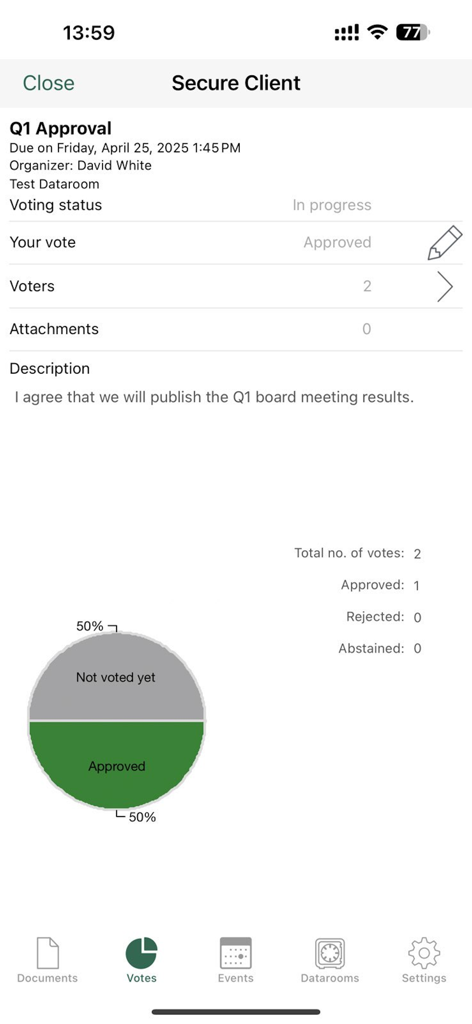
Brainloop Secure Clientモバイルアプリ。企業の取締役会決議の投票状況と結果が表示されます。
説明
Download
類似アプリ
同じカテゴリのトップランクアプリ

Microsoft Teams
Microsoft Corporation

Zoom Workplace
Zoom Communications, Inc.

WhatsApp Business
WhatsApp Inc.

Indeed Job Search
Indeed Inc.

LinkedIn: Network & Job Finder
LinkedIn Corporation

Adobe Acrobat Reader: Sign PDF
Adobe Inc.

DingDing - Redefine Work in AI
DingTalk Technology Co., Ltd.

WeCom-Work Communication&Tools
Tencent Technology (Shenzhen) Company Limited

BOSS直聘-招聘求职找工作神器
Beijing China Product Bo Farce Network Technology Co., Ltd.
このページはアプリまたはその開発者の公式ページではなく、情報提供および論評を目的として作成された独立した編集出版物です。明示的に別段の記載がない限り、アプリおよびその開発者は、MWM、Apple、Google Play、アプリのパブリッシャー、またはアプリの開発者と提携、承認、後援、認可、またはその他の公式的な関係はなく、このページのいかなる内容も、アプリがMWMのサービスを使用して開発されたことを意味するものではありません。すべての商標、ロゴ、スクリーンショット、その他のコンテンツはそれぞれの所有者の財産です。