Brother iPrint&Scan

Brother iPrint&Scan

ダウンロード: App Storeダウンロード: Google Play
ロゴ: Brother iPrint&Scan

Brother iPrint&Scan: ワイヤレス印刷とスキャンが簡単に

モバイルデバイスから直接、ドキュメントを印刷、クラウドにスキャン、FAXを送信。生産性を最大限に高めるBrotherプリンター用ツールで、コンピューターを介さずに作業を完了させましょう。

開発元

Brother Industries, LTD.

カテゴリ

Utilities

ダウンロード

16M+

ユーザー評価

2.7/5

評価数

16K+

対応言語

21

動きの中の効率

このインターフェースを利用する 16M+ 人のユーザー.

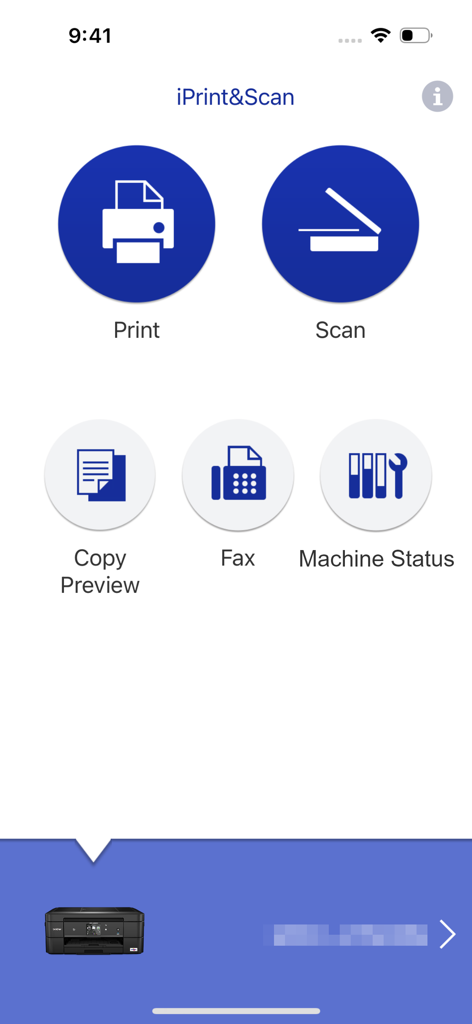
Brother iPrint and Scanアプリのメインインターフェイス。印刷およびスキャンオプションが表示されています。

Brother iPrint and Scanアプリのメインインターフェイス。印刷およびスキャンオプションが表示されています。

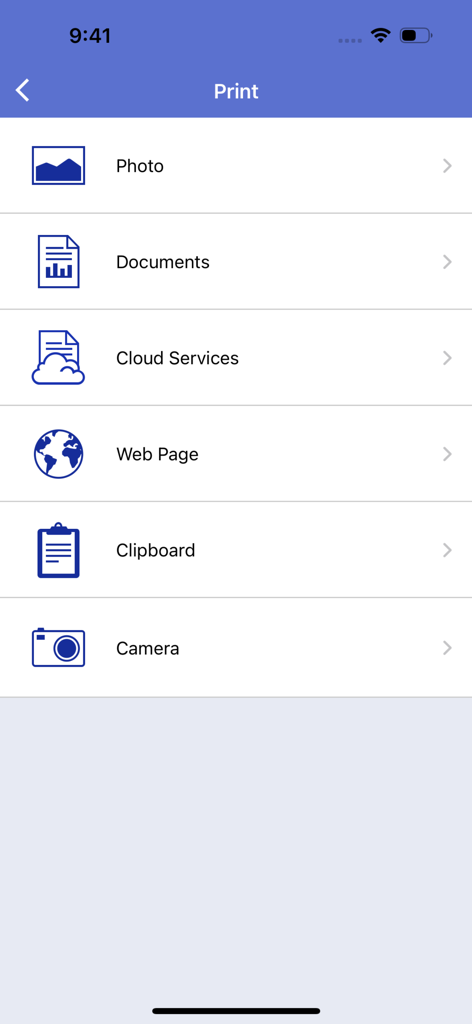
Brother iPrint and Scanアプリのメイン印刷メニュー画面。写真、ドキュメント、クラウドファイル、ウェブページなどを印刷するオプションが表示されています。

Brother iPrint and Scanアプリのメイン印刷メニュー画面。写真、ドキュメント、クラウドファイル、ウェブページなどを印刷するオプションが表示されています。

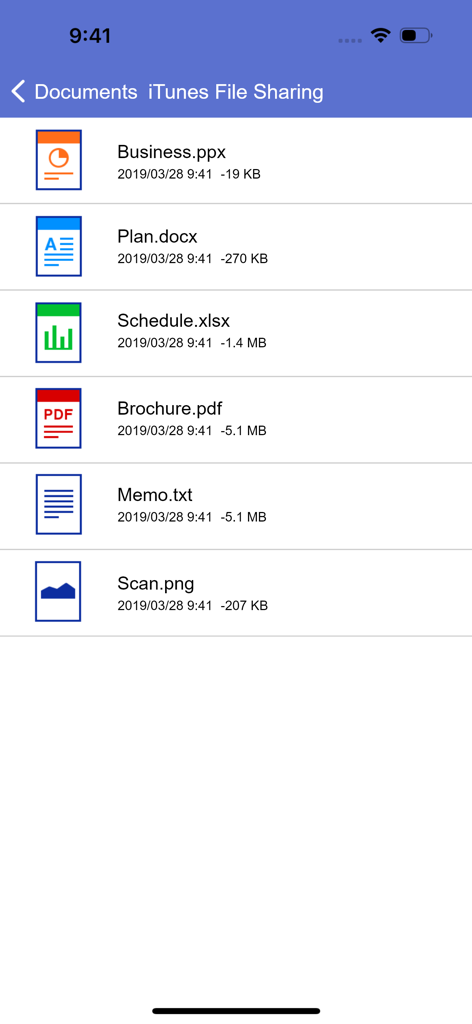
Brother iPrint and Scanアプリのドキュメントリスト。モバイル印刷用のPDF、Word、Excelファイルが表示されています。

Brother iPrint and Scanアプリのドキュメントリスト。モバイル印刷用のPDF、Word、Excelファイルが表示されています。

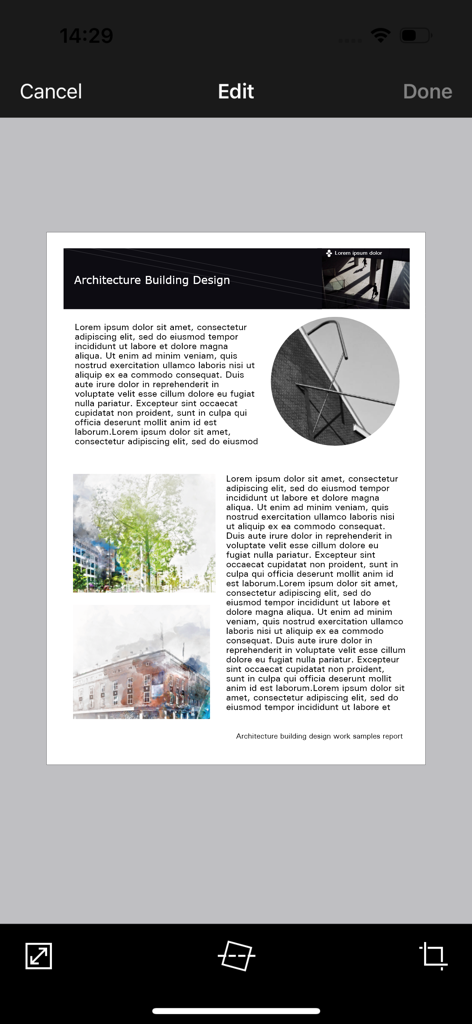
Brother iPrint and Scanモバイルアプリのインターフェイス。トリミングや傾き補正ツールを使用してドキュメントを編集している画面が表示されています。

Brother iPrint and Scanモバイルアプリのインターフェイス。トリミングや傾き補正ツールを使用してドキュメントを編集している画面が表示されています。

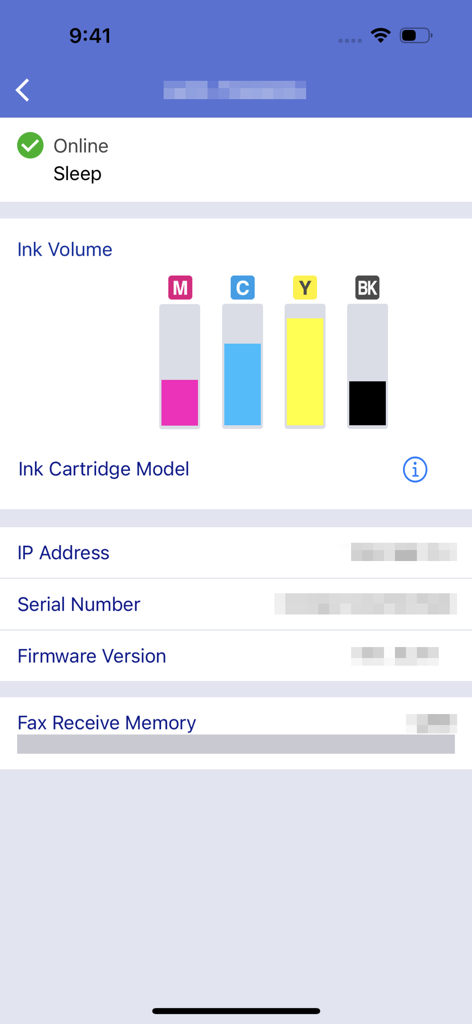
Brother iPrint and Scanアプリのインターフェイス。インク残量と機械の状態が表示されています。

Brother iPrint and Scanアプリのインターフェイス。インク残量と機械の状態が表示されています。

ポケットからオフィスをマスター

このアプリを際立たせるツール、 16M+ 人のユーザーが選択.

📲

ワンタッチ・クラウド印刷

iCloud、Dropbox、OneDriveから、契約書、配送ラベル、ドキュメントを数秒で直接印刷できます。

📄

スマート・モバイル・スキャン

外出先で書類をデジタル化。コンピューターなしで、携帯電話に直接スキャン、明瞭にするために編集、PDFとしてメール送信できます。

📠

リモートFAX&メンテナンス

法律文書のFAXを処理し、インク残量をリモートで確認できるため、次の大きなプロジェクトにいつでも対応できます。

レビュー分析

ユーザーレビューの分析.

感情スコア

31%
ネガティブ

概要

The app receives mixed feedback, with users often praising its ease of use, simple setup, and effective wireless printing capabilities for various document and image types. Many find it convenient for printing remotely, even with older printers. However, a significant number of users report persistent connectivity issues, particularly following iOS updates (e.g., iOS 26), and general unreliability. Frustrations also stem from perceived missing features like comprehensive paper size options, consistent double-sided printing controls, and limitations in scanning functionality, alongside reports of app crashes and version-specific bugs on devices like iPhone 17.

主なテーマ

Connectivity(4)
Ease of Use & Setup(3)
Wireless Printing(3)
Image Manipulation(2)
Paper Size Options(1)
iOS Compatibility & Bugs(1)

アプリについて

について知っておくべきこと Brother iPrint&Scan.

説明

Brother iPrint&Scan is a free app that enables you to print from and scan to your iOS device (iPhone / iPod touch / iPad). Use your local wireless network to connect your iOS device to your Brother printer or all-in-one. Some new advanced functions have been added, including edit, fax send, fax preview, copy preview, and machine status. Visit your local Brother website for a list of supported models. [Key Features] - Easy to use menu. - Simple steps to print your favorite photos, web pages and documents (PDF, Word, Excel®, PowerPoint®, Text). - Print photos directly from your iPhone camera. - Print PDF files or Microsoft® Office documents or Text files by starting the app from "Open in..." - Print your documents and photos directly from the following cloud services: Dropbox™, OneDrive, Evernote®. - Print what you copied to the clipboard. - Use iTunes File Sharing to send compatible files (PDF, Word, Excel®, PowerPoint®, Text, JPEG, PNG, TIFF) to iPrint&Scan for convenient printing at a later time. - Scan directly to your iPhone/iPod touch/iPad. - Save scanned images to your photo album, iCloud or Facebook / X / Flickr accounts or send them in an E-mail (PDF, JPEG). - Print scanned images saved to iCloud from this app. - Automatically search for supported devices on a local wireless network. - No computer and no driver required. *To save scanned images directly to Facebook / X / Flickr, you must first register your accounts on your mobile device. [Advanced Functions] (Only available on new models.) - Edit previewed images using the editing tools (scale, straighten, crop) if necessary. - Send a fax directly from your mobile device. (This app feature requires access to the address book of your mobile device.) - View received faxes stored on your machine on your mobile device. - The copy preview function enables you to preview an image and edit it if necessary before copying to avoid copy errors. - View the machine’s status such as ink/toner volume and error messages on your mobile device. *Compatible functions will depend on the selected device. [Compatible Print Settings] - Paper Size - 4" x 6" (10 x 15cm) Photo L (3.5" x 5" / 9 x 13 cm) Photo 2L (5" x 7" / 13 x 18 cm) A4 Letter Legal A3 Ledger - Media Type - Glossy Paper Plain Paper - Copies - Up to 5 [Compatible Scan Settings] - Document Size - A4 Letter 4" x 6" (10 x 15cm) Photo L (3.5" x 5" / 9 x 13 cm) Card (2.4" x 3.5" / 60 x 90 mm) Legal A3 Ledger - Scan Type - Color Color (Fast) Black & White [Access Permission Information] You must check and allow the essential access permissions below to use Brother iPrint&Scan service. Essential Permission • Contact information: access to your contact numbers is needed when you use functions like fax, but you can limit access to the specific contact necessary for the service. Optional Permission • Location information: It is requested only when you use device search features like Wi-Fi Direct, Bluetooth, or NFC. Optional data is required to use the corresponding function, and even if permission is not granted, services other than the corresponding function can be used. *Compatible settings will depend on the selected device and function. *Evernote is a trademark of Evernote Corporation and used under a license. *Microsoft, Excel, and PowerPoint are either registered trademarks or trademarks of Microsoft Corporation in the United States and/or other countries. *To help us improve the application, send your feedback to Feedback-mobile-apps-ps@brother.com. Please note that we may not be able to respond to individual emails.

最新バージョン

6.15.4

サイズ

37.4 MB

リリース日

2010年7月29日

どこからでもBrotherプリンターを完全に制御

コンピューターを使わないことを選んだ1600万人以上のプロフェッショナルやファミリーに加わりましょう。シームレスなモバイルファーストのワークフローのために、携帯電話から直接ドキュメントを印刷、クラウドにスキャン、FAXを送信しましょう。

ダウンロード: App Storeダウンロード: Google Play
FAQ

よくある質問

について知っておくべきこと Brother iPrint&Scan

Brother iPrint&Scanとは何ですか?

Brother iPrint&Scanは、iOSデバイスから印刷したり、スキャンしたりできる無料アプリケーションです。対応するブラザーのプリンターや複合機に、ローカルの無線ネットワーク経由で接続します。

Brother iPrint&Scanを使用してドキュメントを印刷するにはどうすればよいですか?

はい、Brother iPrint&Scanでは、写真、Webページ、PDF、Word、Excel、PowerPoint、テキストファイルなどのドキュメントを印刷できます。Dropboxなどのクラウドサービスからの印刷も可能です。

Brother iPrint&Scanは私のiOSデバイスに画像をスキャンできますか?

はい、Brother iPrint&Scanでは、iPhone、iPod touch、iPadに直接スキャンできます。スキャンした画像は、フォトアルバム、iCloudに保存したり、メール、Facebook、X、Flickrアカウント経由で共有したりできます。

Brother iPrint&Scanはクラウド印刷をサポートしていますか?

はい、Brother iPrint&Scanは、クラウドサービスから直接ドキュメントや写真を印刷することをサポートしています。対応するサービスには、Dropbox、OneDrive、Evernoteなどがあります。

iTunes File Sharing経由での印刷に対応しているBrother iPrint&Scanのファイル形式は何ですか?

Brother iPrint&Scanは、iTunes File Sharing経由での印刷用に、PDF、Word、Excel、PowerPoint、テキスト、JPEG、PNG、TIFFなどの対応ファイルをサポートしています。

iPrint&ScanでBrotherプリンターのステータスを確認できますか?

はい、Brother iPrint&Scanを使用すると、インクまたはトナーの残量やエラーメッセージなどの機械の状態をモバイルデバイスで直接確認できます。

Brother iPrint&Scanアプリは無料でダウンロードして使用できますか?

はい、Brother iPrint&Scanは無料のアプリケーションです。iOSデバイスからの印刷やスキャンを費用なしで行うことができます。

Brother iPrint&Scanの操作にコンピューターやドライバーは必要ですか?

いいえ、Brother iPrint&Scanの操作にコンピューターやドライバーは必要ありません。ローカルの無線ネットワーク経由で対応するBrotherデバイスに直接接続します。

Brother iPrint&Scanモバイルアプリでファックスを送信できますか?

はい、Brother iPrint&Scanを使用して、モバイルデバイスから直接ファックスを送信できます。この機能は新しいモデルで利用可能で、デバイスのアドレス帳へのアクセスが必要です。

Brother iPrint&Scanで利用できる高度な編集機能は何ですか?

Brother iPrint&Scanは、プレビューされた画像用の高度な編集ツールを提供します。ユーザーは必要に応じて画像を拡大縮小、まっすぐにしたり、トリミングしたりして、印刷またはコピーする前に最適な出力を保証できます。

Brother iPrint&Scanはどのようなアクセス許可を要求しますか?

Brother iPrint&Scanは、ファックス機能に必要な連絡先情報へのアクセスと、Wi-Fi DirectやBluetoothなどのデバイス検索機能のためのオプションの位置情報へのアクセスを要求します。

Brother iPrint&ScanはBrotherプリンターにどのように接続しますか?

Brother iPrint&Scanは、ローカルの無線ネットワークを使用してBrotherプリンターまたは複合機に接続します。アプリはネットワーク上の対応デバイスを自動的に検索します。

App information, icons, screenshots, and descriptions displayed on this page are sourced from the Apple App Store and are the property of their respective developers. Download estimates and rankings are based on MWM's proprietary models and may not reflect actual figures. This page is provided for informational and analytical purposes only.

Believe this page infringes your intellectual property? File a dispute