
このページはアプリまたはその開発者の公式ページではなく、情報提供および論評を目的として作成された独立した編集出版物です。明示的に別段の記載がない限り、アプリおよびその開発者は、MWM、Apple、Google Play、アプリのパブリッシャー、またはアプリの開発者と提携、承認、後援、認可、またはその他の公式的な関係はなく、このページのいかなる内容も、アプリがMWMのサービスを使用して開発されたことを意味するものではありません。すべての商標、ロゴ、スクリーンショット、その他のコンテンツはそれぞれの所有者の財産です。


HP
HPデバイスの管理は、かつてないほど簡素化された。本アプリがユーザーに提供するのは、デバイスを思考の一部として操る、圧倒的な自由である。
ダウンロード
100M+ユーザー評価
評価数
12.0M開発元
カテゴリ
Productivity対応言語
29最新バージョン
26.0.0サイズ
403.8 MBリリース日
2011年10月19日HPアプリの主要機能分析
テックアナリストが評価するデバイス管理と生産性向上ツール
どこからでも印刷・スキャン
自宅やオフィスから、必要に応じて書類の印刷やスキャンを簡単に行うことができ、時間と場所にとらわれない柔軟な作業を可能にします。
インク・用紙残量通知と補充支援
プリンターのインクや用紙が不足しそうになると通知が届き、簡単に補充を注文できるため、印刷の中断を防ぎ、常に準備万端の状態を保てます。
デバイスの簡単なセットアップ
新しいHPデバイスを迅速にセットアップし、プリンターとPCを一元的に管理できるため、特に技術的な知識が少ないユーザーにとって非常に有用です。インク残量の確認も容易になります。
迅速なサポートアクセス
デバイスの問題が発生した際に、電話、ライブチャット、アプリ内の回答を通じてすぐにサポートを受けられるため、ユーザーは安心してデバイスを使用できます。
高度なスキャンとドキュメント処理
画像の自動補正、ファイル名の自動付与、ページのフラット化、テキスト抽出、複数ページ同時スキャンなど、高度な機能によりドキュメント管理と処理が効率化されます。
カスタム印刷ショートカット
頻繁に利用する印刷タスクに対してカスタムショートカットを設定できるため、日常的な作業の効率が大幅に向上し、時間を節約できます。
印刷前のドキュメント編集
印刷前にドキュメントを調整・編集できるため、誤字脱字の修正やレイアウトの調整が可能になり、無駄な印刷を減らし、品質を向上させます。
デバイス設定の最適化と情報提供
デバイスの推奨事項や設定調整機能により、ユーザーは自分のニーズに合わせてHPデバイスをパーソナライズし、最適な利用体験を得ることができます。
よくある質問
について知っておくべきこと HP
What is the HP app?
The HP app is a central application for managing HP devices. It allows users to set up printers, personalize experiences, print, scan, and access support all in one place. It was formerly known as HP Smart.
Can I manage multiple HP devices with the HP app?
Yes, the HP app allows users to manage multiple HP devices. It displays various connected HP products, such as printers, laptops, docks, and pens, all within a single interface.
How do I set up a new HP printer using the HP app?
The HP app provides a guided setup process for new HP devices. This process involves steps like finding the printer and configuring it to connect to a Wi-Fi network.
What printing functions does the HP app offer?
The HP app allows users to print documents and images directly from their mobile device. It includes options to select a printer, specify the number of copies, and adjust paper size before printing.
Can the HP app scan documents?
Yes, the HP app includes scanning capabilities. Users can scan documents, preview them, and then choose to print, share, save, or even use mobile fax directly from the app.
Does the HP app provide support for HP devices?
Yes, the HP app offers various support options. Users can access a Virtual Assistant, view manuals, find repair centers, initiate repair orders, and contact support via chat or phone.
Can I check my HP printer's ink levels with the HP app?
Yes, the HP app allows users to stay on top of essentials like checking ink levels for their connected HP printers. It also provides notifications for low ink.
Does the HP app allow me to order HP products?
Yes, the HP app provides recommendations for HP products and allows users to shop for items like ink and photo paper. It notifies users when ink or paper is low.
What are HP Printables in the HP app?
HP Printables unlock creative content within the HP app. They include cards, coloring pages, educational worksheets, and fun crafts projects designed for personal use.
Are there any charges for using the HP app?
The HP app is available for download, but HP reserves the right to introduce charges for the use of select HP app functionality. Some features may require an HP account.
What devices support the HP app?
The HP app is available for download on macOS devices, iOS mobile phones, and iPads. It requires an internet connection for full functionality.
What is required to activate HP+ benefits within the HP app?
To activate HP+ benefits, users must choose HP+ at setup. This requires an HP account, an ongoing internet connection, and the exclusive use of Original HP ink for the printer's lifetime.
以下のスクリーンショットと説明は、アプリの公式ストアリスティングから直接取得されたものであり、アプリ開発者の所有物です。
アプリストア
スクリーンショット
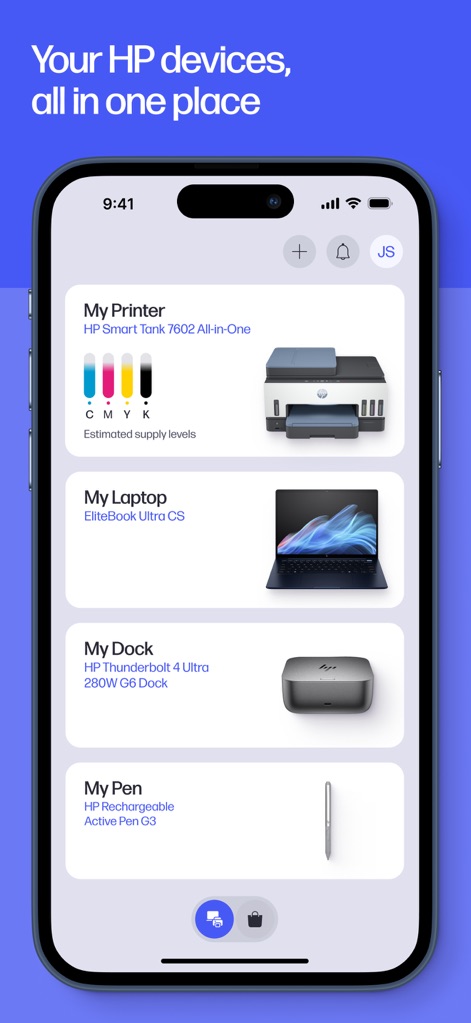
デバイスを一元管理
このアプリは、HPデバイスを一箇所で管理し、プリンターのインク残量や接続されているラップトップのモデル情報などを一目で確認できます。
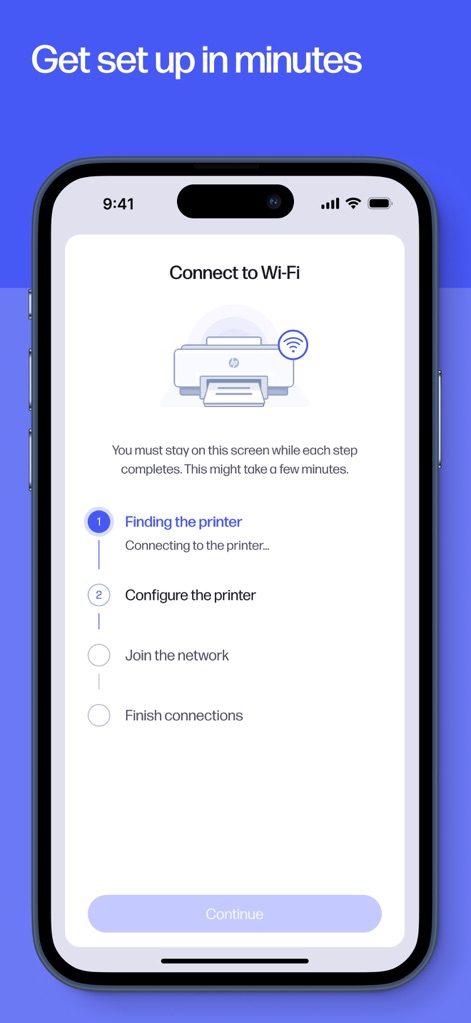
数分でセットアップ
本アプリのガイド付きセットアップにより、Wi-Fiへの接続からプリンターの構成まで、誰でも簡単にデバイスを導入できます。
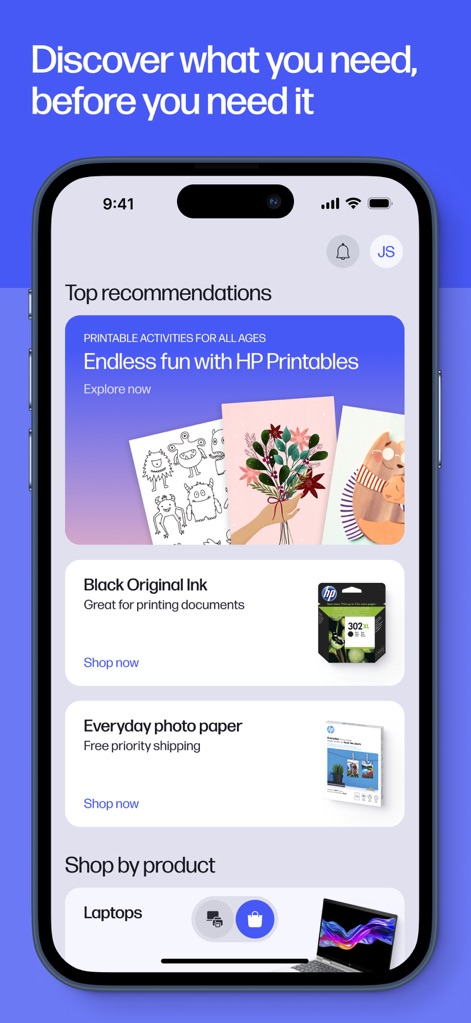
おすすめ情報を発見
このツールは、HP Printablesのような創造的なコンテンツから、インクや用紙の購入推奨まで、ユーザーのニーズに合わせた情報を提供します。
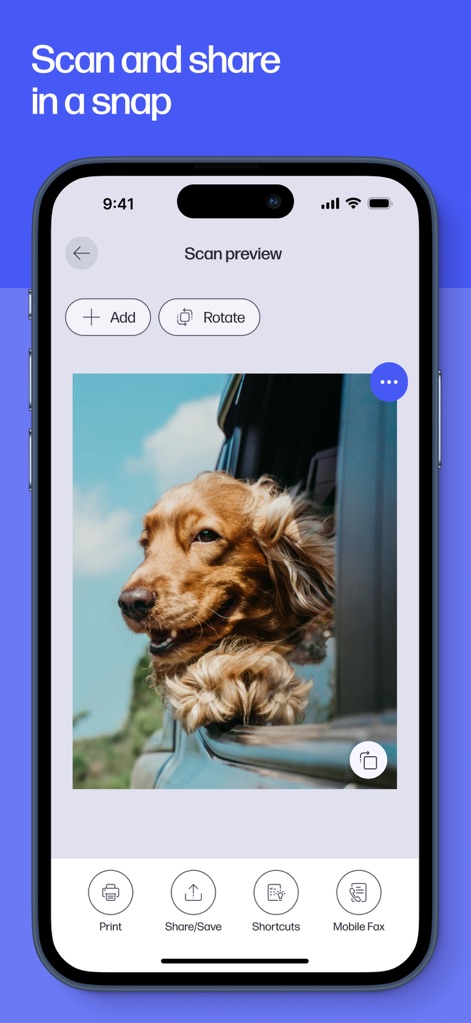
スキャンして即共有
ユーザーは本アプリでスキャン画像をプレビューし、必要に応じて画像の追加や回転を行い、さらに共有やモバイルFAX送信が容易に実行できます。
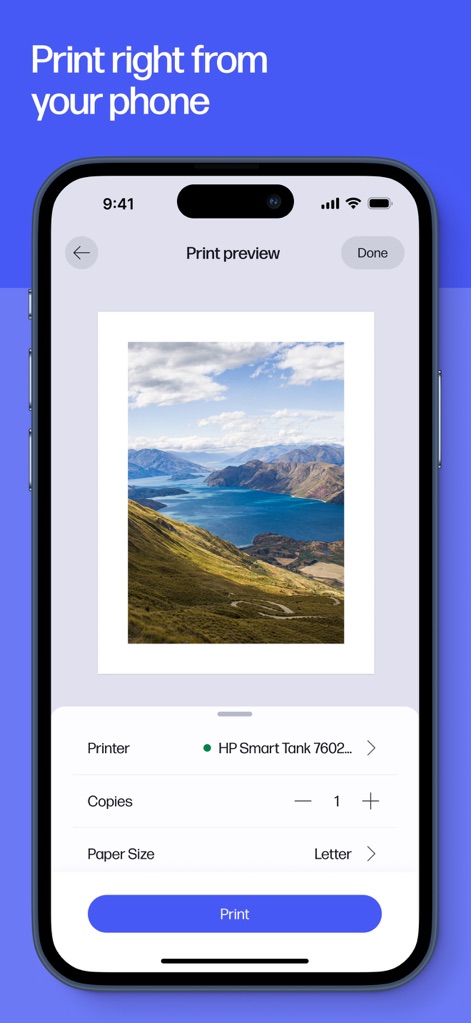
スマホから簡単印刷
このアプリを使用すると、印刷プレビューで出力イメージを確認し、プリンター選択や部数、用紙サイズなどの詳細設定をモバイルデバイスから直感的に調整できます。
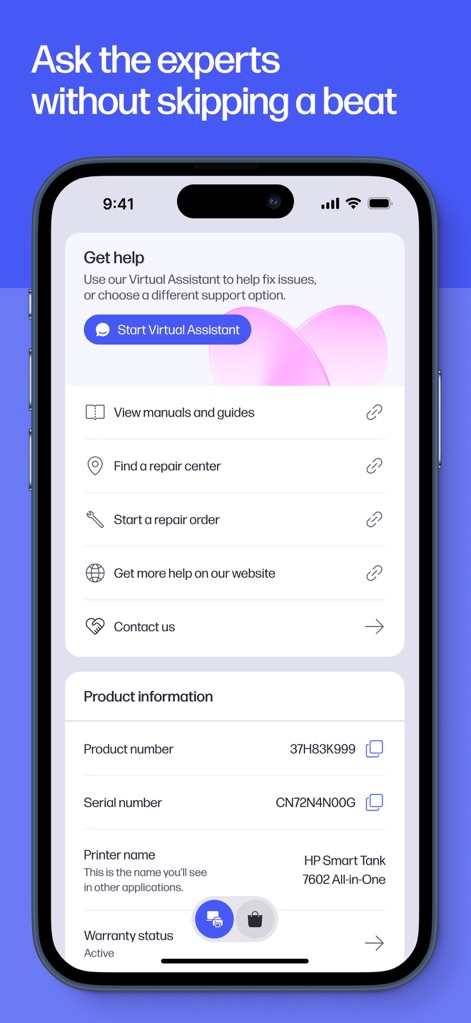
迅速なサポート
本ツールは、仮想アシスタントや各種問い合わせ先へのアクセスを提供し、ユーザーは製品情報や保証ステータスを簡単に確認して迅速なサポートを受けることができます。
説明
Download
類似アプリ
似た機能とユーザー体験を持つアプリ

Docuslice - Poster Printing
Jeremiah Lachica

Printer Pro: Smart Printer App
Ivan Spyrydonov

Canon PRINT
Canon Inc.

Epson Smart Panel
Seiko Epson Corporation

Brother Mobile Connect
Brother Industries, LTD.

Epson iPrint
Seiko Epson Corporation

Printer App: Smart Print
Netpeak EOOD

Smart Printer App: iPrint
AppFusion OU

小白学习打印-手机打印,教辅试卷错题整理
Nanjing White Box Information Technology Co., Ltd
このページはアプリまたはその開発者の公式ページではなく、情報提供および論評を目的として作成された独立した編集出版物です。明示的に別段の記載がない限り、アプリおよびその開発者は、MWM、Apple、Google Play、アプリのパブリッシャー、またはアプリの開発者と提携、承認、後援、認可、またはその他の公式的な関係はなく、このページのいかなる内容も、アプリがMWMのサービスを使用して開発されたことを意味するものではありません。すべての商標、ロゴ、スクリーンショット、その他のコンテンツはそれぞれの所有者の財産です。