
このページはアプリまたはその開発者の公式ページではなく、情報提供および論評を目的として作成された独立した編集出版物です。明示的に別段の記載がない限り、アプリおよびその開発者は、MWM、Apple、Google Play、アプリのパブリッシャー、またはアプリの開発者と提携、承認、後援、認可、またはその他の公式的な関係はなく、このページのいかなる内容も、アプリがMWMのサービスを使用して開発されたことを意味するものではありません。すべての商標、ロゴ、スクリーンショット、その他のコンテンツはそれぞれの所有者の財産です。

Printer App: Smart Print
iPhoneを究極の印刷ステーションに変え、どこにいても支配力を手にする。それがこのアプリの正体だ。
ダウンロード
5M+ユーザー評価
評価数
35.1K開発元
カテゴリ
Business対応言語
13最新バージョン
2.1.9サイズ
144.1 MBリリース日
2021年11月1日主要機能の包括的分析とターゲットユーザーへの影響度評価
「Printer App: Smart Print」の戦略的機能評価
広範なプリンター互換性
ユーザーはほぼ全ての主要なワイヤレスプリンターで本アプリを利用でき、手間なく印刷を開始できます。これは、ドライバのインストールや複雑な設定を必要としないシームレスな印刷体験を重視する忙しいユーザーにとって極めて重要です。
簡単なモバイル印刷
本アプリは、モバイルデバイスから直接、写真、ドキュメント、ウェブページ、連絡先を手間なく印刷できる機能を提供します。これにより、多忙な個人、モバイルプロフェッショナル、学生が場所を選ばずに迅速に印刷タスクを完了できます。
クラウドストレージ連携印刷
DropboxやGoogle Driveといった主要なクラウドストレージサービスから直接ファイルを印刷できるため、ユーザーはどこにいても必要なドキュメントにアクセスし、印刷を開始できます。これは、クラウドベースのワークフローを利用するプロフェッショナルや学生の生産性を大幅に向上させます。
多様なファイル形式対応
PDF、DOCX、PAGES、TXTなど20以上のファイル形式に対応しており、ユーザーは幅広い種類のドキュメントを印刷可能です。これにより、互換性の問題を心配することなく、様々な文書を処理できるため、効率性が高まります。
内蔵スキャナー機能
本ツールに内蔵されたスキャナー機能を使用することで、物理的なドキュメントをデジタル化し、すぐに共有または印刷できます。これは、出先で書類をデジタル保存する必要があるモバイルプロフェッショナルや学生にとって非常に価値のある機能です。
詳細な印刷オプション
ページ向き、両面印刷、部数、用紙サイズ(A3、A4、B5など)、印刷範囲など、詳細な印刷オプションが利用可能であり、ユーザーは印刷タスクを細かく制御できます。これにより、個々の要件に応じた高品質な印刷物を効率的に作成できます。
ドキュメント編集ツール
ドキュメントへのハイライト、描画、テキスト追加などの編集機能が提供されており、ユーザーは印刷前にファイルをカスタマイズできます。これは、簡単な修正や注釈を加えたい学生やプロフェッショナルにとって便利な機能です。
高度な写真調整
フィルター、ぼかし、彩度調整、サイズ変更、コントラスト、シャープ化など、多彩な写真編集オプションを備えており、ユーザーは印刷前の写真品質を向上させることが可能です。これにより、家庭での写真印刷の質を高めることができます。
よくある質問
について知っておくべきこと Printer App: Smart Print
What is the Printer App?
The Printer App allows users to effortlessly print documents and photos directly from iOS devices. It supports over 10,000 wireless printers and includes built-in tools for editing documents and adjusting photos.
Does Printer App support two-sided printing?
Yes, Printer App supports two-sided printing. Users can enable this option within the advanced printing settings before sending a document or photo to print.
Can I print documents directly from cloud storage with Printer App?
Yes, Printer App allows direct printing from your Dropbox or Google Drive accounts. This feature simplifies accessing and printing your stored files.
What types of files does Printer App support for printing?
Printer App supports over 20 file formats for printing, including common types such as PDF, DOCX, PAGES, and TXT. This enables printing a wide range of documents.
Does Printer App include a document scanner?
Yes, Printer App includes a built-in scanner for documents. Users can scan documents and then choose to share or print them directly from the app.
How does Printer App connect to printers?
Printer App connects to printers via wireless (Wi-Fi) connectivity. It is compatible with all Wi-Fi printers and supports AirPrint technology, requiring no additional drivers.
Are there editing tools available for photos in Printer App?
Yes, Printer App provides various tools to adjust photos. Users can apply filters, blur, saturation, change size, proportion, add contrast, mask, or sharpen images.
Is a subscription required to use Printer App?
Yes, a subscription is necessary to access some features of Printer App. The subscription automatically renews unless auto-renew is turned off 24 hours before the current period ends.
How many printers does Printer App support?
Printer App supports over 10,000 wireless printers. It is compatible with 99% of printers that have wireless (Wi-Fi) connectivity and AirPrint technology.
Can I edit documents within Printer App before printing?
Yes, Printer App offers extended document editing options. Users can highlight, draw on documents, add text, and use other customization features prior to printing.
以下のスクリーンショットと説明は、アプリの公式ストアリスティングから直接取得されたものであり、アプリ開発者の所有物です。
アプリストア
スクリーンショット
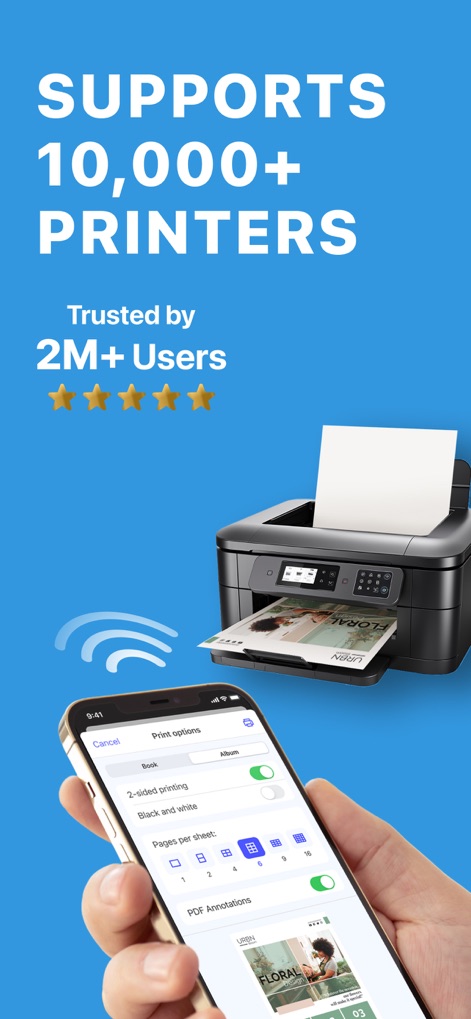
10,000台を超えるプリンターをサポートし、画面には2面印刷のオンオフ機能と「Pages per sheet」のレイアウト選択が視覚的に示されています。
幅広いプリンター対応
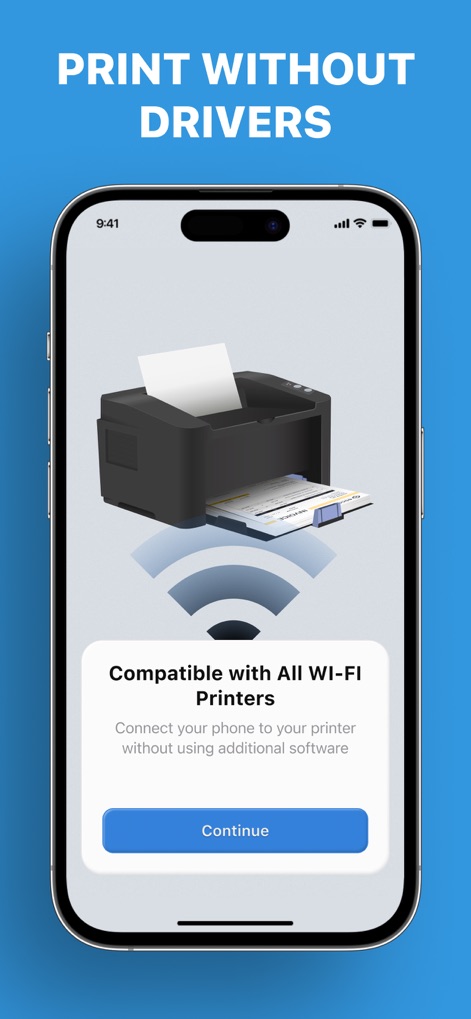
Wi-Fiプリンターとの互換性を持ち、ドライバーを介さずにデバイスを接続できる案内が表示され、簡単なセットアップ手順を示します。
ドライバー不要印刷
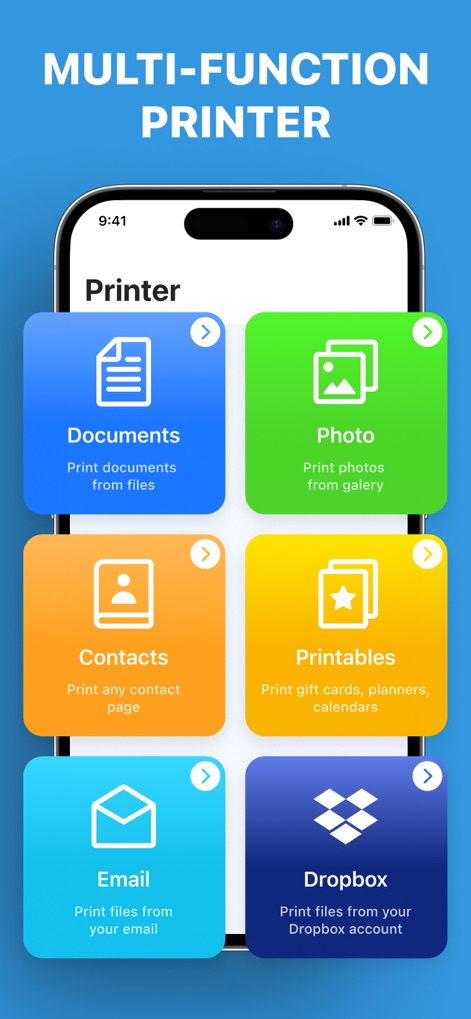
ドキュメントと写真の印刷オプションに加え、Dropboxからの直接印刷機能も提供され、多様なファイルソースに対応しています。
多彩な印刷元
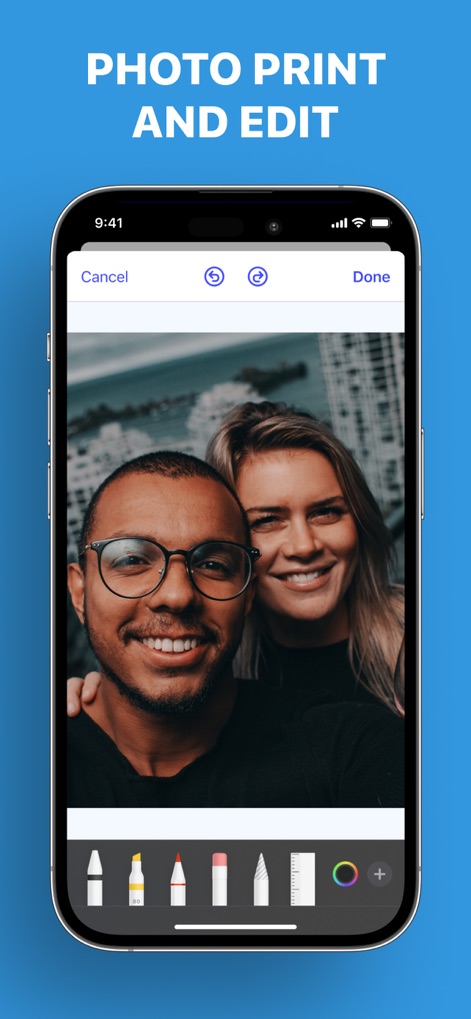
写真へのブラシツールやサイズ調整、色の選択など、直感的な編集オプションが画面下部に表示され、印刷前の画像加工をサポートします。
写真編集と印刷
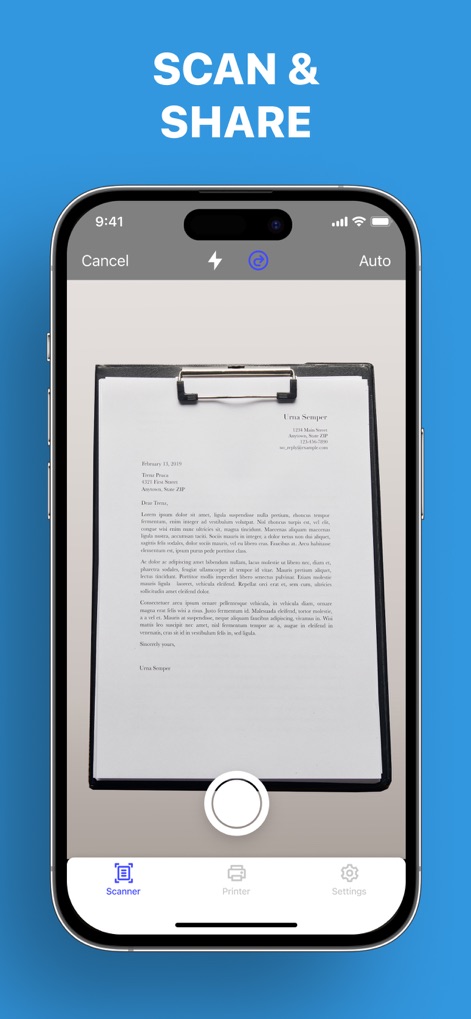
内蔵スキャナー機能を用いて物理的なドキュメントをデジタル化し、スキャン後のファイルを簡単に共有できるオプションが提示されています。
簡単スキャンと共有
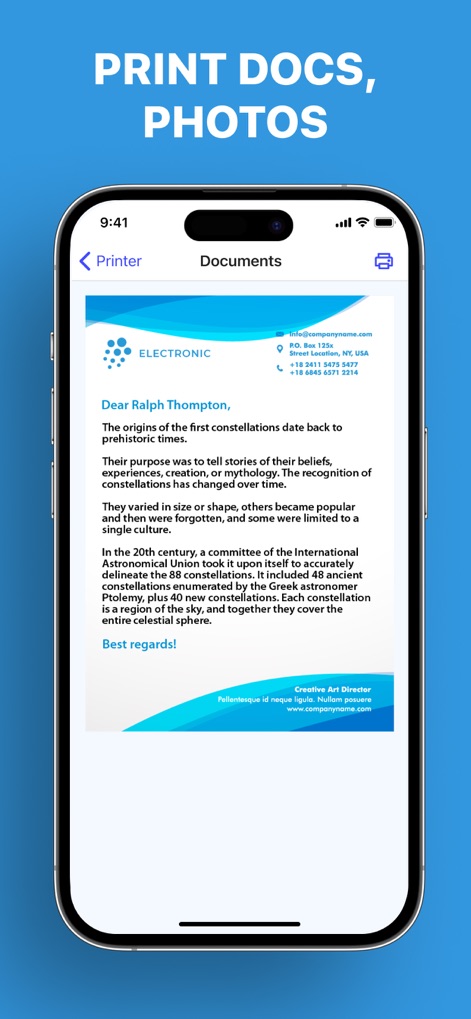
アプリ内でドキュメントの高品質なプレビューが表示され、右上に配置された印刷ボタンから直接印刷指示を出せる簡潔なインターフェースを提供します。
ドキュメント印刷プレビュー
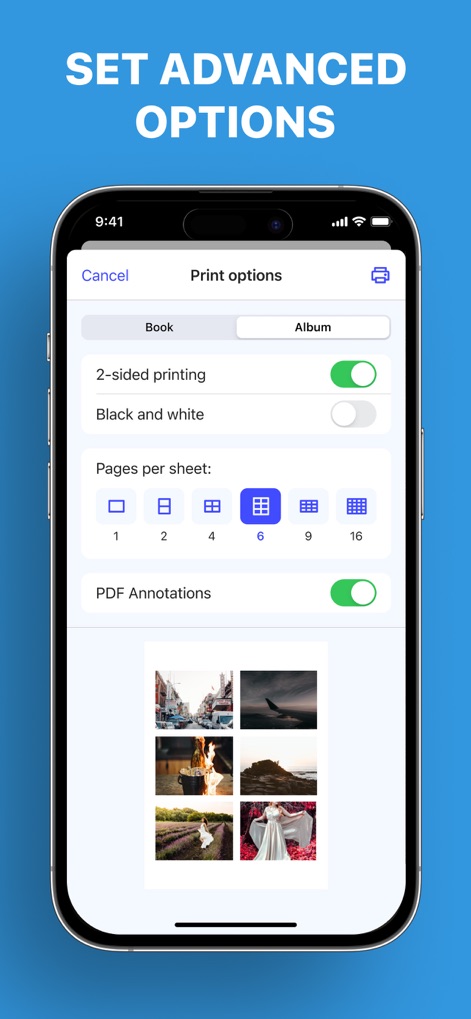
2面印刷や白黒印刷の選択、そして1枚あたりのページ数レイアウトの調整など、高度な印刷設定を直感的なUIで提供します。
詳細設定を調整
説明
Download
類似アプリ
似た機能とユーザー体験を持つアプリ

Docuslice - Poster Printing
Jeremiah Lachica

Printer Pro: Smart Printer App
Ivan Spyrydonov

HP
HP Inc.

Canon PRINT
Canon Inc.

Epson Smart Panel
Seiko Epson Corporation

Brother Mobile Connect
Brother Industries, LTD.

Epson iPrint
Seiko Epson Corporation

Smart Printer App: iPrint
AppFusion OU

小白学习打印-手机打印,教辅试卷错题整理
Nanjing White Box Information Technology Co., Ltd
このページはアプリまたはその開発者の公式ページではなく、情報提供および論評を目的として作成された独立した編集出版物です。明示的に別段の記載がない限り、アプリおよびその開発者は、MWM、Apple、Google Play、アプリのパブリッシャー、またはアプリの開発者と提携、承認、後援、認可、またはその他の公式的な関係はなく、このページのいかなる内容も、アプリがMWMのサービスを使用して開発されたことを意味するものではありません。すべての商標、ロゴ、スクリーンショット、その他のコンテンツはそれぞれの所有者の財産です。