
このページはアプリまたはその開発者の公式ページではなく、情報提供および論評を目的として作成された独立した編集出版物です。明示的に別段の記載がない限り、アプリおよびその開発者は、MWM、Apple、Google Play、アプリのパブリッシャー、またはアプリの開発者と提携、承認、後援、認可、またはその他の公式的な関係はなく、このページのいかなる内容も、アプリがMWMのサービスを使用して開発されたことを意味するものではありません。すべての商標、ロゴ、スクリーンショット、その他のコンテンツはそれぞれの所有者の財産です。

Epson Smart Panel
本アプリは、エプソン製品をスマートフォンから瞬時に掌握する能力をユーザーに与える。煩わしい設定やPCはもはや不要。デバイスは指先で自動的に生まれ変わるだろう。
ダウンロード
25M+ユーザー評価
評価数
1.7M開発元
カテゴリ
Photo & Video対応言語
45最新バージョン
5.2.2サイズ
208.0 MBリリース日
2020年3月31日Epson Smart Panel アプリの機能分析
モバイルデバイスからのEpson製品操作を革新する主要機能の評価
モバイルデバイスからの総合的な操作
モバイルデバイスからEpson製品のセットアップ、監視、および操作を便利に行うことが可能です。
Wi-Fi設定の簡素化
プリンターやスキャナーのWi-Fi接続を容易に行うことが可能です。
モバイルコマンドセンター機能
Epson製ワイヤレスプリンターまたはスキャナーをスマートフォンから簡単かつ高性能に制御できるモバイルコマンドセンターとして機能します。
革新的なアクションタイル
直感的なタイル形式のインターフェースにより、Epson製品の操作が迅速かつ簡単になります。
包括的なサポート機能
製品登録、消耗品の注文、ヘルプの検索など、必要なサポートに一箇所でアクセスできます。
プリンターとスキャナーの一元管理
異なるEpson製プリンターおよびスキャナーを単一のインターフェースで管理し、接続されたデバイスに応じて機能が自動調整されます。
よくある質問
について知っておくべきこと Epson Smart Panel
What is Epson Smart Panel?
Epson Smart Panel is a mobile command center for Epson wireless printers or scanners. It enables users to set up, monitor, and operate their Epson products conveniently from a mobile device.
Can Epson Smart Panel print photos?
Yes, Epson Smart Panel allows users to print photos. The app features a dedicated section with an "Innovate action tile" for selecting and printing photos directly from the mobile device.
What are the core functions of the Epson Smart Panel app?
Epson Smart Panel offers key functions including Print, Scan, Document Capture, and Copy. It also provides maintenance features such as Preset Copy and Print Head Cleaning.
Does Epson Smart Panel support all Epson printers and scanners?
No, Epson Smart Panel only supports specific products listed on its official website at https://support.epson.net/appinfo/smartpanel/guide/en/. Unsupported devices require Epson iPrint for printers or Document Scan for scanners.
Can I edit photos using the Epson Smart Panel app?
Yes, users can edit photos within the Epson Smart Panel app. Available editing features include Adjust Tilt, Auto Correct Photo, Sharpness, and Brightness & Contrast adjustments.
How do I find help or support for Epson Smart Panel?
Users can get support directly within the Epson Smart Panel app by accessing the "Help" section. This interface provides options to register products, order supplies, or find assistance.
How does Epson Smart Panel facilitate product setup?
Epson Smart Panel simplifies product setup by allowing users to easily connect their Epson device to a Wi-Fi network. The app also features auto-configuration and customization to tailor the user experience.
以下のスクリーンショットと説明は、アプリの公式ストアリスティングから直接取得されたものであり、アプリ開発者の所有物です。
アプリストア
スクリーンショット
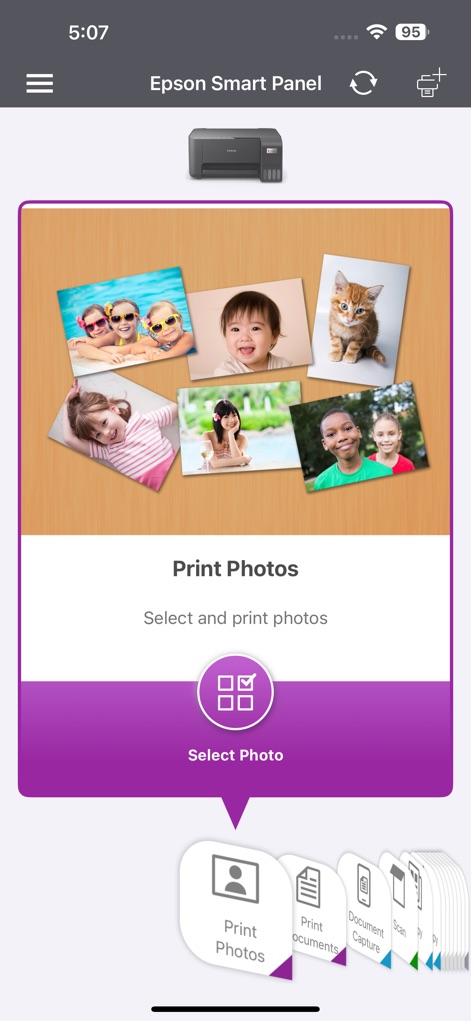
写真を簡単プリント
このアプリでは、直感的なインターフェースで写真コレクションから画像を「選択」し、下部ナビゲーションから「ドキュメント印刷」などの多様な機能へアクセスできます。
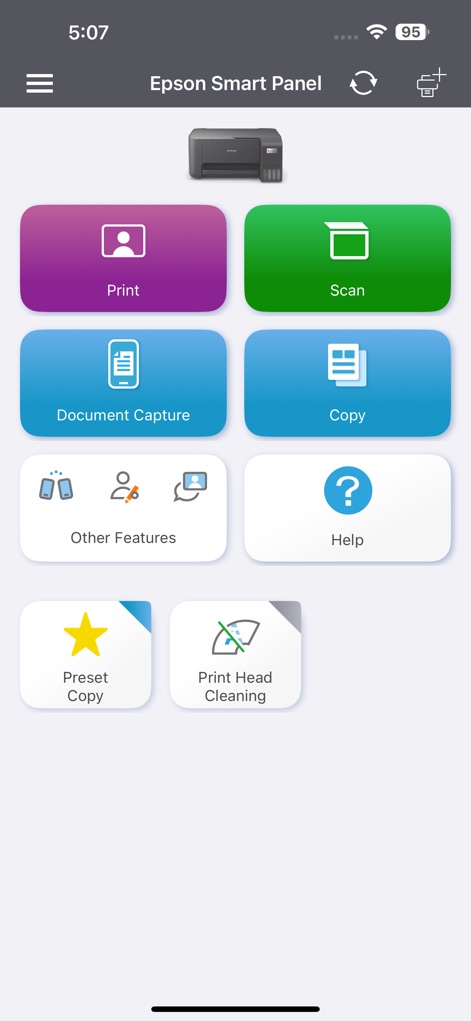
主要機能を素早く選択
このアプリは、「印刷」や「スキャン」といった主要機能を大きなタイルで表示し、「プリントヘッドクリーニング」のようなメンテナンス作業も簡単に実行できます。
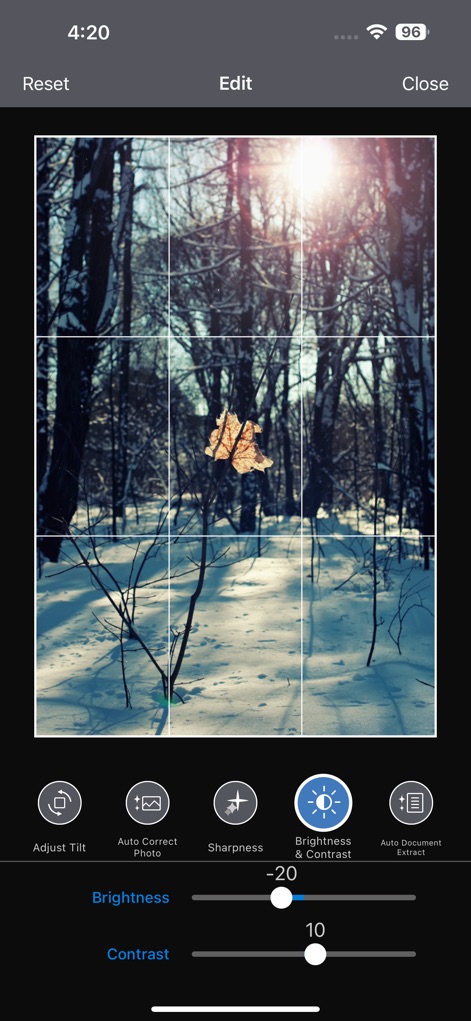
画像を自在に微調整
ユーザーは、提供される「明るさ・コントラスト」のスライダーで画像を詳細に調整し、「自動補正」機能で写真の品質を最適化できます。

デバイス接続をスムーズに
このアプリは、チャット形式のガイダンスでデバイスの「検出」プロセスを明確に示し、ユーザーがスムーズにプリンターやスキャナーの「初期設定」を完了できるようにします。
説明
Download
類似アプリ
似た機能とユーザー体験を持つアプリ

Docuslice - Poster Printing
Jeremiah Lachica

Printer Pro: Smart Printer App
Ivan Spyrydonov

HP
HP Inc.

Canon PRINT
Canon Inc.

Brother Mobile Connect
Brother Industries, LTD.

Epson iPrint
Seiko Epson Corporation

Printer App: Smart Print
Netpeak EOOD

Smart Printer App: iPrint
AppFusion OU

小白学习打印-手机打印,教辅试卷错题整理
Nanjing White Box Information Technology Co., Ltd
このページはアプリまたはその開発者の公式ページではなく、情報提供および論評を目的として作成された独立した編集出版物です。明示的に別段の記載がない限り、アプリおよびその開発者は、MWM、Apple、Google Play、アプリのパブリッシャー、またはアプリの開発者と提携、承認、後援、認可、またはその他の公式的な関係はなく、このページのいかなる内容も、アプリがMWMのサービスを使用して開発されたことを意味するものではありません。すべての商標、ロゴ、スクリーンショット、その他のコンテンツはそれぞれの所有者の財産です。