BT Basketball Shotclock
ダウンロード: App Store

このページはアプリまたはその開発者の公式ページではなく、情報提供および論評を目的として作成された独立した編集出版物です。明示的に別段の記載がない限り、アプリおよびその開発者は、MWM、Apple、Google Play、アプリのパブリッシャー、またはアプリの開発者と提携、承認、後援、認可、またはその他の公式的な関係はなく、このページのいかなる内容も、アプリがMWMのサービスを使用して開発されたことを意味するものではありません。すべての商標、ロゴ、スクリーンショット、その他のコンテンツはそれぞれの所有者の財産です。

ロゴ: BT Basketball Shotclock
ダウンロード: App Store

BT Basketball Shotclock

市場で最もクリーンで広告なしのショットクロックアプリで、高価なハードウェアの数千ドルを節約。高校、NCAA、プロゲーム用のカスタマイズ可能なプリセットを備え、コーチやリーグディレクター向けに設計されています。

主要数値

ダウンロード

12K+

ユーザー評価

1.0/5

評価数

0

開発元

The Basketball Temple LLC

カテゴリ

Sports

対応言語

1

最新バージョン

1124

サイズ

116.4 MB

リリース日

2020年8月8日
機能

プロ価格なしのプロゲームテクノロジー

地元のジムにエリートアリーナの雰囲気をもたらしましょう。BTショットクロックは、トップバスケットボールアカデミーで使用されているものと全く同じ機能を備えた、クリーンで広告なしの体験を提供します。

ワイヤレスリモートコントロール

サイドラインテーブルはもう不要。無料のBTコントローラーアプリを使用して、WiFiまたはBluetooth経由でジム内のどこからでもショットクロックを管理できます。

米国リーグプリセット

NFHS(高校)、NCAA、NBAの公式ルールを瞬時に切り替えたり、3x3や練習ドリル用に独自のルールをカスタマイズしたりできます。

以下のスクリーンショットと説明は、アプリの公式ストアリスティングから直接取得されたものであり、アプリ開発者の所有物です。

アプリストア

スクリーンショット
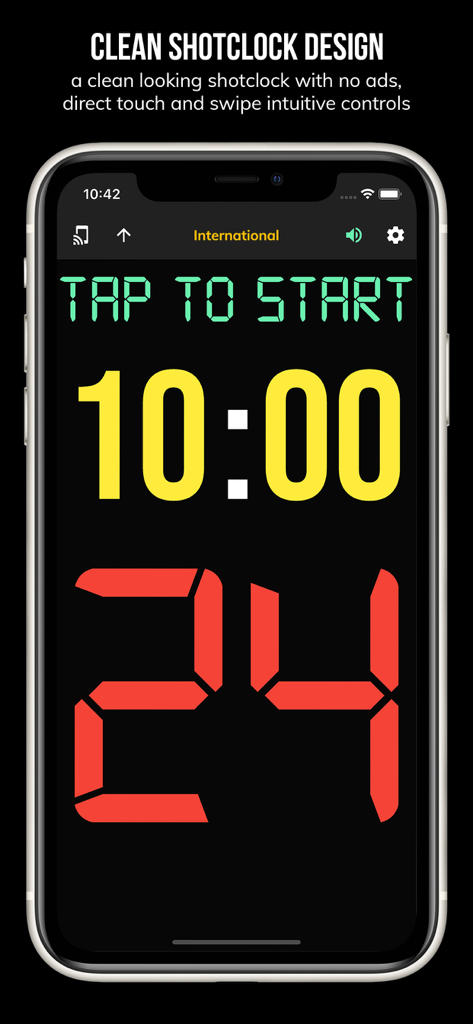
BT Basketball Shotclock - 24秒タイマーと10分ゲームクロックが表示されたBTバスケットボールショットクロックアプリのモバイル画面
24秒タイマーと10分ゲームクロックが表示されたBTバスケットボールショットクロックアプリのモバイル画面

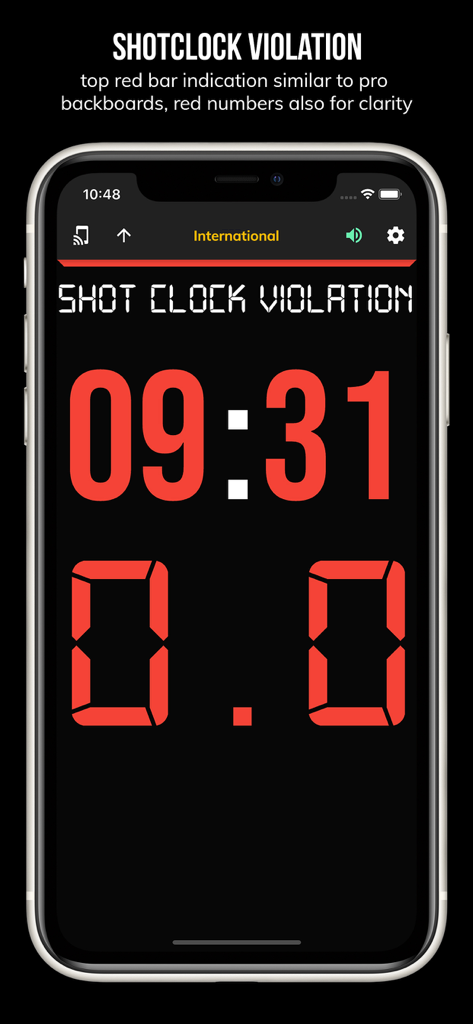
BT Basketball Shotclock - 赤色のデジタル数字と暗い背景でショットクロックバイオレーションを示すBTバスケットボールショットクロックアプリ画面
赤色のデジタル数字と暗い背景でショットクロックバイオレーションを示すBTバスケットボールショットクロックアプリ画面

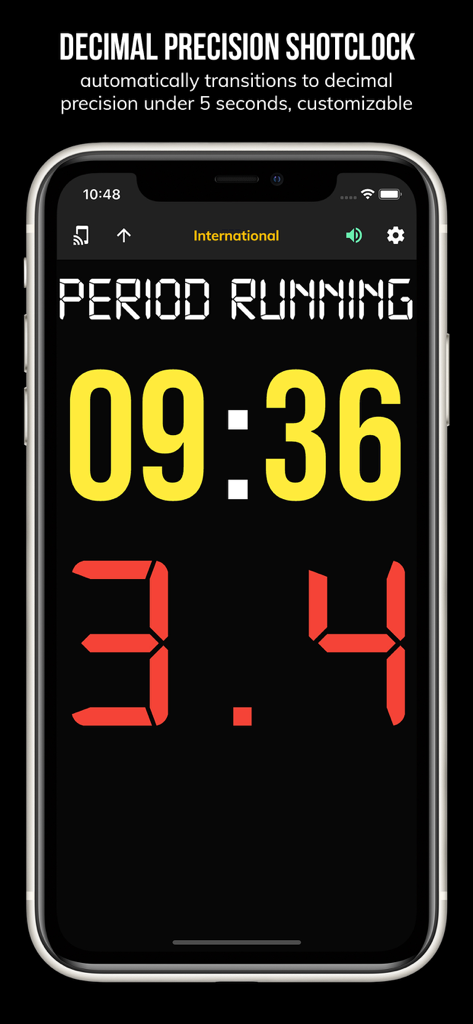
BT Basketball Shotclock - 小数点精度タイマーを示すBTバスケットボールショットクロックアプリインターフェース
小数点精度タイマーを示すBTバスケットボールショットクロックアプリインターフェース

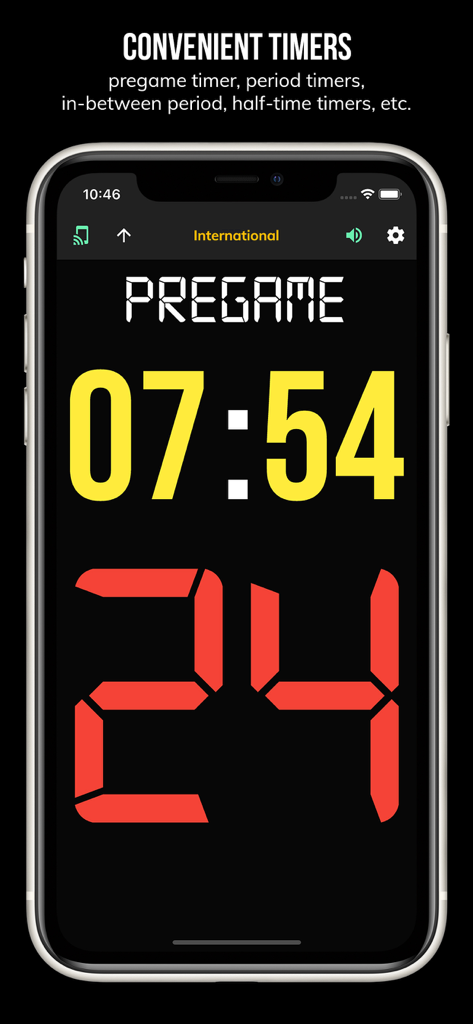
BT Basketball Shotclock - 試合前のカウントダウンタイマーと24秒ショットクロックを示すBTバスケットボールショットクロックアプリインターフェース
試合前のカウントダウンタイマーと24秒ショットクロックを示すBTバスケットボールショットクロックアプリインターフェース

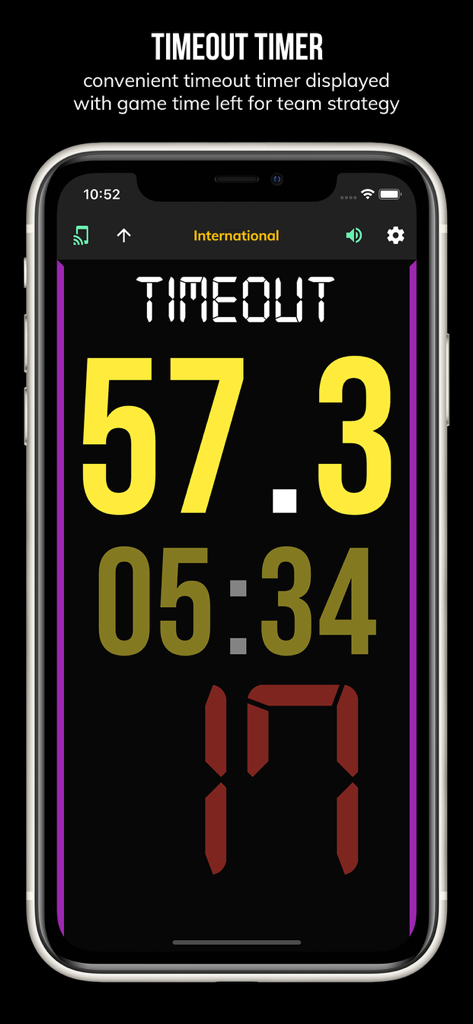
BT Basketball Shotclock - 残り57秒のタイムアウトタイマーを示すBTバスケットボールショットクロックアプリ画面
残り57秒のタイムアウトタイマーを示すBTバスケットボールショットクロックアプリ画面

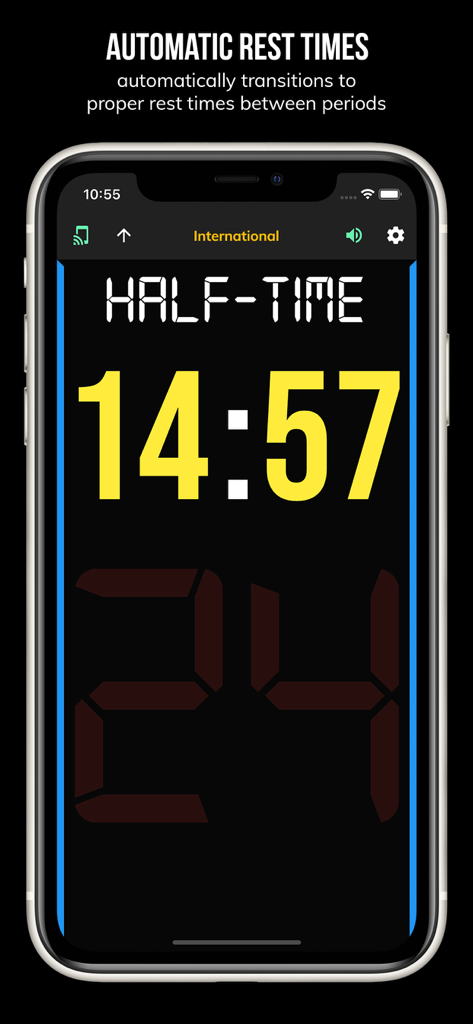
BT Basketball Shotclock - 14分間の自動ハーフタイム休憩タイマーを表示するBTバスケットボールショットクロックアプリインターフェース
14分間の自動ハーフタイム休憩タイマーを表示するBTバスケットボールショットクロックアプリインターフェース

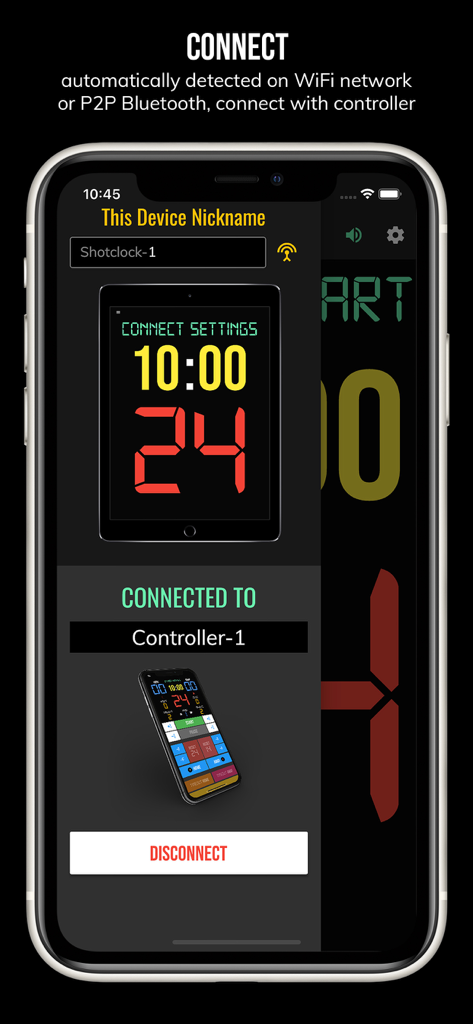
BT Basketball Shotclock - WiFiまたはBluetooth経由でペアリングされたリモートコントローラーデバイスを示すBTバスケットボールショットクロックアプリの接続画面
WiFiまたはBluetooth経由でペアリングされたリモートコントローラーデバイスを示すBTバスケットボールショットクロックアプリの接続画面

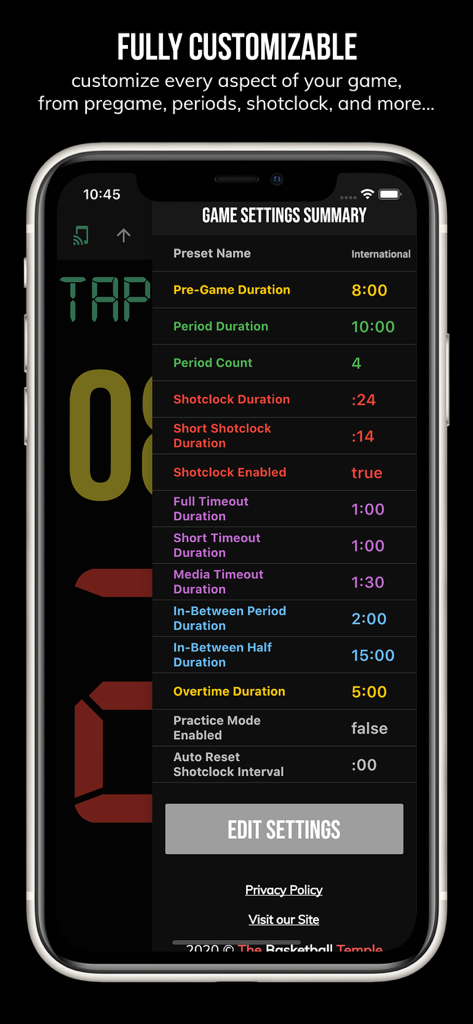
BT Basketball Shotclock - カスタマイズ可能なゲームルールと期間を示すBTバスケットボールショットクロックのゲーム設定概要画面
カスタマイズ可能なゲームルールと期間を示すBTバスケットボールショットクロックのゲーム設定概要画面

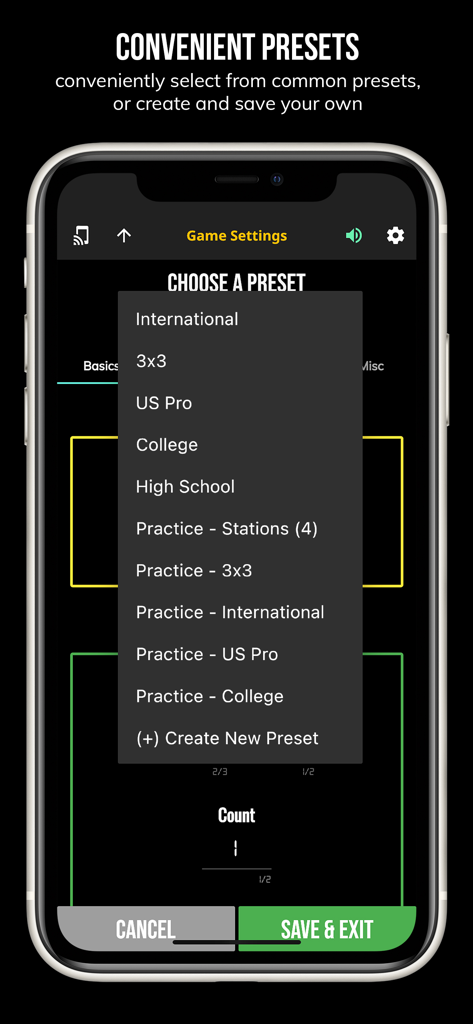
BT Basketball Shotclock - 米国プロ、大学、高校などの一般的なゲームプリセットを示すBTバスケットボールショットクロックアプリのメニュー
米国プロ、大学、高校などの一般的なゲームプリセットを示すBTバスケットボールショットクロックアプリのメニュー

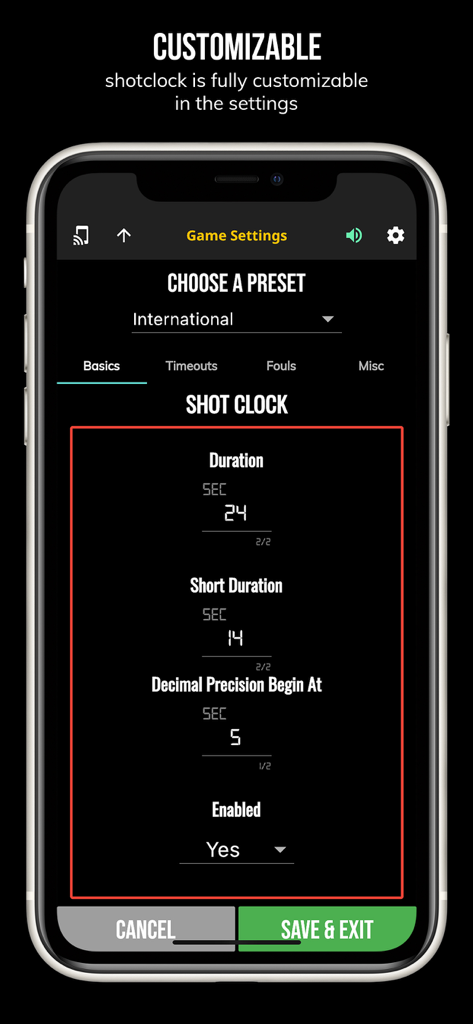
BT Basketball Shotclock - カスタマイズ可能なゲームルールとショットクロック設定時間を示すBTバスケットボールショットクロックアプリの設定画面

カスタマイズ可能なゲームルールとショットクロック設定時間を示すBTバスケットボールショットクロックアプリの設定画面

説明

One of the cleanest shotclock apps on the market. The BT Shotclock app, developed by and for a basketball company that runs it's own basketball leagues, is the next best option to investing in an expensive professional grade shotclock. Shotclock and Scoreboard equipment which can cost you thousands is now available and affordable to everyone in the basketball community. In-depth Tutorial: https://youtu.be/fopYwQPOZ2k Use the shotclock by itself or download the free BT Controller app to remotely control the shotclock or multiple shotclocks simultaneously. Open the connect menu on the BT Controller app, the shotclock is automatically detected, hit the WiFi or Bluetooth button next to the shotclock name on the BT Controller app to connect. BT Shotclock Features: - Clean design, no ads - Can use as a stand alone shotclock with intuitive direct tap and swipe controls - Remotely control shotclock with WiFi or Bluetooth using free BT Controller App - Convenient Presets (International, 3x3, US Pro, College, High School, and more...) - Convenient timers: pregame timer, period timer, rest timer, timeout timer, overtime, etc. - Fully customizable game in the settings - Practice modes configured in settings is great for running practices - Audio buzzers for shotclock violation, end of period, substitutions, etc. - Warning beep near end of pregame, timeout, or rest times (customizable) - Quick Start Documentation below For the best experience, use the application on a large tablet, or hook your phone/tablet up to a large display or video projector. You'll feel like you have just bought a professional shotclock! The BT Shotclock app was created by The Basketball Temple Company. The Basketball Temple Company focuses on high quality basketball academies, basketball leagues, and technologies that are used to support those academies and leagues. We open our technology to the public so everyone in the basketball community can experience the same technologies that we use within our institutions. # Quick Start Documentation: Exiting Game and Reseting Times: - Click top right settings icon (if top bar is hidden, click top left hamburger icon to open top app bar) - Scroll down and hit "Exit Game" button Time Controls: - Tap period timer to start/pause - Tap pregame, timeout, rest timers to early transition to next stage Shotclock Controls: - Tap shotclock to reset/go - Swipe shotclock up/down to reset/go to short shotclock Connect and Remote Control: - Start the BT Controller app on a different device - In the BT Controller app, open the connect menu on the top left - The Shotclock should automatically discovered - Click on the Wifi/Bluetooth icon next to the Shotclock name to connect - If unable to connect or having connection errors try one of the following: 1) please ensure all devices are on the same WiFi network 2) please ensure bluetooth is turned ON on all devices 3) lastly, try to restart the app on all devices Time and Game Settings: - Tap on top-right icon (or swipe right-to-left on the right edge) to open settings menu - Edit and save the many settings available

Download

ダウンロード: App Store

このページはアプリまたはその開発者の公式ページではなく、情報提供および論評を目的として作成された独立した編集出版物です。明示的に別段の記載がない限り、アプリおよびその開発者は、MWM、Apple、Google Play、アプリのパブリッシャー、またはアプリの開発者と提携、承認、後援、認可、またはその他の公式的な関係はなく、このページのいかなる内容も、アプリがMWMのサービスを使用して開発されたことを意味するものではありません。すべての商標、ロゴ、スクリーンショット、その他のコンテンツはそれぞれの所有者の財産です。








