Budget Planner Expense Tracker
ダウンロード: App Store

このページはアプリまたはその開発者の公式ページではなく、情報提供および論評を目的として作成された独立した編集出版物です。明示的に別段の記載がない限り、アプリおよびその開発者は、MWM、Apple、Google Play、アプリのパブリッシャー、またはアプリの開発者と提携、承認、後援、認可、またはその他の公式的な関係はなく、このページのいかなる内容も、アプリがMWMのサービスを使用して開発されたことを意味するものではありません。すべての商標、ロゴ、スクリーンショット、その他のコンテンツはそれぞれの所有者の財産です。

ロゴ: Budget Planner Expense Tracker
ダウンロード: App Store

Budget Planner Expense Tracker

個人およびサイドハッスルのアカウントを安全に管理し、プライバシーを最大限に高めるためにすべてのドルを手動で追跡し、結婚式、プロジェクト、日常の生活のためのカスタム予算計画で貯蓄目標を達成しましょう。

主要数値

ダウンロード

2K+

ユーザー評価

1.0/5

評価数

0

開発元

Asrar Amin

カテゴリ

Finance

対応言語

1

最新バージョン

1.0

サイズ

39.1 MB

リリース日

2023年9月29日
機能

精密にあなたのお金をマスターする

お金がどこへ行くのか不思議に思うのをやめましょう。すべてのドルを追跡し、複数アカウントを管理し、完全なプライバシーと管理のために設計された手動プランナーで貯蓄目標を達成しましょう。

仕事とプライベートを分離する

家計とサイドハッスルの支出を別々のアカウントで管理します。混合された財務の混乱なしに、記録を整理し、税金準備ができた状態に保ちます。

人生の大きな瞬間のために計画する

結婚式、家のリフォーム、休暇などの特定の予算を設定します。期間を定義し、プロジェクト関連の支出を追跡して、予算を超えないようにします。

以下のスクリーンショットと説明は、アプリの公式ストアリスティングから直接取得されたものであり、アプリ開発者の所有物です。

アプリストア

スクリーンショット
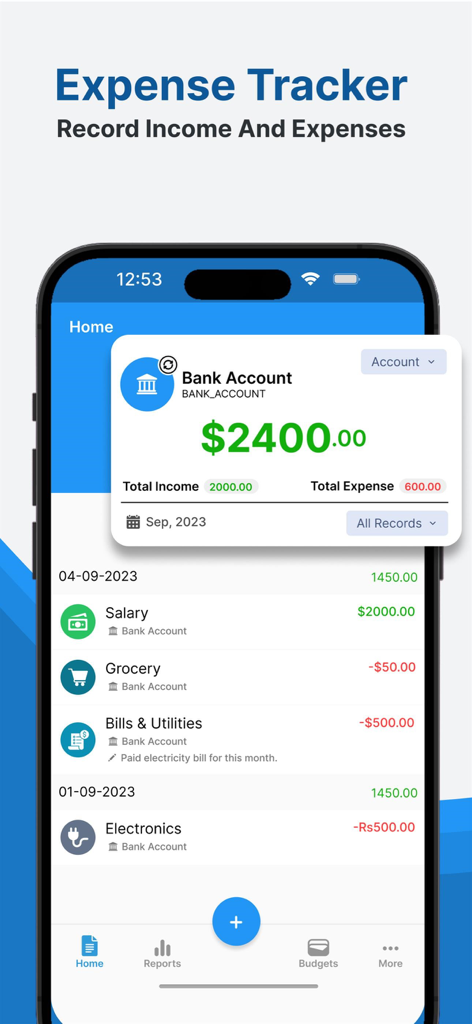
Budget Planner Expense Tracker - 収入と支出を追跡するためのモバイルアプリインターフェース。銀行口座残高とカテゴリ別の取引リストが表示されます。
収入と支出を追跡するためのモバイルアプリインターフェース。銀行口座残高とカテゴリ別の取引リストが表示されます。

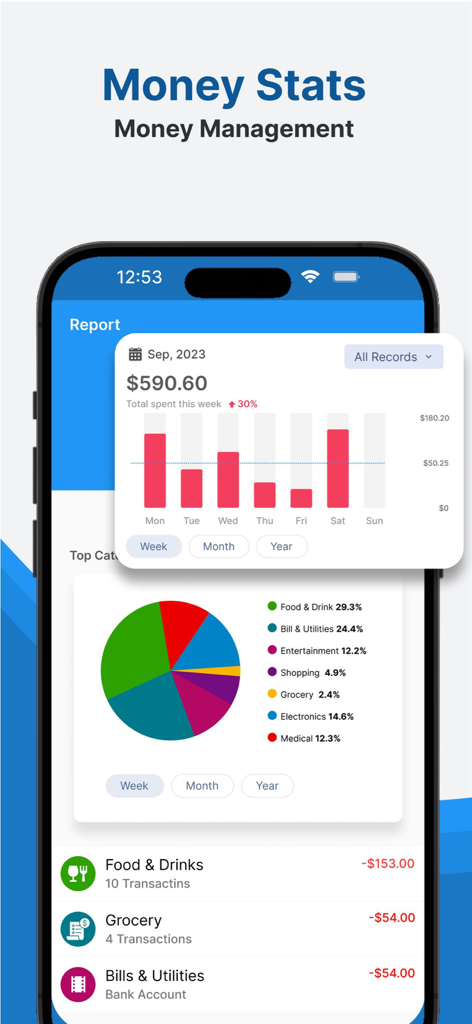
Budget Planner Expense Tracker - 予算プランナーアプリのレポート画面。週ごとの支出グラフと支出カテゴリの内訳が表示されます。
予算プランナーアプリのレポート画面。週ごとの支出グラフと支出カテゴリの内訳が表示されます。

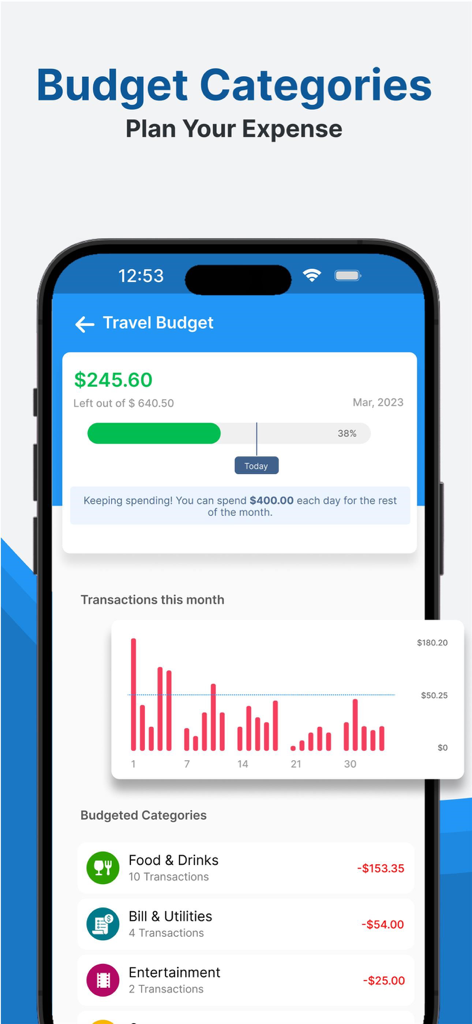
Budget Planner Expense Tracker - モバイルアプリ画面。旅行予算、取引チャート、食品や公共料金などのカテゴリ別支出が表示されます。
モバイルアプリ画面。旅行予算、取引チャート、食品や公共料金などのカテゴリ別支出が表示されます。

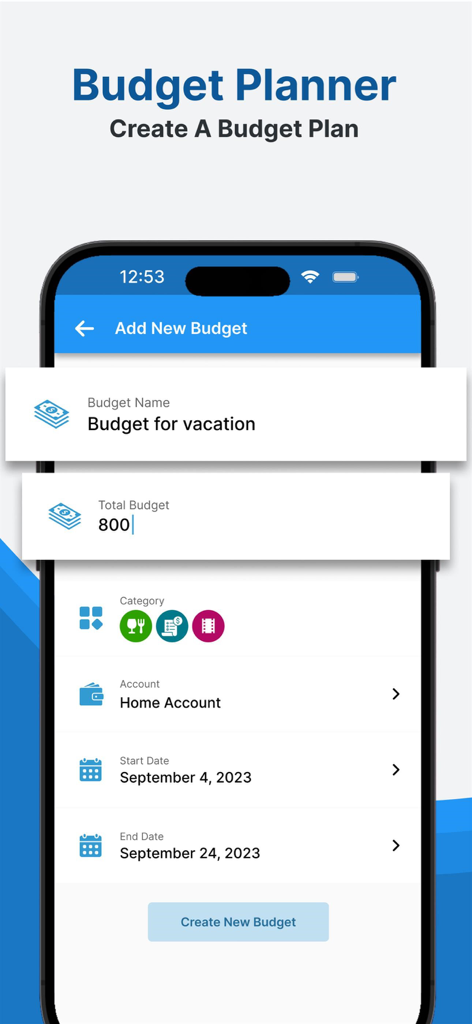
Budget Planner Expense Tracker - 予算プランナーアプリ画面。総額と期間を含む新しい休暇予算計画の設定が表示されます。
予算プランナーアプリ画面。総額と期間を含む新しい休暇予算計画の設定が表示されます。

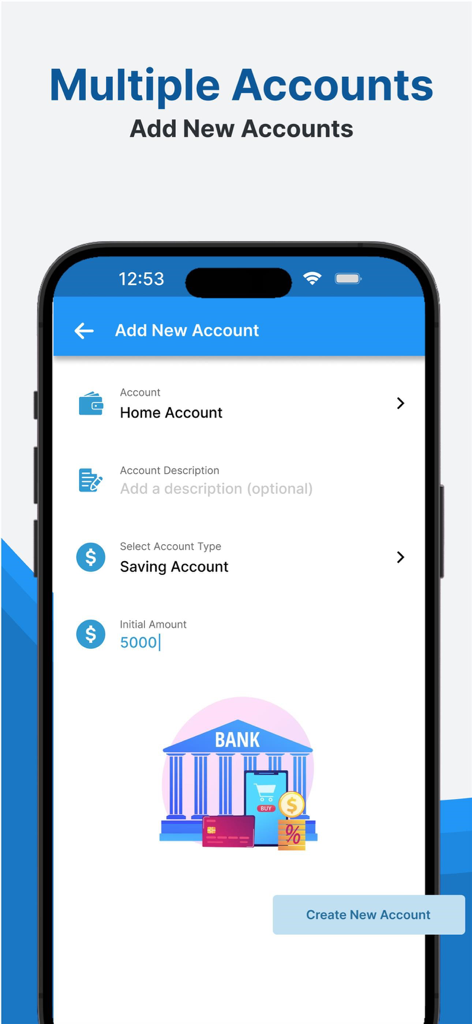
Budget Planner Expense Tracker - 予算追跡アプリの、貯蓄用口座など複数の金融口座を追加するためのモバイルインターフェース。

予算追跡アプリの、貯蓄用口座など複数の金融口座を追加するためのモバイルインターフェース。

説明

Are you in search of a reliable expense tracker & monthly budget planner app? If yes then you have chosen the right Budget Tracker App. Say goodbye to old notebooks and spreadsheets and embrace a smarter, more efficient way to manage your finance Record. The truth is that when you monitor your expenses, you'll have the capability to adhere to a budget, ultimately leading to SAVING MONEY. The Budget Tracker App empowers you to establish Multiple Accounts for monitoring both cash and account budgets. Utilize our income and payment tracker to configure budgets for bi-weekly, weekly, or monthly intervals. Discover your monthly expenditures on categories like shopping, household utilities, food, groceries, and more, all while tracking your month-to-month savings. Employ our bills organizer and financial tracker for astute Budget management and to maintain a firm grip on your financial well-being. Why Choose Budget Planner App? Manage your money better by using a helpful budget planner and money tracker. Let you make a budget for each month, see where you spend your money, and learn more about how you use it. Our app helps you handle your money more effectively and save for investments or special projects. Budget Planner App offers essential features for free. With just a tap, you can easily use key features like adding your income, tracking expenses, and creating custom budget categories. Create Multiple Accounts: In the Budget Tracker App, you can create multiple accounts. For example, if you want to track the budget record for your home and office separately, you can create two different accounts—one for your home and a second for your office budget tracking. All the records of those accounts will remain separate, and you can manage them easily. Bill Reminder: There is a Bill Reminder option in the Budget Planner App that helps you set up a reminder about any bill that you have to pay. You can add reminders for any day, date, and month, and you can repeat this reminder. Get daily reminders to pay your bills on time every time by using this Budget Planner App. Plan a Budget for a Duration: In the Budget Planner App, you can choose a duration and create a budget plan for that duration. You can also track the Planned Budget Expenses. The Budget Planner Feature shows the expenses in date-wise order. For example, you can plan a budget for weddings, etc. Different Categories: The Expense Tracker app has multiple categories for adding income or expenses. You can modify these categories and change category icons as you wish. The Stats Page in the app also displays different categories of data like income and expenses in beautiful graph representations. Lock the App to Secure Record: We have added a feature to apply a lock on the app so your entries remain safe. No one can open the app without the PIN. You can change and reset the PIN. The Lock screen in the Budget Planner App has a unique feature: every time the numbers on the Lock panel swipe, it will increase the security of your password. Caution: There is no currently backup option within the app. We are currently working on that feature.

Download

ダウンロード: App Store

このページはアプリまたはその開発者の公式ページではなく、情報提供および論評を目的として作成された独立した編集出版物です。明示的に別段の記載がない限り、アプリおよびその開発者は、MWM、Apple、Google Play、アプリのパブリッシャー、またはアプリの開発者と提携、承認、後援、認可、またはその他の公式的な関係はなく、このページのいかなる内容も、アプリがMWMのサービスを使用して開発されたことを意味するものではありません。すべての商標、ロゴ、スクリーンショット、その他のコンテンツはそれぞれの所有者の財産です。








