ccTimer - Camera Cube Timer

ccTimer - Camera Cube Timer

ダウンロード: App Store
ロゴ: ccTimer - Camera Cube Timer

ccTimer - スピードキューバーのためのスマートカメラタイマー

インテリジェントなカメラスタートタイミング、内蔵スクリーン録画、プロレベルの統計で、あなたの自己ベストをすべて記録しましょう。競技者やコンテンツクリエイターのために設計されています。

ダウンロード: App Store

開発元

Shanghai Qingge Technology Co., Ltd.

カテゴリ

Sports

ダウンロード

1K+

ユーザー評価

1.0/5

評価数

0

対応言語

2

あなたの進捗を可視化

このインターフェースを利用する 1K+ 人のユーザー.

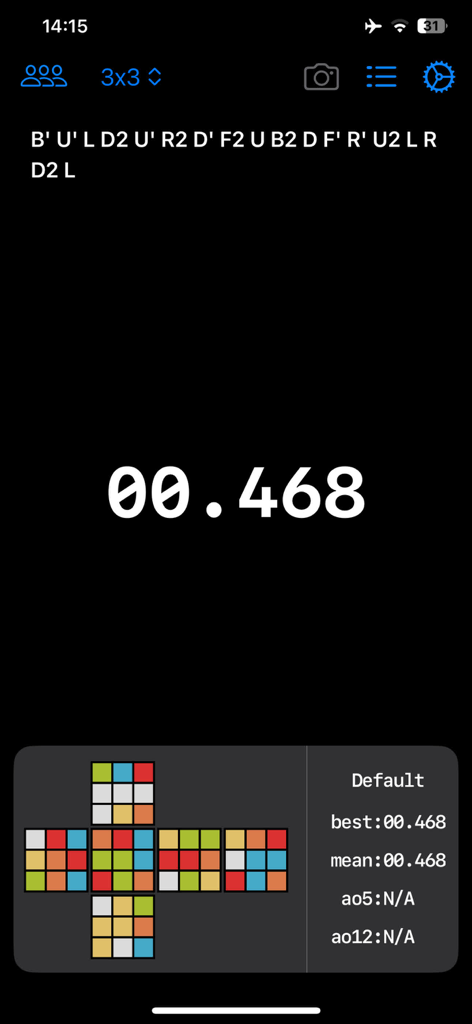
ccTimerアプリ画面、3x3ルービックキューブのスクランブルコード、0.468秒のデジタルタイマー、詳細なソルブ統計を表示。
ccTimerアプリ画面、3x3ルービックキューブのスクランブルコード、0.468秒のデジタルタイマー、詳細なソルブ統計を表示。

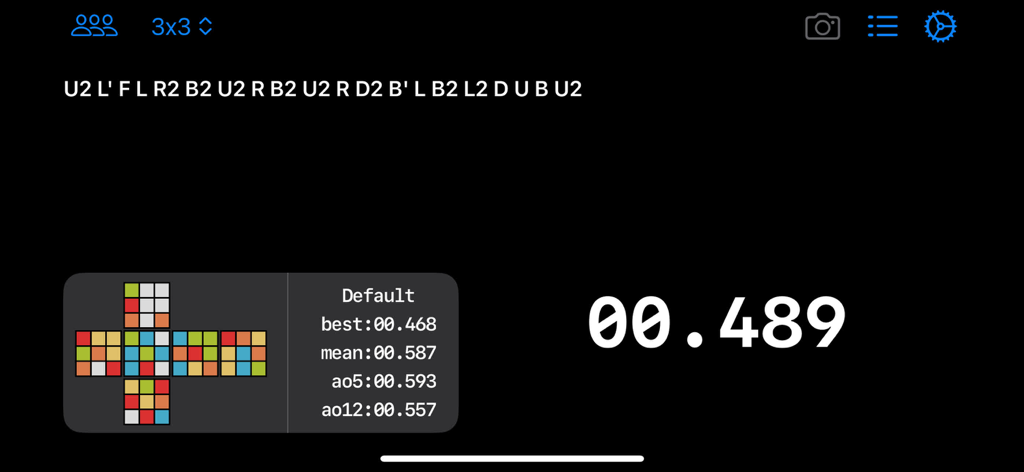
ccTimerアプリインターフェース、3x3キューブのスクランブルとソルブ統計を表示。
ccTimerアプリインターフェース、3x3キューブのスクランブルとソルブ統計を表示。

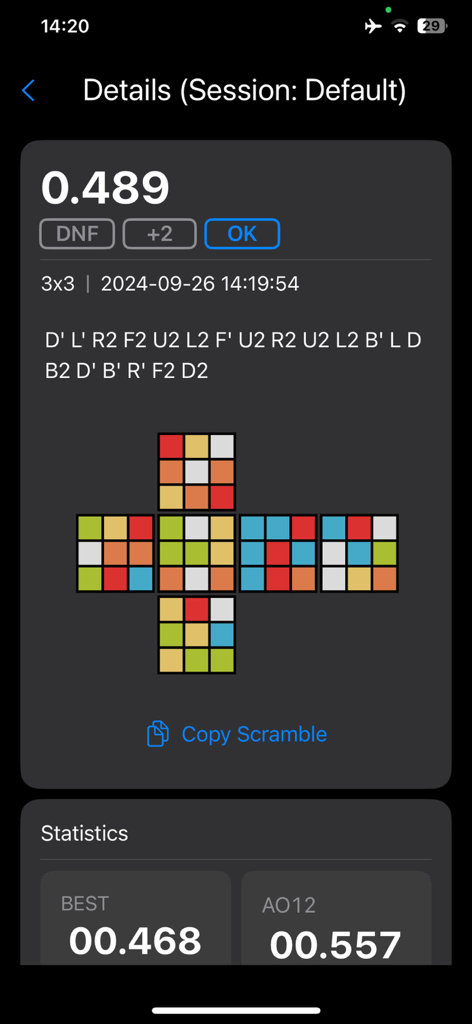
ccTimerで、スクランブルの可視化とセッション統計を備えたルービックキューブのソルブタイムの詳細ビュー。
ccTimerで、スクランブルの可視化とセッション統計を備えたルービックキューブのソルブタイムの詳細ビュー。

ccTimerで、ソルブタイムと平均値を示す詳細なスピードキュービング統計。
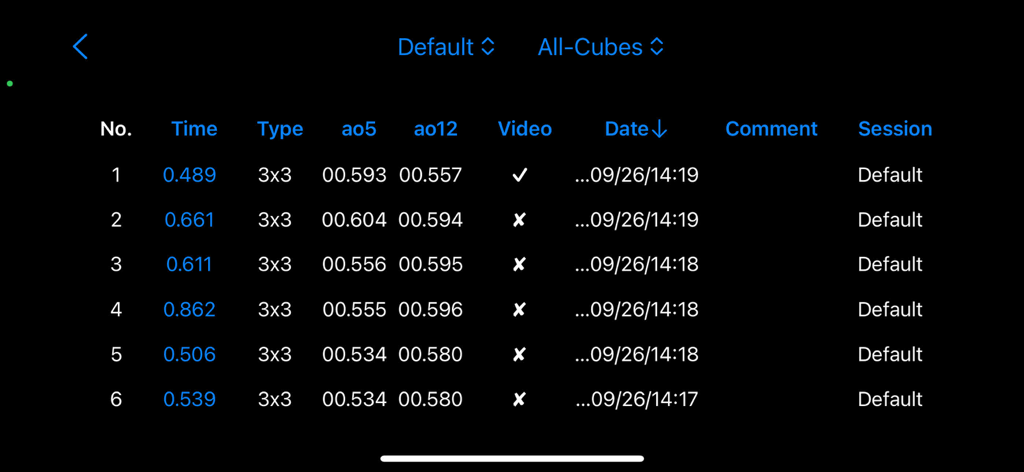
ccTimerで、ソルブタイムと平均値を示す詳細なスピードキュービング統計。

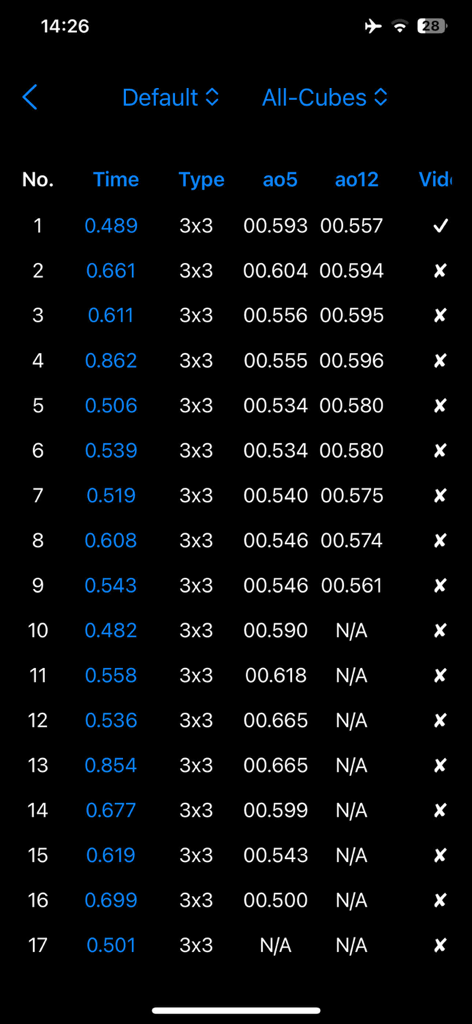
ccTimerアプリで、詳細なルービックキューブのソルブタイムと統計的平均値のリスト。
ccTimerアプリで、詳細なルービックキューブのソルブタイムと統計的平均値のリスト。

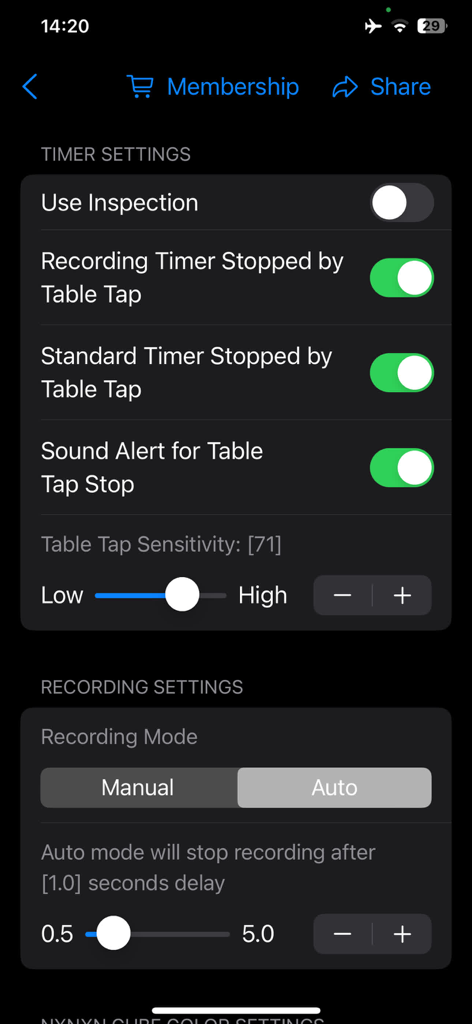
ccTimerアプリの設定画面、スピードキュービングのためのタイマーと録画設定オプションを表示。

ccTimerアプリの設定画面、スピードキュービングのためのタイマーと録画設定オプションを表示。

あなたのスピードキュービングをレベルアップ

このアプリを際立たせるツール、 1K+ 人のユーザーが選択.

📱

コンテンツ対応録画

タイマーオーバーレイ付きのソルブを自動録画 – TikTok、YouTube、Discordで新しいPBを共有する準備がすぐにできます。

⏱️

プロレベルのスマートタイミング

カメラベースの自動スタートと高精度タップ検出で公式競技条件をシミュレートし、完全な正確さを実現します。

📈

詳細なパフォーマンス分析

データに基づいた改善のために設計された高度なグループ化およびフィルタリングツールで、5回平均とセッションの進捗を追跡します。

アプリについて

について知っておくべきこと ccTimer - Camera Cube Timer.

説明

ccTimer is a powerful yet simple and elegant timer specifically designed for Rubik's Cube enthusiasts, fully meeting your various needs. Here are the key features of ccTimer: 1. Simple and beautiful interface: The intuitive design and easy operation allow you to focus on cube timing and recording. 2. Smart auto-timer: Equipped with an intelligent algorithm to automatically start (camera) and stop timing (tap detection). 3. Synchronized timing and recording: Supports simultaneous timing and screen recording, making it easy to review your solving process and capture every exciting moment. 4. Observation countdown progress bar: Displays observation time visually, helping you to manage every second precisely and improve practice efficiency. 5. Multi-purpose timer: Camera mode can be turned off, transforming it into a regular timer, suitable for both practice and competitions. 6. Convenient scramble operations: Long-press the scramble formula to easily copy, paste, or lock it. 7. Custom cube colors: Personalize colors for different cube types, creating a unique experience. 8. Various recording modes: Manually or automatically record videos, capturing exciting moments has never been easier. 9. Optimized tap detection: Ensures accurate timing by reducing false stops or missed taps, with adjustable sensitivity. 10. Group management: Easily manage your practice sessions into groups, increasing training efficiency and helping you improve faster. 11. Sorted and filtered result lists: Sort and filter results based on multiple dimensions, making it easy to find data and track your progress. 12. Quick gesture controls: Swipe up, down, left, or right to quickly access related functions for more convenient operation. 13. Custom backgrounds: Supports custom backgrounds in solid color, gradient, or images for a personalized interface. Whether you're a beginner or a seasoned cuber, ccTimer is an essential tool for recording and timing your solves! Download now to enhance your cubing experience and push your limits! By using this app, you agree to the standard Apple End User License Agreement, available at: https://www.apple.com/legal/internet-services/itunes/dev/stdeula/

最新バージョン

2.0.1

サイズ

6.9 MB

リリース日

2024年10月2日

自己ベスト更新の準備はできましたか?

ccTimerを使って、すべてのソルブを記録、分析、マスターしている何千人ものスピードキューバーに参加しましょう。今すぐダウンロードして、あなたの限界を押し広げてください。

ダウンロード: App Store

App information, icons, screenshots, and descriptions displayed on this page are sourced from the Apple App Store and are the property of their respective developers. Download estimates and rankings are based on MWM's proprietary models and may not reflect actual figures. This page is provided for informational and analytical purposes only.

Believe this page infringes your intellectual property? File a dispute