CDM+ Mobile

CDM+ Mobile

ダウンロード: App Store
ロゴ: CDM+ Mobile

CDM+ Mobile:あなたのミニストリーをどこにいても力づける

メンバー記録へのアクセス、安全なチェックインの管理、出席状況の追跡を外出先で行えます。牧師や管理者がコミュニティとのつながりを維持するための必須モバイルコンパニオンです。

ダウンロード: App Store

開発元

Suran Systems, Inc.

カテゴリ

Business

ダウンロード

1K+

ユーザー評価

3.7/5

評価数

0

対応言語

1

動くミニストリー

このインターフェースを利用する 1K+ 人のユーザー.

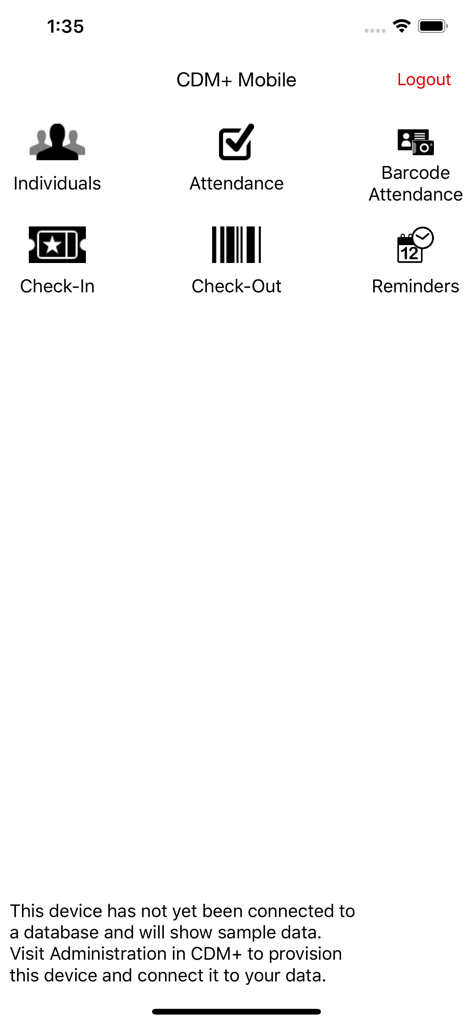
CDMプラスモバイルアプリのメインメニュー、個人、出席、チェックイン機能のアイコンを表示

CDMプラスモバイルアプリのメインメニュー、個人、出席、チェックイン機能のアイコンを表示

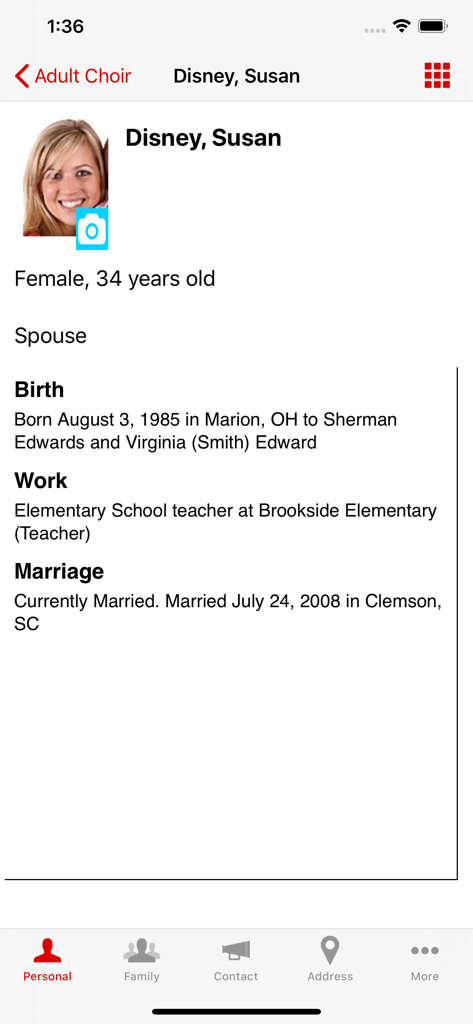
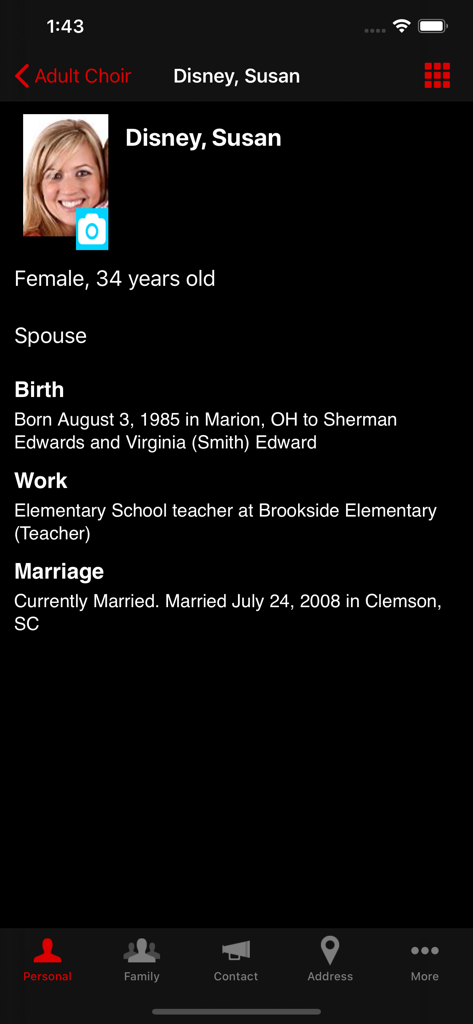
CDMプラスモバイルアプリのプロフィール画面、写真、生年月日、職歴、結婚情報を含む個人の詳細を表示

CDMプラスモバイルアプリのプロフィール画面、写真、生年月日、職歴、結婚情報を含む個人の詳細を表示

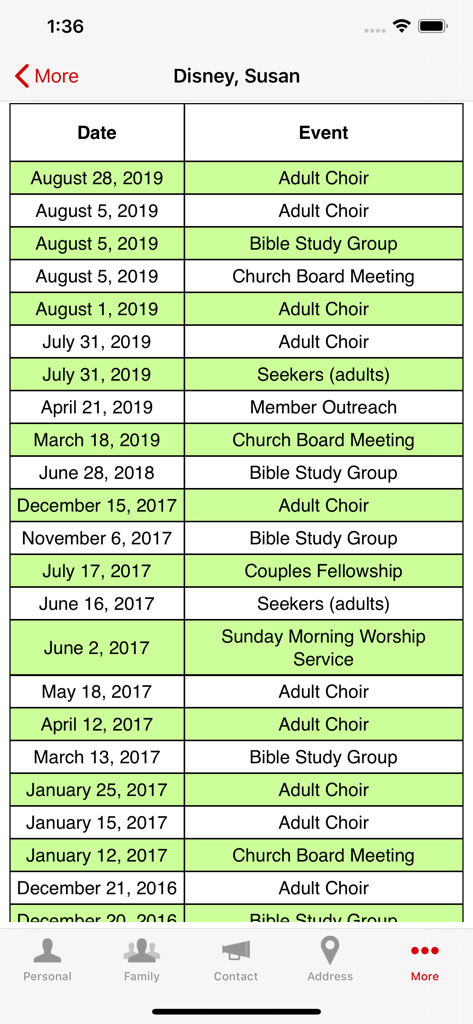
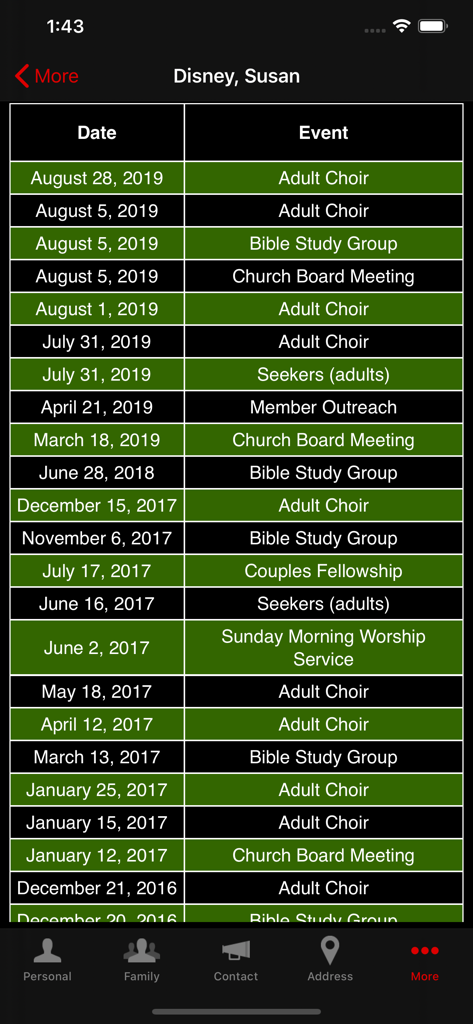
教会員の出席履歴を表示する画面、聖書研究や合唱などの日付とイベント名を含む

教会員の出席履歴を表示する画面、聖書研究や合唱などの日付とイベント名を含む

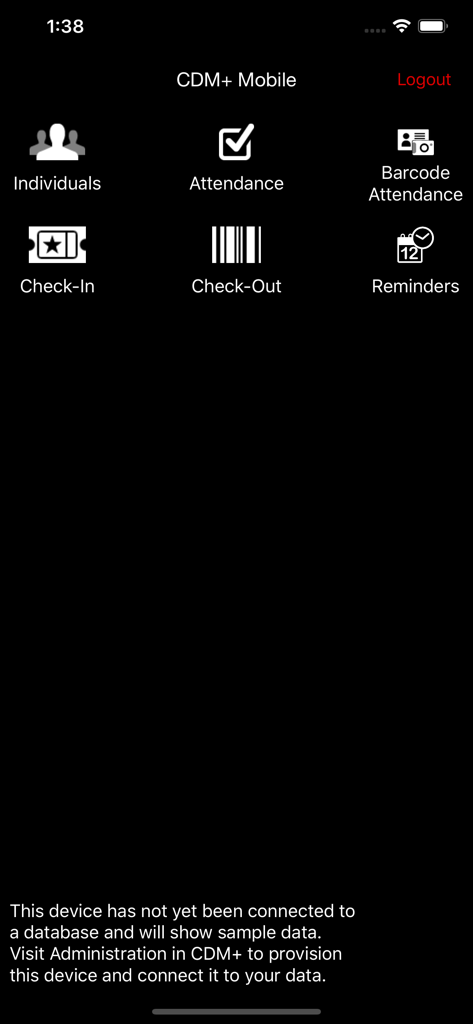
CDMプラスモバイルアプリのメインダッシュボード、個人、出席、チェックイン機能のメニューオプションを表示

CDMプラスモバイルアプリのメインダッシュボード、個人、出席、チェックイン機能のメニューオプションを表示

CDMプラスモバイルアプリの詳細な教会メンバープロフィール画面、個人情報と職歴を表示

CDMプラスモバイルアプリの詳細な教会メンバープロフィール画面、個人情報と職歴を表示

CDM+ Mobile画面、日付とアクティビティを含むメンバーのイベント出席履歴を表示

CDM+ Mobile画面、日付とアクティビティを含むメンバーのイベント出席履歴を表示

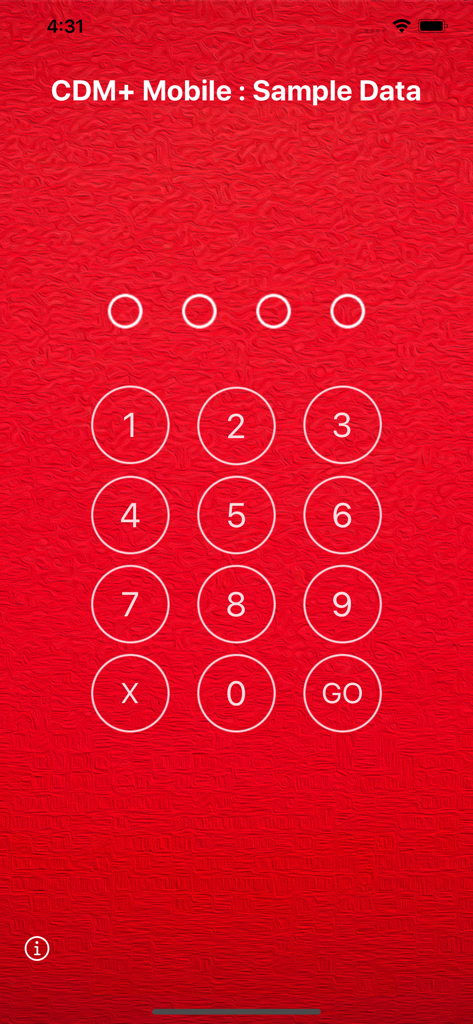
CDMプラスモバイルアプリでの教会管理データの保護のための数値PIN入力画面

CDMプラスモバイルアプリでの教会管理データの保護のための数値PIN入力画面

外出先でもミニストリーを力づける

このアプリを際立たせるツール、 1K+ 人のユーザーが選択.

🤝

個別化された牧会的ケア

メンバーのプロフィール、献金履歴にアクセスし、訪問メモを即座に記録して、家庭訪問や病院訪問中に会衆にさらに良く奉仕できます。

🛡️

安全な日曜日の運営

子供のチェックインを簡素化し、迅速なバーコードスキャンで出席状況を追跡し、最も忙しい礼拝中の安全と正確性を確保します。

インスタントデータベース同期

デバイスで行われた更新は、CDM+システムに即座に反映され、スタッフ全員がリアルタイムで連携し、情報を把握できるようになります。

アプリについて

について知っておくべきこと CDM+ Mobile.

説明

DESCRIPTION: CDM+ Mobile is a companion app to CDM+, a powerful data management system for churches and non-profit organizations. CDM+ Mobile connects you to your data in meaningful and useful ways wherever you are. NOTE: By default, CDM+ Mobile shows sample, fictitious data and will accept any PIN. Once you configure CDM+ Mobile with a provisioning code, you will see data from your CDM+ database and will be required to enter the PIN for your provision. FEATURES CDM+ Mobile offers six main features: viewing information on individuals in your CDM+ database, tracking attendance, running barcode attendance, running check-in, running check-out and for regional users, viewing church information. Individuals allows you to mass e-mail individuals, display the name, family members, photos, birth date and place, school, marriage date and place, work location and death information of individuals in your CDM+ database. Phone numbers and e-mail addresses are listed, and an interactive map to the primary street address is displayed. In addition, all attendance history for an individual is available, along with contributions over the past year for an individual. Finally, you have ability to add, view, edit and delete visitation and pastoral notes on the fly. Attendance lets you take attendance for classes, groups and events for any date. Tap an individual to mark or un-mark their attendance, and your change is filed instantly in your database and will appear in standard CDM+ windows and reports. Barcode Attendance lets you scan individual barcodes using your device's camera to mark attendance, The app can operate in a hand-held or kiosk mode and is designed for rapid attendance entry. Check-In lets you search families and check them into their respective classes and groups all at once. Check-In complements staffed and self check-in in the desktop version of CDM+. When paired with a desktop software running the name badge print server, CDM+ Mobile will send badge print job requests to the desktop version for printing. Check-Out lets you scan barcodes, or enter check-in codes manually, to check-out individuals from their respective classes, events or groups. For regional users, the Churches feature will allow you to mass e-mail churches and view a church’s photo, contact information, current and past members, physical and mailing addresses, and church service times. PROVISIONING In CDM+, access User Management to create a provision for each device you’d like to connect to your database. You can control exactly what functions are allowed on the device. For example, create a provision that only allows attendance entry. Use the devices on Sunday Morning to instantly update attendance records. Or give the youth pastor access to demographic data for members of the youth group only. SECURITY CDM+ Mobile requires that a PIN must be entered before data can be accessed. This PIN is unique to each provision, and each provision is locked to a specific device once it is accessed on that device. You can remotely grant or revoke access to features through CDM+ even after a device is set up. And if you need to disable a device at any time, CDM+ provides a master switch to do just that. ACCESSING CDM+ MOBILE CDM+ Mobile can be used with any CDM+ database running CDM+ 9.2 or later and hosted through our Data Hosting service. Visit our website for more information about data hosting and getting updated to the most recent version of CDM+.

最新バージョン

2.7.6

サイズ

112.8 MB

リリース日

2012年3月20日

デスクを離れて、あなたのミニストリーを力づける

CDM+ Mobileをダウンロードして、あなたの使命がどこへ行こうとも、メンバー記録へのアクセス、安全なチェックインの管理、牧師のメモの記録を行ってください。

ダウンロード: App Store

App information, icons, screenshots, and descriptions displayed on this page are sourced from the Apple App Store and are the property of their respective developers. Download estimates and rankings are based on MWM's proprietary models and may not reflect actual figures. This page is provided for informational and analytical purposes only.

Believe this page infringes your intellectual property? File a dispute