Celestron StarSense Explorer
ダウンロード: App Store

このページはアプリまたはその開発者の公式ページではなく、情報提供および論評を目的として作成された独立した編集出版物です。明示的に別段の記載がない限り、アプリおよびその開発者は、MWM、Apple、Google Play、アプリのパブリッシャー、またはアプリの開発者と提携、承認、後援、認可、またはその他の公式的な関係はなく、このページのいかなる内容も、アプリがMWMのサービスを使用して開発されたことを意味するものではありません。すべての商標、ロゴ、スクリーンショット、その他のコンテンツはそれぞれの所有者の財産です。


ロゴ: Celestron StarSense Explorer
ダウンロード: App Store

Celestron StarSense Explorer

推測はもうやめ、観測を始めましょう。特許取得済みの空認識テクノロジーを使用して、スマートフォンをプロ仕様の天文台に変え、惑星、銀河、星雲をリアルタイムで見つけましょう。

主要数値

ダウンロード

421K+

ユーザー評価

3.3/5

評価数

200

開発元

Celestron, LLC.

カテゴリ

Reference

対応言語

14

最新バージョン

2.0.0

サイズ

759.0 MB

リリース日

2020年1月7日
機能

数分で夜空をマスター

スマートフォンのパワーを解き放ち、宇宙をナビゲートしましょう。天文学の事前知識は不要です。スマートフォンをドッキングし、アプリを起動して、プロ仕様の精度で探検を始めましょう。

特許取得済みの空認識

プレートソルビング技術でプロ仕様の精度を体験しましょう。アプリはリアルタイムで星のパターンをデータベースと照合し、望遠鏡を正確なターゲットに導きます。

あなただけの宇宙旅程

複雑な星図で時間を無駄にするのはやめましょう。「今夜のベスト」機能は、現時点であなたの正確な場所から見える最も素晴らしい惑星、星雲、銀河を特定します。

以下のスクリーンショットと説明は、アプリの公式ストアリスティングから直接取得されたものであり、アプリ開発者の所有物です。

アプリストア

スクリーンショット
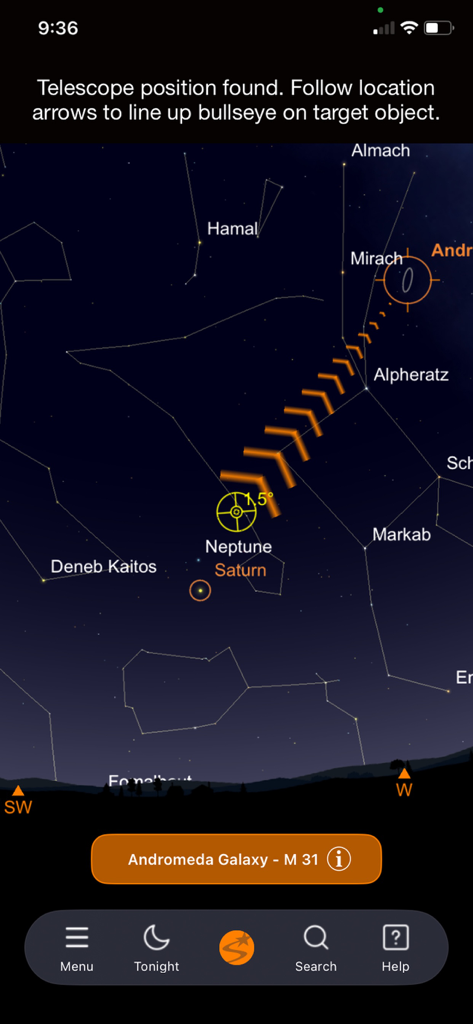
Celestron StarSense Explorer - デジタル星図上でアンドロメダ銀河に向かう方向矢印を示す天体ナビゲーションインターフェース。
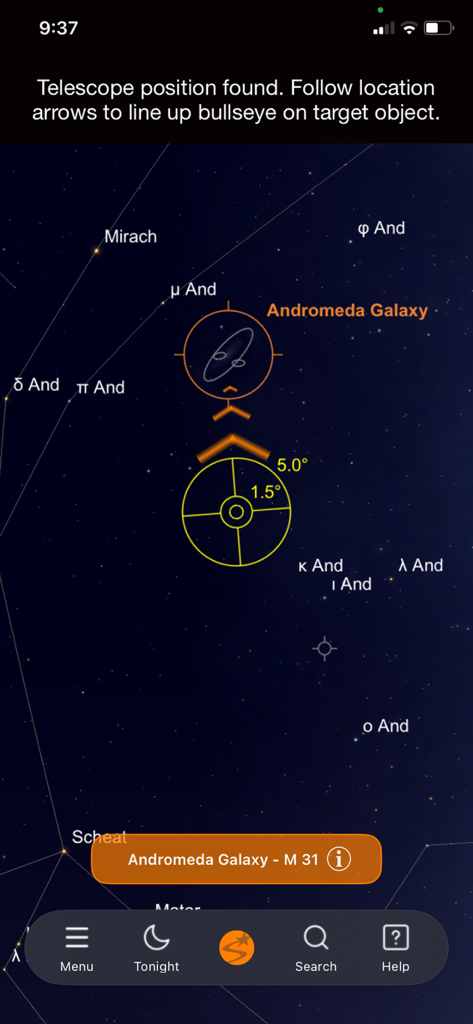
デジタル星図上でアンドロメダ銀河に向かう方向矢印を示す天体ナビゲーションインターフェース。

Celestron StarSense Explorer - 夜空のアンドロメダ銀河をガイド矢印と照準器で示すCelestron StarSense Explorerアプリインターフェース
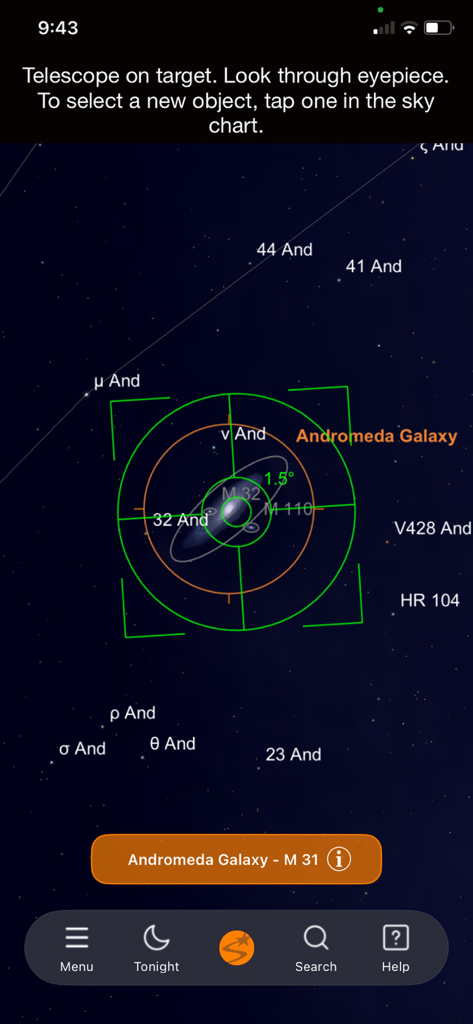
夜空のアンドロメダ銀河をガイド矢印と照準器で示すCelestron StarSense Explorerアプリインターフェース

Celestron StarSense Explorer - 夜空の地図でアンドロメダ銀河に中心を合わせた緑色の照準器を示すCelestron StarSense Explorerアプリインターフェース

夜空の地図でアンドロメダ銀河に中心を合わせた緑色の照準器を示すCelestron StarSense Explorerアプリインターフェース
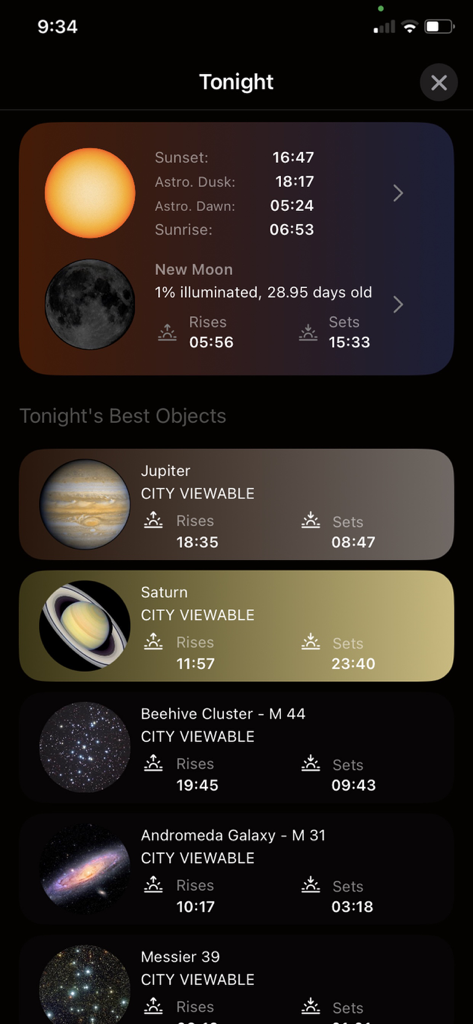
Celestron StarSense Explorer - Celestron StarSense Explorerアプリの天体オブジェクト表示リスト。今夜見える惑星や銀河が表示される。
Celestron StarSense Explorerアプリの天体オブジェクト表示リスト。今夜見える惑星や銀河が表示される。

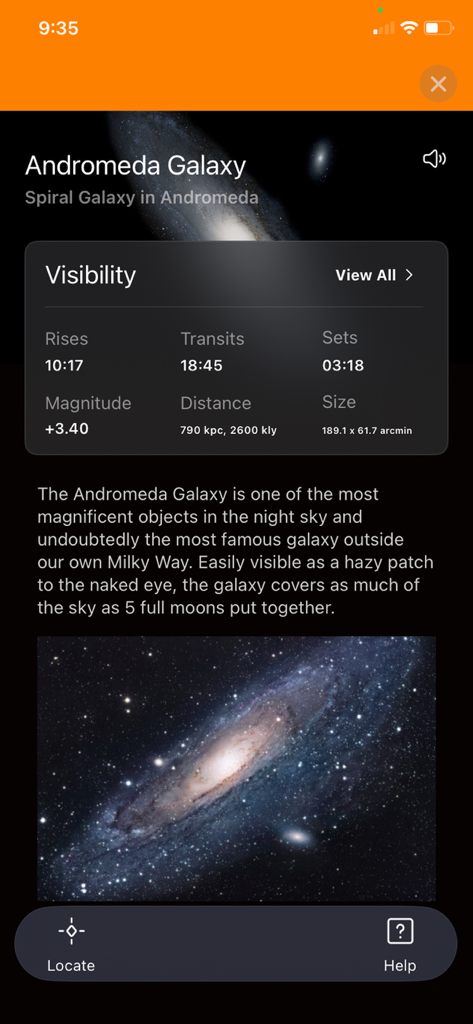
Celestron StarSense Explorer - Celestron StarSense Explorerアプリのアンドロメダ銀河情報と可視性データ画面
Celestron StarSense Explorerアプリのアンドロメダ銀河情報と可視性データ画面

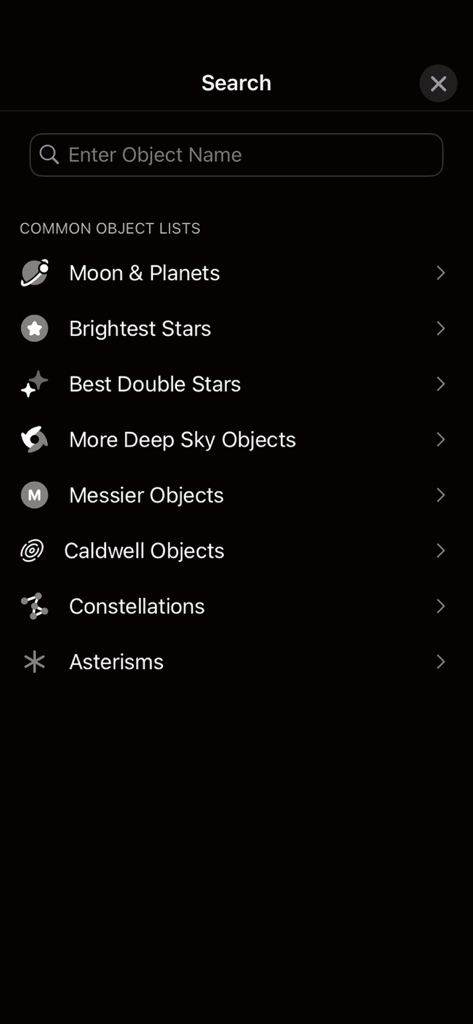
Celestron StarSense Explorer - StarSense Explorerアプリの検索画面。月や惑星などの一般的な天体カテゴリが表示される。
StarSense Explorerアプリの検索画面。月や惑星などの一般的な天体カテゴリが表示される。

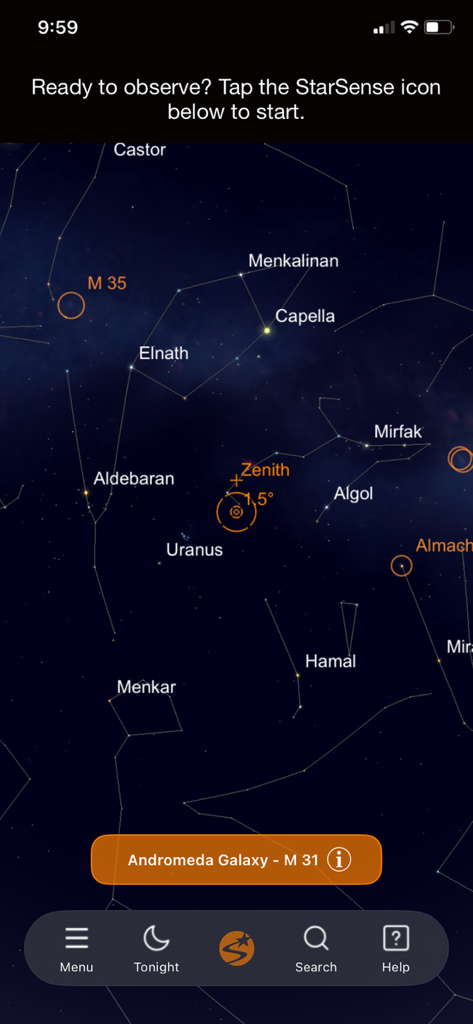
Celestron StarSense Explorer - StarSense Explorerアプリのインターフェース。星座や星の詳細な夜空の地図が表示される。
StarSense Explorerアプリのインターフェース。星座や星の詳細な夜空の地図が表示される。

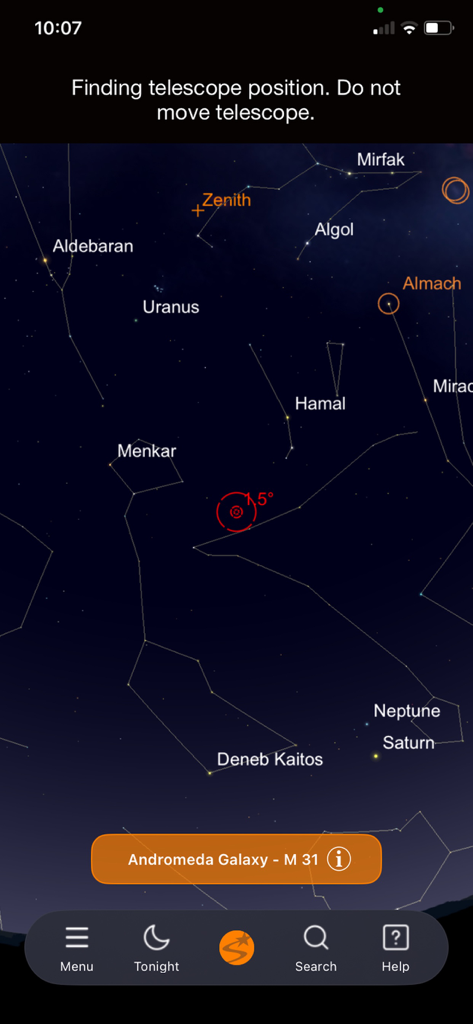
Celestron StarSense Explorer - Celestron StarSense Explorerアプリのインターフェース。星座と惑星の位置を示す星図を表示。
Celestron StarSense Explorerアプリのインターフェース。星座と惑星の位置を示す星図を表示。

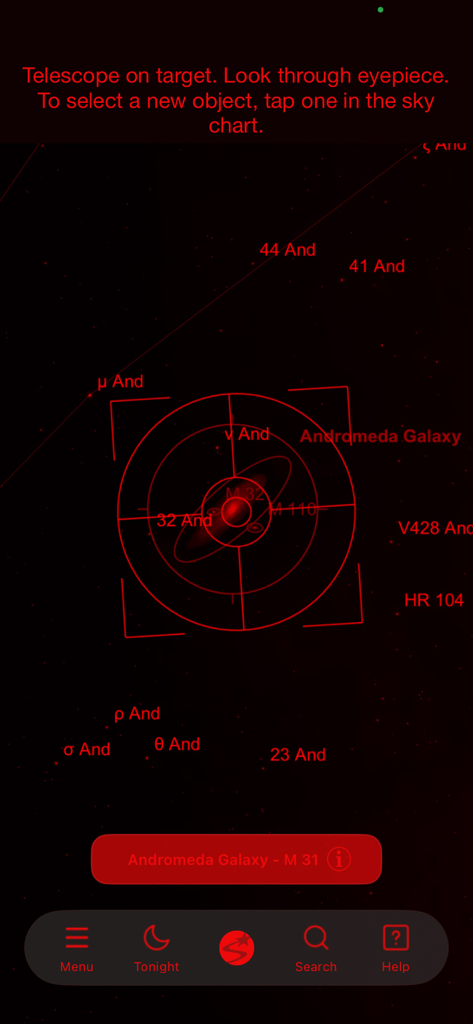
Celestron StarSense Explorer - Celestron StarSense Explorerアプリのインターフェース。赤色夜間モードでアンドロメダ銀河上に照準器ターゲットを示す。
Celestron StarSense Explorerアプリのインターフェース。赤色夜間モードでアンドロメダ銀河上に照準器ターゲットを示す。

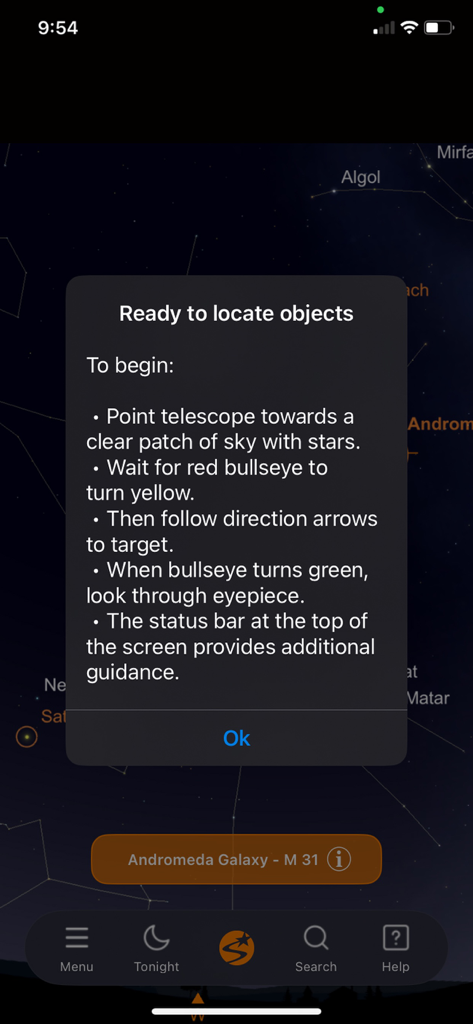
Celestron StarSense Explorer - Celestron StarSense Explorerアプリのポップアップ説明画面。望遠鏡で星や銀河を見つける方法を説明。

Celestron StarSense Explorerアプリのポップアップ説明画面。望遠鏡で星や銀河を見つける方法を説明。

説明

Unleash the power of your smartphone to take you on a guided tour of the night sky, even if you’ve never used a telescope before. STARSENSE SKY RECOGNITION TECHNOLOGY This one-of-a-kind app uses patent-pending technology in combination with a Celestron StarSense Explorer telescope (sold separately) to analyze star patterns overhead to calculate the telescope’s position in real time with pinpoint accuracy. StarSense Explorer’s sky recognition technology has revolutionized the manual telescope by eliminating the confusion common among beginners and enhancing the user experience for even seasoned telescope users. Many would-be astronomers become frustrated or lose interest in their manual telescope because they don’t know where to point it to see planets, star clusters, nebulae, and galaxies—the good stuff! StarSense Explorer tells you exactly which celestial objects are currently visible in the night sky and where to move your telescope to place those objects in the telescope’s eyepiece. THE NIGHT SKY AT YOUR FINGERTIPS The user-friendly planetarium interface allows you to scan the skies for objects you wish to view. You can also search for objects in the extensive database. Not sure what to observe? StarSense Explorer automatically generates a list of all the best stars, planets, galaxies, nebulae and more currently visible from your location. Simply select one from the list and off you go! While you observe, you can access detailed information, images, and audio descriptions for the most popular objects. It’s a great way for the entire family to learn scientific facts, history, mythology, and more, deepening your understanding of the night sky. EASY AS 1-2-3: DOCK, LAUNCH, OBSERVE To get started, assemble your StarSense Explorer telescope and download the app. Your telescope includes a unique unlock code to access the full features of the app. Connect your phone to the telescope by placing it into the StarSense dock and launch the app. After a simple 2-step procedure to align the smartphone’s camera with the telescope, the app displays a view of the night sky and shows a bullseye on the screen to represent the telescope’s current pointing position. From here, you can select an object to view by tapping it in the planetarium view or selecting it from the Tonight’s Best observing list. Objects will vary from night to night; you may see planets like Jupiter or Saturn, nebulae like Orion, the Andromeda Galaxy, or other object types. Once you select an object, the app displays pointing arrows onscreen. These indicate where to move the telescope to find it. Follow the arrows until the bullseye appears centered on target. When the bullseye turns green, the object is visible in the telescope’s lower powered eyepiece. HOW STARSENSE EXPLORER WORKS StarSense Explorer uses image data captured by the smartphone’s camera to determine its pointing position. The app captures an image of the night sky and then matches the star patterns within the image to its internal database in a process like fingerprint matching or facial recognition. The process of extracting star pattern data in images to determine a telescope’s current pointing position is called “plate solving.” It is the same method used by professional observatories and orbiting satellites. The StarSense Explorer app is the first app ever developed that uses plate solving to determine the smartphone’s current pointing position. Other astronomy apps rely on the smartphone’s gyroscopes, accelerometers, and compass to estimate its pointing position. These methods are not accurate enough to place objects within the telescope’s field of view. StarSense Explorer technology is patent-pending. COMPATIBILITY Compatible with iPhone 6 and higher. LOCALIZATION Support for English, Spanish, French, Italian, German, Japanese and Russian.

Download

ダウンロード: App Store

このページはアプリまたはその開発者の公式ページではなく、情報提供および論評を目的として作成された独立した編集出版物です。明示的に別段の記載がない限り、アプリおよびその開発者は、MWM、Apple、Google Play、アプリのパブリッシャー、またはアプリの開発者と提携、承認、後援、認可、またはその他の公式的な関係はなく、このページのいかなる内容も、アプリがMWMのサービスを使用して開発されたことを意味するものではありません。すべての商標、ロゴ、スクリーンショット、その他のコンテンツはそれぞれの所有者の財産です。