
このページはアプリまたはその開発者の公式ページではなく、情報提供および論評を目的として作成された独立した編集出版物です。明示的に別段の記載がない限り、アプリおよびその開発者は、MWM、Apple、Google Play、アプリのパブリッシャー、またはアプリの開発者と提携、承認、後援、認可、またはその他の公式的な関係はなく、このページのいかなる内容も、アプリがMWMのサービスを使用して開発されたことを意味するものではありません。すべての商標、ロゴ、スクリーンショット、その他のコンテンツはそれぞれの所有者の財産です。


CentMobile
米国内からでも、インドの口座を管理し、UPIで送金し、投資をシームレスに増やしましょう。
ダウンロード
945K+ユーザー評価
評価数
2K+開発元
カテゴリ
Finance対応言語
11最新バージョン
7.25サイズ
124.5 MBリリース日
2023年8月11日米国内のインドバンキングブリッジ
米国内のどこにいようとも、スマートフォンからインドの口座、投資、家族への送金をシームレスに管理できます。
リモート口座管理
インドの支店に足を運ぶことなく、定期預金を開設し、小切手帳をリクエストし、15G/Hのような税務フォームを提出できます。
完全なセキュリティとカード管理
海外からでも、キャッシュカードを瞬時に凍結し、取引限度額を設定し、MPINをリアルタイムで管理することで資産を保護します。
よくある質問
について知っておくべきこと CentMobile
CentMobileバンキングアプリケーションに顧客はどのように登録しますか?
顧客は、アプリをダウンロードし、利用規約に同意し、CIFまたは口座番号を入力し、SMSで認証し、ユーザーID、MPIN、TPINを設定してCentMobileに登録します。登録中はモバイルデータがアクティブである必要があります。
ユーザーがログインする前にCentMobileアプリはどのような機能を提供しますか?
CentMobileは、金利、外国為替レート、不在着信サービス、新規口座/ローン申請、PAN-Aadhaar連携、ATM/支店ロケーター、FAQなどのログイン前の機能を提供します。
CentMobileユーザーは他の銀行に資金を送金できますか?
はい、CentMobileはNEFT/IMPSを介した他の銀行への資金送金を可能にします。また、Central Bank of India内の口座への送金やQuick Payオプションもサポートしています。
ユーザーはCentMobile内でデビットカードの制御と制限をどのように管理できますか?
CentMobileでは、デビットカードの有効化/無効化、およびATM引き出し、POS、Eコマース、非接触型決済の1日の限度額を設定することで、デビットカードを制御できます。
顧客はCentMobileアプリケーションを通じてどのような種類の銀行口座にアクセスできますか?
CentMobileユーザーは、普通預金口座、当座預金口座、定期預金口座にアクセスして表示できます。アプリにはこれらの口座の利用可能残高が表示され、財務概要が向上します。
ユーザーはCentMobileを通じてローンや口座などの新しい銀行サービスを直接申請できますか?
はい、CentMobileでは、ログイン前のセクションから普通預金口座、個人向けローン、クレジットカード、政府スキームの新規申請が可能です。ログイン後、ローン、貸金庫、新規口座の申請ができます。
CentMobileアプリケーションはUPIトランザクションをサポートしていますか?
はい、CentMobileは、スキャン&ペイ、VPA(仮想支払いアドレス)への支払い、口座とIFSCへの支払いを含むUPIトランザクションをサポートしています。この機能は、便利な支払いのためにログイン後に利用できます。
ユーザーはCentMobileアプリを使用して口座残高をどのように確認しますか?
はい、ユーザーはログイン後にCentMobileで口座残高を確認します。ダッシュボードには、リンクされた口座の利用可能残高が目立つように表示され、即座に財務概要を提供します。
CentMobileへの登録時にユーザーはどのようなセキュリティ要件に従う必要がありますか?
CentMobile登録中は、Wi-Fiをオフにしてモバイルデータのみをアクティブにする必要があります。銀行に登録されているSIMカードが携帯電話に挿入されている必要があり、検証SMSが進行します。
CentMobile経由で定期預金口座を開設または解約することは可能ですか?
はい、CentMobileユーザーは、ログイン後、アプリケーションを通じて直接定期預金口座を開設または解約できます。この機能は、提供される包括的なログイン後サービスの一部です。
以下のスクリーンショットと説明は、アプリの公式ストアリスティングから直接取得されたものであり、アプリ開発者の所有物です。
アプリストア
スクリーンショット
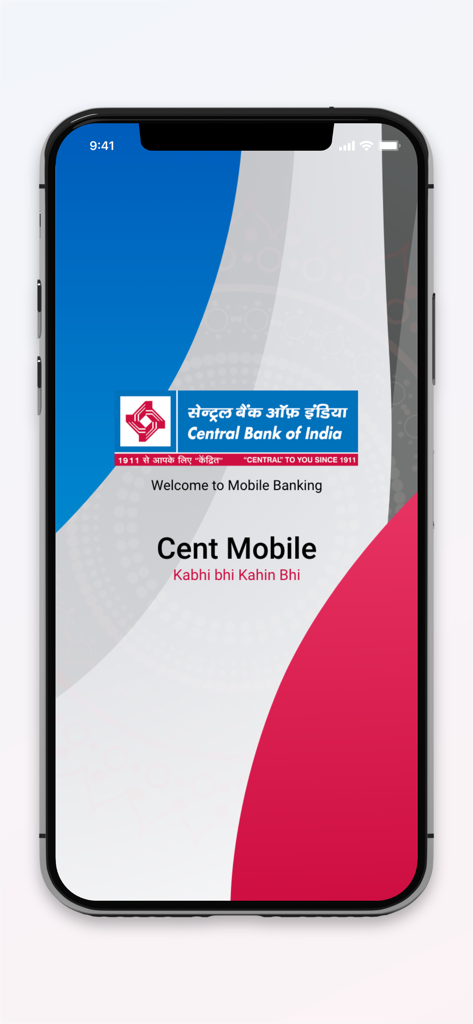
インド中央銀行のCentMobileモバイルバンキングアプリのウェルカムスクリーン
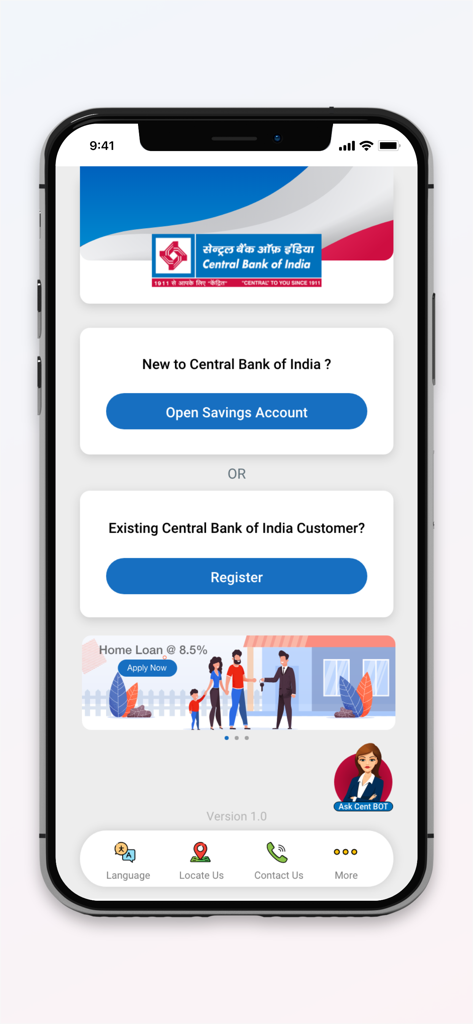
登録と普通預金口座開設オプションを備えたCentMobileアプリのウェルカムスクリーン
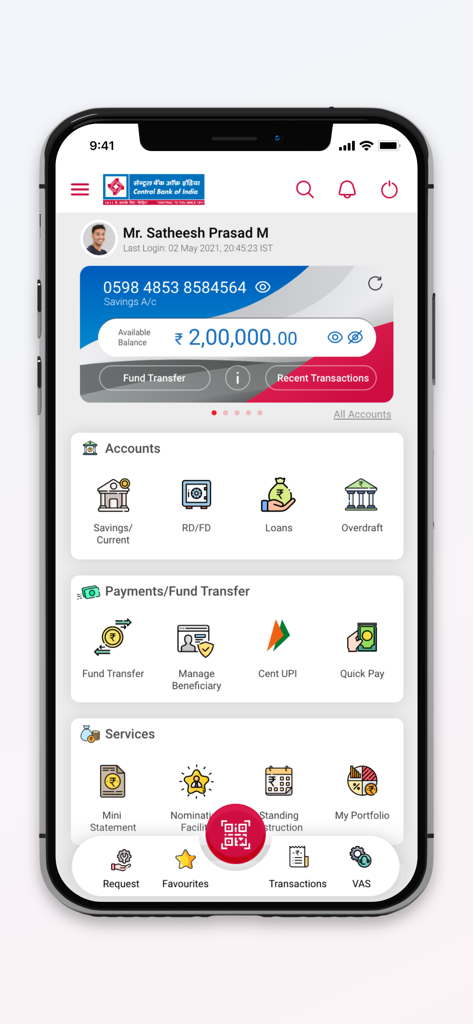
口座残高とメニューオプションが表示されたCentMobileバンキングアプリのダッシュボード
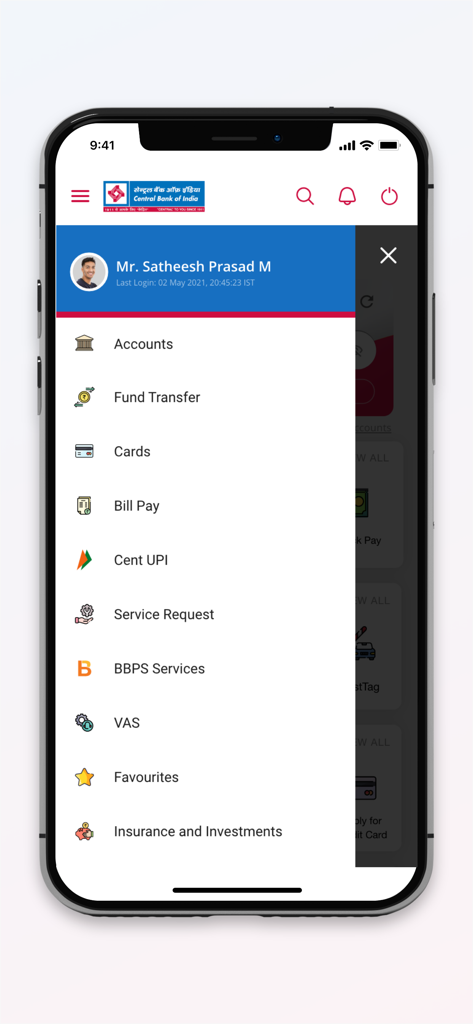
送金や口座などのバンキングサービスを表示するCentMobileアプリのナビゲーションメニュー
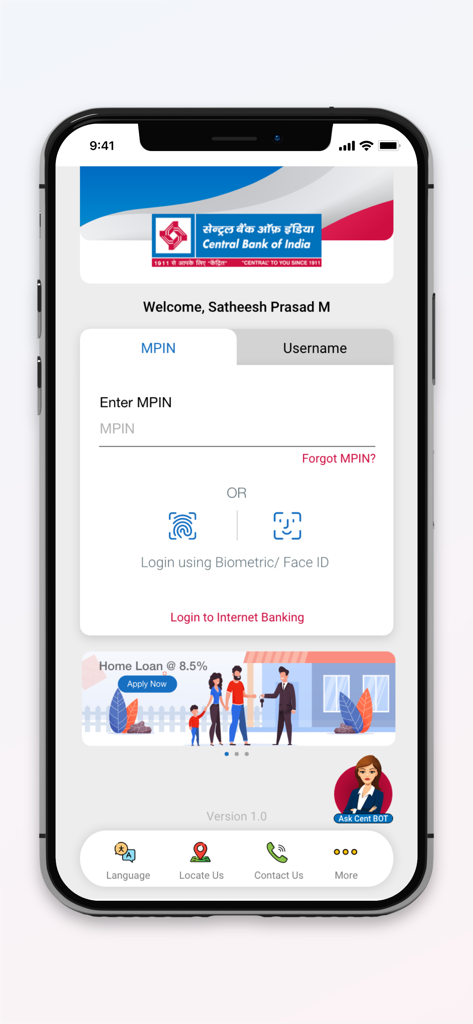
MPINと生体認証オプションを備えたCentMobileアプリのログイン画面
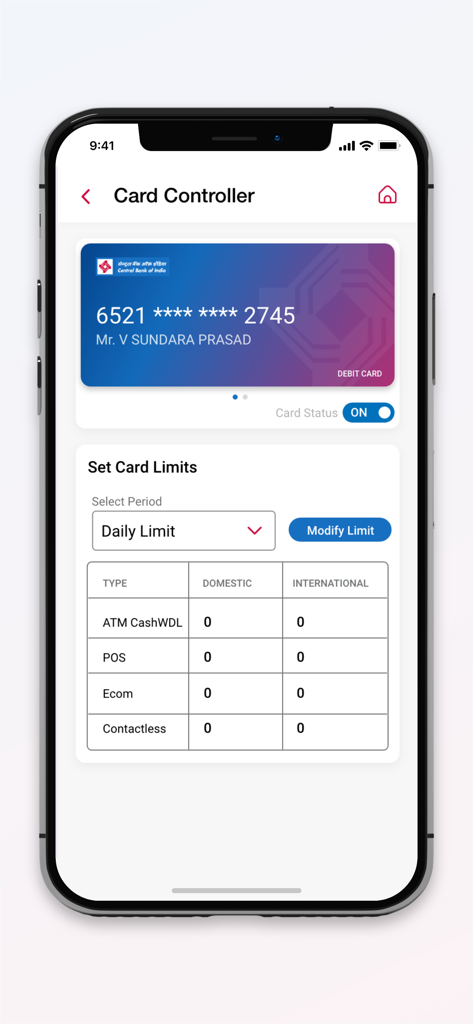
ATMおよびPOSの取引限度額設定とキャッシュカードステータストグルを表示するCentMobileアプリ画面
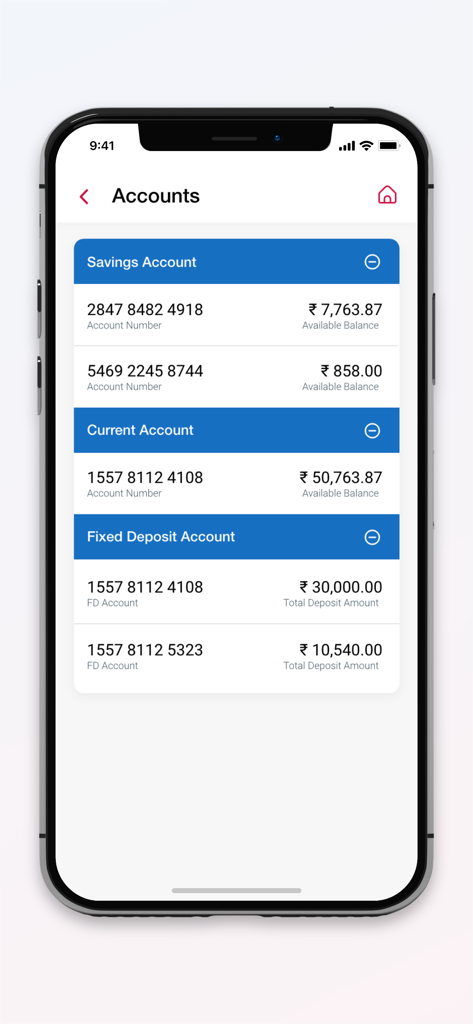
複数の銀行口座タイプと残高が表示されたCentMobileアプリのスクリーンショット
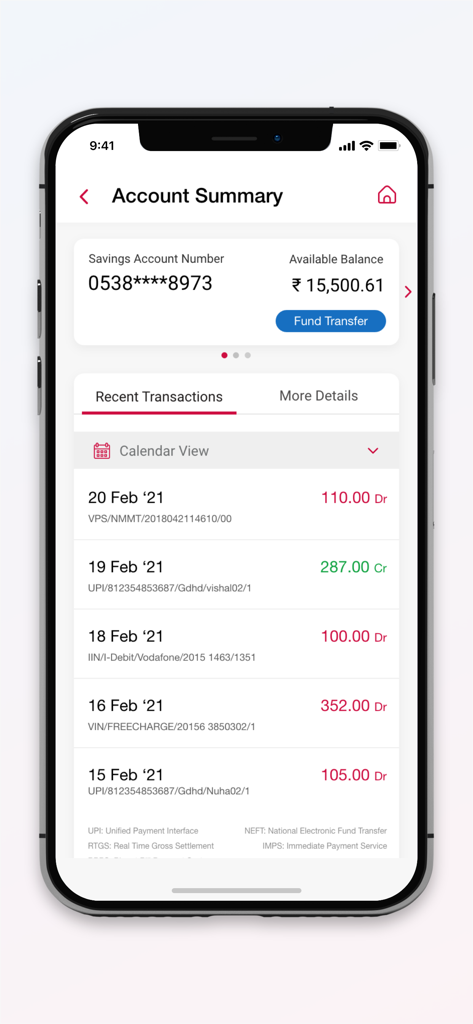
普通預金残高と最近の取引リストが表示されたCentMobileアプリの口座概要画面
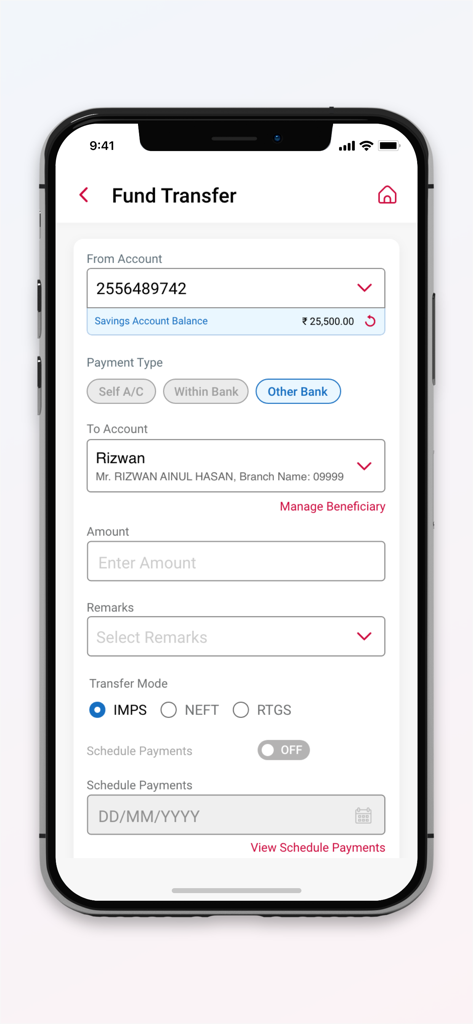
口座と支払い情報が表示されたCentMobileアプリの送金インターフェース
説明
Download
類似アプリ
似た機能とユーザー体験を持つアプリ

Enpara Bank Cep Şube
Enpara Bank Anonim Sirketi

Alinma App - تطبيق الإنماء
Alinma Bank

Huntington Mobile Banking
The Huntington National Bank, Inc

Riyad Bank App
Riyad Bank

國泰世華網路銀行CUBE
Cathay United Bank

中國信託行動銀行
CTBC Bank Co., Ltd.

FNB Banking App
FirstRand Bank Limited

CIMB OCTO MY
CIMB Bank Berhad

Regions Mobile
Regions Financial
このページはアプリまたはその開発者の公式ページではなく、情報提供および論評を目的として作成された独立した編集出版物です。明示的に別段の記載がない限り、アプリおよびその開発者は、MWM、Apple、Google Play、アプリのパブリッシャー、またはアプリの開発者と提携、承認、後援、認可、またはその他の公式的な関係はなく、このページのいかなる内容も、アプリがMWMのサービスを使用して開発されたことを意味するものではありません。すべての商標、ロゴ、スクリーンショット、その他のコンテンツはそれぞれの所有者の財産です。