Chat Backup Restore
Chat Backup Restore
ダウンロード: App Store

このページはアプリまたはその開発者の公式ページではなく、情報提供および論評を目的として作成された独立した編集出版物です。明示的に別段の記載がない限り、アプリおよびその開発者は、MWM、Apple、Google Play、アプリのパブリッシャー、またはアプリの開発者と提携、承認、後援、認可、またはその他の公式的な関係はなく、このページのいかなる内容も、アプリがMWMのサービスを使用して開発されたことを意味するものではありません。すべての商標、ロゴ、スクリーンショット、その他のコンテンツはそれぞれの所有者の財産です。


ロゴ: Chat Backup Restore
ダウンロード: App Store

Chat Backup Restore

個人用およびビジネス用WhatsAppチャットを安全な保管庫に保護します。削除されたメッセージを復元し、メディアをアーカイブし、ハンズフリーで会話を聞くことができます。

主要数値

ダウンロード

900

ユーザー評価

1.0/5

評価数

0

開発元

Reva Desai

カテゴリ

Reference

対応言語

14

最新バージョン

0.4

サイズ

32.4 MB

リリース日

2024年11月18日
機能

すべての瞬間とメッセージを保存

ビジネスアーカイブから大切な家族の思い出まで、強力なツールでWhatsAppデータを完全に管理し、安心感を得られます。

鉄壁のチャット復元

会話、メディア、さらには他人が削除したメッセージも保護します。WhatsAppから削除されても、データは安全に保たれます。

スマートテキスト読み上げ

移動中でも生産性を維持できます。通勤中やジムでのセッション中に、画面を見ずに長いメッセージスレッドやビジネスブリーフィングをハンズフリーで聞くことができます。

以下のスクリーンショットと説明は、アプリの公式ストアリスティングから直接取得されたものであり、アプリ開発者の所有物です。

アプリストア

スクリーンショット
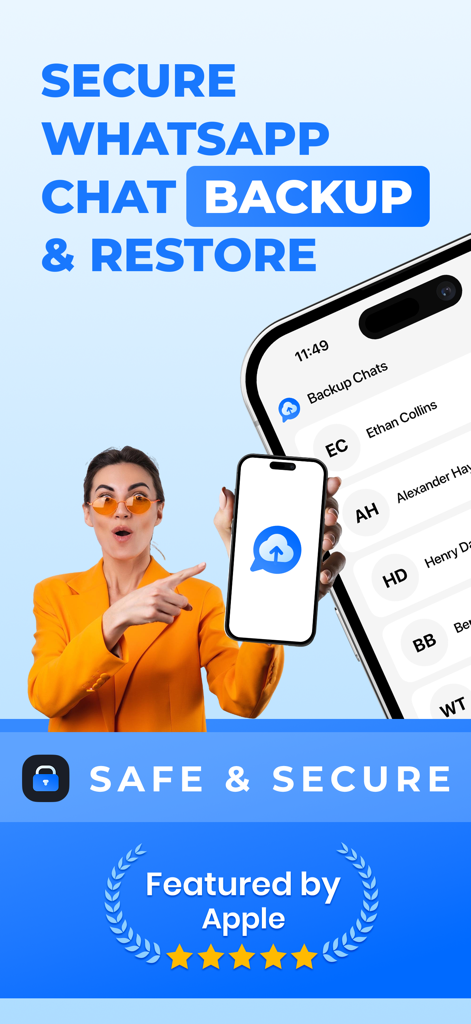
Chat Backup Restore - 安全なWhatsAppチャットバックアップおよび復元モバイルアプリのプロモーション
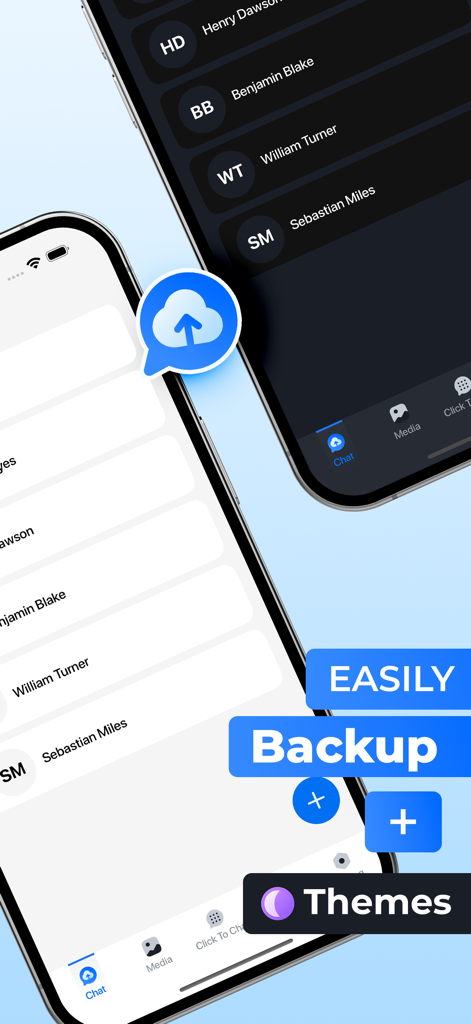
安全なWhatsAppチャットバックアップおよび復元モバイルアプリのプロモーション

Chat Backup Restore - メッセージ履歴のライトモードとダークモードテーマを表示するChat Backup Restoreアプリのインターフェース
メッセージ履歴のライトモードとダークモードテーマを表示するChat Backup Restoreアプリのインターフェース

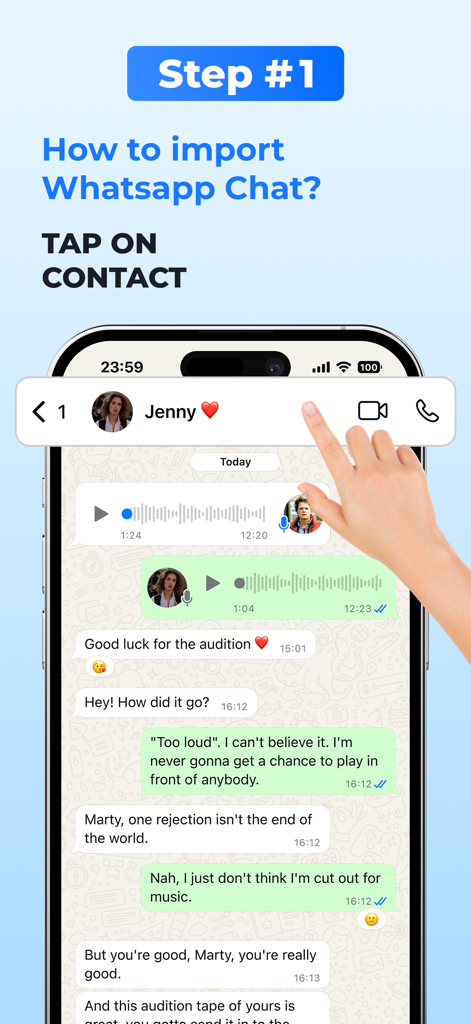
Chat Backup Restore - 連絡先プロファイルをタップしてWhatsAppチャットをインポートする方法を示すチュートリアル画面
連絡先プロファイルをタップしてWhatsAppチャットをインポートする方法を示すチュートリアル画面

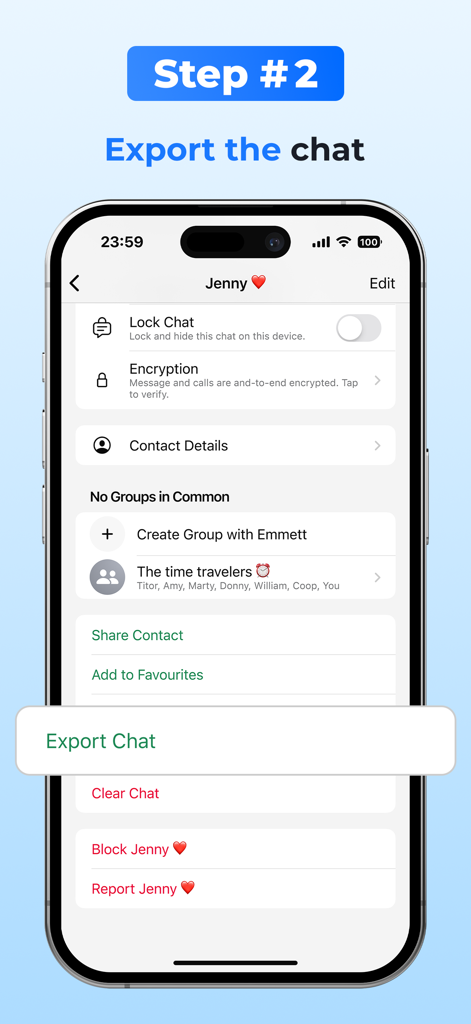
Chat Backup Restore - バックアップのためにWhatsAppチャットをエクスポートする方法を示すステップバイステップの説明
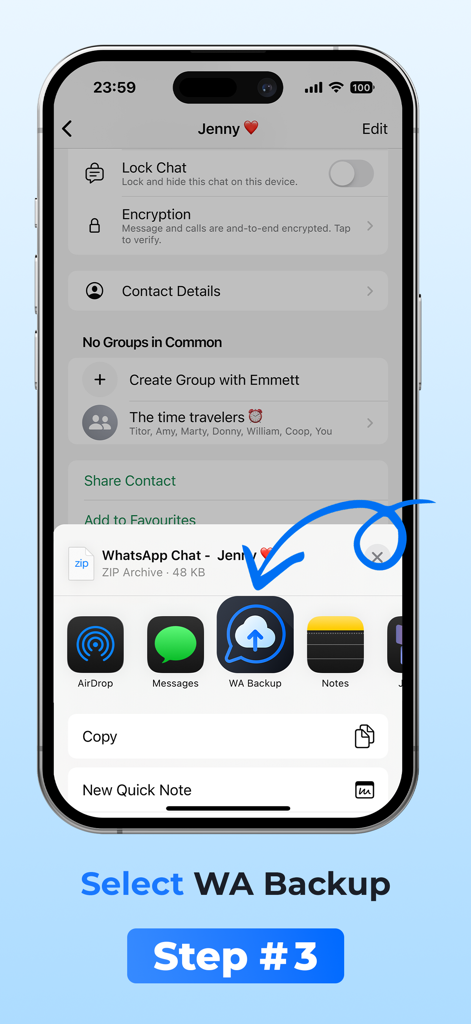
バックアップのためにWhatsAppチャットをエクスポートする方法を示すステップバイステップの説明

Chat Backup Restore - 共有メニューでWA Backupアイコンを選択する方法を示すiPhone画面
共有メニューでWA Backupアイコンを選択する方法を示すiPhone画面

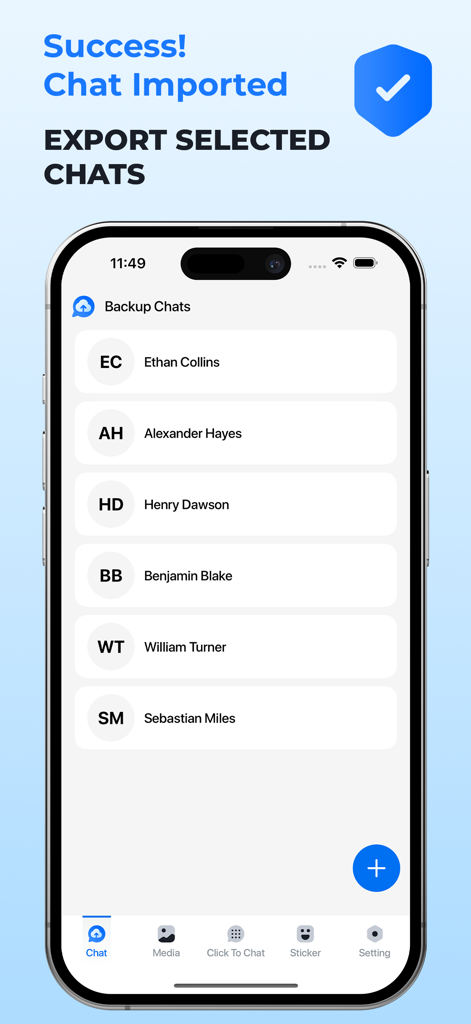
Chat Backup Restore - 正常にインポートされたWhatsAppチャットのリストを表示するモバイルアプリ画面
正常にインポートされたWhatsAppチャットのリストを表示するモバイルアプリ画面

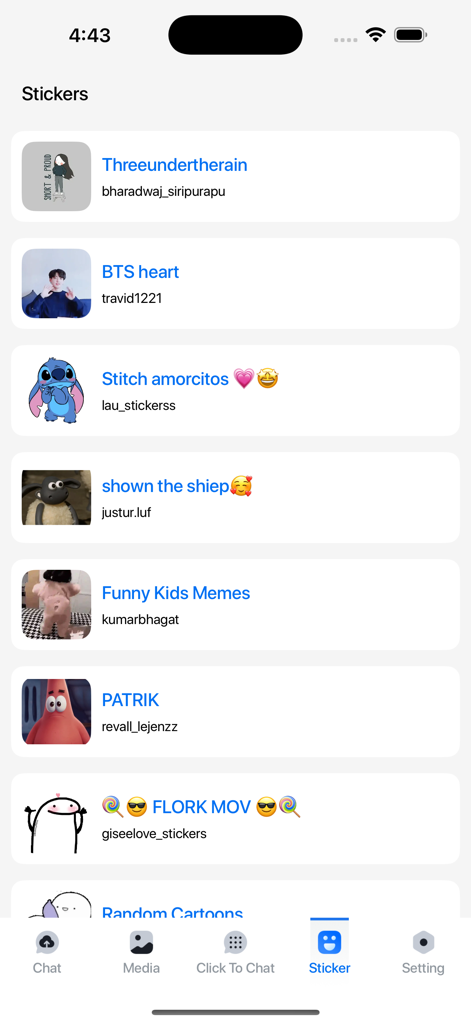
Chat Backup Restore - さまざまなキャラクターパックを示すChat Backup Restoreアプリ内のアニメーションステッカーのライブラリ
さまざまなキャラクターパックを示すChat Backup Restoreアプリ内のアニメーションステッカーのライブラリ

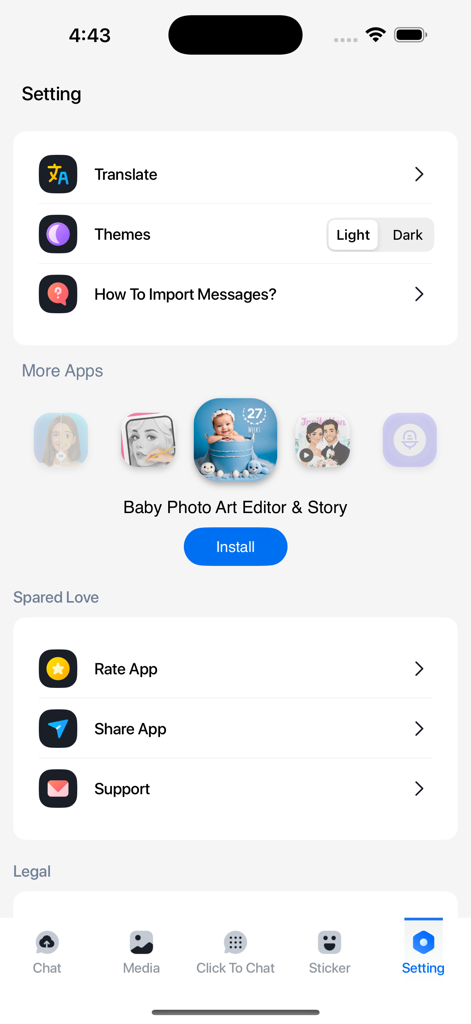
Chat Backup Restore - 翻訳テーマとインポート手順のオプションを備えたChat Backup Restoreアプリの設定メニュー

翻訳テーマとインポート手順のオプションを備えたChat Backup Restoreアプリの設定メニュー

説明

Never lose an important WhatsApp conversation again! With Backup WA Chat, you can easily back up, secure, and access your chats, media, and documents—even deleted ones—through a WhatsApp-like interface. Import your data from multiple sources and ensure it's always safe and available. Why Choose Backup WA Chat? Import & Backup WhatsApp Chats Easily back up your WhatsApp chats, including media, links, and documents. Even if a chat gets deleted from WhatsApp, you’ll still have access to it in our app. Animated Stickers for WhatsApp Spice up your conversations with animated stickers! Access a wide collection or create your own, making your chats more expressive and fun. WhatsApp-like Preview Enjoy a familiar interface when viewing your backed-up chats, complete with timestamps and message order. Import Chats from Multiple Platforms Whether it’s WhatsApp Business, Google Drive, or your device’s storage, Backup WA Chat supports multiple import options. Key Features * Text-to-Speech
Listen to your messages on the go—perfect for hands-free use or multilingual chats. * Quick Navigation
Jump to the first or last message of any chat instantly. How to Use Backup WA Chat 1. Open WhatsApp and select the chat to back up. 2. Include or exclude media, then select Backup WA Chat as the destination. 3. Your chat is securely backed up, including animated stickers! Embrace the future of communication with Text to Speech - Reader! Download now to explore a world of seamless text and voice interaction, all in the palm of your hand. Information about the auto-renewable nature of the subscription. Confirm subscription: Payment will be charged to iTunes Account at confirmation of purchase. Manage subscriptions: Users can manage or unsubscribe in iTunes & App Store account management in the phone system settings. Auto-renewal: Apple iTunes account will be charged for renewal within 24-hours prior to the end of the current subscription period. To cancel the renewal, please turn off auto-renew manually at least 24-hours before the end of the period. No cancellation of the current subscription is allowed during the active subscription period. You can go to the Account Settings to cancel the renewal before the trial ends. The current free trial will be forfeited when you purchase a subscription to the premium version before the trial period ends. By using the app, you confirm that you acknowledge and accept our Privacy Policy and Terms of Service: Privacy Policy: https://sites.google.com/view/reva-desai/privacy Terms of Service: https://sites.google.com/view/reva-desai/terms If you would like to use our App but have trouble affording it please email us at reva.desai2000@gmail.com

Download

ダウンロード: App Store

このページはアプリまたはその開発者の公式ページではなく、情報提供および論評を目的として作成された独立した編集出版物です。明示的に別段の記載がない限り、アプリおよびその開発者は、MWM、Apple、Google Play、アプリのパブリッシャー、またはアプリの開発者と提携、承認、後援、認可、またはその他の公式的な関係はなく、このページのいかなる内容も、アプリがMWMのサービスを使用して開発されたことを意味するものではありません。すべての商標、ロゴ、スクリーンショット、その他のコンテンツはそれぞれの所有者の財産です。







