Chinese Checkers Online
ダウンロード: App Store

このページはアプリまたはその開発者の公式ページではなく、情報提供および論評を目的として作成された独立した編集出版物です。明示的に別段の記載がない限り、アプリおよびその開発者は、MWM、Apple、Google Play、アプリのパブリッシャー、またはアプリの開発者と提携、承認、後援、認可、またはその他の公式的な関係はなく、このページのいかなる内容も、アプリがMWMのサービスを使用して開発されたことを意味するものではありません。すべての商標、ロゴ、スクリーンショット、その他のコンテンツはそれぞれの所有者の財産です。


ロゴ: Chinese Checkers Online
ダウンロード: App Store

Chinese Checkers Online

クラシックな星型ボードゲームで、あなたの頭脳をシャープに保ちましょう。オンラインで友達に挑戦したり、スマートボットと対戦したり、中断のない純粋な戦略を、完全に広告なしで楽しめます。

主要数値

ダウンロード

16K+

ユーザー評価

4.5/5

評価数

1K+

開発元

Xiang Dong

カテゴリ

Games

対応言語

1

最新バージョン

2.1.3

サイズ

40.6 MB

リリース日

2021年11月25日
機能

すべての動きをマスター

高度なAIとのソロプレイでも、世界中の友人との対戦でも、あなたの頭脳をシャープに保つために設計された、邪魔されない体験。

純粋な広告なしゲームプレイ

クリーンでミニマルなインターフェースで、戦略に完全に集中できます。邪魔な広告は一切なく、あなたの流れを中断しません。

戦略を研ぎ澄ます

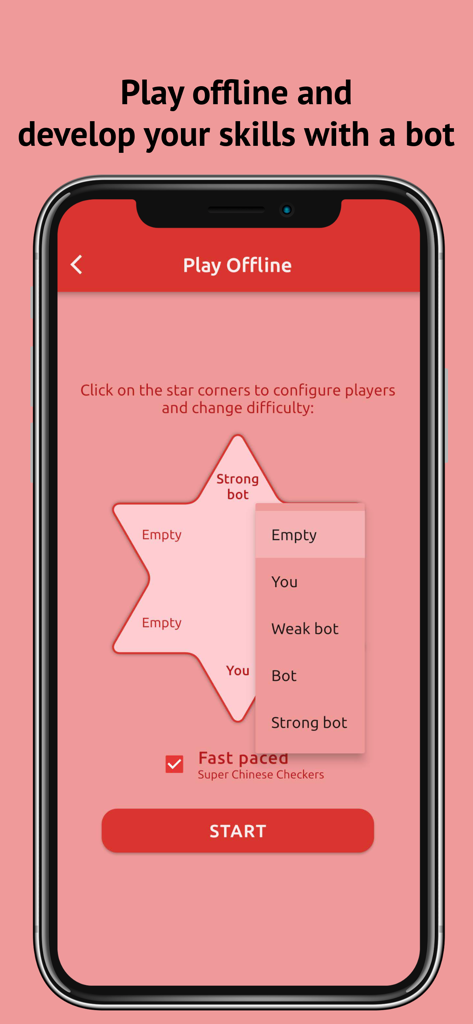
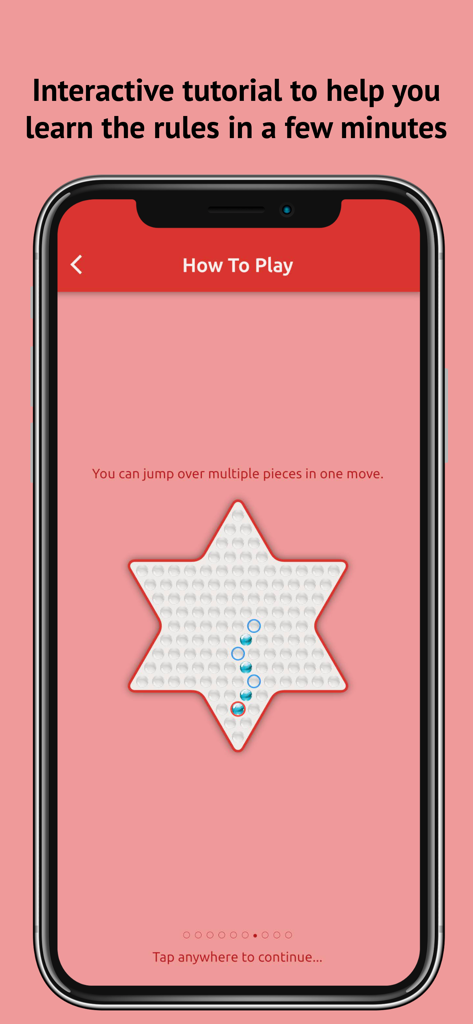
3つのレベルのインテリジェントボットとの練習で、あなたの頭脳を機敏に保つか、インタラクティブなチュートリアルを使用して、数分でルールをマスターしましょう。

以下のスクリーンショットと説明は、アプリの公式ストアリスティングから直接取得されたものであり、アプリ開発者の所有物です。

アプリストア

スクリーンショット
Chinese Checkers Online - 星形のボード上で、赤と青のマーブルを使った中国象棋のゲームプレイを示すモバイルスクリーンショット
星形のボード上で、赤と青のマーブルを使った中国象棋のゲームプレイを示すモバイルスクリーンショット

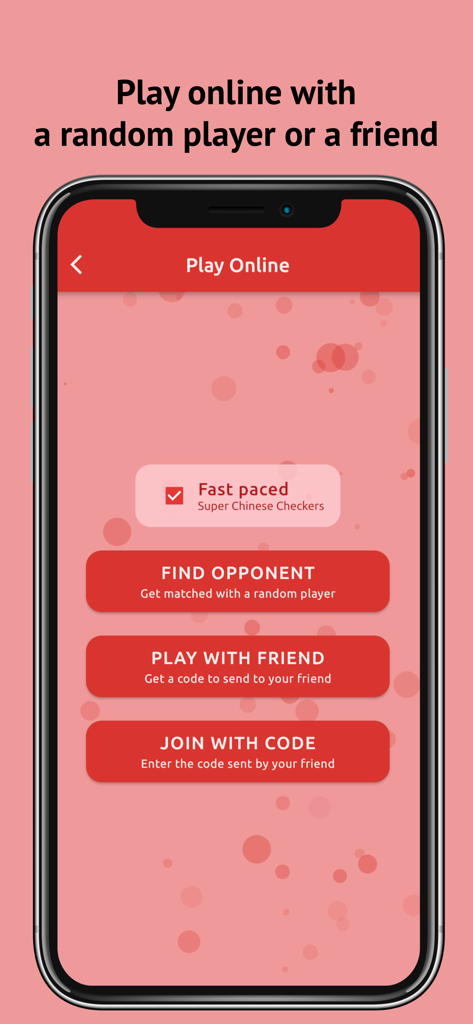
Chinese Checkers Online - 中国象棋 オンラインアプリ画面。ランダムな対戦相手やプライベートコードを使った友達とのオンラインプレイのオプションを表示
中国象棋 オンラインアプリ画面。ランダムな対戦相手やプライベートコードを使った友達とのオンラインプレイのオプションを表示

Chinese Checkers Online - 中国象棋 オンラインでのコンピューターボットとのオフラインプレイ設定画面

中国象棋 オンラインでのコンピューターボットとのオフラインプレイ設定画面

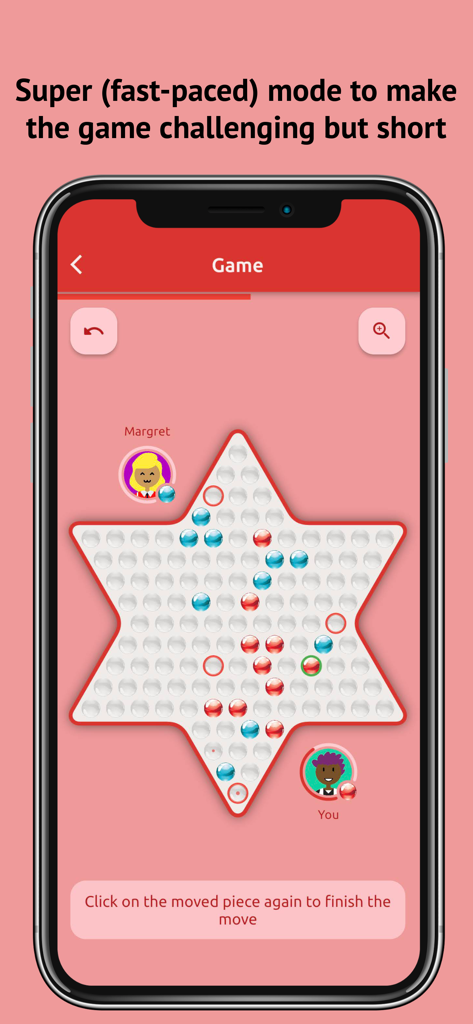
Chinese Checkers Online - 中国象棋 オンラインの、星形のボード上での高速スーパーモードのゲームプレイを示すスクリーンショット
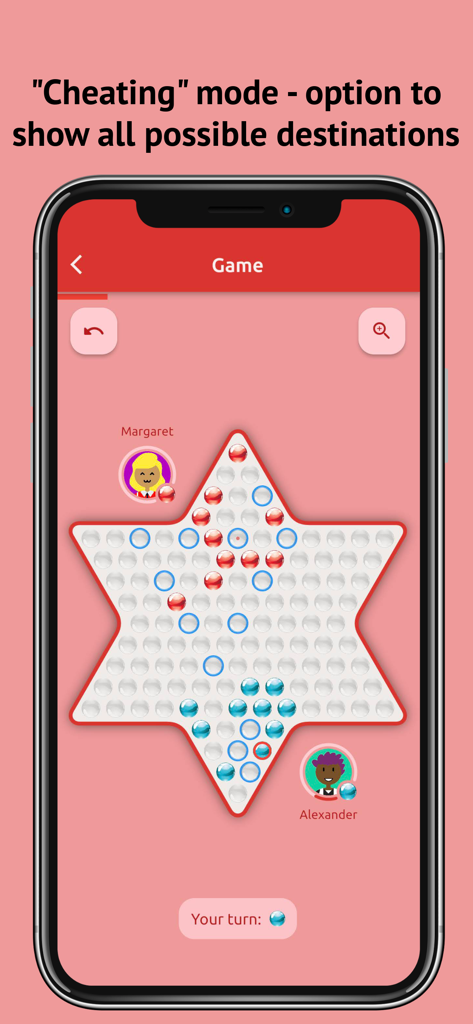
中国象棋 オンラインの、星形のボード上での高速スーパーモードのゲームプレイを示すスクリーンショット

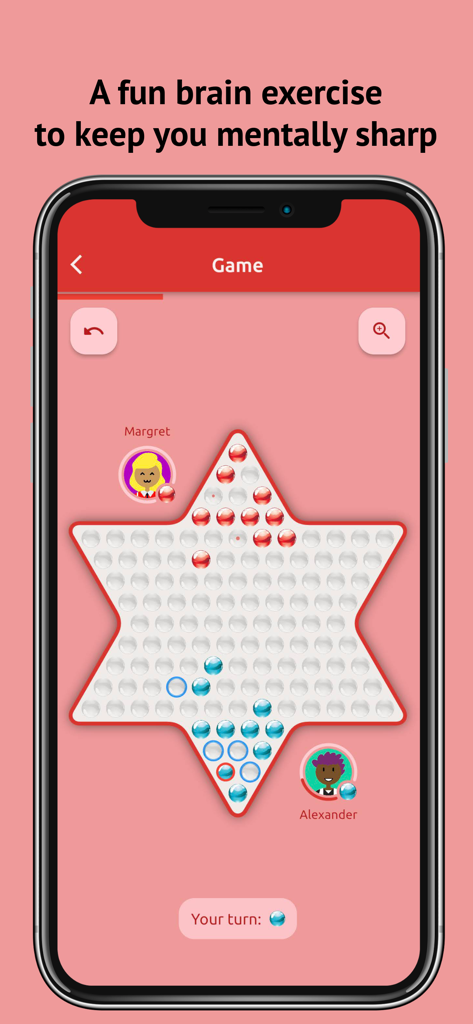
Chinese Checkers Online - 中国象棋のゲームプレイ画面。プレイヤーのターンでの可能な移動先がハイライト表示されている
中国象棋のゲームプレイ画面。プレイヤーのターンでの可能な移動先がハイライト表示されている

Chinese Checkers Online - 中国象棋のインタラクティブチュートリアル画面。駒の動かし方やジャンプの仕方を表示
中国象棋のインタラクティブチュートリアル画面。駒の動かし方やジャンプの仕方を表示

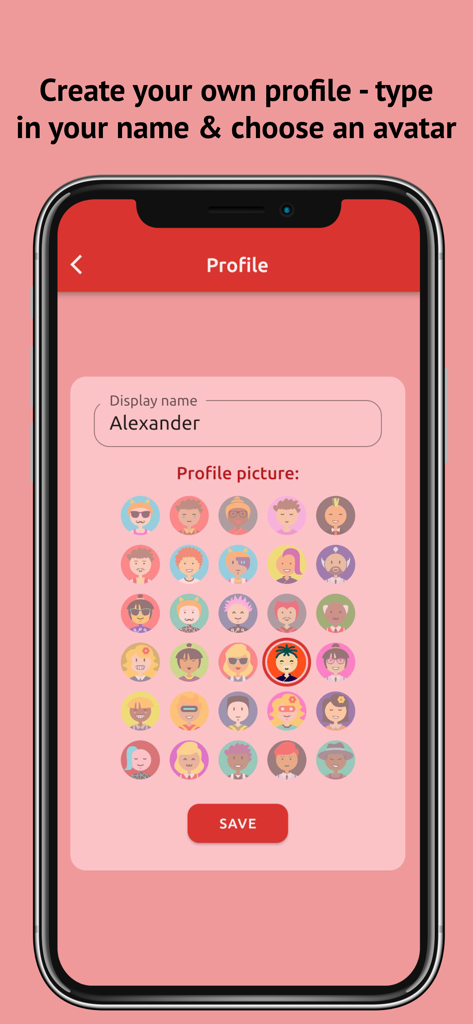
Chinese Checkers Online - 名前入力とアバター選択を備えた、ユーザープロフィール作成画面

名前入力とアバター選択を備えた、ユーザープロフィール作成画面

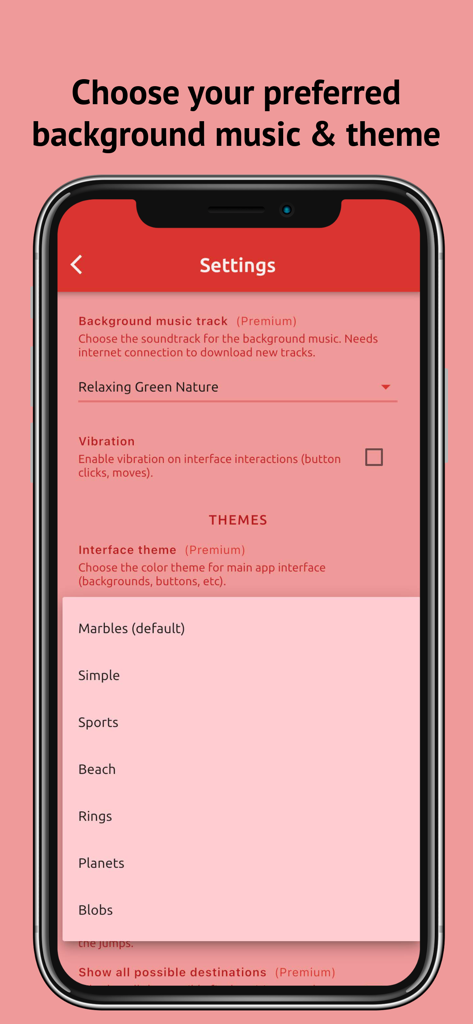
Chinese Checkers Online - 中国象棋 オンラインの設定画面。インターフェーステーマとBGMのオプションを表示

中国象棋 オンラインの設定画面。インターフェーステーマとBGMのオプションを表示

説明

Features: - designed for people who are interested in strategy board games (checkers or draughts). - a fun brain exercise to keep you mentally sharp. - can be played by 2 - 6 players. - both the normal mode and the Super Chinese Checkers mode (the fast-paced mode usually takes much less time to finish) are available. - can be played both online and offline. - play online by matching with a random player or creating a match with a friend. - play offline and develop your skills with a bot(s) (weak/medium/strong bot). - play locally with another player on the same device. - interactive tutorial to help you learn the rules in only a few minutes. - absolutely no ads. - choose your preferred background music. - choose your preferred interface theme and game board theme. - choose to display all possible destinations of one ball (this will make the game much easier for you to win). - create your own profile: type your name and choose an avatar. - easy to understand user interface. -------- The game Chinese checkers (also known as Sternhalma or Chinese chequers) is a popular board game originating from Germany. It is played on a star-shaped board by 2 to 6 players. Each player tries to move all of their pieces from their starting corner to the opposite one. To learn more about the rules of the game, click “Read rules” on the main screen. -------- Game modes The app allows you to play the game both online and offline. There are two ways of playing online: 1. be matched to a random opponent, 2. create a private game and play with your friends or join such a game by typing in the code. Offline games offer capabilities to play against the computer, or against another player locally on the same device. You can configure the game to have any number of players (e.g. you against a bot, or you against 5 bots). -------- Bots Currently 3 different bots are available: “weak bot”, “medium bot” and “strong bot". As the name suggests, weak bot simulates a weak player that frequently makes non-optimal moves. Choose this option if you just started learning the game. Regular bot is much smarter, though experienced players should be able to beat it. It takes even more effects to beat a strong bot. -------- Profile Click on the person icon on the bottom-right corner of the main screen to configure your profile which is displayed to other players during online games. You can type in your name and choose an avatar. -------- Settings Click on the gear icon on the main page to open the Settings screen. It allows you to configure the game to match your preferences. In Settings, you can: - adjust interface sounds volume (button clicks, moves, game end & other sounds); - adjust background music volume; - choose background music track; - choose interface theme and game board theme; - switch on/off Super Chinese Checkers mode; - switch on/off “cheating” mode: show all possible destinations; - and many more. -------- How to play Click the “Read rules” button on the main screen to watch an interactive tutorial. -------- Privacy Policy: https://www.dong.digital/chinesecheckers/privacy/ Terms of Use: https://www.dong.digital/chinesecheckers/tos/ Have fun!

Download

ダウンロード: App Store

このページはアプリまたはその開発者の公式ページではなく、情報提供および論評を目的として作成された独立した編集出版物です。明示的に別段の記載がない限り、アプリおよびその開発者は、MWM、Apple、Google Play、アプリのパブリッシャー、またはアプリの開発者と提携、承認、後援、認可、またはその他の公式的な関係はなく、このページのいかなる内容も、アプリがMWMのサービスを使用して開発されたことを意味するものではありません。すべての商標、ロゴ、スクリーンショット、その他のコンテンツはそれぞれの所有者の財産です。