Chord Archiver
Chord Archiver
ダウンロード: App Store

このページはアプリまたはその開発者の公式ページではなく、情報提供および論評を目的として作成された独立した編集出版物です。明示的に別段の記載がない限り、アプリおよびその開発者は、MWM、Apple、Google Play、アプリのパブリッシャー、またはアプリの開発者と提携、承認、後援、認可、またはその他の公式的な関係はなく、このページのいかなる内容も、アプリがMWMのサービスを使用して開発されたことを意味するものではありません。すべての商標、ロゴ、スクリーンショット、その他のコンテンツはそれぞれの所有者の財産です。

ロゴ: Chord Archiver
ダウンロード: App Store

Chord Archiver

分厚い紙のバインダーとはもうさよなら。あなたのレパートリーを整理し、コードを瞬時に移調し、iPad上でハンズフリーで演奏しましょう。オートスクロール機能も搭載。

主要数値

ダウンロード

2K+

ユーザー評価

3.7/5

評価数

100

開発元

Davide Troise

カテゴリ

Music

対応言語

2

最新バージョン

2.1.2

サイズ

4.4 MB

リリース日

2011年6月22日
機能

すべてのパフォーマンスを楽にマスター

重たいバインダーはもう必要ありません。Chord Archiverは、スマートスクロール、瞬時の移調、シームレスなセットリスト管理機能を備えたプロ仕様の譜面台にあなたのiPadを変身させます。

スマートオートスクロール

両手を楽器に。曲ごとにカスタムスクロール速度を設定すれば、歌詞とコードがあなたのリズムに合わせて完璧に動きます。

ワンタップ移調

どんな歌手の音域にも瞬時にキーを変更。複雑な曲でも、簡単な運指を見つけるためのスマートコード提案機能も利用できます。

以下のスクリーンショットと説明は、アプリの公式ストアリスティングから直接取得されたものであり、アプリ開発者の所有物です。

アプリストア

スクリーンショット
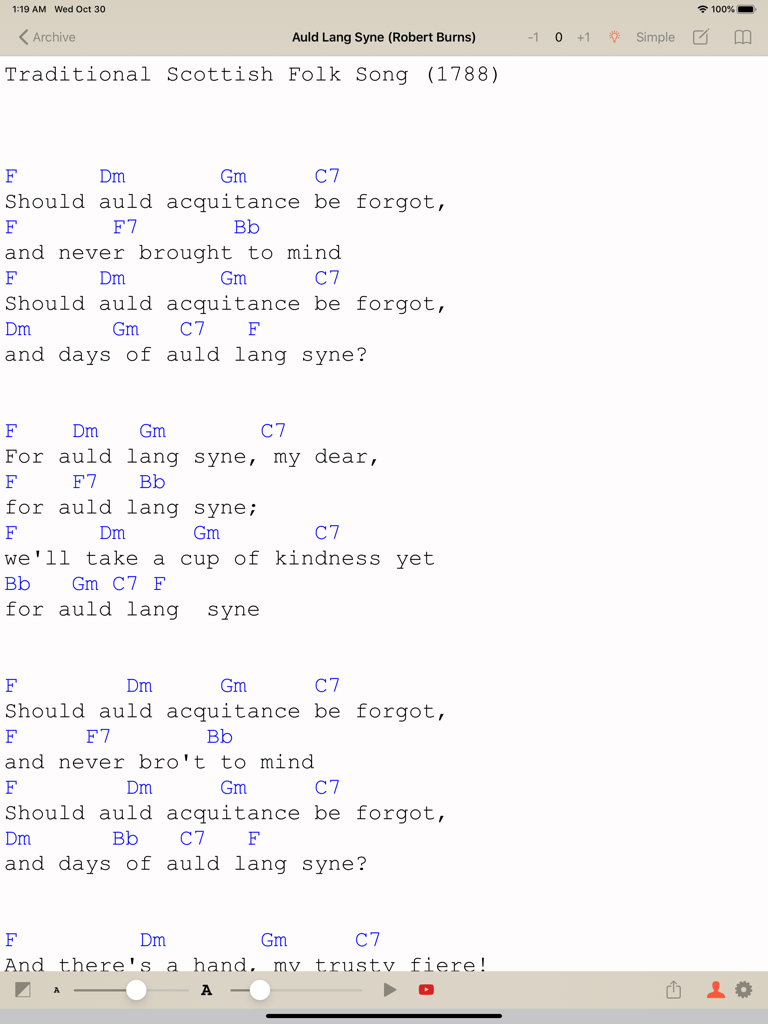
Chord Archiver - Auld Lang Syneの歌詞とコードが表示されたChord ArchiverのiPadインターフェース。移調およびオートスクロールコントロール付き
Auld Lang Syneの歌詞とコードが表示されたChord ArchiverのiPadインターフェース。移調およびオートスクロールコントロール付き

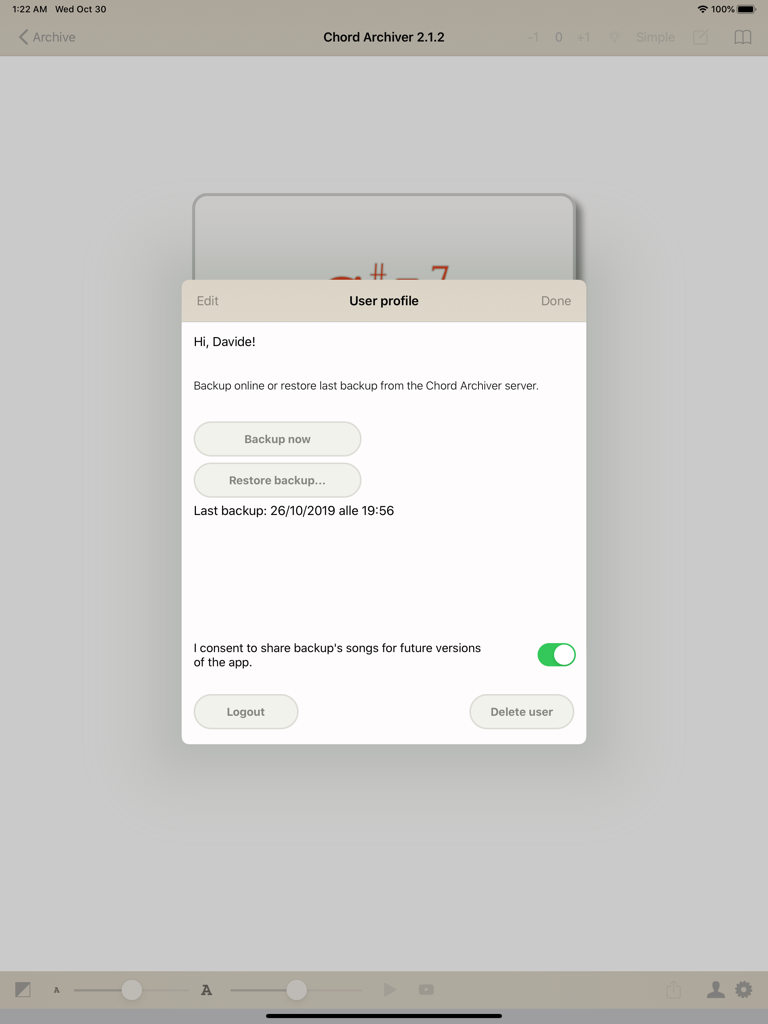
Chord Archiver - Chord Archiver iPadアプリのユーザープロファイルインターフェース。バックアップおよび復元オプションが含まれています。
Chord Archiver iPadアプリのユーザープロファイルインターフェース。バックアップおよび復元オプションが含まれています。

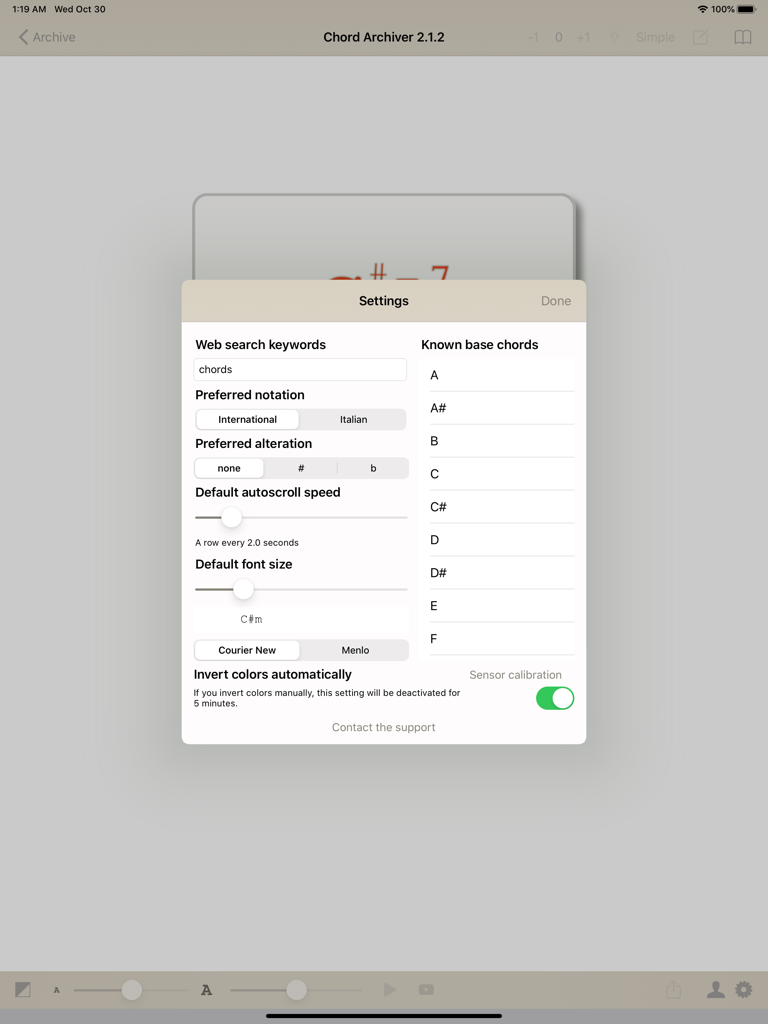
Chord Archiver - Chord Archiver iPadアプリの設定メニュー。オートスクロール速度、フォントサイズ、コード表記のオプションが表示されています。

Chord Archiver iPadアプリの設定メニュー。オートスクロール速度、フォントサイズ、コード表記のオプションが表示されています。

説明

Tired of printing lyrics, tab and chords wasting paper, ink and time? With Chord Archiver you can archive your songs (with lyrics, chords and tabs) manually or through the web, saving songs in the App. You can also insert the YouTube link to the relative video, so you can play it in a box while you're studying the song and learn it quickly. Songs are sorted by author, and you can use a full-text search to help you finding a song easily. Playlists You can create as many playlists as you want, and rearrange them. These songs are displayed in a menu on the right. You can decide the order of these songs and create a real outline for your live performance! After selecting a song from a playlist, you can browse the playlist back and forth in an simple way: swipe right or left to change song in that playlist. Print and sharing If you want, you can print a song directly in the app or share it with your band,by simply using an email address. Transposition and hints You can transpose chords with the buttons labelled +1 and -1, next to the song's title. If you select the chors you can play (in Settings), the lightbulb shaped button will suggest to you in which transposition you can play that song! Autoscroll and font size features. Long songs have long lyrics and chords: with autoscroll you can scroll without touching the display. You can change the font size and the autoscroll speed. Chord Archiver saves for you these settings for each song. Online Backup Your archive is getting bigger and bigger and you do not want to risk to lose it? Sign up for a Chord Archiver account and you can subscribe to the Online Backup service via the auto-renewable in-app subscription that lasts one year. For more informations see http://troise.net/dev/chordarchiver/docs/terms_of_service_en.php. By subscribing to the Online Backup service, you can back up your entire music archive and restore it at any time, even on another device.

Download

ダウンロード: App Store

このページはアプリまたはその開発者の公式ページではなく、情報提供および論評を目的として作成された独立した編集出版物です。明示的に別段の記載がない限り、アプリおよびその開発者は、MWM、Apple、Google Play、アプリのパブリッシャー、またはアプリの開発者と提携、承認、後援、認可、またはその他の公式的な関係はなく、このページのいかなる内容も、アプリがMWMのサービスを使用して開発されたことを意味するものではありません。すべての商標、ロゴ、スクリーンショット、その他のコンテンツはそれぞれの所有者の財産です。







