Chordio: compose & learn music
ダウンロード: App Store

このページはアプリまたはその開発者の公式ページではなく、情報提供および論評を目的として作成された独立した編集出版物です。明示的に別段の記載がない限り、アプリおよびその開発者は、MWM、Apple、Google Play、アプリのパブリッシャー、またはアプリの開発者と提携、承認、後援、認可、またはその他の公式的な関係はなく、このページのいかなる内容も、アプリがMWMのサービスを使用して開発されたことを意味するものではありません。すべての商標、ロゴ、スクリーンショット、その他のコンテンツはそれぞれの所有者の財産です。


ロゴ: Chordio: compose & learn music
ダウンロード: App Store

Chordio: compose & learn music

プロレベルのコード進行をアンロックし、40以上のスケールを探求し、MIDIを直接DAWにエクスポート。ベッドルームプロデューサーから音楽学生まで、iPadとMacでクリエイティブなワークフローを変革しましょう。

主要数値

ダウンロード

2K+

ユーザー評価

4.4/5

評価数

0

開発元

Anthony Briscoe

カテゴリ

Music

対応言語

1

最新バージョン

3.0.6

サイズ

172.2 MB

リリース日

2022年8月4日
機能

サウンドを簡単にマスター

ベッドルームビートからプロのスコアまで、Chordioは、インスピレーションと完成したトラックの間のギャップを埋めるために必要なAI搭載ツールと音楽理論の洞察を提供します。

AI駆動のソングライティング

プロレベルの進行を数秒で作成するインテリジェントなコード提案と自動ジェネレーターで、クリエイティブな行き詰まりを打破しましょう。

シームレスなDAW統合

MIDIシーケンスをLogic Pro、Ableton、またはお気に入りのワークステーションに直接ドラッグアンドドロップして、iPadまたはMacをプロダクションの強力なツールに変えましょう。

以下のスクリーンショットと説明は、アプリの公式ストアリスティングから直接取得されたものであり、アプリ開発者の所有物です。

アプリストア

スクリーンショット
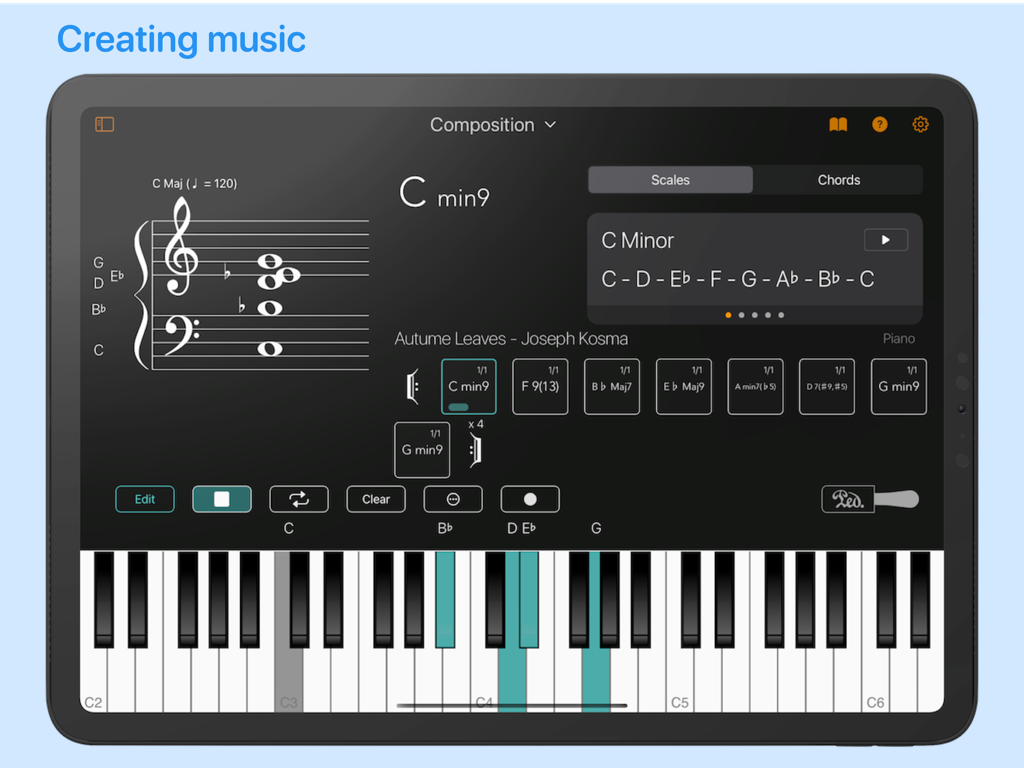
Chordio: compose & learn music - Chordioアプリの作曲インターフェイス。楽譜、コード進行、仮想ピアノキーボードが表示されます。
Chordioアプリの作曲インターフェイス。楽譜、コード進行、仮想ピアノキーボードが表示されます。

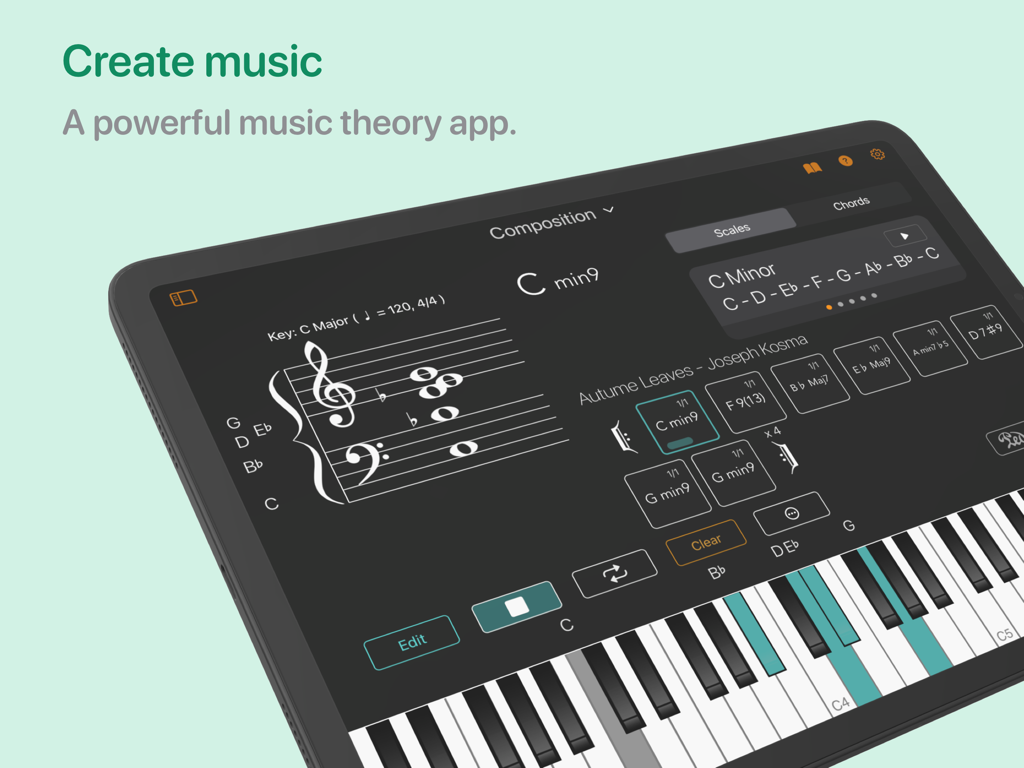
Chordio: compose & learn music - iPad上のChordioアプリの音楽作曲インターフェイス。コードシーケンサーと仮想ピアノキーボードが表示されます。
iPad上のChordioアプリの音楽作曲インターフェイス。コードシーケンサーと仮想ピアノキーボードが表示されます。

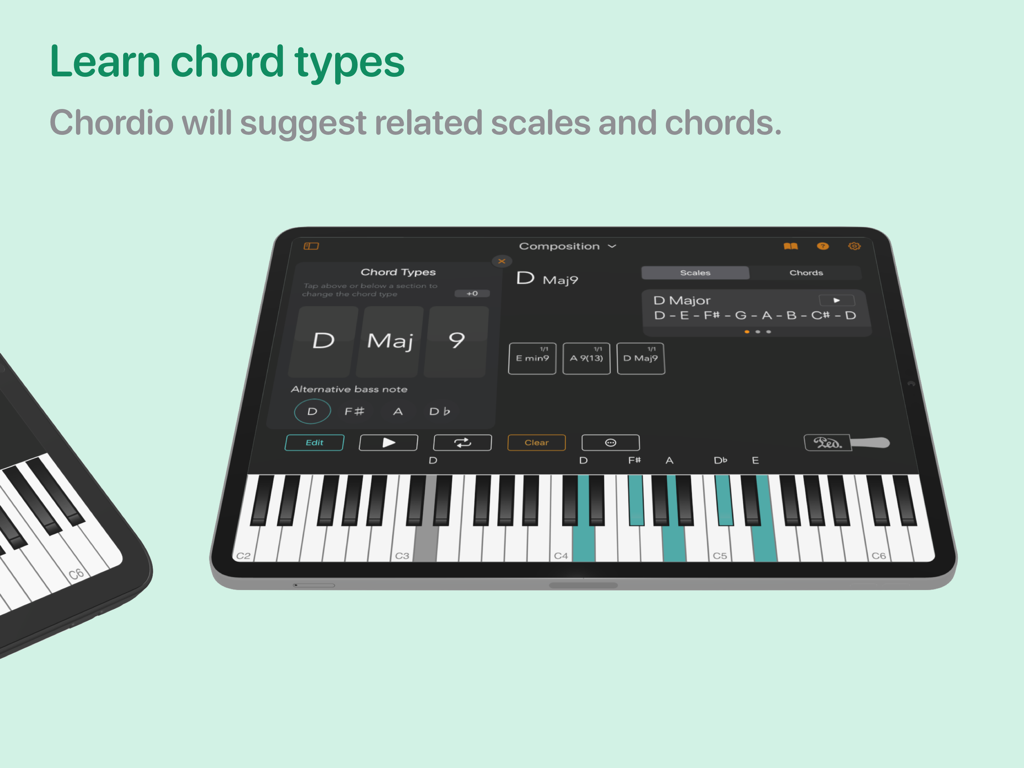
Chordio: compose & learn music - iPad上のChordioアプリのインターフェイス。コードタイプ選択と提案されたスケールが表示され、ピアノキーボードが強調表示されます。
iPad上のChordioアプリのインターフェイス。コードタイプ選択と提案されたスケールが表示され、ピアノキーボードが強調表示されます。

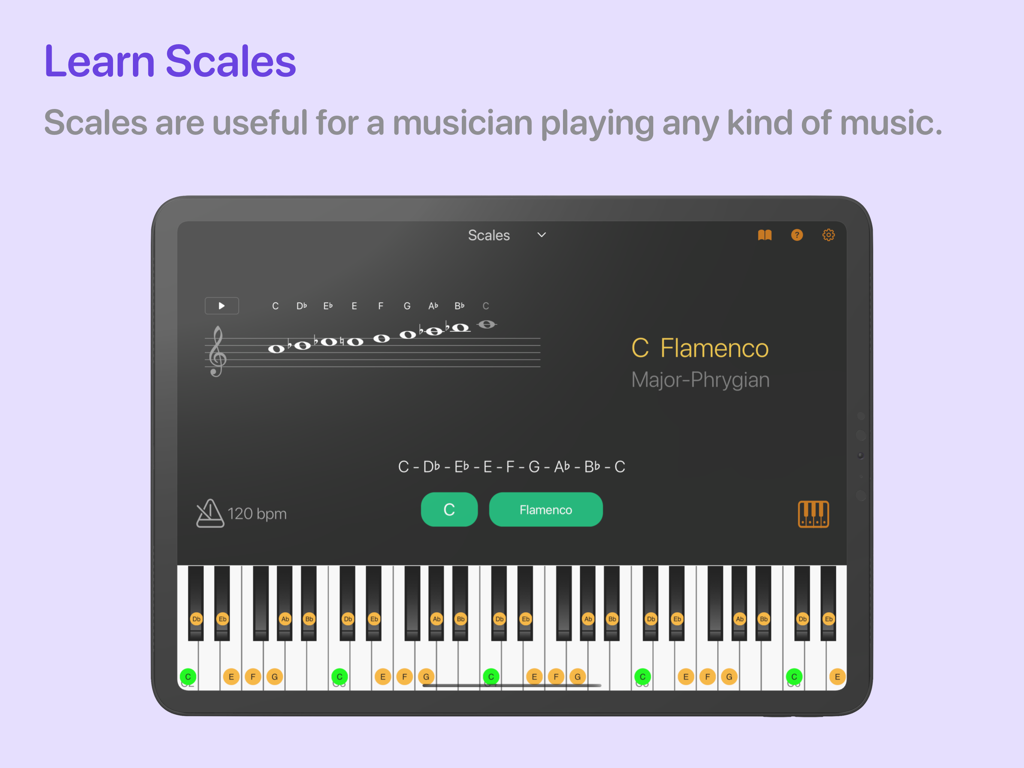
Chordio: compose & learn music - iPad上のChordioアプリのインターフェイス。グランドスタッフと強調表示されたピアノキーボードにCフラメンコスケールが表示されます。
iPad上のChordioアプリのインターフェイス。グランドスタッフと強調表示されたピアノキーボードにCフラメンコスケールが表示されます。

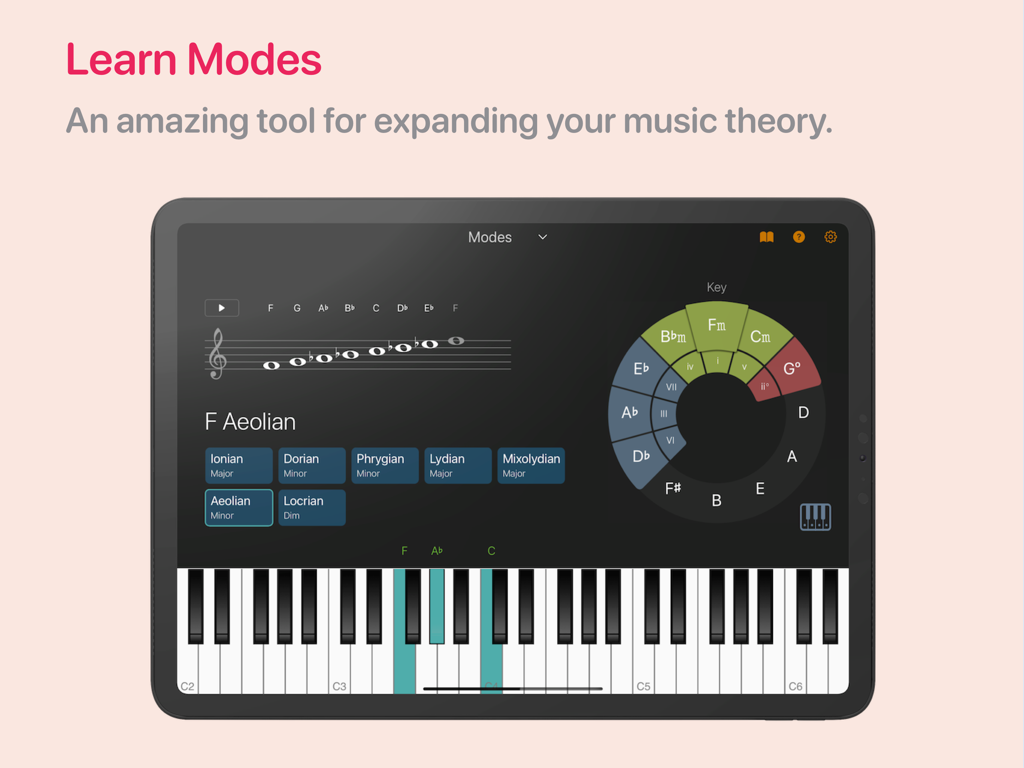
Chordio: compose & learn music - iPad上のChordioアプリのインターフェイス。スタッフとピアノを備えた音楽理論モードワークスペースが表示されます。
iPad上のChordioアプリのインターフェイス。スタッフとピアノを備えた音楽理論モードワークスペースが表示されます。

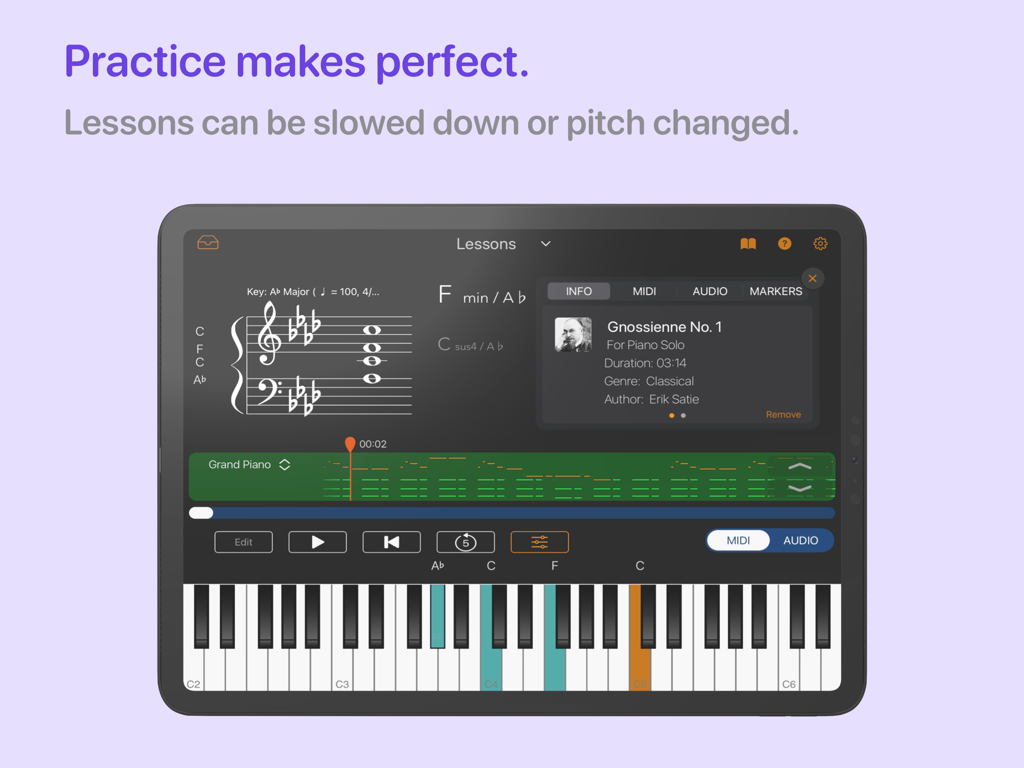
Chordio: compose & learn music - iPad上のChordioアプリのピアノレッスンワークスペース。楽譜とインタラクティブなキーボードが表示されます。
iPad上のChordioアプリのピアノレッスンワークスペース。楽譜とインタラクティブなキーボードが表示されます。

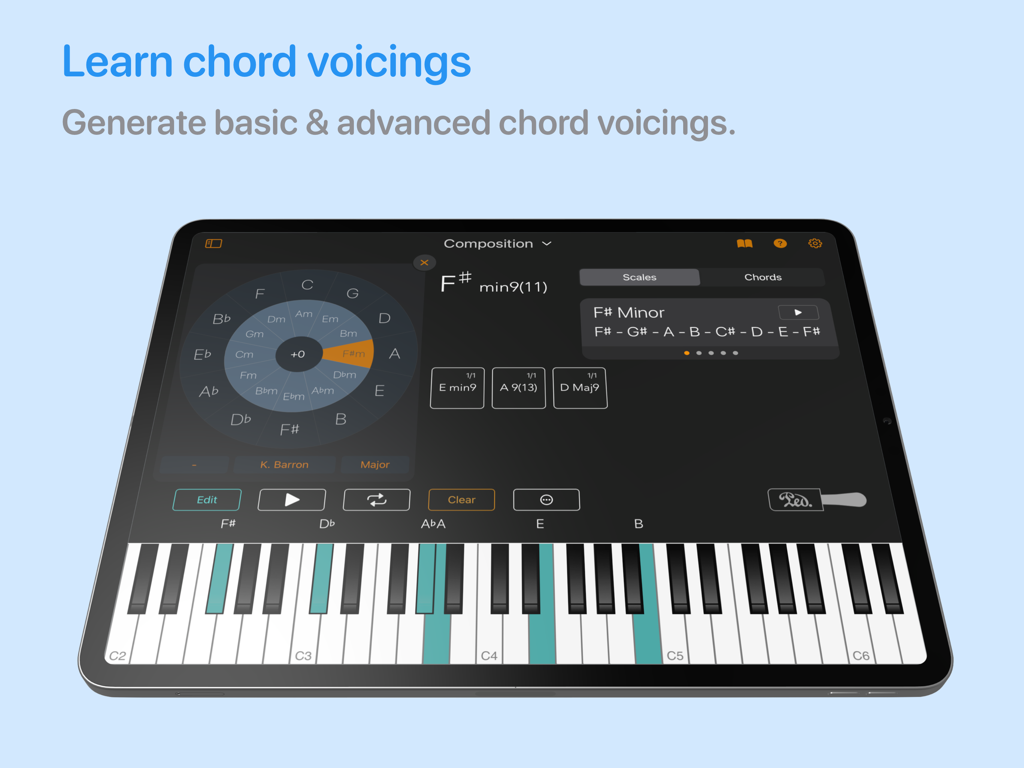
Chordio: compose & learn music - iPad上のChordioアプリのインターフェイス。コードボイシングと仮想ピアノキーボードが表示されます。
iPad上のChordioアプリのインターフェイス。コードボイシングと仮想ピアノキーボードが表示されます。

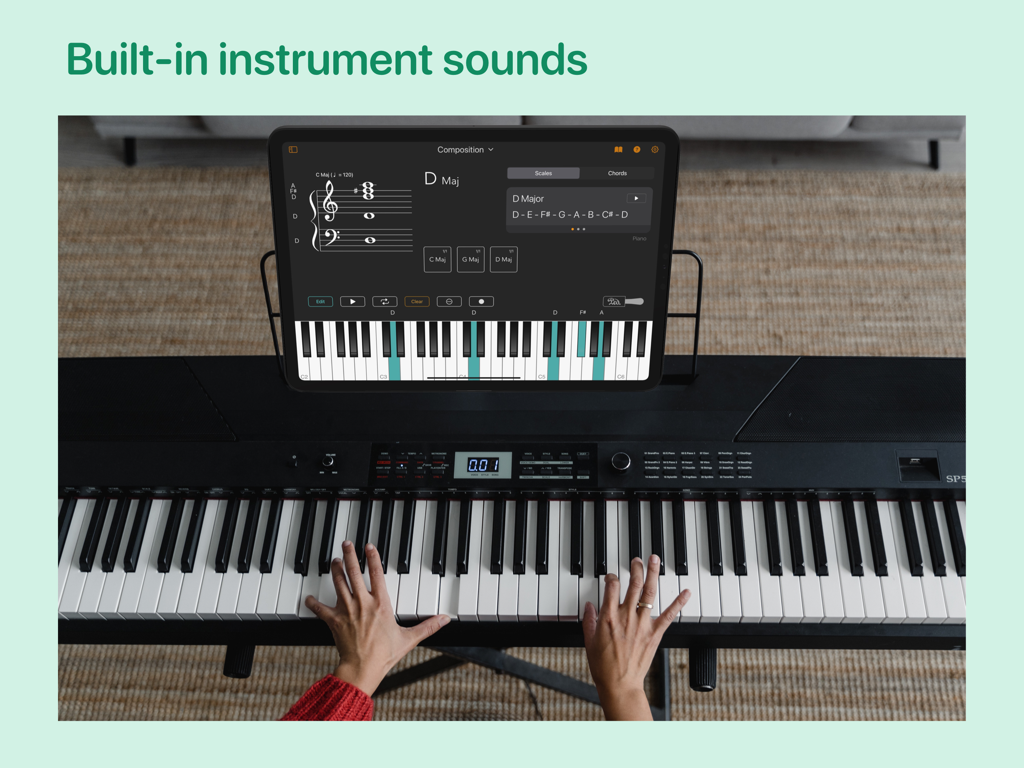
Chordio: compose & learn music - iPad上のChordioアプリで音楽作曲ツールを表示しながら、デジタルピアノを演奏する人物。
iPad上のChordioアプリで音楽作曲ツールを表示しながら、デジタルピアノを演奏する人物。

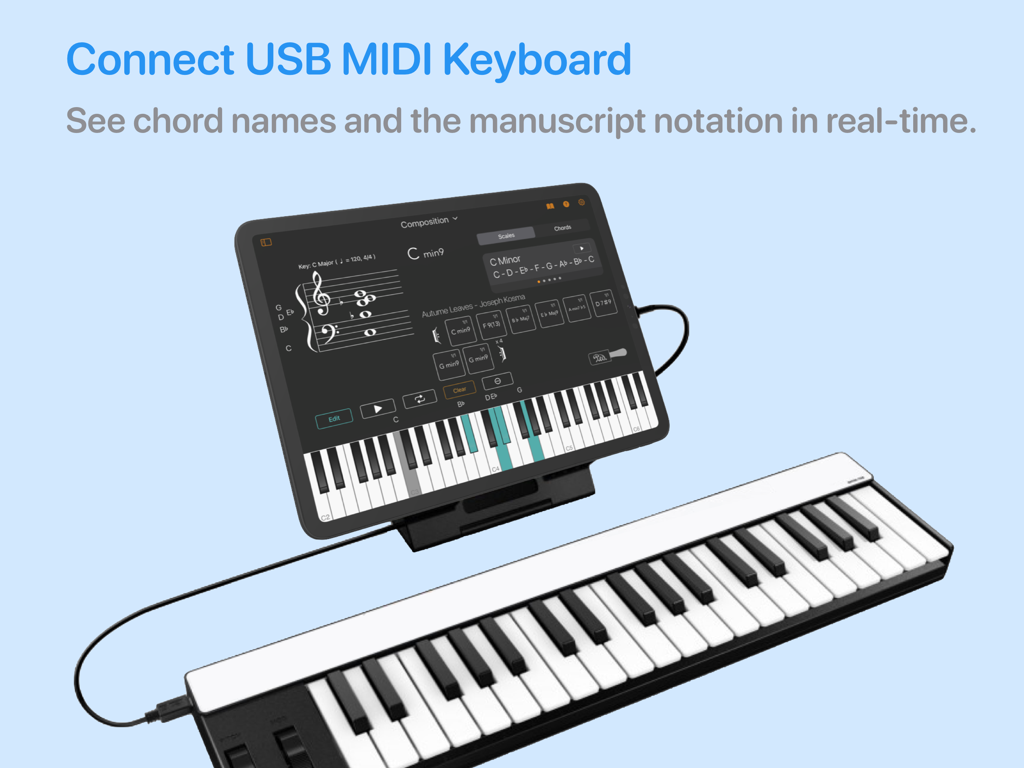
Chordio: compose & learn music - リアルタイムの楽譜表示のためにMIDIキーボードに接続されたiPad上のChordioアプリ。

リアルタイムの楽譜表示のためにMIDIキーボードに接続されたiPad上のChordioアプリ。

説明

Looking for a spark for your upcoming song? Introducing Chordio, a powerful tool for composition and music theory that offers an enjoyable and interactive experience. This app allows you to explore chords and scales in a fun and engaging way. It also provides a convenient platform for storing all your distinctive musical chord progressions in a single location. As a result, Chordio becomes an indispensable resource for contemporary music producers, composers, and educators. Take your music theory knowledge to the next level and create innovative chord progressions for your latest composition. With a range of internal sounds included, you can explore the tool's features without needing any other external equipment. Connect your MIDI controller to Chordio and see chord names appear on the Grand Staff in real-time as you play. Solo over chord progressions using the built-in sounds, and quickly rearrange or transpose chord progressions on the fly for added flexibility. Uncover fresh chord sequences for any genre - from hip hop to house and everything in between. Simply drag and drop them into your DAW! Chordio empowers you to unleash your creativity and take your music to new heights. The main features are divided into four workspaces: Composition • Build-in sequencer to create chord progressions. • Build-in Chord progression generator. • Create custom chords, edit existing chords, get chord inversions, and extended chords. • Drag & Drop to change the song structure. • Transpose the entire chord progression with a single tap. • Create a playlist of custom chord progressions. • Chord Suggestion AI – Get intelligent chord recommendations that fit your existing progression, and seamlessly integrate them into your composition. • A Chord Types & Vocings panel helps you generate new chords. • Play-along with a backing rhythm track. • Save/load songs, export it as MIDl. • Download chord progressions from a growing collection of Chord Packs. Scales • Practice scales with a metronome in all keys. • Contains more than 40 scales you can work with. • Staff view for chords and scales. Modes • Interactive way to learn what scales are associated with each mode. • Practice modes in Chordio. • Change tonic, mode, and layout to discover the relationship between musical notes, chords, and scales. Music Theory * In-app theory lessons. • 3 New Music Theory Quizzes: Note Identification, Interval Recognition & Chord Identification. Sheet Music • Adjust the Tempo: Practice at your own speed. • Loop Key Sections: Focus on tricky parts with ease. • Practice Hands Separately: Work on left or right hand independently. • Play in Any Key: Transpose sheet music to suit your preference. • Customize Tracks: Adjust instrument volumes. • Jazz Solo: Jam over chord progressions. • Print Your Scores: Print a PDF version of the score for flexible, hands-on practice. Lessons • Learn to play songs at your own pace. • Download music from a growing collection of Lesson Packs. • Lessons can be slowed down or pitch changed. KEY FEATURES: • MIDI keyboard support. • Build progressions using the chord generators. • Export MIDI to your DAW or sequencer. • Custom chords, edit existing chords, get extended chords. • Play internal sounds. • Arpeggio, strum and performance modes. • Mac version include a detachable resizable Grand Staff, Chord Display, and Keyboard Views. • Customise the Keyboard highlight color. • Select chord, to display a range of related scales and chords. • Tap a note on the Grand Staff to highlight it with a color. • Choose from selection of backing rhythms that fit specific genres. • Chord Pattern playback Always backup your chord progressions!

Download

ダウンロード: App Store

このページはアプリまたはその開発者の公式ページではなく、情報提供および論評を目的として作成された独立した編集出版物です。明示的に別段の記載がない限り、アプリおよびその開発者は、MWM、Apple、Google Play、アプリのパブリッシャー、またはアプリの開発者と提携、承認、後援、認可、またはその他の公式的な関係はなく、このページのいかなる内容も、アプリがMWMのサービスを使用して開発されたことを意味するものではありません。すべての商標、ロゴ、スクリーンショット、その他のコンテンツはそれぞれの所有者の財産です。







