Clean Master: Clean Storage
ダウンロード: App Store

このページはアプリまたはその開発者の公式ページではなく、情報提供および論評を目的として作成された独立した編集出版物です。明示的に別段の記載がない限り、アプリおよびその開発者は、MWM、Apple、Google Play、アプリのパブリッシャー、またはアプリの開発者と提携、承認、後援、認可、またはその他の公式的な関係はなく、このページのいかなる内容も、アプリがMWMのサービスを使用して開発されたことを意味するものではありません。すべての商標、ロゴ、スクリーンショット、その他のコンテンツはそれぞれの所有者の財産です。


ロゴ: Clean Master: Clean Storage
ダウンロード: App Store

Clean Master: Clean Storage

「ストレージ容量不足」のアラートにさよなら。重複写真をスマートに削除し、大きな動画を圧縮し、プライバシーを重視して設計された究極のオールインワンユーティリティスイートで、デジタルライフを整理しましょう。

主要数値

ダウンロード

12K+

ユーザー評価

3.8/5

評価数

0

開発元

LI XIN

カテゴリ

Productivity

対応言語

1

最新バージョン

1.1.8

サイズ

82.2 MB

リリース日

2022年6月10日
機能

iPhoneの可能性を最大限に引き出す

「ストレージ容量不足」の警告と戦うのをやめましょう。忙しいライフスタイルに合わせて設計されたワンタップツールで、写真ギャラリーを整理し、プライバシーを保護し、生活を整理しましょう。

スマートギャラリークリーナー

最高の瞬間を安全に保ちながら、ぼやけた写真や重複した思い出を瞬時に見つけて削除します。

プライバシー重視の保護

機密性の高いメディアを暗号化された保管庫に安全に保管し、共有前に写真からGPSデータを削除します。

以下のスクリーンショットと説明は、アプリの公式ストアリスティングから直接取得されたものであり、アプリ開発者の所有物です。

アプリストア

スクリーンショット
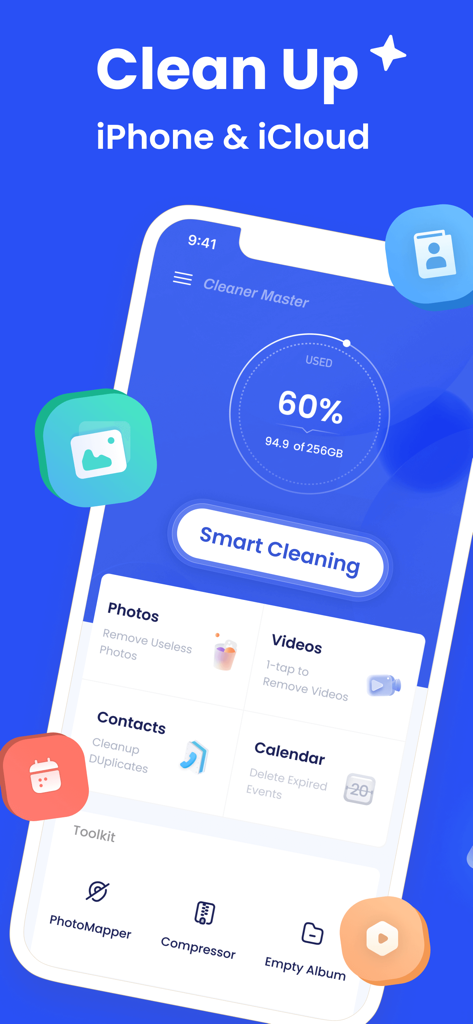
Clean Master: Clean Storage - Clean Masterアプリのインターフェイス。iPhoneとiCloudのストレージ使用量ダッシュボードとスマートクリーニングボタンが表示されています。
Clean Masterアプリのインターフェイス。iPhoneとiCloudのストレージ使用量ダッシュボードとスマートクリーニングボタンが表示されています。

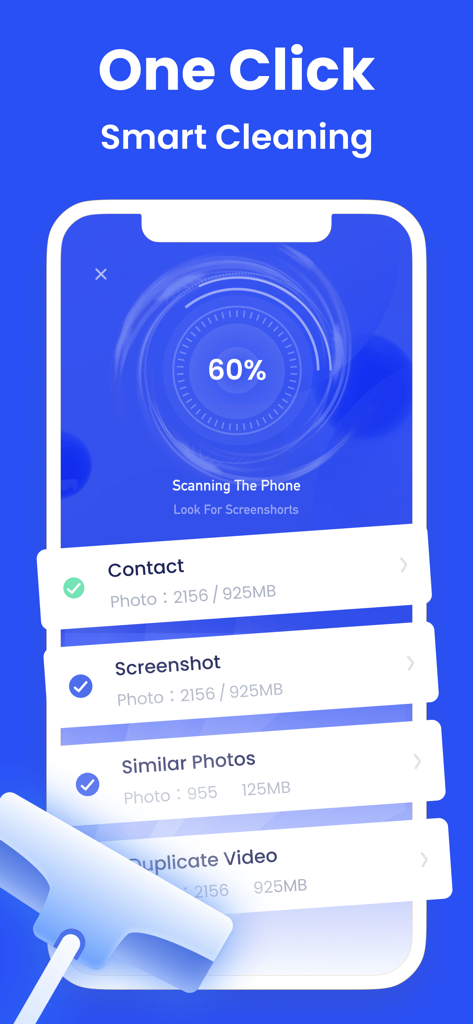
Clean Master: Clean Storage - iPhone画面。Clean Masterアプリがワンクリックのスマートクリーニングスキャンを実行し、重複写真やスクリーンショットを見つけています。
iPhone画面。Clean Masterアプリがワンクリックのスマートクリーニングスキャンを実行し、重複写真やスクリーンショットを見つけています。

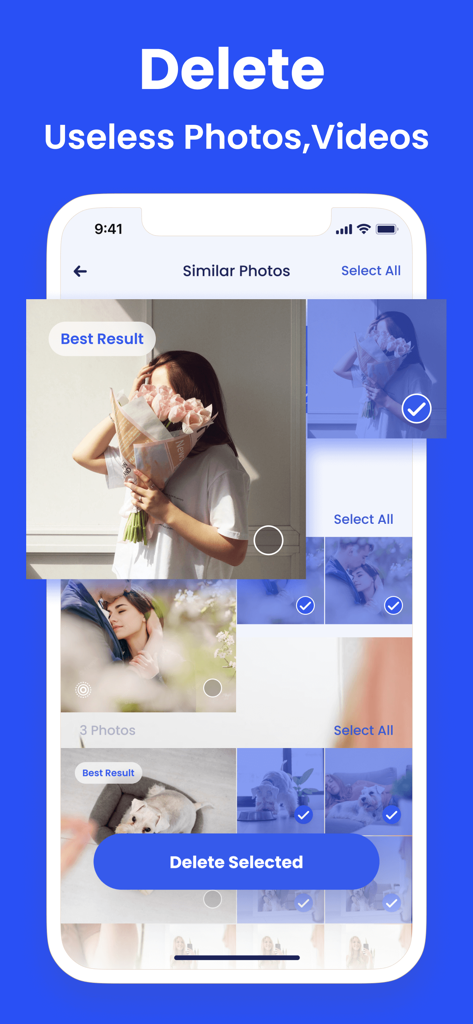
Clean Master: Clean Storage - Clean Masterアプリのインターフェイス。ストレージをクリアするための類似写真削除機能が表示されています。
Clean Masterアプリのインターフェイス。ストレージをクリアするための類似写真削除機能が表示されています。

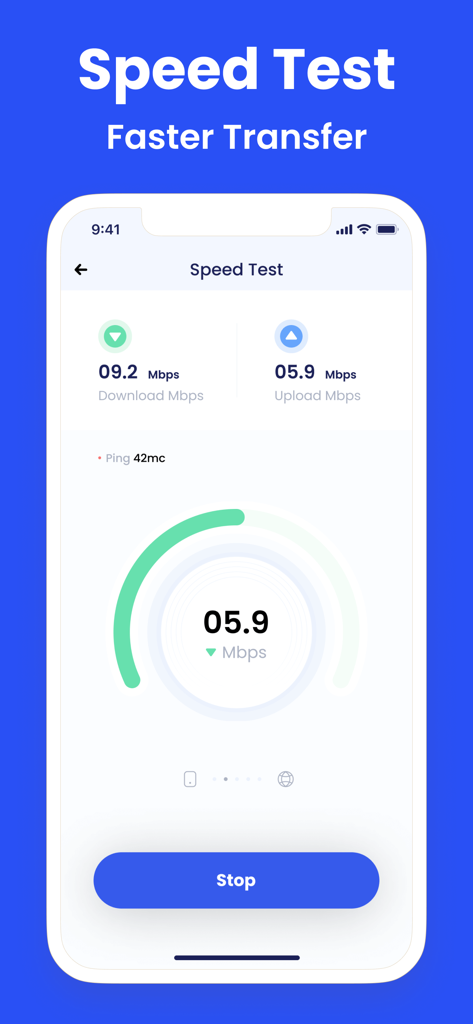
Clean Master: Clean Storage - Clean Masterアプリのインターフェイス。ダウンロードとアップロードのインターネット速度テストが表示されています。
Clean Masterアプリのインターフェイス。ダウンロードとアップロードのインターネット速度テストが表示されています。

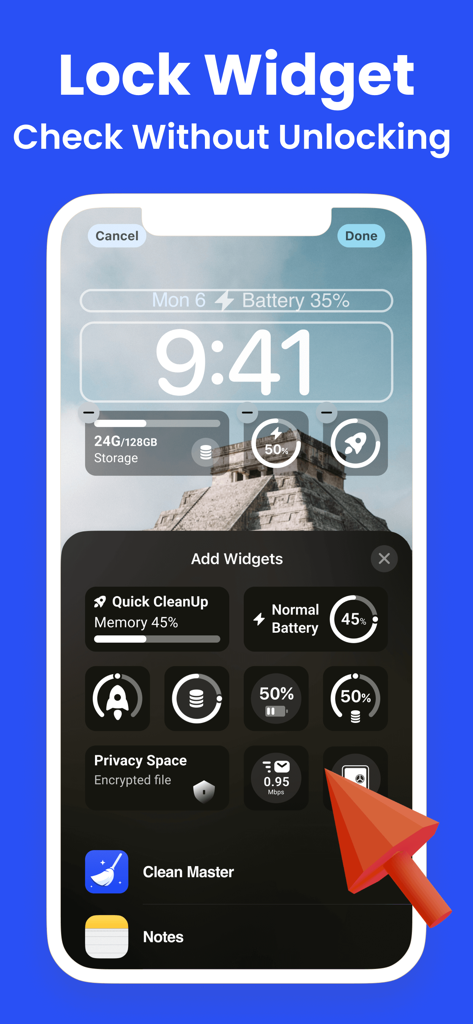
Clean Master: Clean Storage - iPhoneロック画面に、Clean Masterのカスタマイズ可能なストレージとバッテリーウィジェットが表示されています。

iPhoneロック画面に、Clean Masterのカスタマイズ可能なストレージとバッテリーウィジェットが表示されています。

Clean Master: Clean Storage - Clean Masterアプリの画面。電話帳を整理するために、重複した連絡先を識別およびマージするためのインターフェイスが表示されています。
Clean Masterアプリの画面。電話帳を整理するために、重複した連絡先を識別およびマージするためのインターフェイスが表示されています。

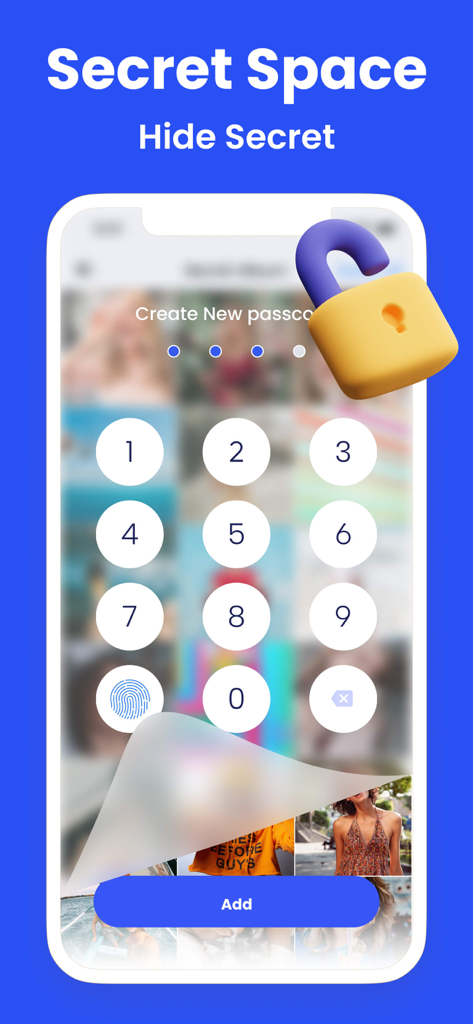
Clean Master: Clean Storage - スマートフォン画面。プライベート写真を非表示にするためのSecret Space機能の数字パスコード入力が表示されています。
スマートフォン画面。プライベート写真を非表示にするためのSecret Space機能の数字パスコード入力が表示されています。

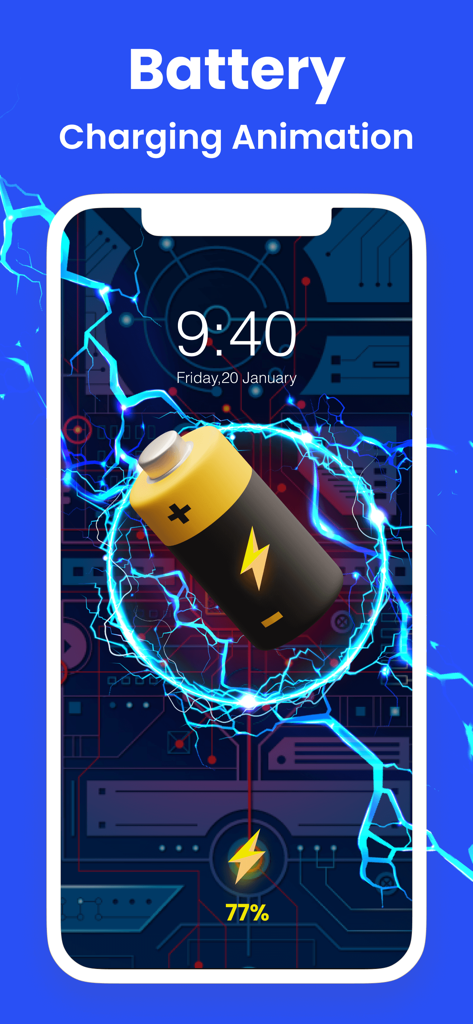
Clean Master: Clean Storage - iPhone画面。青い電気効果と技術的な背景を持つバッテリー充電アニメーションが表示されています。
iPhone画面。青い電気効果と技術的な背景を持つバッテリー充電アニメーションが表示されています。

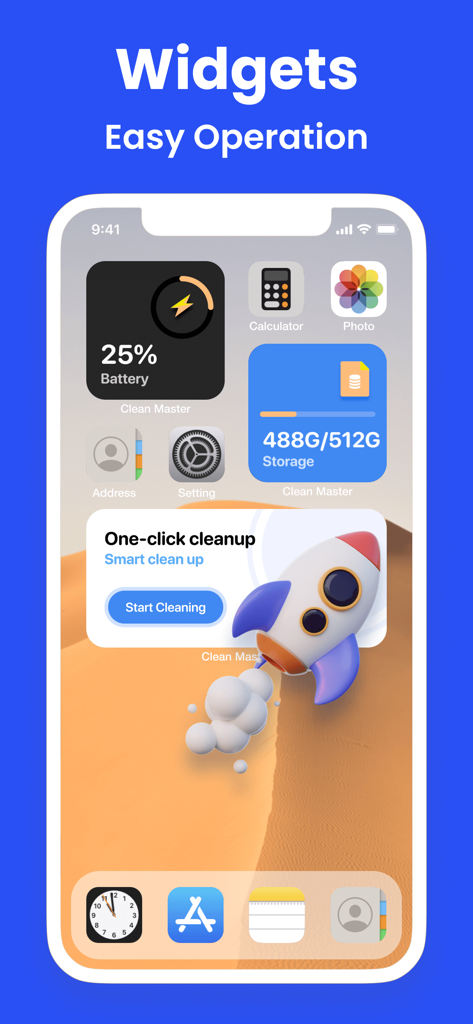
Clean Master: Clean Storage - iPhoneホーム画面。Clean Masterのストレージバッテリーとワンクリッククリーニングウィジェットが表示されています。

iPhoneホーム画面。Clean Masterのストレージバッテリーとワンクリッククリーニングウィジェットが表示されています。

説明

Don't let photos pile up randomly, organize your phone with Clean Master! Keep your phone tidy in just a few seconds. What can Clean Master do? Find useless files on your phone and greatly free up phone storage in seconds. Group similar photos & videos together to easily delete batch files at one time. Quickly clean up your phone contacts and calendar to keep everything organized. What features does Clean Master offer? ◆Photo Cleaner - Quickly find and delete duplicate photos - Smartly select the best results and save your phone space much faster - Analyze and delete similar photos, live photos, screenshots, blurred photos, etc ◆Video Cleaner - Multiple duplicate videos can be removed easily with a few steps - Optimized compression for the best video quality possible ◆Contacts Organizer - Remove unwanted contacts or merge them effectively - Merge duplicate contacts by name, number or email - Find incomplete contacts to delete or add more information ◆ Calendar Cleaner: Delete overdue events and reminders from your Calendar ◆ PhotoMapper: Remove photo GPS info, protect your personal privacy ◆Charging Animation - Get cool charging animation for a better charging experience - Make your phone more charming with various charging animations ◆ Tool Kit - Battery Life & Care-Protect the battery and reduce damage Secret Space - Encryption for privacy & Security upgrade Compressor - Compress the videos and photos to save storage space Speed Test - Check your Internet connection speed in a breeze Widget - Check your storage status Custom Notch - Let your wallpaper have cute "ears" Device Information - Get a full overview of your phone information Clean Master Payment & Subscription Terms: Choose between the following subscription options for unlimited access to all features: - Weekly Subscription - Monthly Subscription - Yearly Subscription - Your payment will be charged to your iTunes Account as soon as you confirm your purchase. - You can manage your subscriptions and turn off auto-renewal from your Account Settings after the purchase. - Within 24 hours before the end of the free trial period, the change fee calculated according to the subscription plan will be automatically debited from your account. - You can cancel the auto-renewal at any time, if the cancellation occurs at least 24 hours before the end of the current period. *** Manage your subscription directly from your iPhone *** Subscriptions may be managed by the user and auto-renewal may be turned off by going to the user’s Account Settings after purchase. 1. Tap the “Settings” icon on your mobile, then tap the “Store” icon. 2. Sign in with your iTunes ID. 3. Tap “View Apple ID” then “Manage App Subscriptions”. 4. You will be able to see when your next payment is due, or cancel your automatic renewal. Privacy policy: https://www.app-privacy-policy.com/live.php?token=QGRkEIrx2VzVoz6AkEmWqMcvHYkzhCnl Terms of use: https://www.app-privacy-policy.com/live.php?token=XtT4afDHNP31tlzjkftlLrp5Sz90ZMWj

Download

ダウンロード: App Store

このページはアプリまたはその開発者の公式ページではなく、情報提供および論評を目的として作成された独立した編集出版物です。明示的に別段の記載がない限り、アプリおよびその開発者は、MWM、Apple、Google Play、アプリのパブリッシャー、またはアプリの開発者と提携、承認、後援、認可、またはその他の公式的な関係はなく、このページのいかなる内容も、アプリがMWMのサービスを使用して開発されたことを意味するものではありません。すべての商標、ロゴ、スクリーンショット、その他のコンテンツはそれぞれの所有者の財産です。








