Clean Storage: Master Cleaner
ダウンロード: App Store

このページはアプリまたはその開発者の公式ページではなく、情報提供および論評を目的として作成された独立した編集出版物です。明示的に別段の記載がない限り、アプリおよびその開発者は、MWM、Apple、Google Play、アプリのパブリッシャー、またはアプリの開発者と提携、承認、後援、認可、またはその他の公式的な関係はなく、このページのいかなる内容も、アプリがMWMのサービスを使用して開発されたことを意味するものではありません。すべての商標、ロゴ、スクリーンショット、その他のコンテンツはそれぞれの所有者の財産です。


ロゴ: Clean Storage: Master Cleaner
ダウンロード: App Store

Clean Storage: Master Cleaner

「ストレージがいっぱいです」という警告とはもうさよなら。直感的なスワイプ操作とスマートな自動化で、ギャラリーを整理し、重複を削除し、隠れたソーシャルメディアのゴミを簡単にクリアしましょう。

主要数値

ダウンロード

435K+

ユーザー評価

4.4/5

評価数

7K+

開発元

KM MOBILE LTD

カテゴリ

Utilities

対応言語

6

最新バージョン

1.3.4

サイズ

202.2 MB

リリース日

2023年6月18日
機能

「ストレージがいっぱいです」という不安にさよなら

Master Cleanerは、重複写真から隠されたアプリキャッシュまで、忙しいデジタルライフのゴミを処理し、新しい思い出のための必要なスペースを取り戻します。

ワンタップ スマートクリーニング

数ギガバイトのストレージを解放するために、重複した写真や動画を瞬時に特定して削除します。手作業での検索は不要です。

ゲーム化されたスワイプ整理

直感的なジェスチャーで整理整頓を楽にします:不要なファイルは左にスワイプして削除、お気に入りは右にスワイプして保持します。

以下のスクリーンショットと説明は、アプリの公式ストアリスティングから直接取得されたものであり、アプリ開発者の所有物です。

アプリストア

スクリーンショット
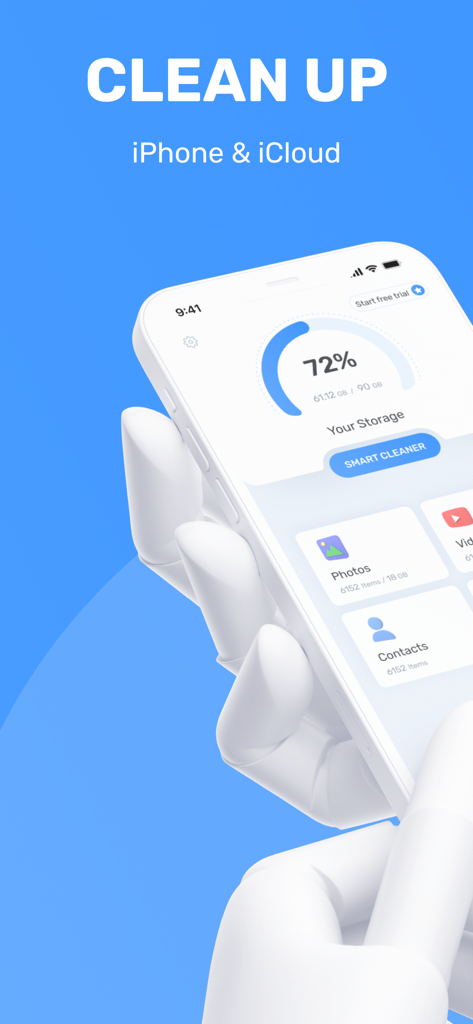
Clean Storage: Master Cleaner - iPhone画面に、ストレージ使用率とスマートクリーニングオプションが表示されたClean Storageアプリのインターフェースが表示されています

iPhone画面に、ストレージ使用率とスマートクリーニングオプションが表示されたClean Storageアプリのインターフェースが表示されています

Clean Storage: Master Cleaner - 電話を持っているかわいいロボットが、青い背景にMaster Cleanerアプリのワンクリックスマートクリーン機能を表示しています。
電話を持っているかわいいロボットが、青い背景にMaster Cleanerアプリのワンクリックスマートクリーン機能を表示しています。

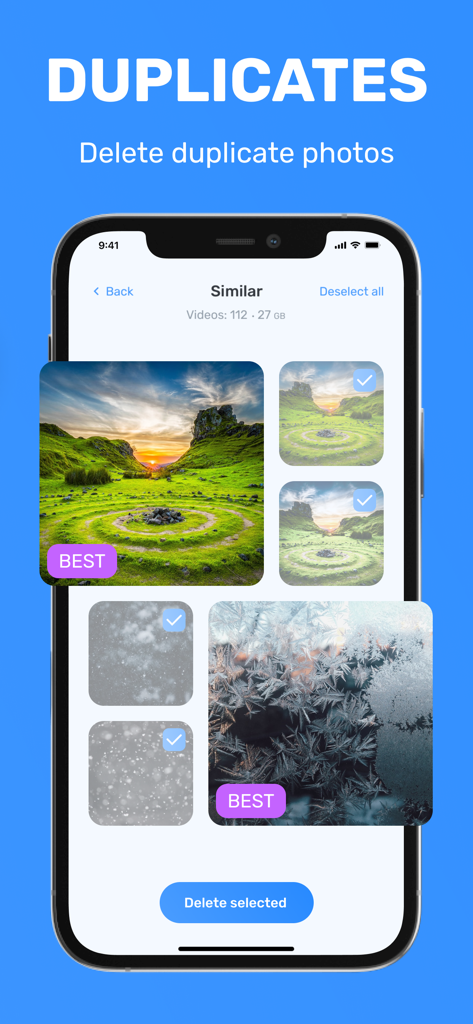
Clean Storage: Master Cleaner - Master Cleanerアプリの重複写真クリーニング機能が表示されたスマートフォン画面

Master Cleanerアプリの重複写真クリーニング機能が表示されたスマートフォン画面

Clean Storage: Master Cleaner - 電話ギャラリーの写真の整理と削除のためのカードベースのスワイプ機能を göstərən mobil tətbiq interfeysi
電話ギャラリーの写真の整理と削除のためのカードベースのスワイプ機能を göstərən mobil tətbiq interfeysi

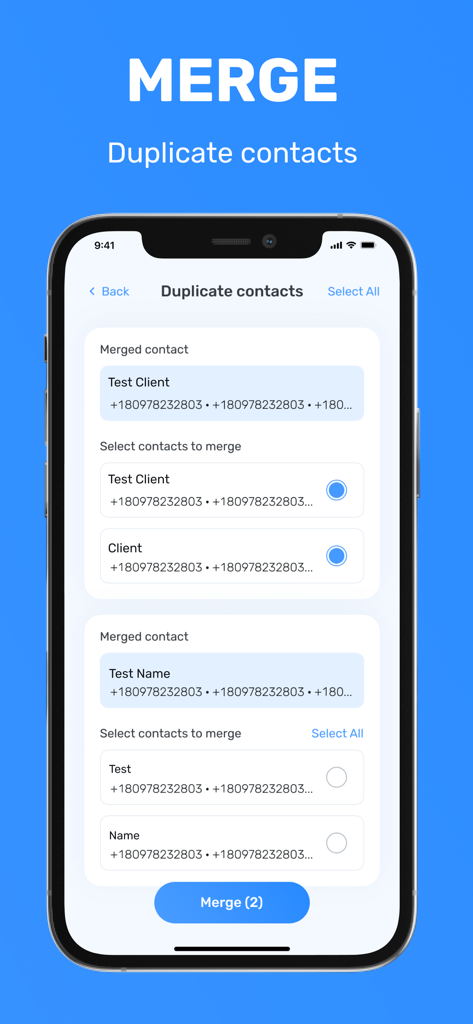
Clean Storage: Master Cleaner - Clean Storage Master Cleanerアプリの重複連絡先マージ機能を示すiPhoneスクリーンショット
Clean Storage Master Cleanerアプリの重複連絡先マージ機能を示すiPhoneスクリーンショット

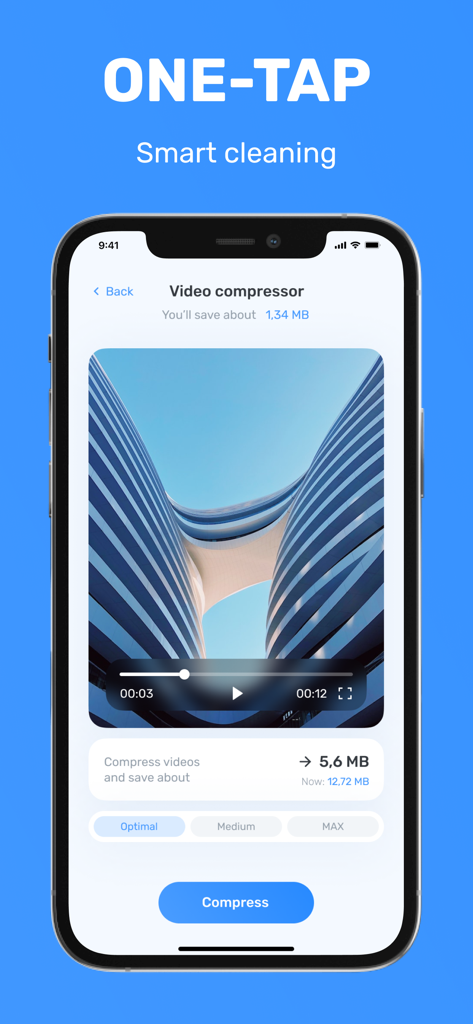
Clean Storage: Master Cleaner - ストレージスペースを節約するためにビデオ圧縮機能を示すiPhoneアプリインターフェース

ストレージスペースを節約するためにビデオ圧縮機能を示すiPhoneアプリインターフェース

説明

Master Cleaner is a comprehensive application designed to efficiently cleaning up your storage. With its intuitive interface and powerful features, Master Cleaner helps you reclaim valuable space and organize your photos. Key Features: * Smart Cleaner: Master Cleaner intelligently scans your device for duplicate photos and videos, allowing you to effortlessly remove them with a single tap. This feature helps you eliminate unnecessary clutter and free up valuable storage space. * Contacts Cleanup: Manage your contacts effortlessly with Master Cleaner. Easily identify and remove duplicate or outdated contacts, ensuring your address book remains organized and up to date. * Calendar Optimization: Master Cleaner helps you optimize your calendar by identifying and eliminating past events, ensuring your schedule is streamlined and clutter-free. * File Compression: With Master Cleaner, you can compress large files to save storage space without compromising their quality. This feature is particularly useful for videos and photos, allowing you to reclaim significant storage capacity. * Manual Sorting with Swipe Gestures: Take control of your files with the intuitive swipe gestures in Master Cleaner Swipe left to delete unwanted files and swipe right to keep important ones, enabling you to effortlessly organize your data. * Step-by-Step Instructions: Master Cleaner provides easy-to-follow instructions in the form of stories, guiding you through manual cache cleaning for popular apps such as Telegram, WhatsApp, TikTok, Safari, and more. Learn how to delete unnecessary apps and free up space by offloading rarely used applications. Master Cleaner is your all-in-one solution for device optimization. By removing duplicate photos, optimizing contacts and calendars, compressing files, and providing manual sorting options, it ensures that your device stays clean, organized, and runs at its best. Reclaim valuable storage space and optimize your device's performance with Master Cleaner today. NOTE: The app cannot clean the memory of your iPhone or iPad. To get all features available you can take a free trial. The fee will be debited from your Apple ID when you confirm your purchase. The subscription will resume automatically unless you cancel it at least 24 hours before the end of the current period. The renewal fee will be debited from your account within 24 hours before the end of the current period. You can manage your subscriptions and cancel them after your purchase in the App Store account settings. By using Clean Manager, you agree to: - Privacy Policy: https://kmmobile.dev/privacy.html - Terms & Conditions: https://kmmobile.dev/terms.html

Download

ダウンロード: App Store

このページはアプリまたはその開発者の公式ページではなく、情報提供および論評を目的として作成された独立した編集出版物です。明示的に別段の記載がない限り、アプリおよびその開発者は、MWM、Apple、Google Play、アプリのパブリッシャー、またはアプリの開発者と提携、承認、後援、認可、またはその他の公式的な関係はなく、このページのいかなる内容も、アプリがMWMのサービスを使用して開発されたことを意味するものではありません。すべての商標、ロゴ、スクリーンショット、その他のコンテンツはそれぞれの所有者の財産です。








