ClickMobile Touch
ClickMobile Touch
ダウンロード: App Store

このページはアプリまたはその開発者の公式ページではなく、情報提供および論評を目的として作成された独立した編集出版物です。明示的に別段の記載がない限り、アプリおよびその開発者は、MWM、Apple、Google Play、アプリのパブリッシャー、またはアプリの開発者と提携、承認、後援、認可、またはその他の公式的な関係はなく、このページのいかなる内容も、アプリがMWMのサービスを使用して開発されたことを意味するものではありません。すべての商標、ロゴ、スクリーンショット、その他のコンテンツはそれぞれの所有者の財産です。


ロゴ: ClickMobile Touch
ダウンロード: App Store

ClickMobile Touch

リアルタイムのタスク管理、ストリートレベルのルーティング、オフラインデータ同期により、ワークフォルスの生産性を最大化します。フィールドチームに必要なデジタルツールボックスを提供し、安全、コンプライアンス、そして予定通りの作業を保証します。

主要数値

ダウンロード

6K+

ユーザー評価

1.4/5

評価数

0

開発元

ClickSoftware Technologies Ltd

カテゴリ

Business

対応言語

1

最新バージョン

20.5.15

サイズ

53.4 MB

リリース日

2018年1月29日
機能

すべての現場での効率

タスクを合理化し、交通状況をナビゲートし、いつでもどこでも完全な可視性を維持するための究極のデジタルツールキットをフィールド技術者に装備させましょう。

初回で正しく完了

顧客データ、タスク履歴、在庫に即座にアクセスし、オフィスサポートなしで各サービスコールを成功させます。

中断のない作業

接続を再開した瞬間にデータを同期する完全なオフライン機能により、地下室やリモートの場所でも生産性を維持します。

以下のスクリーンショットと説明は、アプリの公式ストアリスティングから直接取得されたものであり、アプリ開発者の所有物です。

アプリストア

スクリーンショット
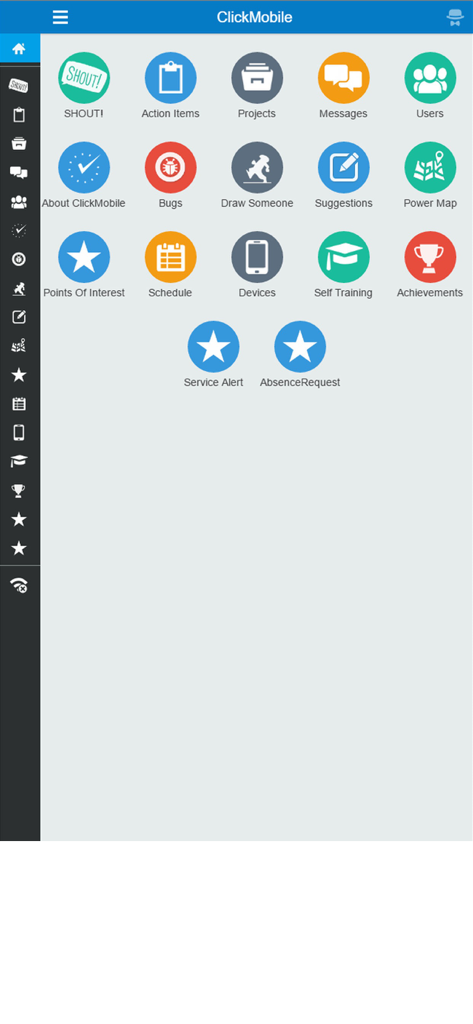
ClickMobile Touch - タスク管理とスケジューリングのアイコンを備えたClickMobile Touchアプリのメインダッシュボード
タスク管理とスケジューリングのアイコンを備えたClickMobile Touchアプリのメインダッシュボード

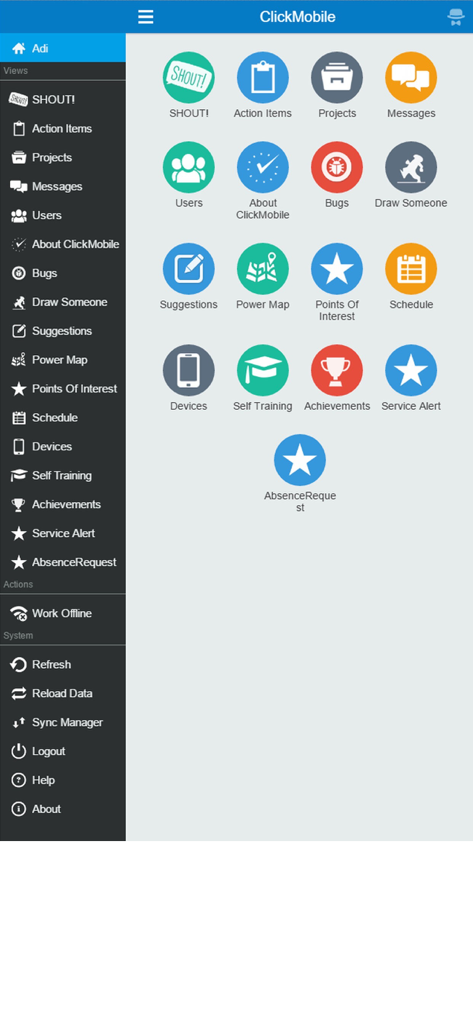
ClickMobile Touch - フィールドサービスタスクのアイコングリッドとナビゲーションサイドバーを備えたClickMobile Touchアプリケーションダッシュボード
フィールドサービスタスクのアイコングリッドとナビゲーションサイドバーを備えたClickMobile Touchアプリケーションダッシュボード

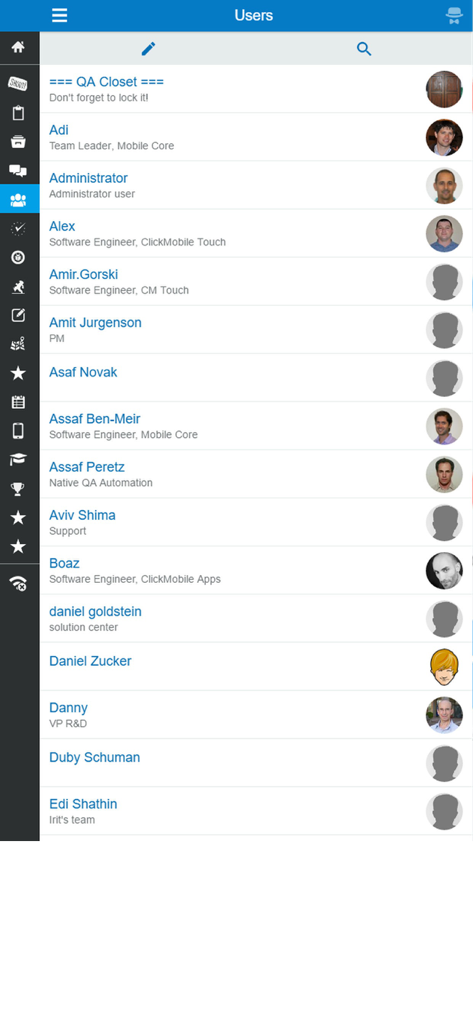
ClickMobile Touch - 名前と役職を持つチームメンバーのリストを表示するClickMobile Touchのユーザーディレクトリ画面

名前と役職を持つチームメンバーのリストを表示するClickMobile Touchのユーザーディレクトリ画面

説明

ClickSoftware’s ClickMobile Touch is a mobile application for the field service sector. It is used by the field resources to communicate with their back office and with their peers using the Field Service Edge system. ClickSoftware’s enterprise solution uses innovative and collaborative mobile tools, improving field workforce productivity and efficiency, enhancing customer experience, and meeting compliance and regulation requirements. The solution enables field supervisors and back office staff to have visibility and control, helping them make real-time decisions continuously throughout the day of service. ClickMobile Touch empowers field service professionals with all the information they need to complete the job the first time. Work is executed with maximum productivity, safety and compliance, and focuses on customer satisfaction. The application includes the following capabilities: * Task management – Manage the entire task execution process, view the customer’s information, report the status of the task as it progresses * Time and attendance management – Report and track the time and attendance of a field resource or a crew, including the ability to view and manage your shifts * Inventory management – Manage your inventory, scan barcodes and requests parts from the field * Power map – View your tasks and schedule on a map to help visualize your day * Dynamic forms – Forms can include file attachments and signature capturing * Internal messaging system – Share knowledge with peers using instant messaging and file sharing * Dynamic location services – Allows Street Level Routing to avoid traffic congestions during the day of service, automatic status transition based on location * Supervisor app – Scheduling interface for continuous operational insight and real-time visibility into the field The ClickMobile Touch user can carry on working even when the application is offline. When the application is back online, all of the information will be synchronized automatically. In addition, the back office can update the assignments for the user, which will be updated when the user is online again. This online/offline connectivity ensures maximum data exchange and visibility of workday progress, allowing increased work efficiency.

Download

ダウンロード: App Store

このページはアプリまたはその開発者の公式ページではなく、情報提供および論評を目的として作成された独立した編集出版物です。明示的に別段の記載がない限り、アプリおよびその開発者は、MWM、Apple、Google Play、アプリのパブリッシャー、またはアプリの開発者と提携、承認、後援、認可、またはその他の公式的な関係はなく、このページのいかなる内容も、アプリがMWMのサービスを使用して開発されたことを意味するものではありません。すべての商標、ロゴ、スクリーンショット、その他のコンテンツはそれぞれの所有者の財産です。








