Clip2Comic: Toon Photo Editor
ダウンロード: App Store

このページはアプリまたはその開発者の公式ページではなく、情報提供および論評を目的として作成された独立した編集出版物です。明示的に別段の記載がない限り、アプリおよびその開発者は、MWM、Apple、Google Play、アプリのパブリッシャー、またはアプリの開発者と提携、承認、後援、認可、またはその他の公式的な関係はなく、このページのいかなる内容も、アプリがMWMのサービスを使用して開発されたことを意味するものではありません。すべての商標、ロゴ、スクリーンショット、その他のコンテンツはそれぞれの所有者の財産です。


ロゴ: Clip2Comic: Toon Photo Editor
ダウンロード: App Store

Clip2Comic: Toon Photo Editor

退屈な写真を、見る者の目を釘付けにする漫画やカリカチュアに変えるアプリだ。プライバシーを重視しながら、創造力を解き放つ力を与える。

主要数値

ダウンロード

5M+

ユーザー評価

4.8/5

評価数

121.4K

開発元

Digital Masterpieces GmbH

カテゴリ

Photo & Video

対応言語

11

最新バージョン

8.0.1

サイズ

555.1 MB

リリース日

2014年7月31日
機能

クリエイターとソーシャルメディアユーザーのための革新的な画像・動画編集ツール

アプリ「Clip2Comic」の機能分析

プライバシーを重視したオンデバイス処理

インターネット接続なしでデバイス上で画像を処理し、ユーザーのプライバシーを完全に保護します。個人データの流出リスクがなく、安心して利用できます。

高品質な写真・動画スタイル変換

高解像度(写真最大64MP、動画4K/60FPS)で、写真や動画を漫画、カートゥーン、カリカチュア、スケッチなど、プロ品質の様々なスタイルに変換できます。

細部まで調整可能な編集ツール

輪郭、ディテール、色を細かく調整できるツールを提供し、ユーザーは自分のビジョンに合わせた効果を作成できます。さらに、独自のカスタムスタイルを保存し、デバイス間で同期することが可能です。

以下のスクリーンショットと説明は、アプリの公式ストアリスティングから直接取得されたものであり、アプリ開発者の所有物です。

アプリストア

スクリーンショット
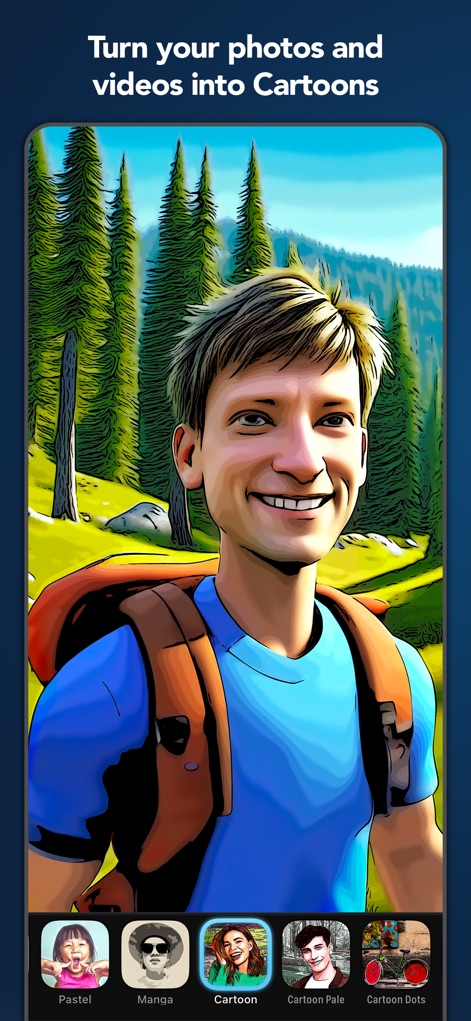
Clip2Comic: Toon Photo Editor - このアプリは、ユーザーが写真を数タップで漫画スタイルに変換できることを示しています。下部のパネルからは、「Cartoon」や「Manga」など、様々な変換スタイルを選択できます。

このアプリは、ユーザーが写真を数タップで漫画スタイルに変換できることを示しています。下部のパネルからは、「Cartoon」や「Manga」など、様々な変換スタイルを選択できます。

写真とビデオを漫画に
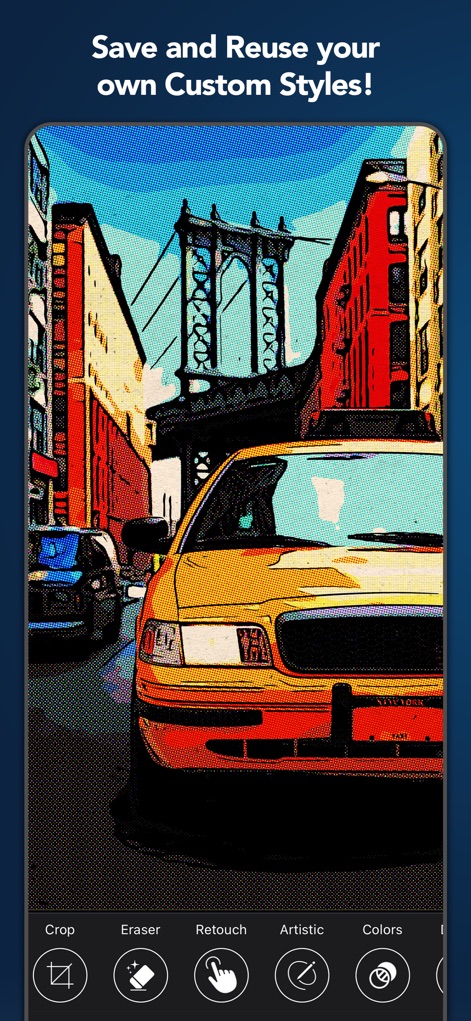
Clip2Comic: Toon Photo Editor - カスタマイズした編集スタイルを保存し、再利用できる機能が示されています。画像には、レトロな雰囲気を醸し出す「ハーフトーン」効果と、都市の風景を強調する「色調補正」機能が適用されています。

カスタマイズした編集スタイルを保存し、再利用できる機能が示されています。画像には、レトロな雰囲気を醸し出す「ハーフトーン」効果と、都市の風景を強調する「色調補正」機能が適用されています。

カスタムスタイルを保存
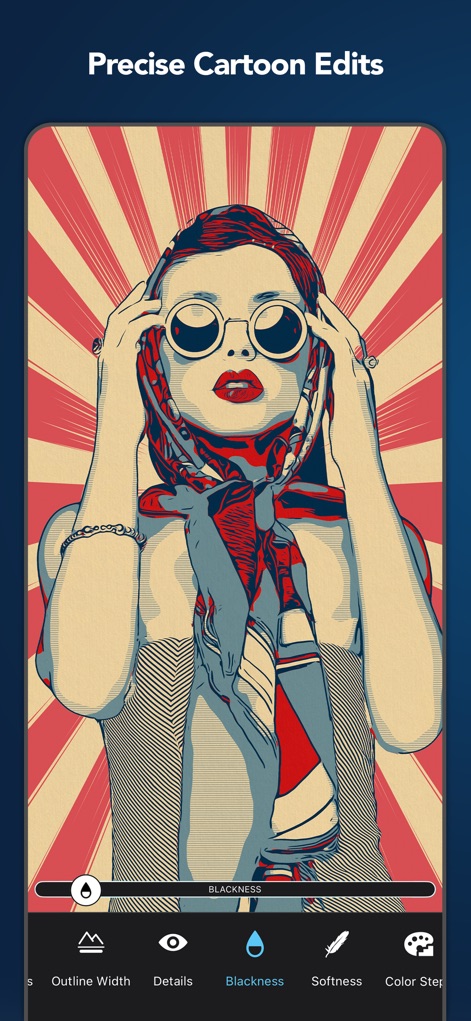
Clip2Comic: Toon Photo Editor - ユーザーは、輪郭の幅や詳細レベルなど、漫画化された画像の特徴を細かく調整できます。特に「Blackness」と「Outline Width」の調整機能が、表現の幅を広げます。

ユーザーは、輪郭の幅や詳細レベルなど、漫画化された画像の特徴を細かく調整できます。特に「Blackness」と「Outline Width」の調整機能が、表現の幅を広げます。

精密な漫画編集
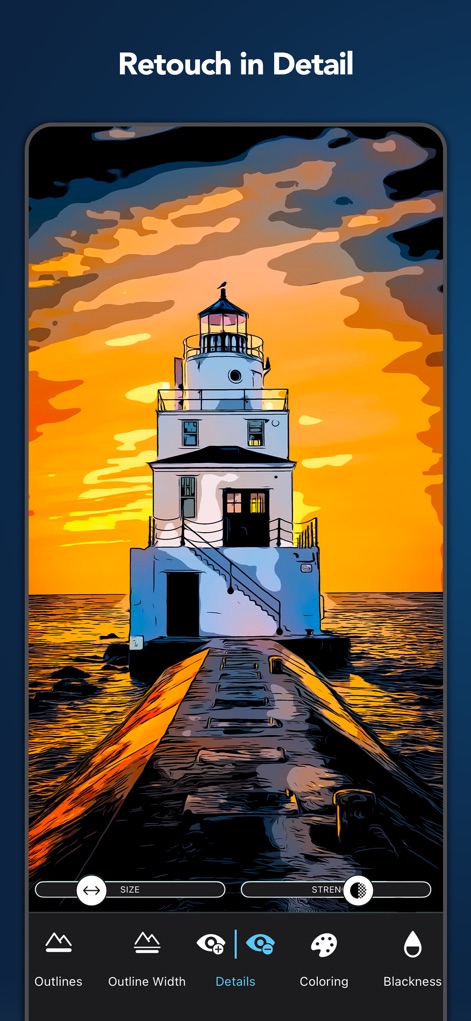
Clip2Comic: Toon Photo Editor - 細部にわたるレタッチ機能により、ユーザーは「アウトライン」や「ディテール」を調整し、画像を理想的な形に仕上げることができます。特に明暗の調整に役立つ「Blackness」機能も利用可能です。

細部にわたるレタッチ機能により、ユーザーは「アウトライン」や「ディテール」を調整し、画像を理想的な形に仕上げることができます。特に明暗の調整に役立つ「Blackness」機能も利用可能です。

詳細なレタッチ
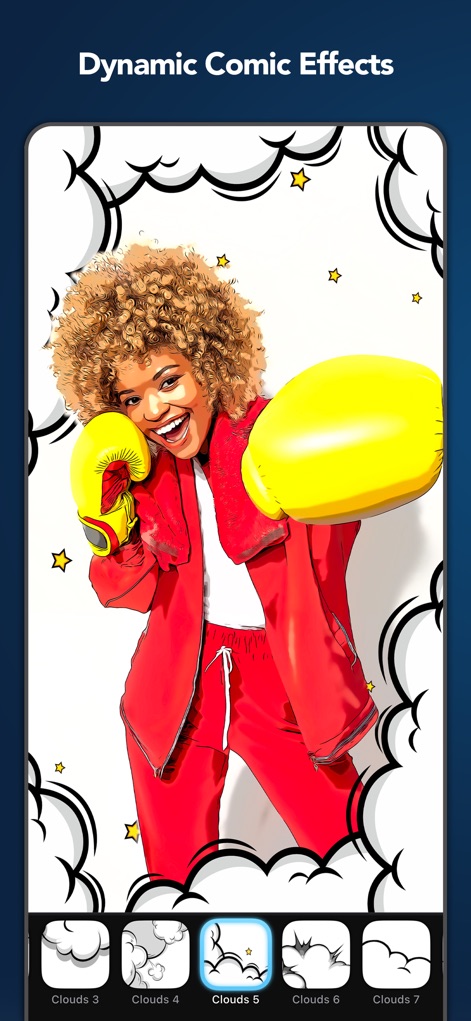
Clip2Comic: Toon Photo Editor - 画像に躍動感を与えるために、「吹き出し」や「星」などのダイナミックなコミック効果を追加できる機能が紹介されています。特に、様々なスタイルの「雲の装飾」によって、ストーリー性を高めることができます。

画像に躍動感を与えるために、「吹き出し」や「星」などのダイナミックなコミック効果を追加できる機能が紹介されています。特に、様々なスタイルの「雲の装飾」によって、ストーリー性を高めることができます。

ダイナミックなコミック効果
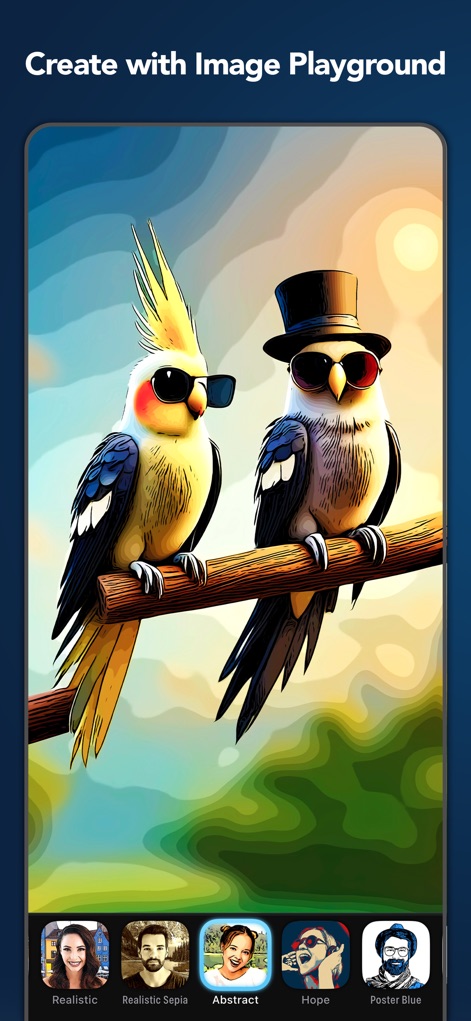
Clip2Comic: Toon Photo Editor - この機能は、ユーザーが多様なスタイルで画像を生成できることを示しており、「抽象的」な背景や「ポスター風」の配色など、ユニークなアートワークの作成を可能にします。

この機能は、ユーザーが多様なスタイルで画像を生成できることを示しており、「抽象的」な背景や「ポスター風」の配色など、ユニークなアートワークの作成を可能にします。

イメージプレイグラウンドで創作
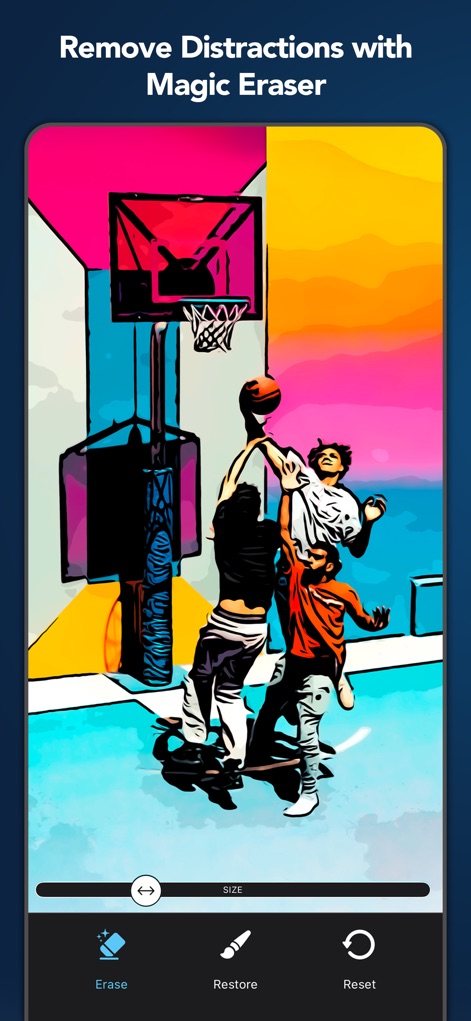
Clip2Comic: Toon Photo Editor - 魔法のような消しゴム機能により、ユーザーは画像の不要な要素を簡単に除去し、「背景のオブジェクト」を消したり、「人物」を際立たせたりすることができます。

魔法のような消しゴム機能により、ユーザーは画像の不要な要素を簡単に除去し、「背景のオブジェクト」を消したり、「人物」を際立たせたりすることができます。

マジック消しゴムで削除
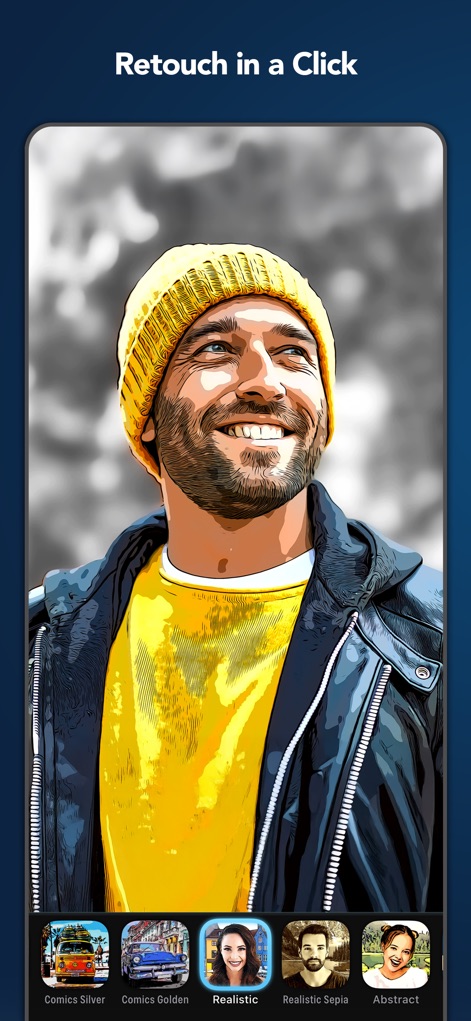
Clip2Comic: Toon Photo Editor - このスクリーンショットは、ワンクリックで画像に異なる効果を適用できることを示しており、「写実的」なスタイルや「コミック風」の色調など、多様な表現が可能です。

このスクリーンショットは、ワンクリックで画像に異なる効果を適用できることを示しており、「写実的」なスタイルや「コミック風」の色調など、多様な表現が可能です。

ワンクリックでレタッチ
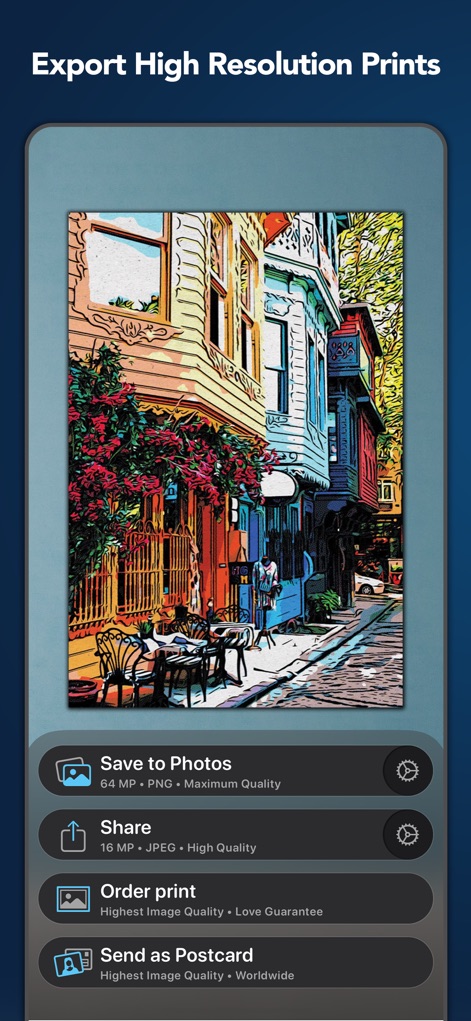
Clip2Comic: Toon Photo Editor - ユーザーは、作成したアートワークを「高解像度」で保存または共有でき、最大「64 MP」の画像出力で印刷やポスター作成にも対応します。

ユーザーは、作成したアートワークを「高解像度」で保存または共有でき、最大「64 MP」の画像出力で印刷やポスター作成にも対応します。

高解像度でエクスポート
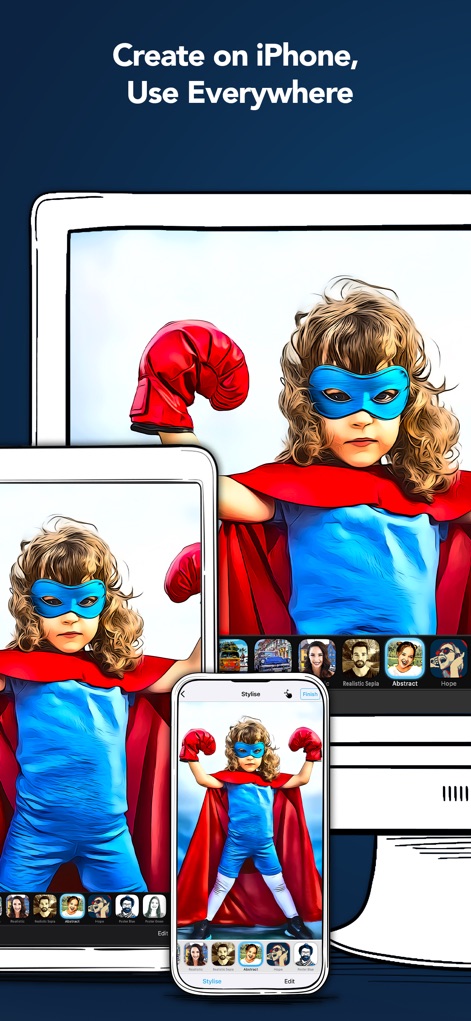
Clip2Comic: Toon Photo Editor - このアプリは、「iPhone」、「iPad」、そして「Mac」間でシームレスに同期し、ユーザーはどこでも作品を編集、確認、共有できるクロスプラットフォームの利便性を提供します。

このアプリは、「iPhone」、「iPad」、そして「Mac」間でシームレスに同期し、ユーザーはどこでも作品を編集、確認、共有できるクロスプラットフォームの利便性を提供します。

どこでも作成、共有

説明

Turn your photos and videos into cartoons, comics, and caricatures — fun, high-quality art that makes everyone smile. Clip2Comic transforms your images into playful cartoon and comic creations — right on your iPhone, iPad, or Mac. Turn family photos into comic book art, transform travel snapshots and cityscapes into illustrated scenes, or create coloring pages for kids. From portraits to landscapes, Clip2Comic delivers professional results that stand out. Your images stay 100% private. Everything is processed directly on your device for instant results and complete peace of mind. No internet required. ◆ Photos and Videos — Both Transformed Create cartoon videos in stunning 4K resolution and 60 FPS — perfect for music videos, instructional content, or social posts that grab attention. For photos, export up to 64 megapixels — ideal for prints, posters, or sharing in crystal-clear detail. ◆ Comic, Cartoon & Sketch Styles Choose from a curated collection of comic, poster, sketch, and classic cartoon effects — each crafted to deliver professional-quality results. From bold pop-art looks to detailed manga-style effects, find your perfect style. Personalize and save your own Custom Styles, synced across all your devices. ◆ Frames & Decorations Complete the comic book look with professionally designed frames and dynamic decorations. Place your artwork in authentic comic panels — perfect for social media or storytelling. Add finishing touches with 30+ decorations, including comic dots, speed lines, and cartoon clouds. ◆ Precise Editing Tools Fine-tune every detail to create exactly the effect you envision. Adjust outlines, detail levels, and colors. Use retouch tools with your finger or Apple Pencil — even create coloring pages for kids. ◆ Projects — Your Creative Work, Always Saved Never lose a creative idea in progress. Save your edits as a project and return at any time — right where you left off. Explore variations, experiment, and share your projects with others. ◆ Caricature & Deformation Tools Channel your inner street artist. Stretch, reshape, and bloat parts of your image — creating playful caricatures and exaggerated expressions with ease. Turn a portrait into a funny face, or add comic flair to any photo. ◆ Print & Share Bring your cartoons into the real world: • Postcards via MyPostcard — worldwide delivery • Canvas prints and posters via CanvasPop • Share instantly on Instagram, TikTok, YouTube, Snapchat, and Facebook Download Clip2Comic for free and start turning your world into a cartoon. ◆ Key Features • Transform photos into cartoons, comics, and caricatures (up to 64 MP)* • Cartoon videos with up to 4K/60 FPS* • Curated comic, poster, sketch, and outline styles • Comic panel frames* • 30+ decorations — comic dots, speed lines, cartoon clouds* • Color filters* • Deformation tools for playful caricatures* • Fully adjustable effects—fine tune every detail* • Pixel-precise retouch tools* • Add your personal signature or logo* • Custom Styles synced across devices • Projects — save your work, explore variations and share with others • Real-time, on-device processing — no uploads, no waiting, no internet needed. 100% privacy assured • Integrated postcard and canvas printing services • No ads • Optimized for iOS 26, iPhone 17 & iPhone 17 Pro * Subscribe to unlock all features. ◆ Clip2Comic Premium To unlock Clip2Comic's full creative power, we offer weekly, monthly, and yearly auto-renewing subscriptions. Payment is charged to your credit card through your Apple account at confirmation of purchase. Subscription renews automatically unless you turn off auto-renewal in Apple account settings or cancel your subscription at least 24 hours prior to the end of the subscription period. ◆ Support Questions? We're here 24/7. Contact us at: support@digitalmasterpieces.com Terms of Use: https://www.digitalmasterpieces.com/app-terms-of-use/

Download

ダウンロード: App Store

このページはアプリまたはその開発者の公式ページではなく、情報提供および論評を目的として作成された独立した編集出版物です。明示的に別段の記載がない限り、アプリおよびその開発者は、MWM、Apple、Google Play、アプリのパブリッシャー、またはアプリの開発者と提携、承認、後援、認可、またはその他の公式的な関係はなく、このページのいかなる内容も、アプリがMWMのサービスを使用して開発されたことを意味するものではありません。すべての商標、ロゴ、スクリーンショット、その他のコンテンツはそれぞれの所有者の財産です。