CloudBeats: audio book player
ダウンロード: App Store

このページはアプリまたはその開発者の公式ページではなく、情報提供および論評を目的として作成された独立した編集出版物です。明示的に別段の記載がない限り、アプリおよびその開発者は、MWM、Apple、Google Play、アプリのパブリッシャー、またはアプリの開発者と提携、承認、後援、認可、またはその他の公式的な関係はなく、このページのいかなる内容も、アプリがMWMのサービスを使用して開発されたことを意味するものではありません。すべての商標、ロゴ、スクリーンショット、その他のコンテンツはそれぞれの所有者の財産です。

ロゴ: CloudBeats: audio book player
ダウンロード: App Store

CloudBeats: audio book player

スマホのストレージを解放しましょう。Googleドライブ、Dropbox、個人のNASに接続して、プロ仕様のナレーションコントロール、オフライン再生、シームレスな進行状況同期を、月額料金なしで利用できます。

主要数値

ダウンロード

103K+

ユーザー評価

4.5/5

評価数

600

開発元

Roman Burda

カテゴリ

Books

対応言語

12

最新バージョン

2.55.11

サイズ

38.9 MB

リリース日

2016年3月7日
機能

どこにいても、あなただけのプライベートオーディオブックライブラリ

お気に入りのクラウドストレージやNASに接続して、スマホの容量を気にせず個人コレクションをストリーミング。所有権、プライバシー、コントロールを重視するパワーユーザー向けに設計されています。

あらゆるクラウドからストリーミング

Googleドライブ、Dropbox、またはプライベートNASを連携。デバイスの容量を1MBも消費することなく、ライブラリ全体に瞬時にアクセス。

プロレベルのナレーションコントロール

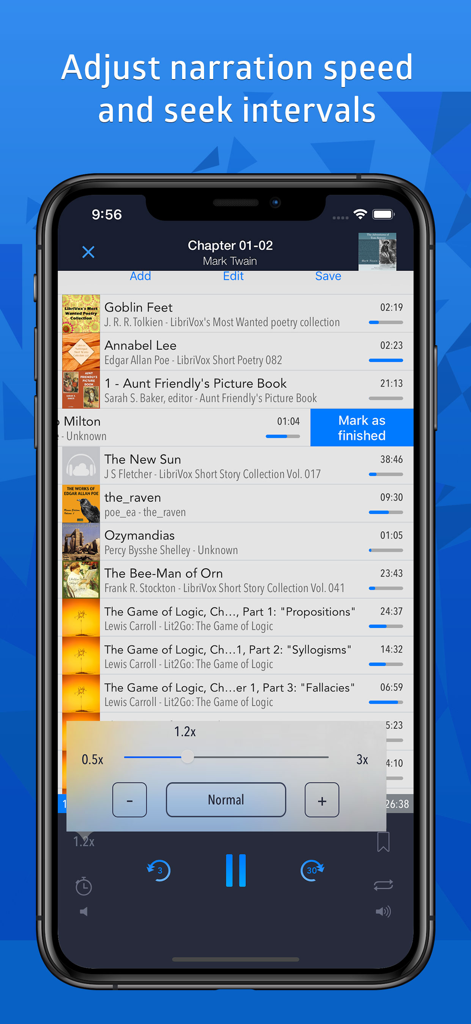
0.5倍から3倍の速度調整とスマートブックマークで、リスニングを最適化。アプリが全デバイスで、すべてのファイルの正確な再生位置を記憶します。

以下のスクリーンショットと説明は、アプリの公式ストアリスティングから直接取得されたものであり、アプリ開発者の所有物です。

アプリストア

スクリーンショット
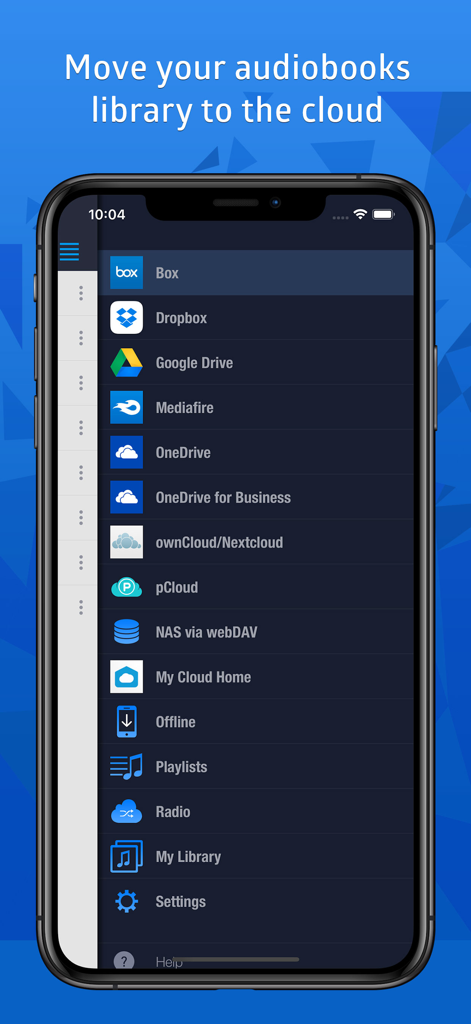
CloudBeats: audio book player - GoogleドライブやDropboxなどの対応クラウドストレージサービスを表示するCloudBeatsアプリのメニュー
GoogleドライブやDropboxなどの対応クラウドストレージサービスを表示するCloudBeatsアプリのメニュー

CloudBeats: audio book player - ナレーション速度調整スライダーとオーディオブック再生リストを表示するCloudBeatsアプリのインターフェース。
ナレーション速度調整スライダーとオーディオブック再生リストを表示するCloudBeatsアプリのインターフェース。

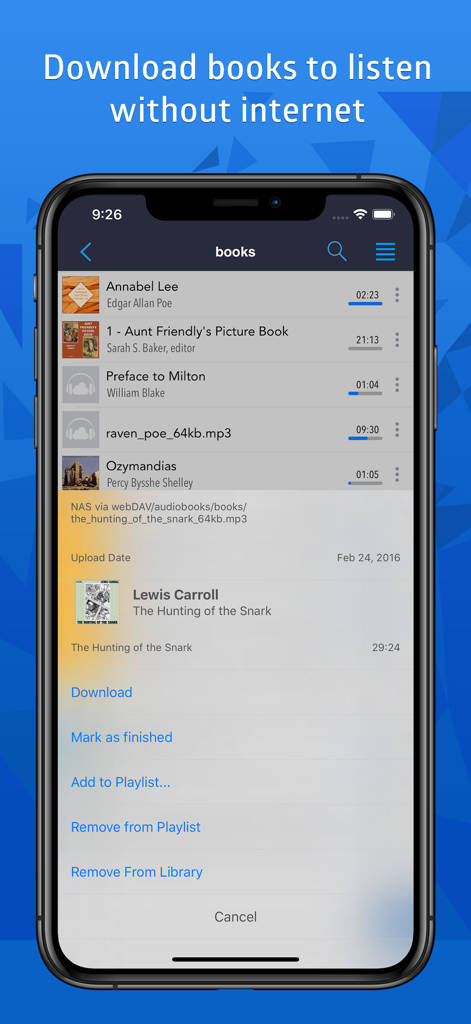
CloudBeats: audio book player - オフライン再生用に本をダウンロードするオプションを表示するCloudBeatsオーディオブックプレイヤーのインターフェース。
オフライン再生用に本をダウンロードするオプションを表示するCloudBeatsオーディオブックプレイヤーのインターフェース。

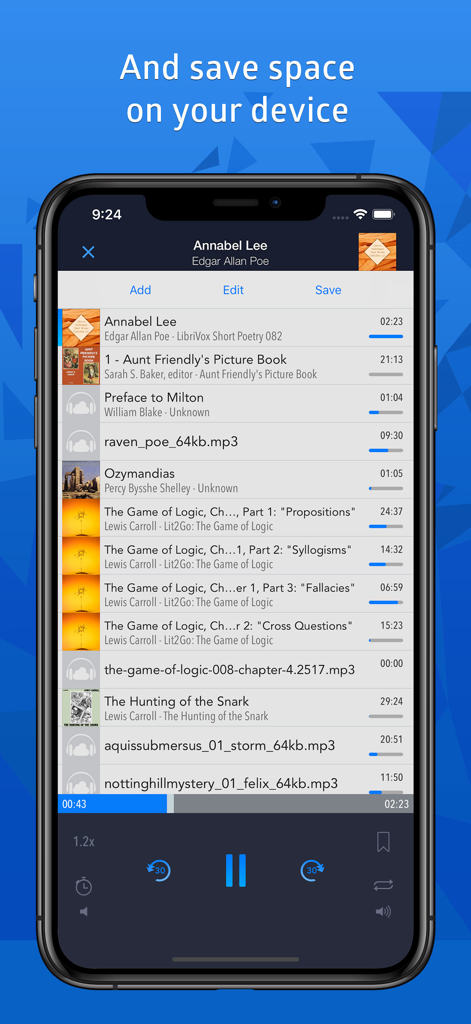
CloudBeats: audio book player - オーディオブックのプレイリストとナレーション速度コントロールを備えたCloudBeatsアプリのインターフェースを表示するiPhone画面
オーディオブックのプレイリストとナレーション速度コントロールを備えたCloudBeatsアプリのインターフェースを表示するiPhone画面

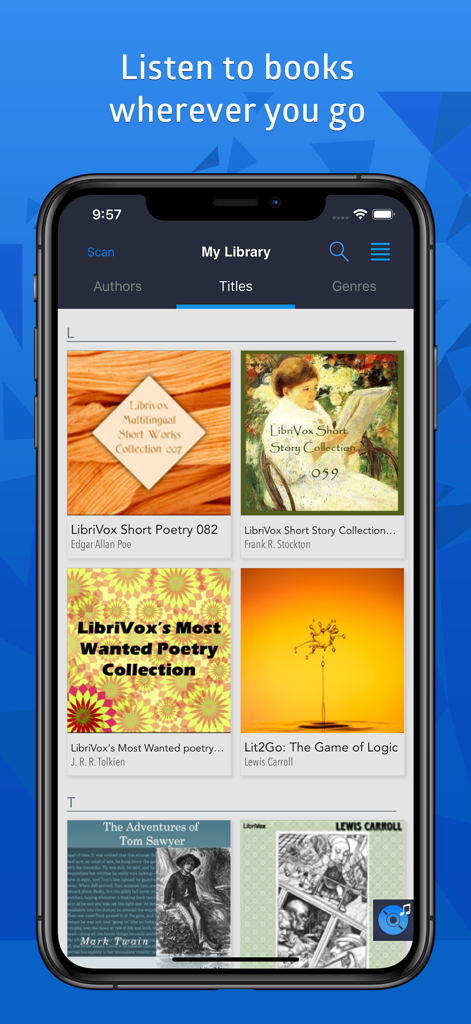
CloudBeats: audio book player - タイトル順に並べられたオーディオブックのコレクションを表示するCloudBeatsモバイルアプリのライブラリ画面

タイトル順に並べられたオーディオブックのコレクションを表示するCloudBeatsモバイルアプリのライブラリ画面

説明

Listen to your audiobooks, podcasts, lectures and other audio files anywhere directly from Google Drive, DropBox, OneDrive and more. Save space on your device as you no longer need to keep large audio files on your iPhone and sync with iTunes. SUPPORTED CLOUDS ・ Dropbox, Google Drive, OneDrive, OneDrive for Business, Box, pCloud, Mediafire ・ My Cloud Home devices by Western Digital ・ personal clouds that support webDAV, including ownCloud and Network-Attached Servers (NAS) by Synology, QNAP, WD and others FEATURES ・ play audiobooks and podcasts files in mp3, m4b and wav formats ・ remember last played position for each file ・ mark tracks as finished or unfinished ・ download folders, files or playlists onto device for playback in offline mode without internet ・ connect to shared cloud folders ・ create multi-cloud playlists and synchronize them between multiple devices ・ import m3u playlists ・ access library by Authors, Titles and Genres ・ optional service for Synchronization & Backup to keep your listening progress, playlists, My Library database in sync between multiple devices. ・ Carplay support ・ Siri and Shortcuts support PLAYER ・ flexible narration speed control in the 0.5x-3x range ・ configurable seek buttons in the 3-60 seconds range ・ multiple bookmarks per file with text notes ・ resumes playing where you left off ・ sleep timer (can be reset when device moves) ・ embedded lyrics display ・ plays via Airplay and Bluetooth Synchronization & Backup is an optional service to keep your playlists, My Library database and audiobooks listening progress in sync between multiple devices. It can also be used to backup and restore your music data. CloudBeats account is required for this service. We offer 1-year auto-renewing subscription for $4.99 per year. The price may vary from country to country. If you choose to purchase Synchronization & Backup, payment will be charged to your iTunes account. You will be charged the same price for renewal within 24-hours prior to the end of the current period. Your subscription automatically renews unless auto-renewal is turned off at least 24 hours prior to the end of the current period. Subscriptions may be managed and auto-renewal may be turned off at any time by going to the user’s Account Settings in the App Store after purchase. Cloudbeats privacy policy and terms of use: https://www.cloudbeatsapp.com/privacy-policy/ * Please note that the app cannot play drm protected files purchased on iTunes Store.

Download

ダウンロード: App Store

このページはアプリまたはその開発者の公式ページではなく、情報提供および論評を目的として作成された独立した編集出版物です。明示的に別段の記載がない限り、アプリおよびその開発者は、MWM、Apple、Google Play、アプリのパブリッシャー、またはアプリの開発者と提携、承認、後援、認可、またはその他の公式的な関係はなく、このページのいかなる内容も、アプリがMWMのサービスを使用して開発されたことを意味するものではありません。すべての商標、ロゴ、スクリーンショット、その他のコンテンツはそれぞれの所有者の財産です。








