Color Widgets Kit - iWidgets
ダウンロード: App Store

このページはアプリまたはその開発者の公式ページではなく、情報提供および論評を目的として作成された独立した編集出版物です。明示的に別段の記載がない限り、アプリおよびその開発者は、MWM、Apple、Google Play、アプリのパブリッシャー、またはアプリの開発者と提携、承認、後援、認可、またはその他の公式的な関係はなく、このページのいかなる内容も、アプリがMWMのサービスを使用して開発されたことを意味するものではありません。すべての商標、ロゴ、スクリーンショット、その他のコンテンツはそれぞれの所有者の財産です。

ロゴ: Color Widgets Kit - iWidgets
ダウンロード: App Store

Color Widgets Kit - iWidgets

ワンクリックでiOS 16ウィジェットを使って、あなたのユニークな雰囲気を表現しましょう。ビンテージ時計から、感動的なフォトスライドショー、テクシックなXパネルまで、あなたのiPhoneをこだわりの傑作に変身させます。

主要数値

ダウンロード

4K+

ユーザー評価

4.2/5

評価数

0

開発元

ZhengZhou Atlas Information Technology Co., Ltd

カテゴリ

Graphics & Design

対応言語

1

最新バージョン

1.0.3

サイズ

223.7 MB

リリース日

2023年4月17日
機能

あなたのiPhoneを再想像する

標準的なレイアウトに妥協するのはやめましょう。iWidgetsを使えば、あなたのユニークな美的感覚を反映し、ワンクリックであなたの世界を整理整頓できる、パーソナライズされたデジタル空間をキュレーションできます。

こだわりの美的テーマ

Y2K、ミニマリスト、ビンテージスタイルまで、あなたの気分やTikTok映えする美しさに合わせて、ホーム画面を瞬時に変身させましょう。

オールインワンXパネル

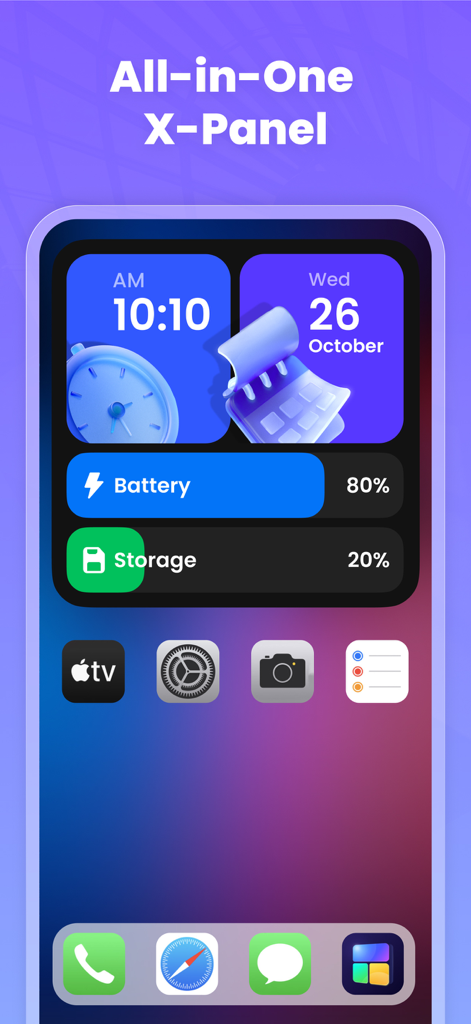
バッテリー残量、ストレージ、システム統計情報を指先で操作できる、洗練されたダッシュボードで、あなたのテクシックなゲームを高めましょう。機能とスタイルの完璧な融合です。

以下のスクリーンショットと説明は、アプリの公式ストアリスティングから直接取得されたものであり、アプリ開発者の所有物です。

アプリストア

スクリーンショット
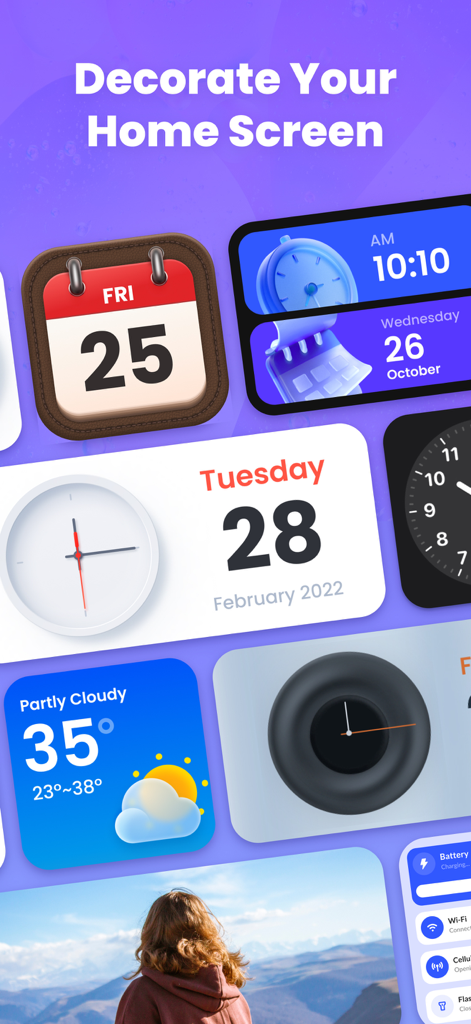
Color Widgets Kit - iWidgets - 紫色の背景に、時計、カレンダー、天気など、さまざまなカラフルで美しいiOSウィジェット。
紫色の背景に、時計、カレンダー、天気など、さまざまなカラフルで美しいiOSウィジェット。

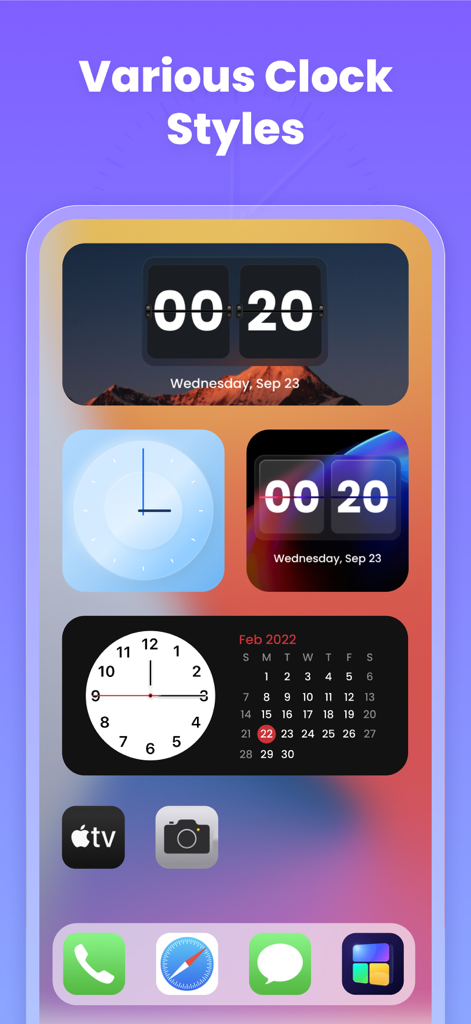
Color Widgets Kit - iWidgets - iPhoneのホーム画面にある、さまざまな美しいデジタルおよびアナログ時計ウィジェット。
iPhoneのホーム画面にある、さまざまな美しいデジタルおよびアナログ時計ウィジェット。

Color Widgets Kit - iWidgets - iPhoneのホーム画面にある、システムステータスを表示する美しいXパネルウィジェット。
iPhoneのホーム画面にある、システムステータスを表示する美しいXパネルウィジェット。

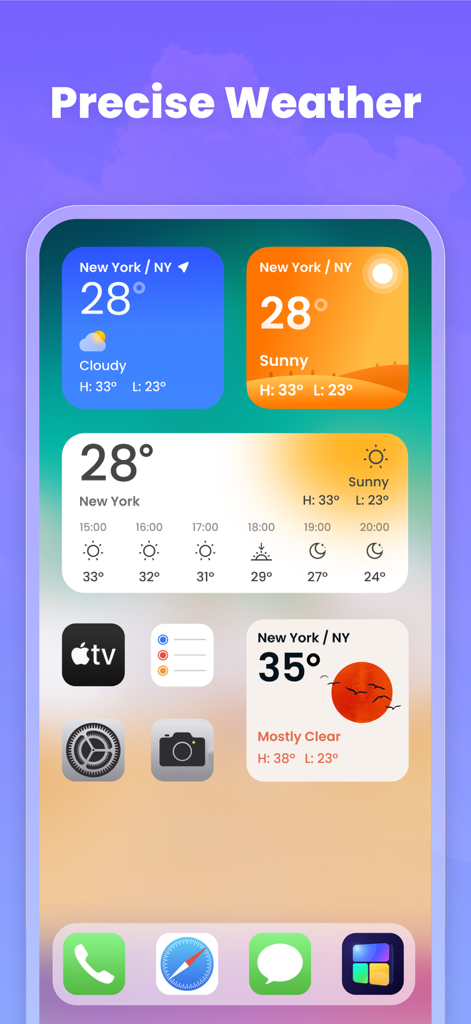
Color Widgets Kit - iWidgets - iPhoneのホーム画面にある、さまざまなカラフルで美しい天気ウィジェットの表示。
iPhoneのホーム画面にある、さまざまなカラフルで美しい天気ウィジェットの表示。

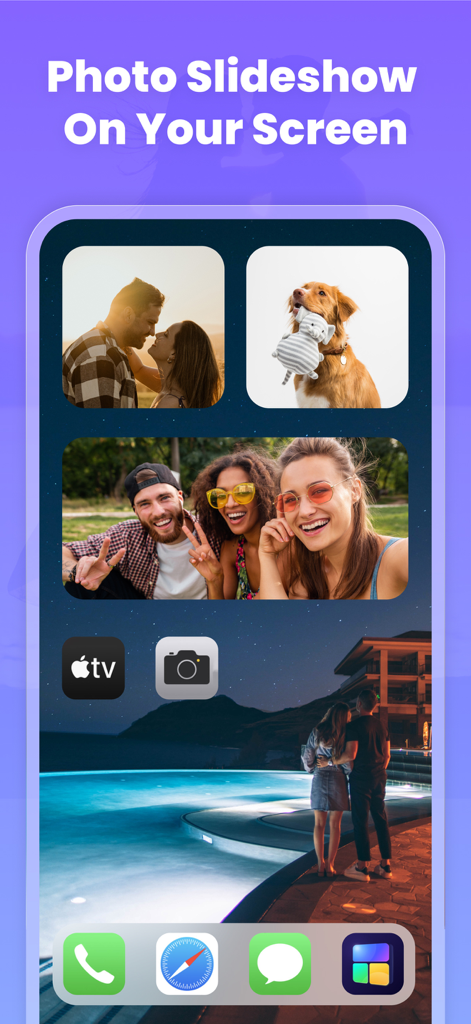
Color Widgets Kit - iWidgets - 個人の写真を表示する美しいフォトスライドショーウィジェットを搭載したiPhoneのホーム画面。
個人の写真を表示する美しいフォトスライドショーウィジェットを搭載したiPhoneのホーム画面。

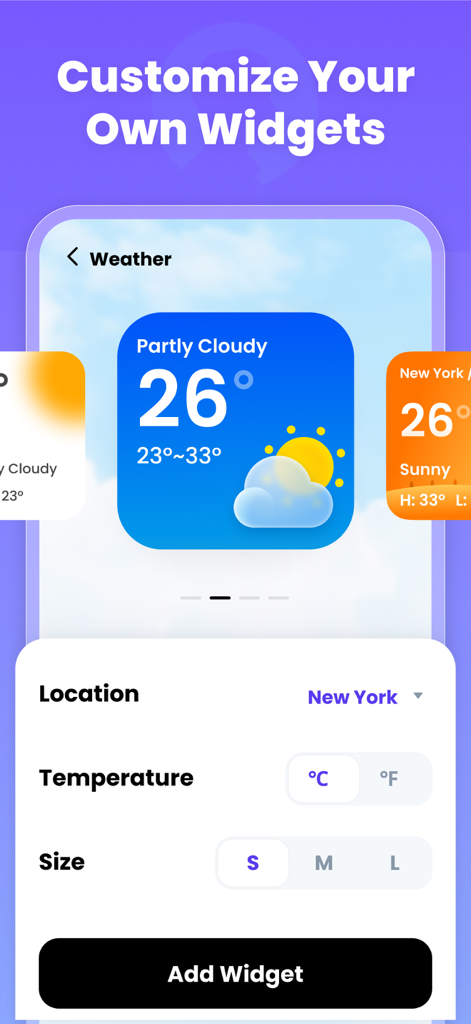
Color Widgets Kit - iWidgets - iWidgetsアプリで天気ウィジェットをカスタマイズするインターフェース。
iWidgetsアプリで天気ウィジェットをカスタマイズするインターフェース。

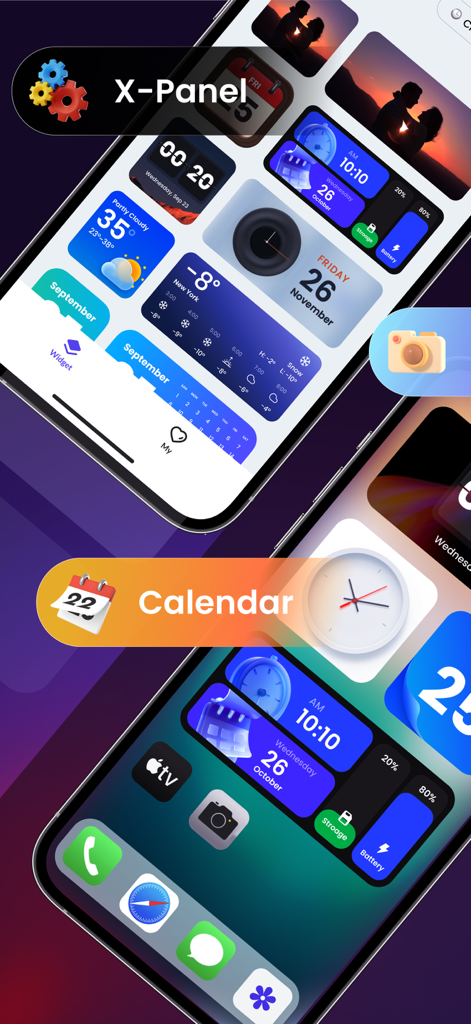
Color Widgets Kit - iWidgets - 時計、カレンダー、デバイス情報のための美しいウィジェットを備えたカスタマイズされたiPhoneホーム画面。
時計、カレンダー、デバイス情報のための美しいウィジェットを備えたカスタマイズされたiPhoneホーム画面。

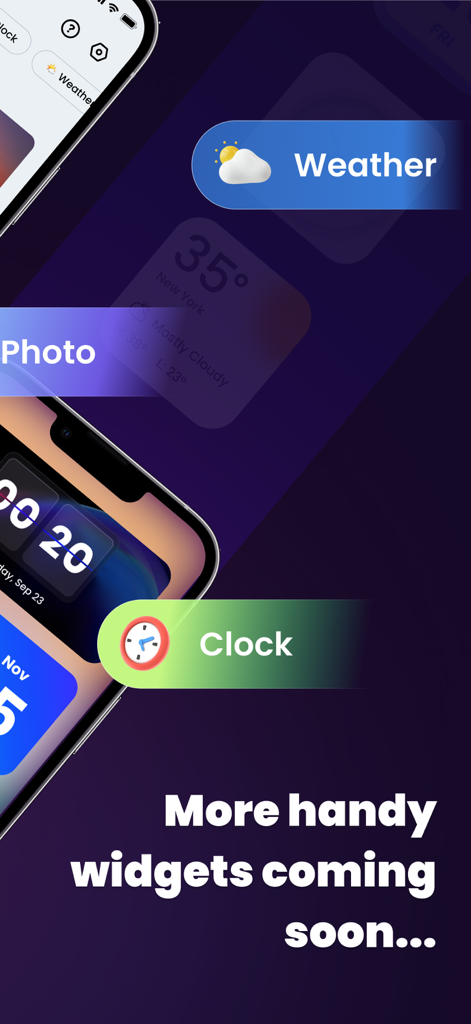
Color Widgets Kit - iWidgets - ダークパープルの背景のiPhone画面に、天気、時計、写真ウィジェットを表示するアプリのプレビュー。

ダークパープルの背景のiPhone画面に、天気、時計、写真ウィジェットを表示するアプリのプレビュー。

説明

iWidgets has kinds of color widgets for iPhone & iPad. It provides you with abundant aesthetic widgets such as clock, photo, X-panel, calendar, and weather, allowing you to customize your home screen with one click! You can add widgets to decorate your home screen and keep information at your fingertips - weather conditions, battery level, or upcoming calendar events. Multiple widget sizes are available. Personalize your home screen with stylish and practical widgets now! Highlights of iWidgets: ⁕ Aesthetic iOS 16 style ⁕ Works on iPhone & iPad ⁕ One-click to save widgets ⁕ Add small/medium/large widgets ⁕ Multiple widgets & diverse widget styles ⁕ Make your screen unique and exclusive X-Panel Widget - A collection of shortcuts on your home screen - Check your device’s status in one place, current date & time, battery level, storage, etc. Photo Widget - Decorate your home screen with your cherished photos - Support photo slideshow, recording your fond memories with family, friends or pets Clock Widget - Exquisite clock widgets to make your home screen more brilliant - Analog and digital clock widgets for your choice - A variety of aesthetic clock widget styles Weather Widget - Local weather information at your fingertips - real-time temperature, weather conditions, etc. - Simple and elegant display interface Calendar Widget - You can set the widget to display the current date or the entire month - Creative and vintage styles for you to choose from Upcoming Widget Types: √ To do list - Simple & straightforward way to to maintain self-discipline, improve your study and work efficiency √ Notes - Record your mood or important matters anytime, anywhere Upcoming Features: √ Change app icon - Change app icons as you like √ Exquisite themes - Various themes for you to create your exclusive style Required Permissions: Photos permission is required to display photos Location permission is required to show weather conditions We support multiple color widgets to meet your diverse needs. With this powerful widgetsmith tool, you can easily personalize your home screen. One-click to add a widget, customize your home screen with the top widgets. About Subscription • Your payment will be processed through your iTunes Account immediately upon purchase confirmation. • Subscription automatically renews unless auto-renew is turned off at least 24-hours before the end of the current period. • You can manage your subscription and deactivate auto-renewal in your Account Settings after the purchase. • The renewal fee will be applied to your account within 24 hours before the current subscription term concludes. • If applicable, any unused portion of a free trial will be forfeited upon the user's subscription purchase to the publication. Privacy Policy: https://iwidgets.atlaszz.com/privacypolicy.html Terms of Use: https://iwidgets.atlaszz.com/terms.html Your support is our greatest motivation. If you have any questions or suggestions, please contact us at widgetsfeedback@gmail.com.

Download

ダウンロード: App Store

このページはアプリまたはその開発者の公式ページではなく、情報提供および論評を目的として作成された独立した編集出版物です。明示的に別段の記載がない限り、アプリおよびその開発者は、MWM、Apple、Google Play、アプリのパブリッシャー、またはアプリの開発者と提携、承認、後援、認可、またはその他の公式的な関係はなく、このページのいかなる内容も、アプリがMWMのサービスを使用して開発されたことを意味するものではありません。すべての商標、ロゴ、スクリーンショット、その他のコンテンツはそれぞれの所有者の財産です。








