Crayon – Create a website
ダウンロード: App Store

このページはアプリまたはその開発者の公式ページではなく、情報提供および論評を目的として作成された独立した編集出版物です。明示的に別段の記載がない限り、アプリおよびその開発者は、MWM、Apple、Google Play、アプリのパブリッシャー、またはアプリの開発者と提携、承認、後援、認可、またはその他の公式的な関係はなく、このページのいかなる内容も、アプリがMWMのサービスを使用して開発されたことを意味するものではありません。すべての商標、ロゴ、スクリーンショット、その他のコンテンツはそれぞれの所有者の財産です。

ロゴ: Crayon – Create a website
ダウンロード: App Store

Crayon – Create a website

忙しい個人事業主向けの最速ウェブサイトビルダー。スマホの写真を魅力的なサイトに変換し、リードを獲得し、コンピューターなしで地域ビジネスを成長させましょう。

主要数値

ダウンロード

106K+

ユーザー評価

4.3/5

評価数

1K+

開発元

Hands, Inc.

カテゴリ

Productivity

対応言語

25

最新バージョン

1.5.0

サイズ

5.0 MB

リリース日

2015年5月27日
機能

iPhoneで構築するビジネスウェブサイト

複雑なデスクトップエディタでの格闘はもうやめましょう。現代の個人事業主の外出の多いライフスタイルに合わせて特別に設計された、プロフェッショナルなウェブサイトを数分で作成・管理できます。

タップして編集するだけのシンプルさ

技術用語やコーディングは不要です。サイトの任意の場所をタップするだけで、外出先でもテキストを更新したり、写真を入れ替えたり、色を即座に変更したりできます。

リードに変換

「今すぐ電話」ボタン、インタラクティブなGoogleマップ、サービスベースのビジネス向けにカスタマイズされたお問い合わせフォームで、訪問者を顧客に変えましょう。

以下のスクリーンショットと説明は、アプリの公式ストアリスティングから直接取得されたものであり、アプリ開発者の所有物です。

アプリストア

スクリーンショット
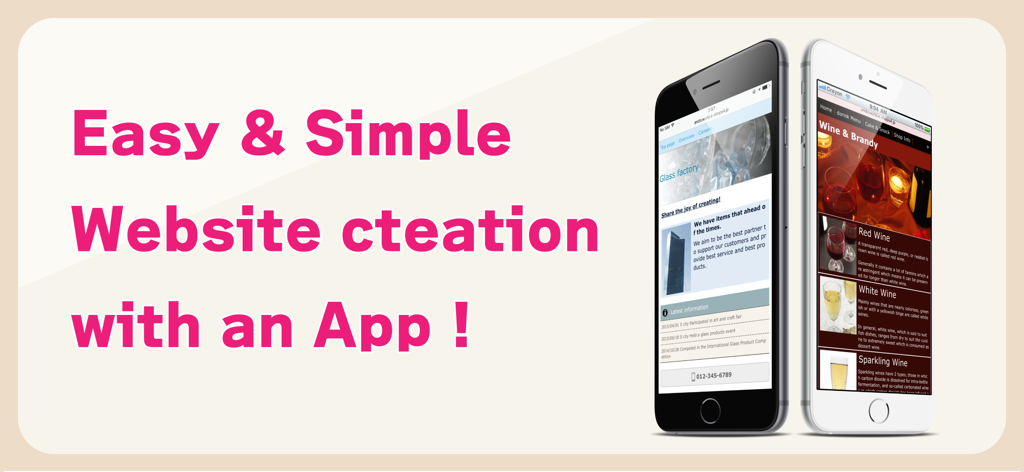
Crayon – Create a website - ガラス工場とワインショップのモバイルウェブサイトを特集したCrayonアプリのプロモーションバナー、「アプリで簡単・シンプルにウェブサイト作成」のテキスト入り
ガラス工場とワインショップのモバイルウェブサイトを特集したCrayonアプリのプロモーションバナー、「アプリで簡単・シンプルにウェブサイト作成」のテキスト入り

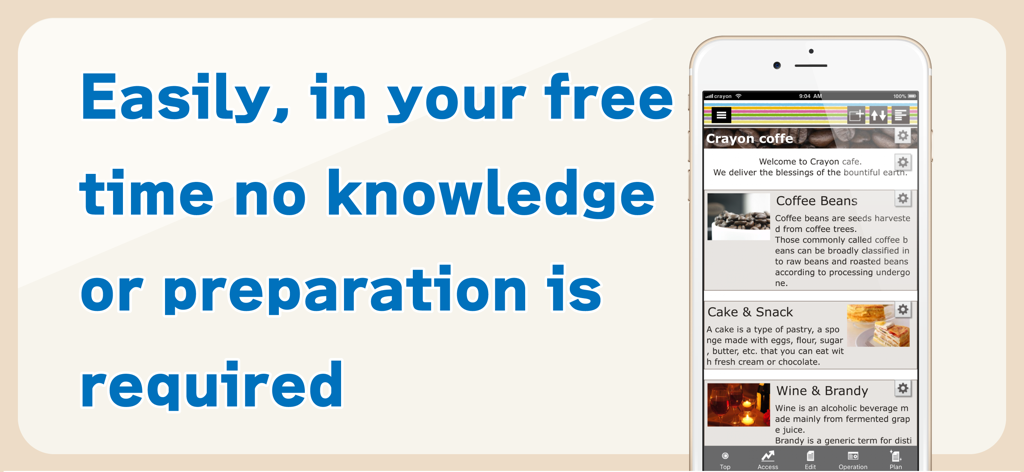
Crayon – Create a website - 技術知識なしで簡単にウェブサイトを構築できるCrayonアプリのインターフェースを示すスマートフォン
技術知識なしで簡単にウェブサイトを構築できるCrayonアプリのインターフェースを示すスマートフォン

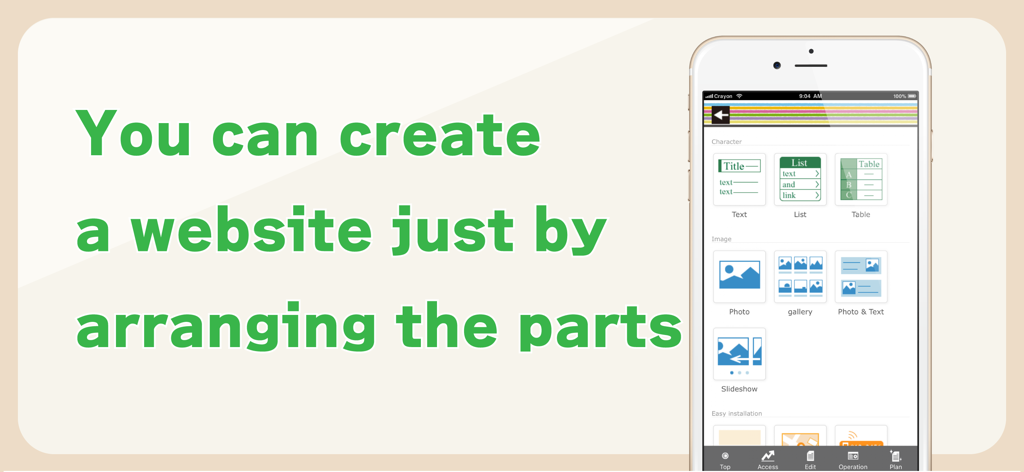
Crayon – Create a website - テキストや写真などのコンポーネントを配置してウェブサイトを構築するためのCrayonアプリのインターフェースを示すスマートフォンの画面
テキストや写真などのコンポーネントを配置してウェブサイトを構築するためのCrayonアプリのインターフェースを示すスマートフォンの画面

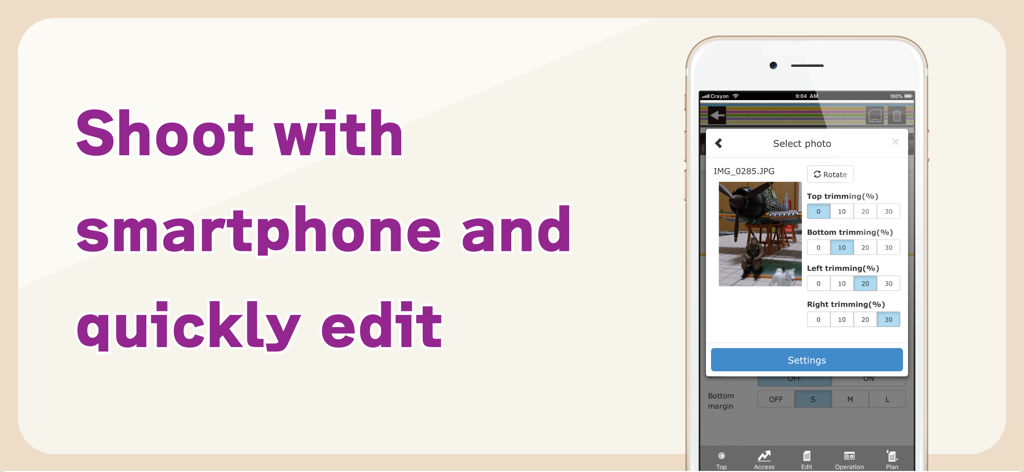
Crayon – Create a website - Crayonウェブサイトビルダーアプリ内の写真のトリミングと編集ツールを表示するスマートフォンの画面
Crayonウェブサイトビルダーアプリ内の写真のトリミングと編集ツールを表示するスマートフォンの画面

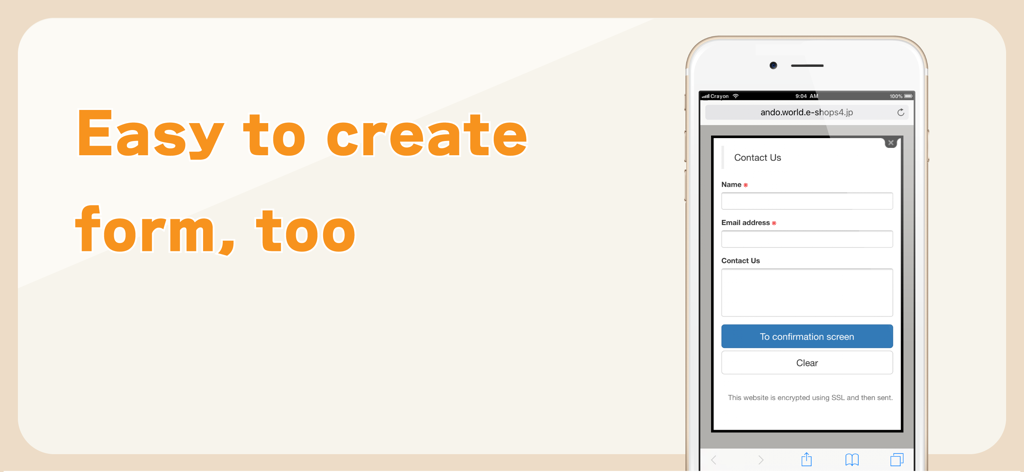
Crayon – Create a website - Crayonウェブサイトビルダーアプリを使用して作成された、名前とメールアドレスのフィールドを持つシンプルな連絡先フォームを表示するモバイルインターフェース。

Crayonウェブサイトビルダーアプリを使用して作成された、名前とメールアドレスのフィールドを持つシンプルな連絡先フォームを表示するモバイルインターフェース。

説明

You can create a fully-fledged website and update it with simple operations. Complete the website just by arranging the selected photos, text and maps. You can tap the portion you want to modify or revise while viewing the website and change it on the spot. You can make these websites for stores, companies, groups, unions as well as websites for your hobbies. Many websites are created under the "Free plan", however if you upgrade to the "Paid plan", you will be able to utilize many useful functions. You can also use your own domain. -------------- We recently celebrated our second anniversary. Thank you to all of you. We are getting approximately 6000 new users monthly. -------------- [How to create a website] Arrange the parts and create a website. When writing any text, just place the text parts and set the sentences in those parts. Select font color, background color, font size and design. A screen is also simple to make. When you want to post photos, just select the photo parts and photos taken with your smartphone. Trimming (cutting) and rotation can be done after selecting a photo. You can change the order, or replicate and delete parts that you have placed. [Recommendations] ◊ Contact You can receive queries and contacts from users who are viewing your website. You can use it as an application form for products and services as well. You can easily change and add the input form and use it as a questionnaire as well. ◊ Phone number You can set a phone call button. This is useful in case of contact by phone. ◊ Slideshow You can display multiple images in a specific order. Recommended to use this on the HOME page to make it better. ◊ Map You can easily add a map (GoogleMAP). It is a highly functional map where you can zoom-in/ zoom-out and move with your fingers. ◊ HTML (Paid plan) This part is for advanced users who can write HTML code. You can place a blog part such as Twitter's timeline. [Free plan] With this plan, you can use our service for free. Most websites are available on the "Free plan". [Paid plan](Light) This plan offers you the use of multiple images and pages. You can write HTML code on your own and you can also use Google Analytics. The amount will vary by country. Paid plan subscriptions purchased in-app renew Every 3 months depending. Paid plans are priced at $39.99USD 3 months (pricing may vary in countries other than the U.S.). Payment will be charged to iTunes Account at confirmation of purchase. Subscription automatically renews unless auto-renew is turned off at least 24-hours before the end of the current period. Account will be charged for renewal within 24-hours prior to the end of the current period, and identify the cost of the renewal. Subscriptions may be managed by the user and auto-renewal may be turned off by going to the user’s Account Settings after purchase. [Own domain] If you change to "Paid plan", you can set already owned domains. You can choose a domain by yourself. [Future version-up] We are planning to add many more functions and designs, and improve usability of the management screen. Terms of service https://crayonsite.e-shops.jp/kiyaku_en.html privacy policy https://crayonsite.e-shops.jp/privacy_en.html

Download

ダウンロード: App Store

このページはアプリまたはその開発者の公式ページではなく、情報提供および論評を目的として作成された独立した編集出版物です。明示的に別段の記載がない限り、アプリおよびその開発者は、MWM、Apple、Google Play、アプリのパブリッシャー、またはアプリの開発者と提携、承認、後援、認可、またはその他の公式的な関係はなく、このページのいかなる内容も、アプリがMWMのサービスを使用して開発されたことを意味するものではありません。すべての商標、ロゴ、スクリーンショット、その他のコンテンツはそれぞれの所有者の財産です。