Cryptomator
Cryptomator
ダウンロード: App Store

このページはアプリまたはその開発者の公式ページではなく、情報提供および論評を目的として作成された独立した編集出版物です。明示的に別段の記載がない限り、アプリおよびその開発者は、MWM、Apple、Google Play、アプリのパブリッシャー、またはアプリの開発者と提携、承認、後援、認可、またはその他の公式的な関係はなく、このページのいかなる内容も、アプリがMWMのサービスを使用して開発されたことを意味するものではありません。すべての商標、ロゴ、スクリーンショット、その他のコンテンツはそれぞれの所有者の財産です。

ロゴ: Cryptomator
ダウンロード: App Store

Cryptomator

オープンソースのクライアントサイド暗号化で、あなたのデジタル主権を強化しましょう。AES-256保護を使用して、iCloud、Dropbox、Google Drive上の機密ファイルを保護し、iOSファイルアプリとシームレスに統合します。

主要数値

ダウンロード

18K+

ユーザー評価

4.3/5

評価数

500

開発元

Skymatic GmbH

カテゴリ

Productivity

対応言語

34

最新バージョン

2.7.2

サイズ

87.1 MB

リリース日

2021年12月21日
機能

クラウドのための鉄壁のセキュリティ

お気に入りのストレージサービスとシームレスに統合された、透明性の高いクライアントサイド暗号化で、機密文書やプロフェッショナルデータを保護しましょう。

ゼロ知識プライバシー

ファイルはデバイスを離れる前にAES-256で暗号化されます。クラウドプロバイダーもハッカーもあなたのデータにアクセスできません。

ネイティブiOS統合

複雑なセットアップは不要です。Appleファイルアプリ内でセキュアなボールトに直接アクセスし、Face IDで即座にロック解除できます。

以下のスクリーンショットと説明は、アプリの公式ストアリスティングから直接取得されたものであり、アプリ開発者の所有物です。

アプリストア

スクリーンショット
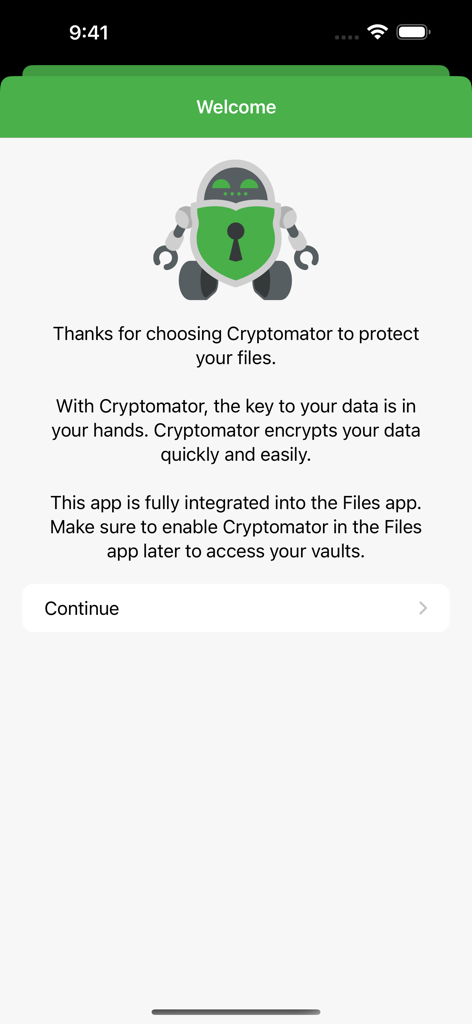
Cryptomator - Cryptomatorアプリのウェルカム画面。ロボットのマスコットと、セキュアなファイル暗号化およびiOSファイルアプリ統合の説明が表示されています。
Cryptomatorアプリのウェルカム画面。ロボットのマスコットと、セキュアなファイル暗号化およびiOSファイルアプリ統合の説明が表示されています。

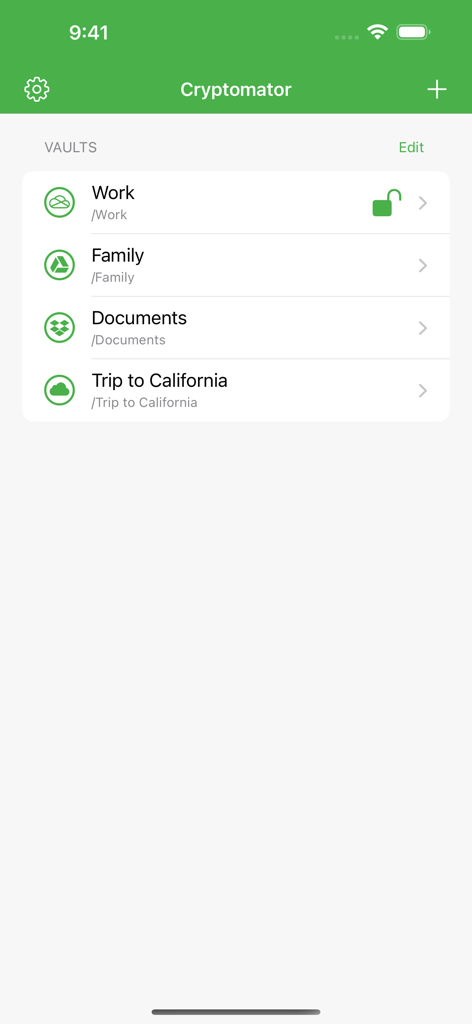
Cryptomator - Cryptomatorアプリのインターフェース。Work FamilyやDocumentsなど、暗号化されたクラウドストレージボールトのリストが表示されています。
Cryptomatorアプリのインターフェース。Work FamilyやDocumentsなど、暗号化されたクラウドストレージボールトのリストが表示されています。

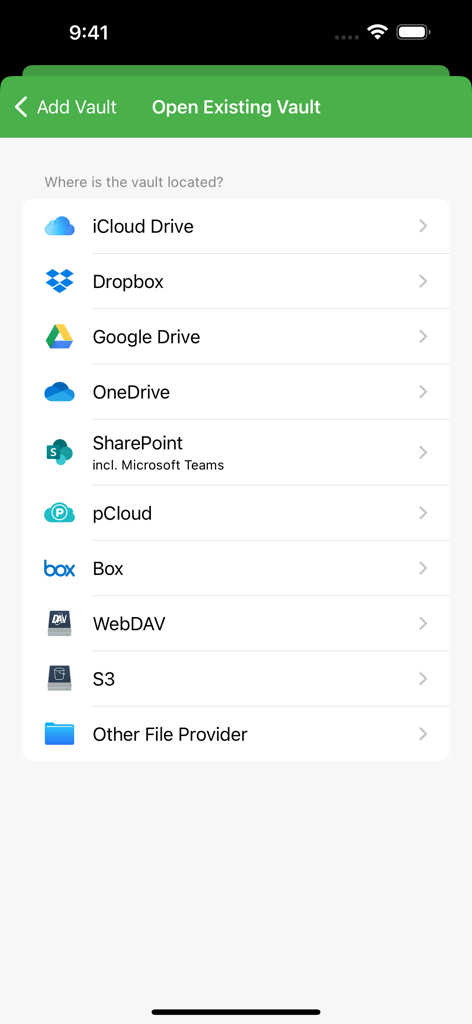
Cryptomator - Cryptomatorがサポートするクラウドストレージプロバイダーのリスト。iCloud、Dropbox、Google Driveなどが含まれています。
Cryptomatorがサポートするクラウドストレージプロバイダーのリスト。iCloud、Dropbox、Google Driveなどが含まれています。

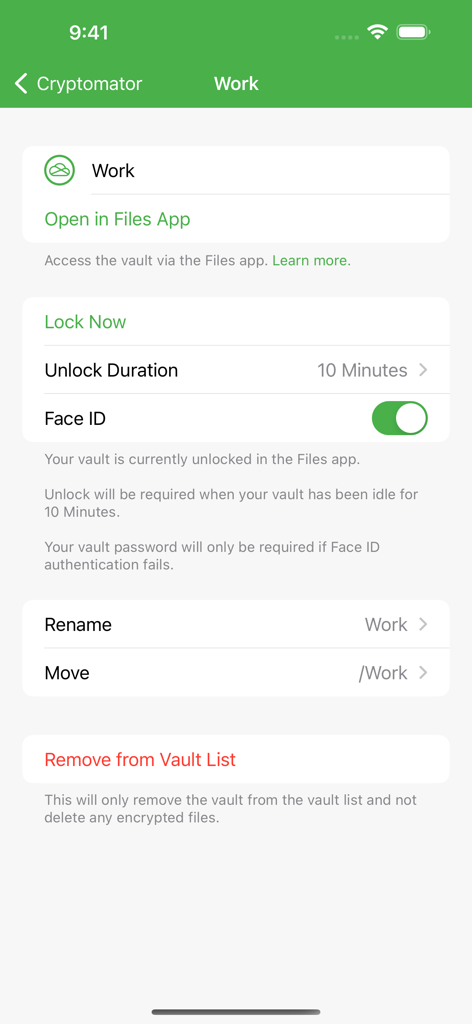
Cryptomator - Cryptomatorアプリのインターフェース。Face IDトグルやファイルアプリ統合など、ボールトのセキュリティ設定が表示されています。
Cryptomatorアプリのインターフェース。Face IDトグルやファイルアプリ統合など、ボールトのセキュリティ設定が表示されています。

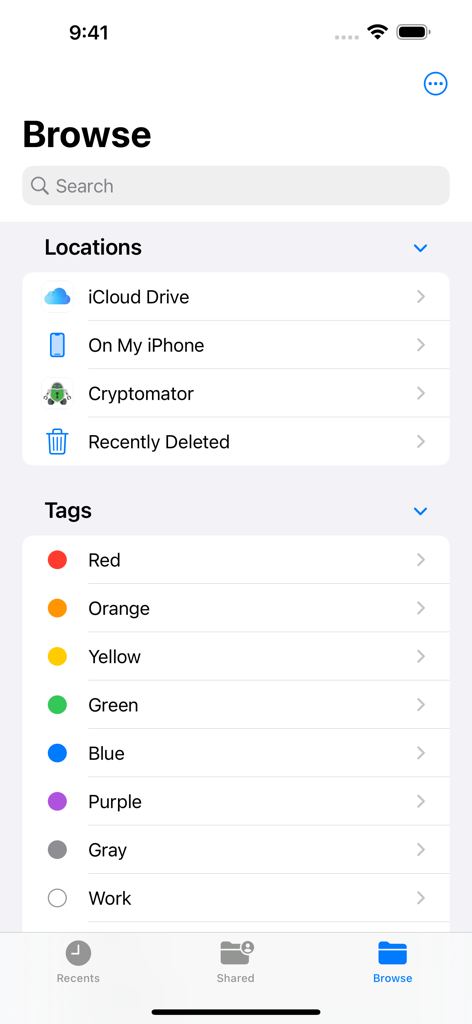
Cryptomator - iOSファイルアプリのブラウズメニュー内で、ストレージの場所として統合されたCryptomator。
iOSファイルアプリのブラウズメニュー内で、ストレージの場所として統合されたCryptomator。

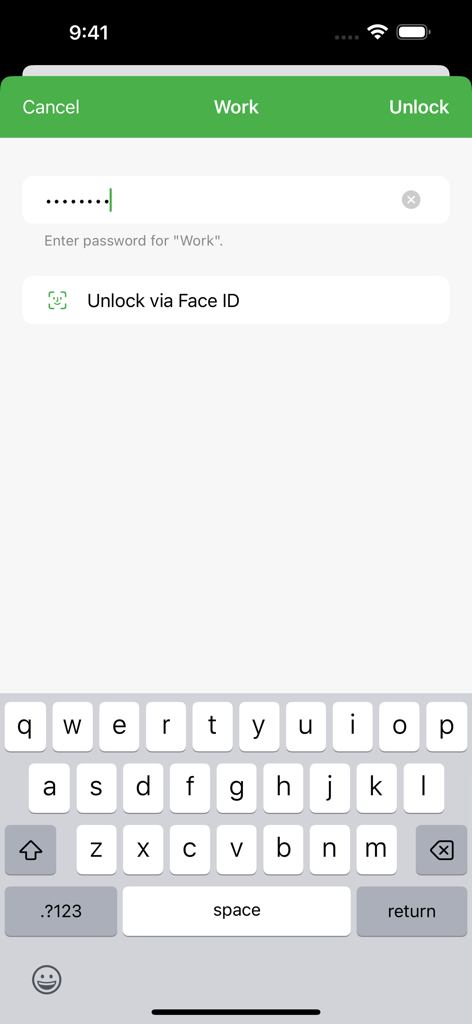
Cryptomator - Cryptomatorボールトのロック解除画面。パスワードフィールドとFace IDオプションがiOSに表示されています。
Cryptomatorボールトのロック解除画面。パスワードフィールドとFace IDオプションがiOSに表示されています。

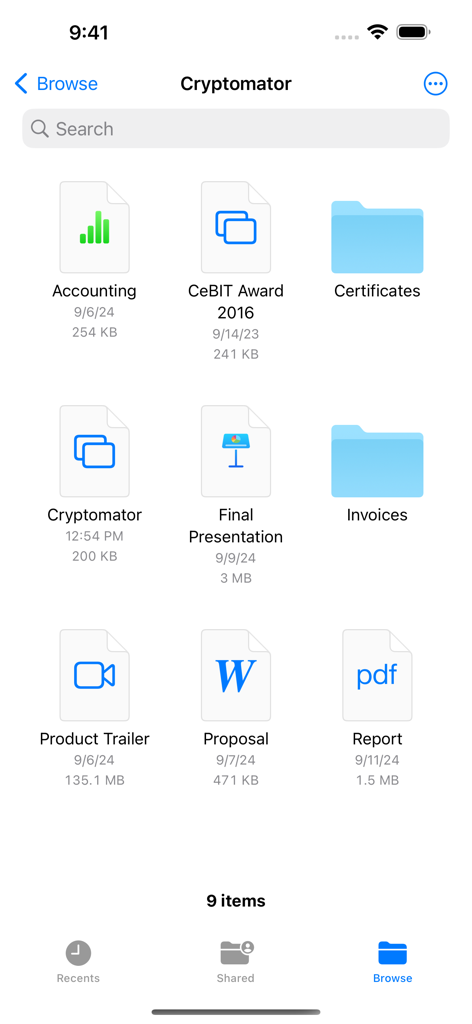
Cryptomator - Cryptomatorアプリのインターフェース。iPhone上で、暗号化されたファイルやフォルダのグリッドが表示されています。

Cryptomatorアプリのインターフェース。iPhone上で、暗号化されたファイルやフォルダのグリッドが表示されています。

説明

With Cryptomator, the key to your data is in your hands. Cryptomator secures and encrypts your sensitive data in your favorite cloud service. So you can rest assured that only you can access your data. EASY-TO-USE Cryptomator is a simple tool for digital self-defense. It allows you to protect your cloud data by yourself and independently. • Simply create a vault and assign a password • No additional account or configuration needed • Unlock vaults with Face ID / Touch ID • Fully integrated into the Files app COMPATIBLE Cryptomator is compatible with the most commonly used cloud storages and available for all major operating systems. • Compatible with iCloud Drive, Dropbox, Google Drive, OneDrive, SharePoint (incl. Microsoft Teams), pCloud, Box, WebDAV- and S3-based cloud storage services • Create vaults in any location via other File Providers (third-party apps must support this) • Access your vaults on all your mobile devices and computers SECURE You don't have to trust Cryptomator blindly, because it is open source software. For you as a user, this means that everyone can see the code: https://github.com/cryptomator/ios • File content and filename encryption with AES and 256 bit key length • Vault password is secured with scrypt for enhanced brute-force resistance • Crypto implementation is publicly documented AWARD-WINNING Cryptomator received the CeBIT Innovation Award 2016 for Usable Security and Privacy. We're proud to provide security and privacy for hundreds of thousands of Cryptomator users. CRYPTOMATOR COMMUNITY Join the Cryptomator Community and participate in the conversations with other Cryptomator users: https://community.cryptomator.org • Follow us on Mastodon @cryptomator@mastodon.online • Like us on Facebook /Cryptomator --- Terms of Use: https://www.apple.com/legal/internet-services/itunes/dev/stdeula/

Download

ダウンロード: App Store

このページはアプリまたはその開発者の公式ページではなく、情報提供および論評を目的として作成された独立した編集出版物です。明示的に別段の記載がない限り、アプリおよびその開発者は、MWM、Apple、Google Play、アプリのパブリッシャー、またはアプリの開発者と提携、承認、後援、認可、またはその他の公式的な関係はなく、このページのいかなる内容も、アプリがMWMのサービスを使用して開発されたことを意味するものではありません。すべての商標、ロゴ、スクリーンショット、その他のコンテンツはそれぞれの所有者の財産です。