Decibel Meter dB (Sound Meter)
ダウンロード: App Store

このページはアプリまたはその開発者の公式ページではなく、情報提供および論評を目的として作成された独立した編集出版物です。明示的に別段の記載がない限り、アプリおよびその開発者は、MWM、Apple、Google Play、アプリのパブリッシャー、またはアプリの開発者と提携、承認、後援、認可、またはその他の公式的な関係はなく、このページのいかなる内容も、アプリがMWMのサービスを使用して開発されたことを意味するものではありません。すべての商標、ロゴ、スクリーンショット、その他のコンテンツはそれぞれの所有者の財産です。

ロゴ: Decibel Meter dB (Sound Meter)
ダウンロード: App Store

Decibel Meter dB (Sound Meter)

iPhoneを高精度の騒音レベルインジケーターに変えましょう。職場の安全、DIYプロジェクト、騒がしい隣人の記録など、信頼できるリアルタイムの正確なデータを入手できます。

主要数値

ダウンロード

313K+

ユーザー評価

4.4/5

評価数

7K+

開発元

Zipo Apps Ltd.

カテゴリ

Utilities

対応言語

9

最新バージョン

1.9.3

サイズ

86.4 MB

リリース日

2017年2月13日
機能

あなたの音響環境にプロの精度を

iPhoneを高精度の音圧レベルメーターに変え、騒音汚染を監視し、聴覚を保護し、データに基づいた確信を持って周囲を記録しましょう。

プロ仕様の精度

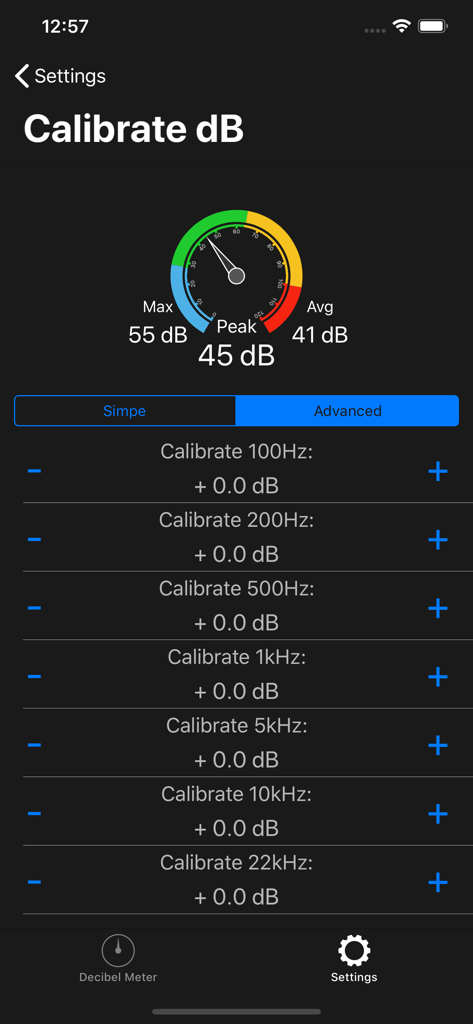
カスタマイズ可能なキャリブレーションを使用して、特定のハードウェアに合わせ、DIYプロジェクト、スタジオセットアップ、職場の安全のためのラボ品質のデシベル測定を保証します。

視覚的な証拠タイムライン

ライブグラフで時間の経過とともに音の変動を追跡できます。しつこい騒音の隣人を記録したり、環境騒音パターンを分析したりするのに最適です。

FAQ

よくある質問

について知っておくべきこと Decibel Meter dB (Sound Meter)

デシベルメーターdB(サウンドメーター)アプリの主な機能は何ですか?

デシベルメーターdB(サウンドメーター)アプリは、リアルタイムで音レベルをデシベル(dB)で正確に測定します。継続的な更新、視覚的なフィードバック、および音量タイムラインを提供します。

デシベルメーターdB(サウンドメーター)は音レベルをどのように表示しますか?

デシベルメーターdB(サウンドメーター)アプリは、現在のdBを示すメインインジケーターを使用して音レベルを表示します。また、Max、Peak、Averageの読み取り値と、音の変動の視覚的なタイムラインも表示します。

ユーザーはデシベルメーターdB(サウンドメーター)アプリをキャリブレーションできますか?

はい、デシベルメーターdB(サウンドメーター)はカスタマイズ可能なキャリブレーション設定を提供します。ユーザーは、正確で精密な測定のために、デバイスのマイク特性に合わせてdbメーターを調整できます。

以下のスクリーンショットと説明は、アプリの公式ストアリスティングから直接取得されたものであり、アプリ開発者の所有物です。

アプリストア

スクリーンショット
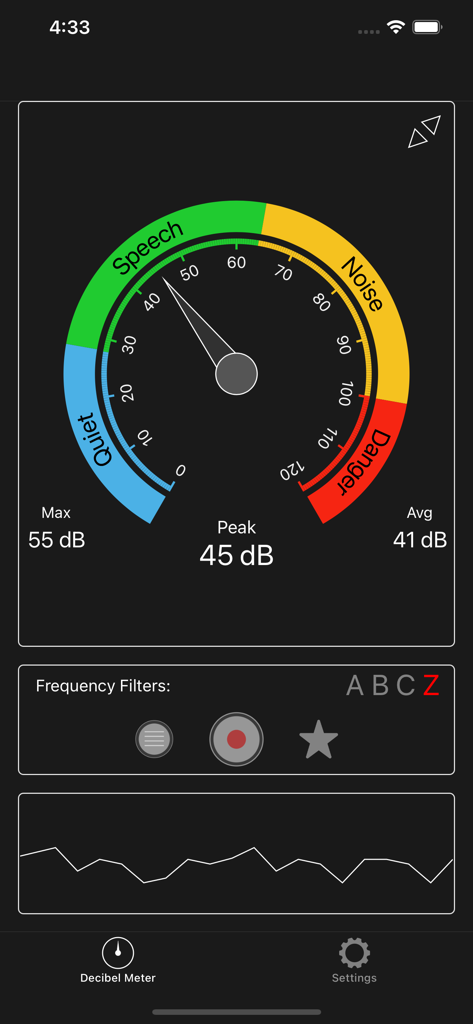
Decibel Meter dB (Sound Meter) - デシベルメーターアプリのインターフェースが、ゲージ上に音量レベルと騒音カテゴリを表示している様子
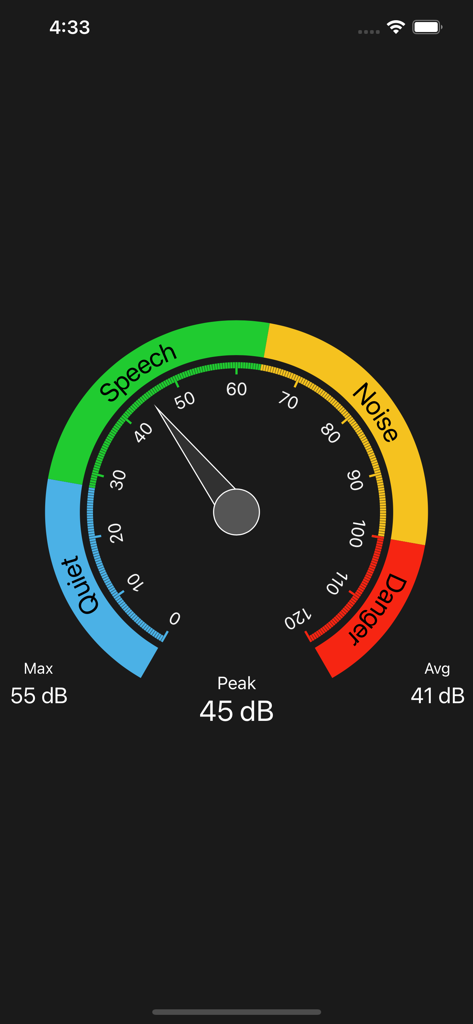
デシベルメーターアプリのインターフェースが、ゲージ上に音量レベルと騒音カテゴリを表示している様子

Decibel Meter dB (Sound Meter) - 円形の騒音レベルゲージが静か、会話、騒音、危険のゾーンを色分けして表示しているデシベルメーターアプリのインターフェース
円形の騒音レベルゲージが静か、会話、騒音、危険のゾーンを色分けして表示しているデシベルメーターアプリのインターフェース

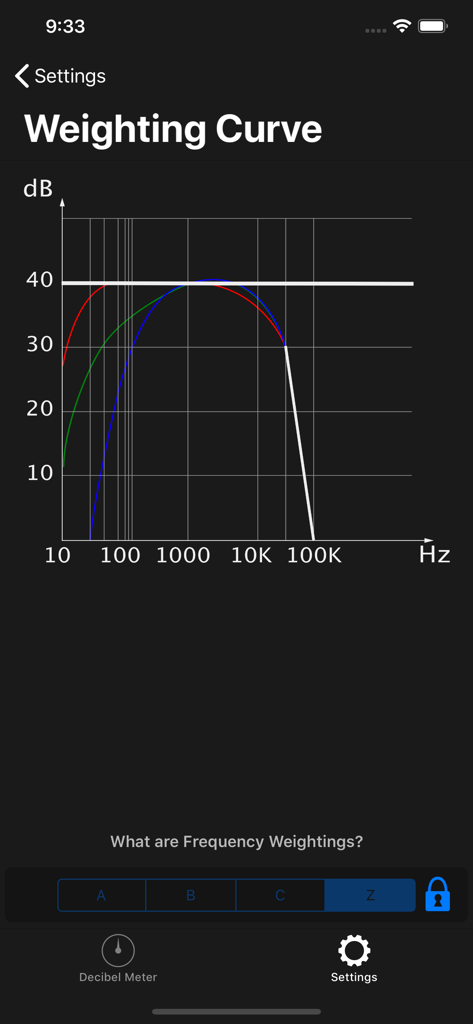
Decibel Meter dB (Sound Meter) - デシベルメーターアプリでプロ仕様の音響測定のための周波数重み付け曲線を示す画面
デシベルメーターアプリでプロ仕様の音響測定のための周波数重み付け曲線を示す画面

Decibel Meter dB (Sound Meter) - デシベルメーターアプリの高度な周波数キャリブレーション画面で、音量レベルと周波数調整が表示されている様子
デシベルメーターアプリの高度な周波数キャリブレーション画面で、音量レベルと周波数調整が表示されている様子

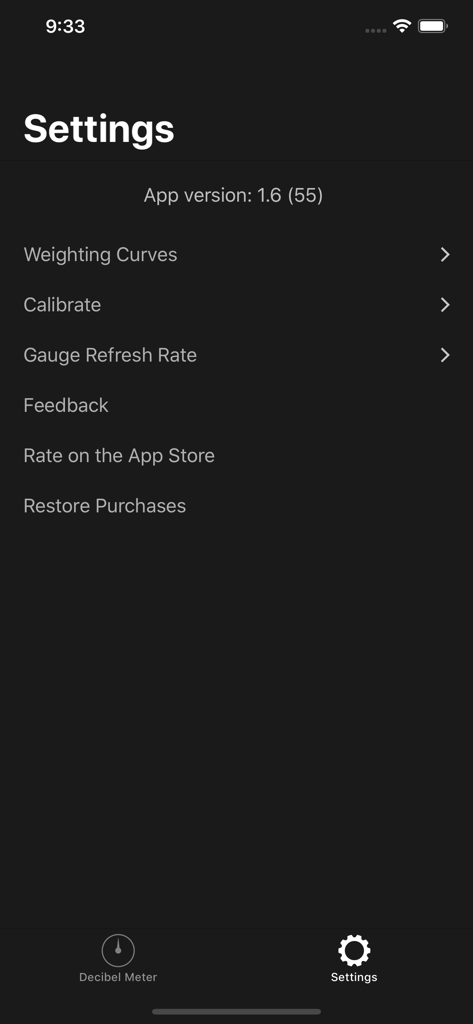
Decibel Meter dB (Sound Meter) - デシベルメーターアプリの設定メニューで、キャリブレーションと重み付け曲線のオプションが表示されている様子

デシベルメーターアプリの設定メニューで、キャリブレーションと重み付け曲線のオプションが表示されている様子

説明

*** Decibel Meter - Measure Sound Volume with Precision! *** Introducing Decibel Meter, the ultimate tool for accurately measuring sound levels in decibels (dB). Whether you're monitoring noise levels in your environment, checking the sound of your music, or simply curious about the volume around you, our app provides real-time measurements and easy-to-understand feedback. With a sleek interface and precise functionality, Decibel Meter is your go-to sound meter for all your acoustic needs. Whether you're using a db meter to check your home’s background noise or need a professional-grade noise meter for your job, this app adapts to your needs. Enjoy the reliability of a finely tuned sound meter that delivers consistent performance every time. With this versatile noise meter, you can assess the loudness of any setting with confidence. Our db meter is ideal for musicians, audio technicians, and everyday users alike. Trust in our sound meter to help you create a quieter, safer, and more informed environment. *** Real-Time Sound Measurement *** Our db meter offers real-time sound measurement, instantly displaying the current sound volume level on your device. The main indicator not only shows the exact decibel level but also provides a brief explanation of the volume intensity, so you always know what the numbers mean. *** Key Features of Decibel Meter *** - Accurate Sound Measurements: Get precise sound volume readings in decibels (dB) with our advanced sound meter. Monitor the noise levels around you with ease and confidence. - Real-Time Volume Display: The app continuously updates the current sound level in real-time, making it easy to track changes in your environment's volume. - Volume Timeline: At the bottom of the screen, you'll find a volume value timeline that visually represents sound fluctuations over time, helping you to see trends and patterns in noise levels. - Customizable Calibration: Tailor the app to your specific device with the calibration settings. Adjust the db meter according to your microphone's characteristics for the most accurate readings possible. - User-Friendly Interface: Simple and intuitive, our app is designed for anyone to use. Whether you're a sound engineer or just curious, Decibel Meter makes sound measurement straightforward and accessible. *** How to Use *** - Open the App: Launch the Decibel Meter to start measuring sound levels instantly. - Monitor Sound Levels: Watch as the main indicator displays the current sound volume in decibels (dB), with a helpful explanation of the sound intensity. - Calibrate for Accuracy: Use the settings screen to calibrate the sound meter according to your device's microphone for optimal accuracy. - Review the Volume Timeline: Check the timeline at the bottom of the screen to observe sound volume changes over time. *** Why Choose Decibel Meter? *** - Precision at Your Fingertips: Our app provides highly accurate sound level readings, ensuring you always have the most reliable information. - Easy Calibration: Customize the db meter to fit your device's microphone, ensuring precise measurements tailored to your specific needs. - Visual and Intuitive: The combination of real-time data, visual timelines, and clear explanations makes understanding sound levels easier than ever. *** Download Now! *** Start measuring sound levels with precision and ease. Download the Decibel Meter today and take control of your environment's noise levels. Whether you need a sound meter for professional use or just want to satisfy your curiosity, our app has you covered. Experience accurate and reliable sound measurement at your fingertips! Privacy Policy: https://zipoapps.com/iosdecibelmeter/privacy/ Terms and Conditions: https://zipoapps.com/iosdecibelmeter/terms/

Download

ダウンロード: App Store

このページはアプリまたはその開発者の公式ページではなく、情報提供および論評を目的として作成された独立した編集出版物です。明示的に別段の記載がない限り、アプリおよびその開発者は、MWM、Apple、Google Play、アプリのパブリッシャー、またはアプリの開発者と提携、承認、後援、認可、またはその他の公式的な関係はなく、このページのいかなる内容も、アプリがMWMのサービスを使用して開発されたことを意味するものではありません。すべての商標、ロゴ、スクリーンショット、その他のコンテンツはそれぞれの所有者の財産です。