Desh Marathi Keyboard
ダウンロード: App Store

このページはアプリまたはその開発者の公式ページではなく、情報提供および論評を目的として作成された独立した編集出版物です。明示的に別段の記載がない限り、アプリおよびその開発者は、MWM、Apple、Google Play、アプリのパブリッシャー、またはアプリの開発者と提携、承認、後援、認可、またはその他の公式的な関係はなく、このページのいかなる内容も、アプリがMWMのサービスを使用して開発されたことを意味するものではありません。すべての商標、ロゴ、スクリーンショット、その他のコンテンツはそれぞれの所有者の財産です。

ロゴ: Desh Marathi Keyboard
ダウンロード: App Store

Desh Marathi Keyboard

英語からマラーティー語への簡単なローマ字入力を通じて、故郷との距離を縮めましょう。世界中の何千人ものマラーティー語話者が、スマート予測、カスタムステッカー、簡単な言語切り替えを利用して、あらゆるチャットアプリで文化的なつながりを保っています。

主要数値

ダウンロード

115K+

ユーザー評価

4.7/5

評価数

7K+

開発元

ClusterDev Technologies Private Limited

カテゴリ

Utilities

対応言語

1

最新バージョン

3.0.7

サイズ

37.0 MB

リリース日

2023年4月5日
機能

英語のスピードでマラーティー語を入力

グローバルなマラーティー語コミュニティが、すべてのiOSアプリで簡単にコミュニケーションを取り、ルーツとのつながりを保つための究極のキーボード。

スマートなローマ字入力

英語の文字を使って発音通りに入力すると、すぐにマラーティー文字に変換されます。学ぶべき複雑なレイアウトはありません。

シームレスな言語切り替え

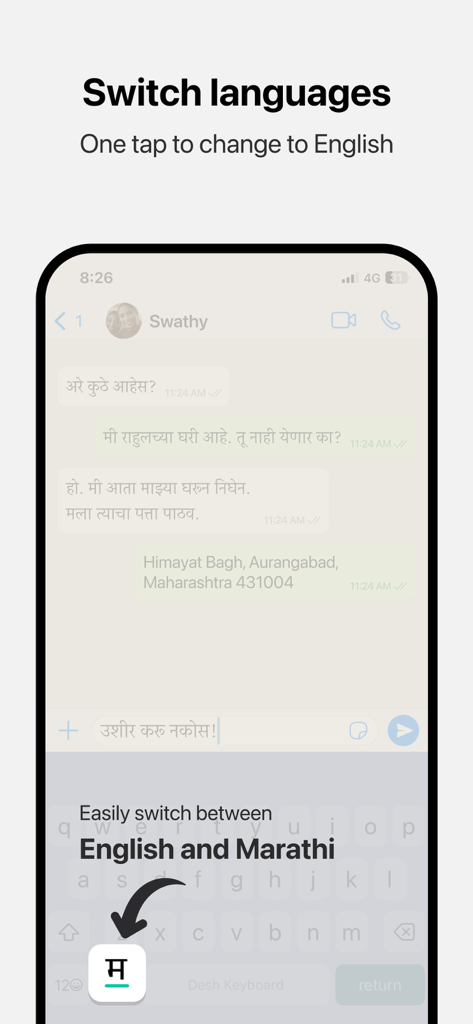
マラーティー語と英語をワンタップで切り替え可能。プロフェッショナルな環境と個人的なチャットの両方に最適です。

以下のスクリーンショットと説明は、アプリの公式ストアリスティングから直接取得されたものであり、アプリ開発者の所有物です。

アプリストア

スクリーンショット
Desh Marathi Keyboard - Desh Marathi Keyboardアプリのスプラッシュスクリーン、ロゴとタグライン付き
Desh Marathi Keyboardアプリのスプラッシュスクリーン、ロゴとタグライン付き

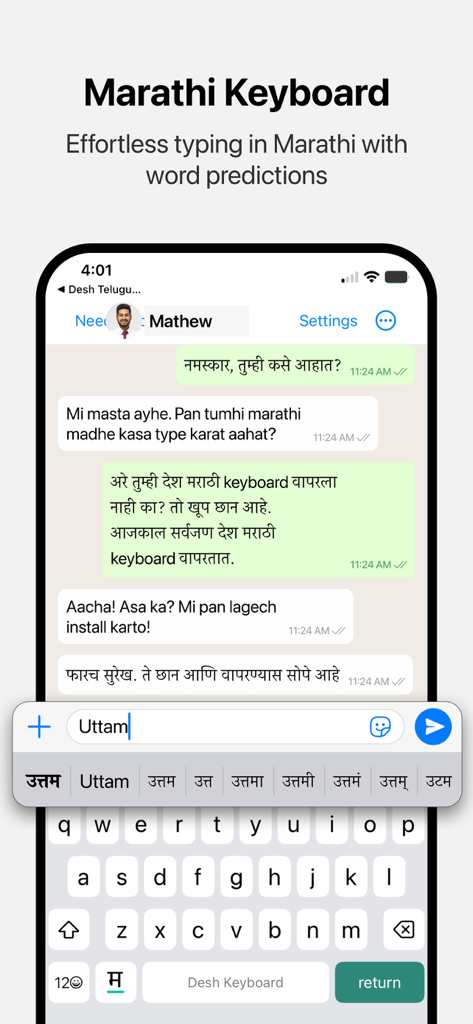
Desh Marathi Keyboard - iPhone画面にDesh Marathi Keyboardが表示され、英語入力に対するマラーティー語の単語候補が表示されています
iPhone画面にDesh Marathi Keyboardが表示され、英語入力に対するマラーティー語の単語候補が表示されています

Desh Marathi Keyboard - Desh Marathi Keyboardでのマラーティー語と英語間のワンタップ言語切り替え機能を実演するモバイル画面。
Desh Marathi Keyboardでのマラーティー語と英語間のワンタップ言語切り替え機能を実演するモバイル画面。

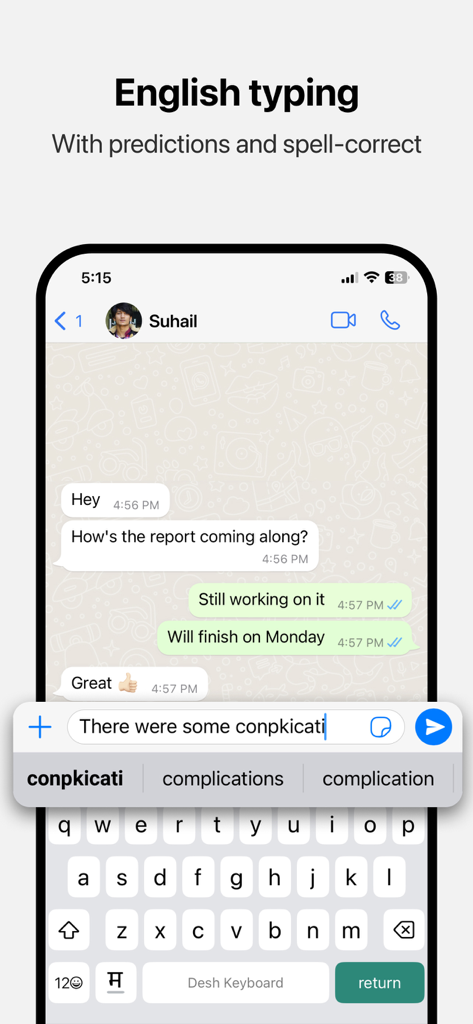
Desh Marathi Keyboard - iPhone上の単語予測とスペル修正機能を備えたDesh Marathi Keyboardの英語入力インターフェイス

iPhone上の単語予測とスペル修正機能を備えたDesh Marathi Keyboardの英語入力インターフェイス

説明

Desh Marathi Keyboard is a keyboard extension that makes Marathi typing super easy: • Type in English letters and get Marathi words with our transliteration technology • Type faster using word predictions • Easily switch to English with the language key • Word predictions and spell-correct is available in English also • Emoji button is available after pressing 123 Open the app and follow instructions to get your new Marathi keyboard: • Enable keyboard from settings • Activate the keyboard by holding the Globe icon and selecting "Desh Marathi Keyboard" • Type Marathi everywhere! Allowing full access: • When enabling the keyboard, you may enable "Allow Full Access" • This allows us to access crash reports and will help us improve the stability of the app • We respect your privacy. No personal information is collected • A standard warning is shown when you enable any downloaded keyboard app How to access settings: • Tap on the ⋯ button after opening the app and tap Settings. This option will be available after keyboard is activated • Available settings: sound on key press, vibrate on key press, emoji row, number row Using the clipboard: • The clipboard lets you save text that you frequently use and paste them easily • After you copy any text, it can be viewed from the clipboard by tapping on "Paste copied text". You can use the Pin button to save it permanently • To show copied text automatically when clipboard is opened, you can change the "Paste from Other Apps" setting to "Allow" Using stickers to make your chats more fun: • Open the stickers page by clicking on the sticker icon on the keyboard. Click on any sticker you like to copy it • Navigate back to your chat app and use your phone's Paste option in the message box • The sticker will be pasted in the chat. Note that animations are currently sent as GIFs due to technical limitations Do share your feedback and help us improve Desh Marathi Keyboard. And don't forget to leave a review if you like it.

Download

ダウンロード: App Store

このページはアプリまたはその開発者の公式ページではなく、情報提供および論評を目的として作成された独立した編集出版物です。明示的に別段の記載がない限り、アプリおよびその開発者は、MWM、Apple、Google Play、アプリのパブリッシャー、またはアプリの開発者と提携、承認、後援、認可、またはその他の公式的な関係はなく、このページのいかなる内容も、アプリがMWMのサービスを使用して開発されたことを意味するものではありません。すべての商標、ロゴ、スクリーンショット、その他のコンテンツはそれぞれの所有者の財産です。