Doc Scan - PDF Scanner

Doc Scan - PDF Scanner


ダウンロード: App Store
ロゴ: Doc Scan - PDF Scanner

Doc Scan - PDFスキャナー:オールインワンのプロフェッショナル・ポケットオフィス

ドキュメントを簡単にスキャン、署名、FAXできます。828,000人以上のプロフェッショナルに加わり、高品質OCR、安全な暗号化、シームレスなクラウド統合で、どこからでもペーパーレスワークフローを管理しましょう。

ダウンロード: App Store

開発元

IFUNPLAY CO., LTD.

カテゴリ

Business

ダウンロード

828K+

ユーザー評価

4.8/5

評価数

34K+

対応言語

3

効率を一目で

このインターフェースを利用する 828K+ 人のユーザー.

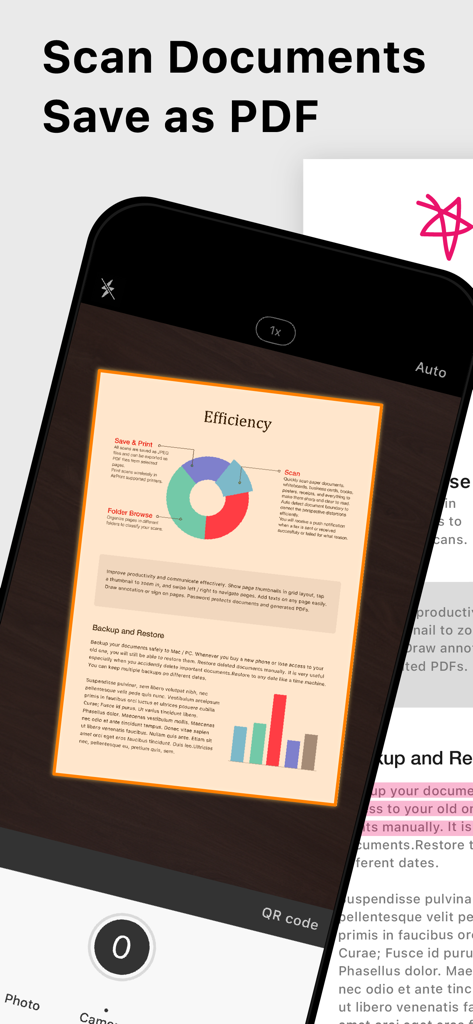
Doc Scanアプリを使用してドキュメントをキャプチャしPDFとして保存しているスマートフォン。

Doc Scanアプリを使用してドキュメントをキャプチャしPDFとして保存しているスマートフォン。

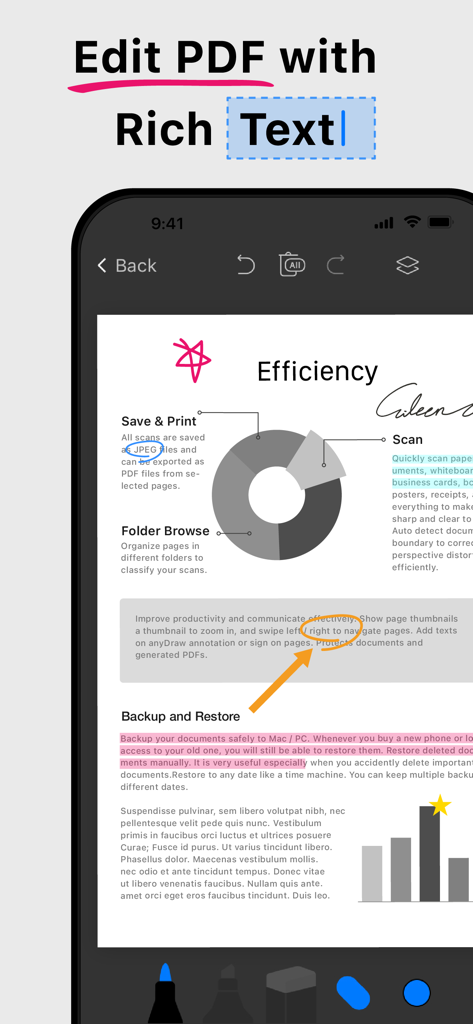
PDFでリッチテキスト編集およびドキュメント注釈機能を示すモバイルアプリインターフェイス。

PDFでリッチテキスト編集およびドキュメント注釈機能を示すモバイルアプリインターフェイス。

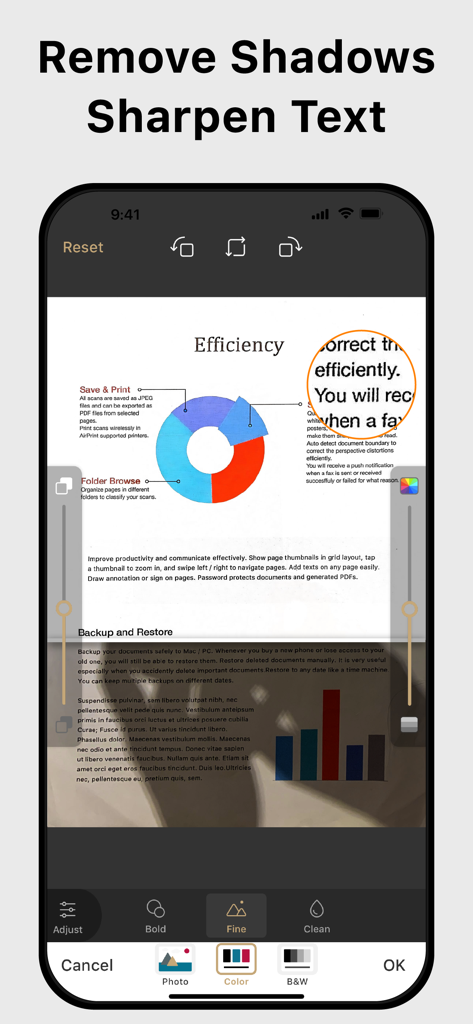
プロフェッショナルな外観のために、ドキュメントの影の除去とテキストのシャープ化機能を示すモバイルアプリインターフェイス。

プロフェッショナルな外観のために、ドキュメントの影の除去とテキストのシャープ化機能を示すモバイルアプリインターフェイス。

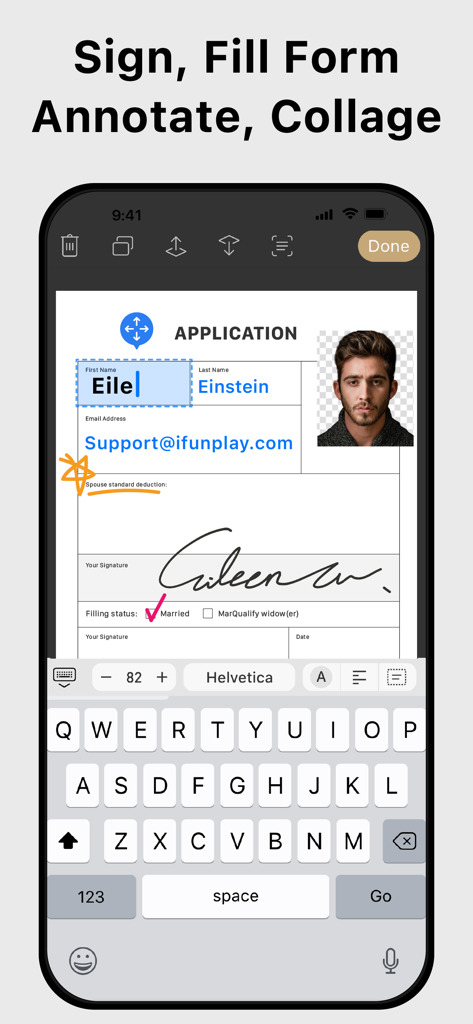
スマートフォンでデジタルPDFフォームに署名および記入するためのDoc Scanアプリインターフェイス。

スマートフォンでデジタルPDFフォームに署名および記入するためのDoc Scanアプリインターフェイス。

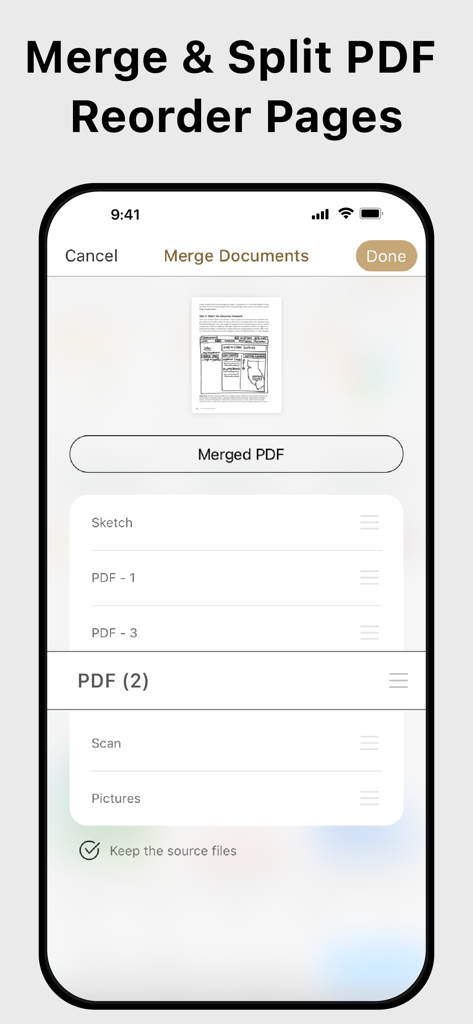
Doc ScanでのPDFページの結合、分割、および並べ替えを行うインターフェイス。

Doc ScanでのPDFページの結合、分割、および並べ替えを行うインターフェイス。

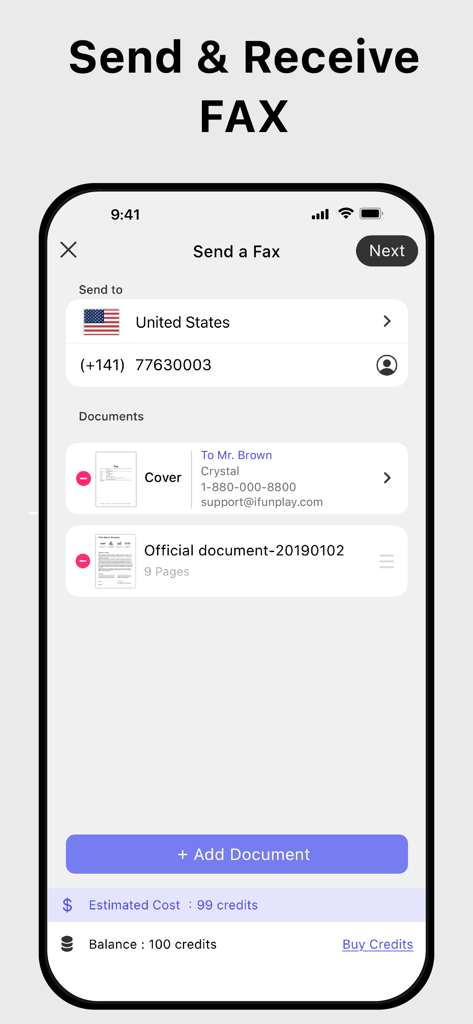
iPhoneでFAXを送受信するためのDoc Scanアプリインターフェイス。

iPhoneでFAXを送受信するためのDoc Scanアプリインターフェイス。

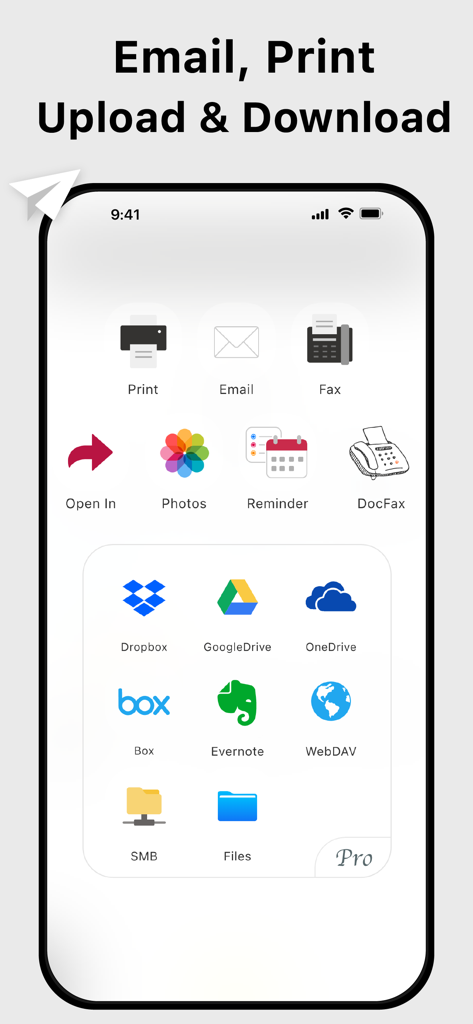
さまざまなクラウドストレージサービスにドキュメントをメール、印刷、アップロードするオプションを示すDoc Scanアプリのインターフェイス。

さまざまなクラウドストレージサービスにドキュメントをメール、印刷、アップロードするオプションを示すDoc Scanアプリのインターフェイス。

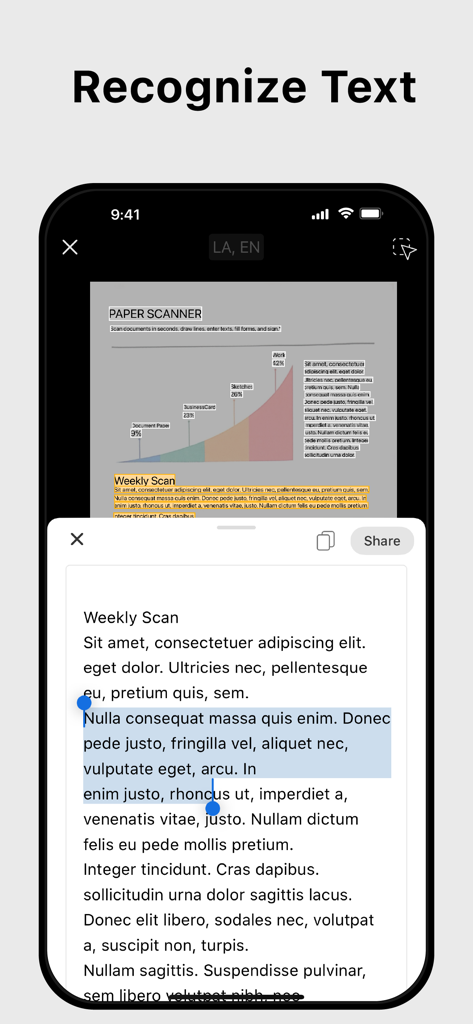
スキャンされたドキュメントからテキストを抽出するOCRテキスト認識機能を示すモバイルアプリインターフェイス。

スキャンされたドキュメントからテキストを抽出するOCRテキスト認識機能を示すモバイルアプリインターフェイス。

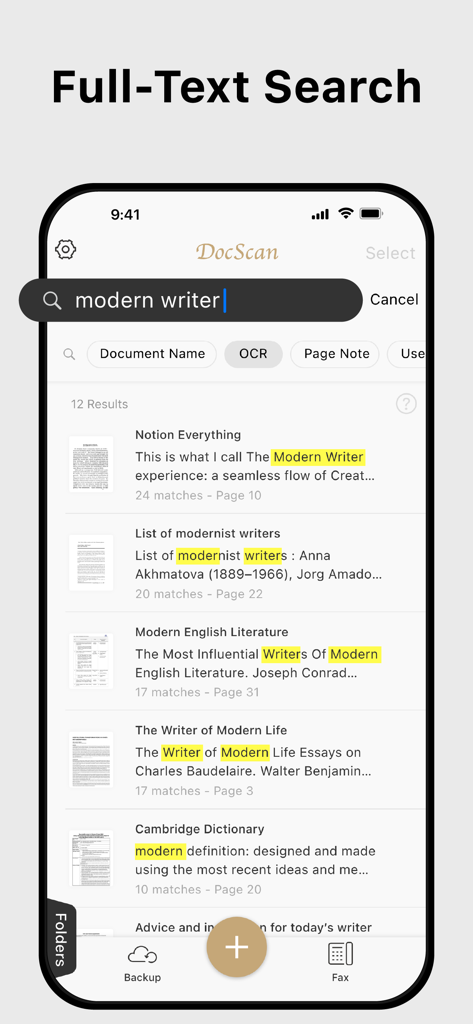
Doc Scanアプリインターフェイスで強調表示されたキーワードを含む全文検索結果を示すスマートフォンの画面。

Doc Scanアプリインターフェイスで強調表示されたキーワードを含む全文検索結果を示すスマートフォンの画面。

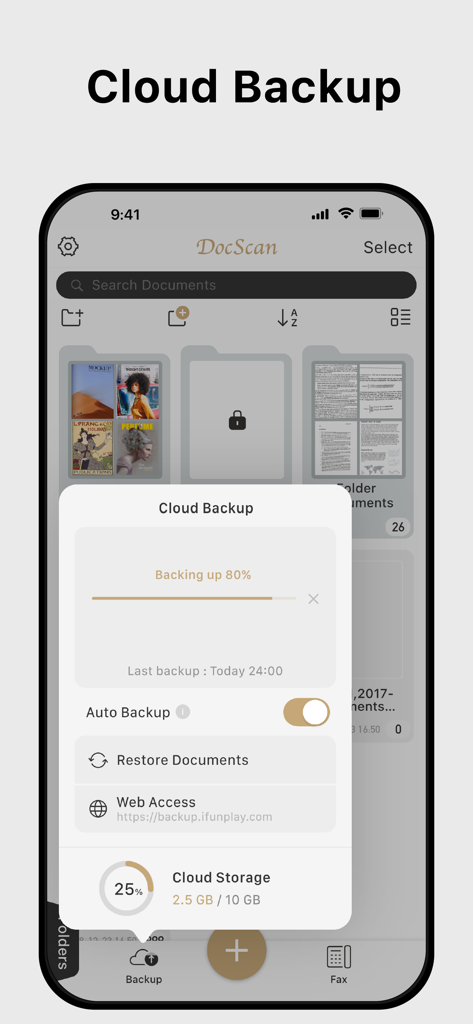
クラウドバックアップの進行状況とストレージステータスを示すDoc Scanアプリ。

クラウドバックアップの進行状況とストレージステータスを示すDoc Scanアプリ。

オフィス全体を、ポケットに

このアプリを際立たせるツール、 828K+ 人のユーザーが選択.

スタジオ品質のモバイルスキャン

自動的に境界線を検出し、影を取り除き、ハイエンドのオフィススキャナーから出力されたような、鮮明でプロフェッショナルなPDFを作成します。

✍️

即座に署名、記入、FAX

プリンターや物理的なFAX機を必要とせずに、契約書を完成させ、銀行やクリニックなどの既存の機関に即座にFAXを送信できます。

🔍

AI搭載OCR&検索

スキャンを検索可能なテキストに変換し、数秒で特定の条項やデータポイントを見つけることができ、デジタルファイリングキャビネットを完璧に整理できます。

アプリについて

について知っておくべきこと Doc Scan - PDF Scanner.

説明

Scan, OCR, Edit & Share PDF Documents with Ease Transform your iPhone or iPad into a powerful pocket scanner, PDF editor, and photo collage maker. Quickly scan multi-page documents, edit text / image, fill forms, sign, and share them in various formats—anytime, anywhere. Key Features ● High-Quality Scanning & OCR • Auto-detect document borders and correct perspective distortion • Enhance images by removing shadows and sharpening text • Extract text from scanned images with OCR and export as TXT or DOCX ● Edit & Annotate • Fill out forms, highlight important details, or sign documents • Add text, lines, and images to scanned documents • Merge multiple scans into a single PDF ● Organize & Secure Your Documents • Easily search and manage files with folders and custom naming rules • Protect sensitive documents with password encryption ● Seamless Sharing & Cloud Integration • Share scans via PDF, JPEG, TXT, or DOCX through email, fax, SMB, WebDAV, and cloud storage (iCloud Drive, ● Dropbox, Google Drive, One Drive, Box, Evernote, etc.) • Print via AirPrint or save directly to Photo Albums ● Advanced Features • Photo Collage: Combine multiple pages into one sheet (e.g., two sides of an ID on a single A4 page) • QR Code Scanner: Scan from the camera or photo albums to open URLs, call numbers, send emails, or add contacts • Fax Anywhere: Send and receive faxes globally, with real-time status notifications ● Import & Export • Import PDFs and JPEGs from other apps or cloud storage • Support exporting searchable PDFs • Export documents to iTunes, Reminders, and Apple/Google/Outlook Calendars ● Receive Faxes: (non-auto-renew subscription) • Purchase a number to receive faxes • Deny all faxes when no need to receive any fax Subscription Plans Unlock premium features with Bronze, Silver, or Gold plans, including: • Cloud Backup & Restore: Access previous versions of your documents anytime • Flexible subscription options: Monthly or annual plans available • Subscription renews automatically unless auto-renew is turned off at least 24 hours before the end of the current period • Account will be charged for renewal within 24 hours before the end of the current period. The cost depends on the selected plan • Subscriptions may be managed by the user, and auto-renewal may be turned off by going to the user's Account Settings after purchase • Any unused portion of the free trial will be forfeited when the user purchases a subscription or cancel it Terms of Service: https://ifunplay.com/legal.html

最新バージョン

19.4.14

サイズ

271.9 MB

リリース日

2011年8月11日

オフィス全体を、ポケットに

ワークフローを簡素化する828,000人以上のプロフェッショナルに加わりましょう。iPhoneまたはiPadから即座にドキュメントをスキャン、署名、FAXできます。

ダウンロード: App Store

App information, icons, screenshots, and descriptions displayed on this page are sourced from the Apple App Store and are the property of their respective developers. Download estimates and rankings are based on MWM's proprietary models and may not reflect actual figures. This page is provided for informational and analytical purposes only.

Believe this page infringes your intellectual property? File a dispute