
このページはアプリまたはその開発者の公式ページではなく、情報提供および論評を目的として作成された独立した編集出版物です。明示的に別段の記載がない限り、アプリおよびその開発者は、MWM、Apple、Google Play、アプリのパブリッシャー、またはアプリの開発者と提携、承認、後援、認可、またはその他の公式的な関係はなく、このページのいかなる内容も、アプリがMWMのサービスを使用して開発されたことを意味するものではありません。すべての商標、ロゴ、スクリーンショット、その他のコンテンツはそれぞれの所有者の財産です。


Scanner App: Genius Scan
ユーザーは、『Genius Scan』が紙の混沌を瞬時にデジタル秩序へと変える、手中の錬金術師であることを実感する。
ダウンロード
12.5M+ユーザー評価
評価数
2.6M開発元
カテゴリ
Business対応言語
20最新バージョン
8.9サイズ
93.1 MBリリース日
2010年6月22日Scanner App: Genius Scan の詳細分析
効率的なドキュメント管理を可能にする主要機能
高精度OCR機能
このアプリは、スキャンしたドキュメントからテキストを抽出し、検索可能なPDFを作成するOCR(光学文字認識)機能を提供します。名刺スキャン機能により、連絡先を簡単にデジタル化することも可能です。
スマートスキャン機能
このアプリは、ドキュメントの自動検出、背景除去、歪み補正、影の除去、および欠陥修正により、紙の書類から鮮明で読みやすいスキャン画像を生成します。バッチスキャン機能により、複数のページを迅速にデジタル化できます。
多彩なエクスポートオプション
本ツールは、スキャンしたドキュメントをメールで送信する機能や、Box, Dropbox, Google Drive, OneDriveなどの主要なクラウドサービスへ直接エクスポートする機能を提供します。自動バックグラウンドエクスポートにより、作業の効率化が図れます。
強固なセキュリティとプライバシー
このアプリは、デバイス内でのドキュメント処理、Face IDによるロック、およびPDFのパスワード暗号化機能を通じて、ユーザーの機密情報を保護し、プライバシーを確保します。
効率的なドキュメント整理
ユーザーは、ドキュメントにタグを付けて分類したり、メタデータやコンテンツに基づいて検索したりすることが可能です。スマートなドキュメント名変更機能により、効率的な管理が実現します。
高度なPDF作成・編集
本ツールは、複数のスキャン画像を統合して多ページPDFを作成する機能を提供します。既存のドキュメントの結合や分割も可能であり、写真や他のPDFファイルをインポートして編集することもできます。
よくある質問
について知っておくべきこと Scanner App: Genius Scan
What is Scanner App: Genius Scan?
Genius Scan is a mobile document scanner app that quickly scans paper documents on the go. It exports them as multi-page PDF files and provides powerful tools for organizing, sharing, and archiving documents directly from your device.
Does Genius Scan offer smart scanning features?
Yes, Genius Scan offers smart scanning features. These include automatic document detection, background removal, distortion correction, shadow removal, and defect cleanup. It also applies various filters such as black & white or photo to the scans.
Can Genius Scan create multi-page PDF documents?
Yes, Genius Scan creates multi-page PDF documents. Users can also merge and split existing documents, as well as import photos and other PDF files directly into the app for editing and organization.
Is Genius Scan free to use?
Yes, Genius Scan is free to use for an unlimited duration. Users can optionally subscribe to the Genius Scan Plus plan for additional premium features or Genius Cloud for backup and synchronization services.
What are the security features of Genius Scan?
Genius Scan ensures security and privacy through on-device document processing, Face ID locking for app access, and PDF password encryption. Documents are processed locally on the user's device.
Does Genius Scan support OCR (Optical Character Recognition)?
Yes, Genius Scan supports OCR (Optical Character Recognition) functionality. It provides text extraction from scans, the creation of searchable PDF documents, and business card scanning to generate new contacts. OCR is a premium feature.
Can I export scanned documents from Genius Scan to cloud services?
Yes, Genius Scan supports exporting scanned documents to various cloud services. These include Box, Dropbox, Evernote, Google Drive, iCloud Drive, OneDrive, OneNote, FTP, SugarSync, and any WebDAV compatible service.
How does Genius Scan help organize documents?
Genius Scan helps organize documents through tagging, metadata and content search. It also features smart document renaming with custom templates and offers backup and multi-device synchronization via Genius Cloud.
Does Genius Scan automatically detect documents for scanning?
Yes, Genius Scan automatically detects paper documents in front of the device’s camera. It then intelligently crops the document, cleans up the scan, and corrects distortion to produce crisp, legible results.
Are there any subscription plans for Scanner App: Genius Scan?
Yes, Genius Scan offers subscription plans. The Genius Scan Plus plan unlocks premium features, and Genius Cloud provides backup and multi-device synchronization. Both subscriptions are optional and auto-renewable.
以下のスクリーンショットと説明は、アプリの公式ストアリスティングから直接取得されたものであり、アプリ開発者の所有物です。
アプリストア
スクリーンショット
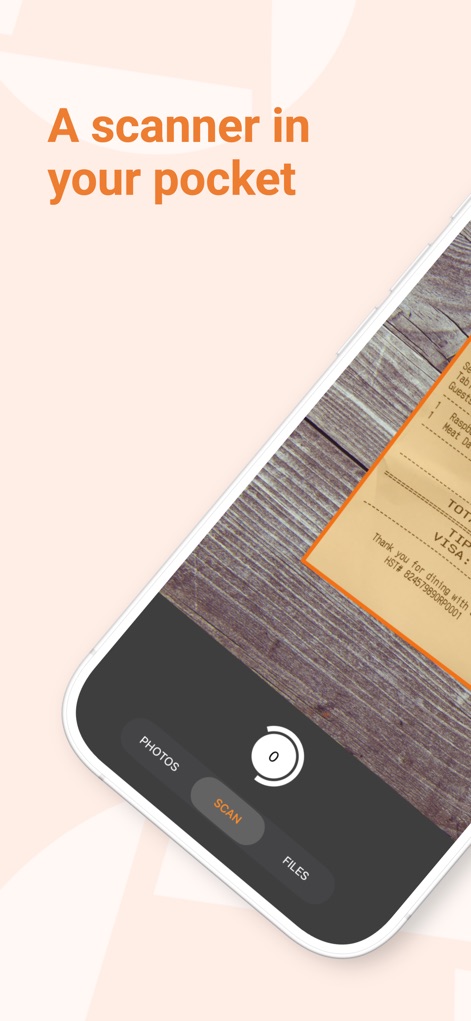
ポケットスキャナー
このアプリは、スマートフォンで領収書を瞬時にデジタル化し、「SCAN」ボタンで手軽にスキャンを開始できるため、いつでもどこでも書類を処理できます。
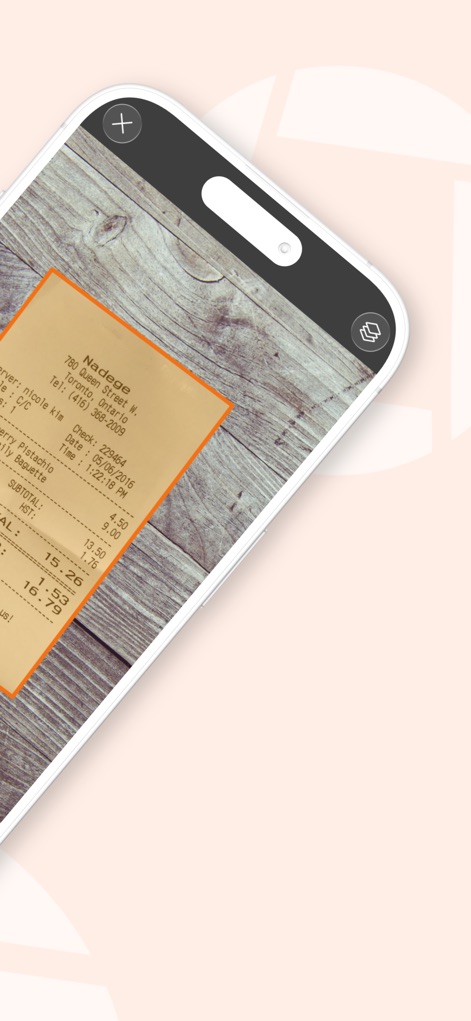
スマートな書類検出
本アプリは、書類の輪郭を自動で認識し、レシートの鮮明な画像としてキャプチャします。
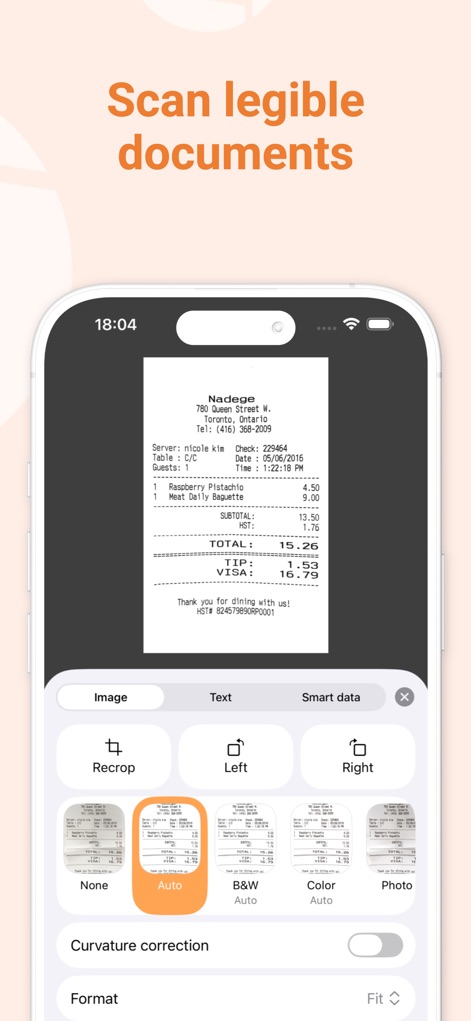
明瞭なスキャン品質
ユーザーは、スキャン後に「Auto」や「B&W」などの複数の画像フィルターを適用し、トリミングや回転の編集機能で書類を完璧に調整できます。
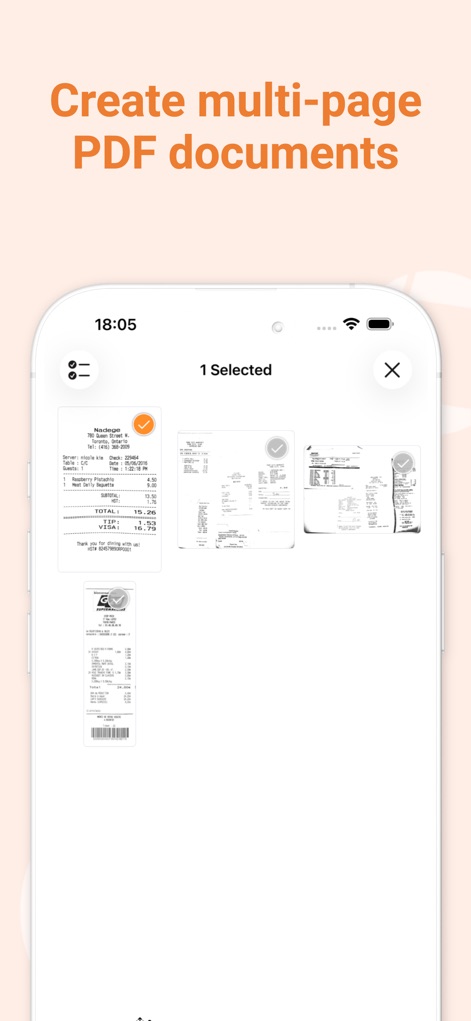
複数ページをPDFに
本アプリは、複数の書類をまとめてスキャンし、それらを一つのPDFファイルとして結合することができます。これにより、複数ページがサムネイル表示され、一括管理が容易になります。
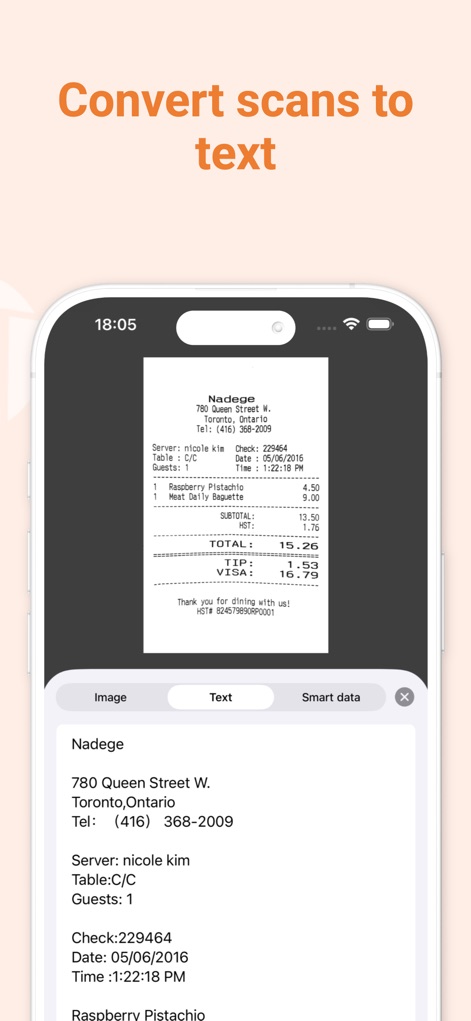
テキスト認識で活用
スキャンした書類から、重要な情報を「Text」タブでテキストデータとして簡単に抽出し、その場でコピー&ペーストして活用することが可能です。
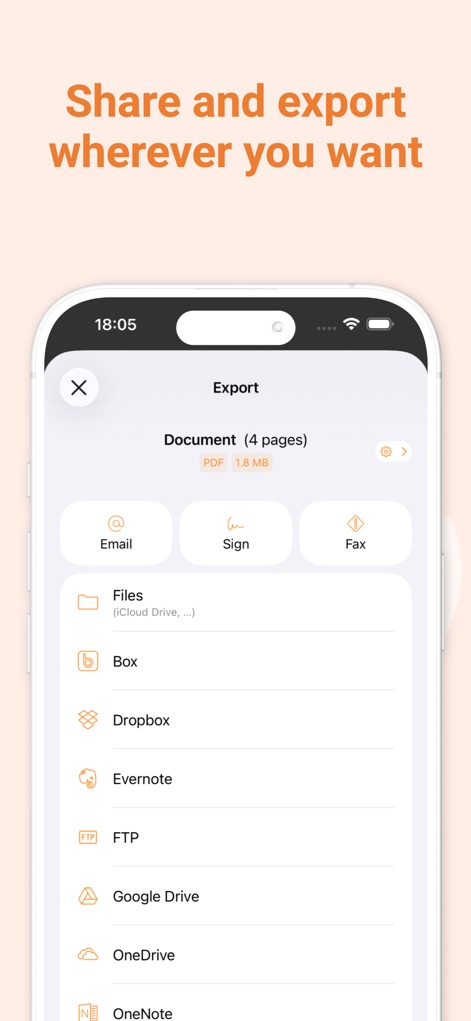
簡単エクスポート&共有
ユーザーは、スキャンした書類を「Email」で送信したり、「Dropbox」や「Google Drive」など、多くのクラウドサービスへ簡単にエクスポートして共有できます。
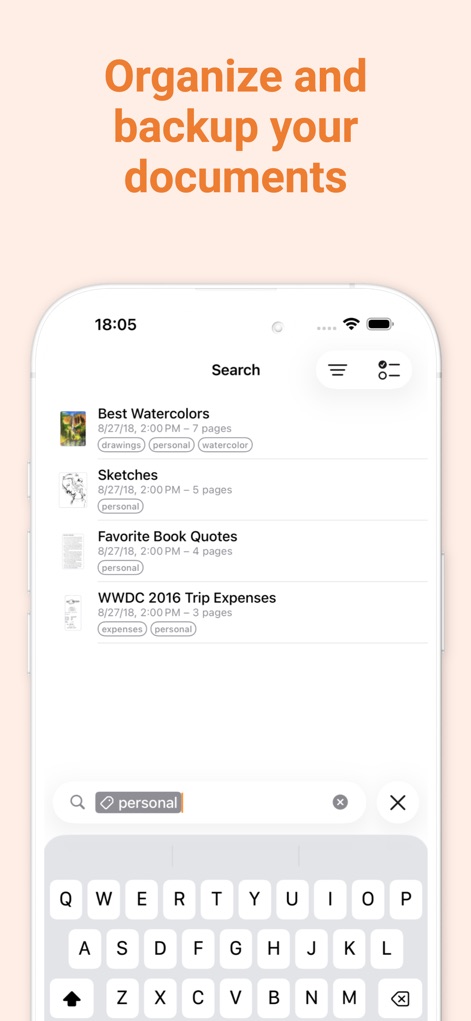
整理とバックアップ
本アプリは、「personal」や「expenses」などのタグで書類を分類し、検索バーのフィルター機能を使って必要な書類を素早く見つけ出し、効率的に整理できます。

高速・安全・安心
このアプリは、「Fast Private Secure」というメッセージが示す通り、ユーザーのプライバシーとセキュリティを最優先し、フランス製の信頼できる技術で提供されます。
説明
Download
類似アプリ
似た機能とユーザー体験を持つアプリ

PDF PRO Scan Image & Documents
Balzo srl

The PDF Scanner, PDF editor HQ
NEXT K.U.M. LTD

CamScanner - PDF Scanner App
INTSIG Information Co., Ltd

Adobe Scan: PDF & OCR Scanner
Adobe Inc.

WPS Office: PDF, Docs, Sheets
KINGSOFT OFFICE SOFTWARE CORPORATION LIMITED

iLovePDF - PDF Editor & Scan
ILOVEPDF S.L.

Microsoft Lens: PDF Scanner
Microsoft Corporation

Clear Scan: Doc Scanner App
INDY MOBILE APP COMPANY LIMITED

Document Scanner by Lufick
Lufick
このページはアプリまたはその開発者の公式ページではなく、情報提供および論評を目的として作成された独立した編集出版物です。明示的に別段の記載がない限り、アプリおよびその開発者は、MWM、Apple、Google Play、アプリのパブリッシャー、またはアプリの開発者と提携、承認、後援、認可、またはその他の公式的な関係はなく、このページのいかなる内容も、アプリがMWMのサービスを使用して開発されたことを意味するものではありません。すべての商標、ロゴ、スクリーンショット、その他のコンテンツはそれぞれの所有者の財産です。