
このページはアプリまたはその開発者の公式ページではなく、情報提供および論評を目的として作成された独立した編集出版物です。明示的に別段の記載がない限り、アプリおよびその開発者は、MWM、Apple、Google Play、アプリのパブリッシャー、またはアプリの開発者と提携、承認、後援、認可、またはその他の公式的な関係はなく、このページのいかなる内容も、アプリがMWMのサービスを使用して開発されたことを意味するものではありません。すべての商標、ロゴ、スクリーンショット、その他のコンテンツはそれぞれの所有者の財産です。

Clear Scan: Doc Scanner App
学生やプロフェッショナル向けの、超高速・軽量ソリューション。OCRとクラウド同期で、あらゆるドキュメントを鮮明なPDFに変換 – サブスクリプション不要。
ダウンロード
6M+ユーザー評価
評価数
289K+開発元
カテゴリ
Business対応言語
47最新バージョン
10.0.28サイズ
98.2 MBリリース日
2013年10月9日ペーパーレスな生活のためのスマートツール
価格なしで効率を求める学生、フリーランサー、中小企業経営者向けに設計された究極のスキャンユーティリティを体験してください。
プロフェッショナル&透かしなし
プロフェッショナルなエッジを維持。ブランド表示や強制透かしなしで、高品質なPDFおよびJPEGを無料でエクスポートできます。
テキストを即座に抽出
強力なOCRテクノロジーでスキャンを編集可能なテキストに変換。ノート、レシート、法律文書の再入力を何時間も節約できます。
よくある質問
について知っておくべきこと Clear Scan: Doc Scanner App
Clear Scannerは無料のドキュメントスキャンアプリですか?
はい、Clear Scannerは完全に無料でダウンロードして使用できます。アプリ内購入なしで全機能を提供し、保存されたPDFファイルに透かしを追加しません。
Clear Scannerでスキャンできるドキュメントの種類は何ですか?
Clear Scannerは、ドキュメント、手紙、請求書、領収書、写真、ホワイトボード、書籍、メモ、スケッチなど、さまざまなアイテムをスキャンします。OCRを使用して画像を読み取り可能なテキストに変換します。
Clear Scannerは光学文字認識(OCR)を含んでいますか?
はい、Clear ScannerはOCR機能を備えています。ユーザーはスキャンした画像を、アプリケーション内で直接編集可能なテキストに変換でき、ドキュメントの有用性を向上させます。
Clear Scannerでスキャンしたドキュメントをユーザーはどのように共有できますか?
ユーザーはドキュメントを電話に保存したり、印刷したり、Dropbox、OneDrive、SkyDrive、Google Drive、Evernoteなどの他のアプリを介して即座に共有したりできます。
Clear Scannerはドキュメントのクラウド同期をサポートしていますか?
はい、Clear Scannerでは、ドキュメントを複数のクラウドプロバイダーと同期できます。ユーザーは、Google Drive、Dropbox、OneDriveなどのサービスにClear Scannerを接続して、バックアップと同期を行うことができます。
Clear Scannerでスキャンした画像に利用できる編集機能は何ですか?
Clear Scannerは、トリミング、回転、消しゴムなどの編集機能を提供します。ユーザーは、スキャンした画像のバージョンとして、オリジナル、写真、ドキュメント、クリア、カラー、または白黒を選択することもできます。
Clear Scannerアプリはストレージの点で軽量ですか?
はい、Clear Scannerは軽量になるように設計されています。電話のストレージ容量をあまり取らないため、デバイスに大きな影響を与えることなく、いつでもアクセスして使用できます。
Clear Scannerはドキュメント管理機能を提供していますか?
はい、Clear Scannerでは、フォルダーやサブフォルダーに整理してドキュメントを管理できます。また、ページの並べ替えや、特定のページまたは選択したドキュメントのメール送信もサポートしています。
Clear Scannerが機能するために必要な権限は何ですか?
Clear Scannerは、ドキュメント、写真、または領収書を効果的にスキャンするために、ユーザーのカメラとファイルシステム(フォトギャラリー)へのアクセス権限が必要です。
Clear Scannerでスキャンした画像の境界を調整できますか?
はい、ユーザーはスキャンした画像の境界を手動で調整したり、自動調整機能を使用してスキャン領域を微調整したりできます。これにより、正確なドキュメントキャプチャが保証されます。
以下のスクリーンショットと説明は、アプリの公式ストアリスティングから直接取得されたものであり、アプリ開発者の所有物です。
アプリストア
スクリーンショット
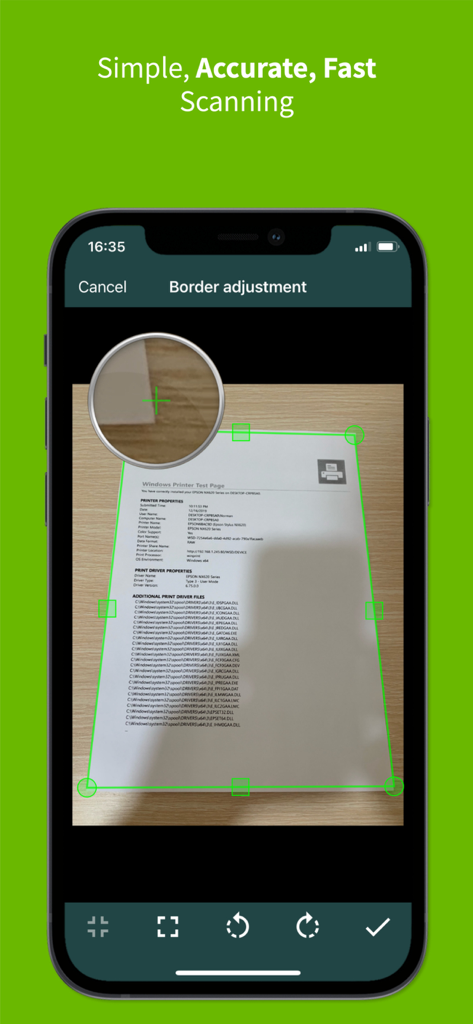
Clear Scanアプリが、正確なドキュメントスキャン用に境界調整機能を表示している様子
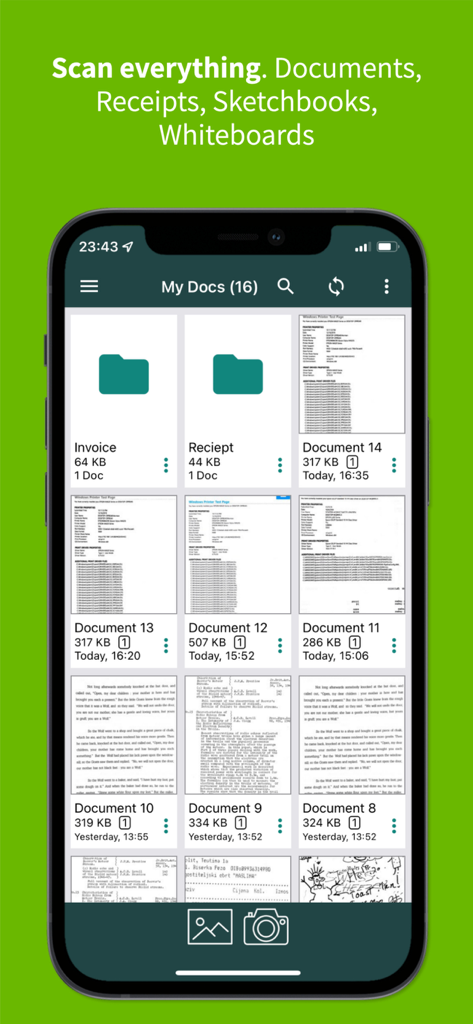
スマートフォン画面に、整理されたフォルダとスキャンされたドキュメントのサムネイルが表示されたClear Scanアプリの「マイドキュメント」セクションが表示されている様子
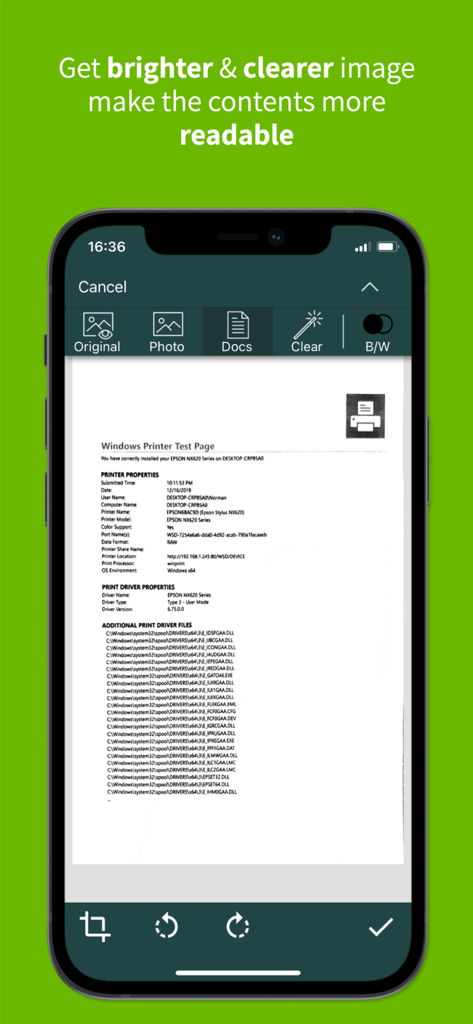
Clear Scanアプリのインターフェイスが、可読性を向上させるためのドキュメント強化を表示している様子
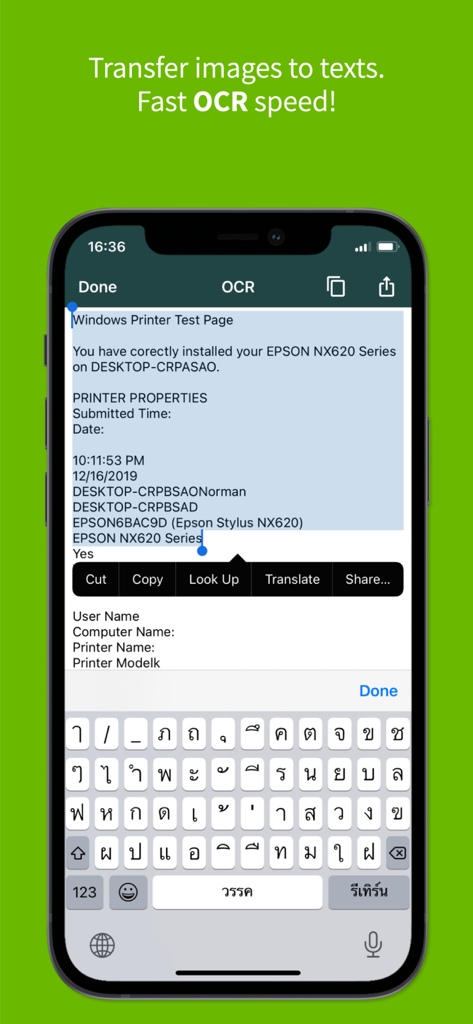
Clear Scanアプリのインターフェイスが、モバイルフォンで編集可能なテキストに画像を変換するためのOCR機能を表示している様子
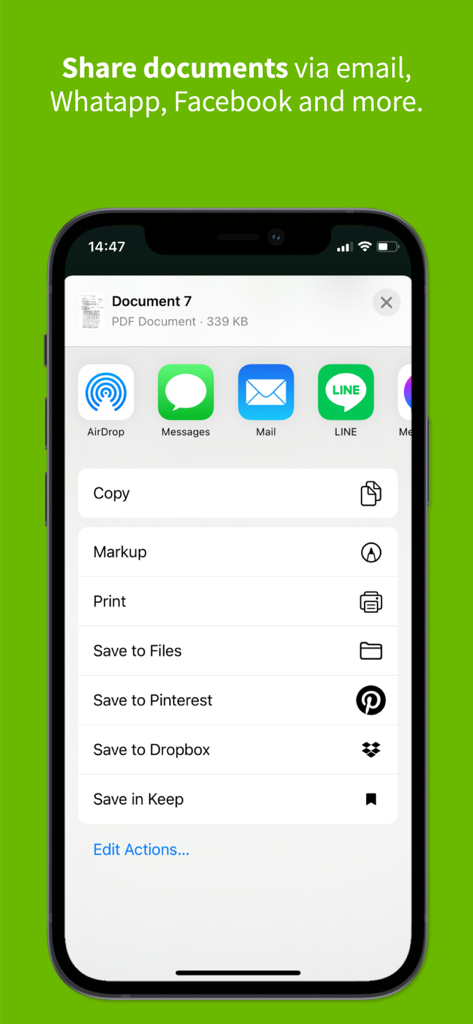
Clear Scanアプリのインターフェイスが、iPhoneでのメールメッセージやクラウドストレージ用のドキュメント共有オプションを表示している様子
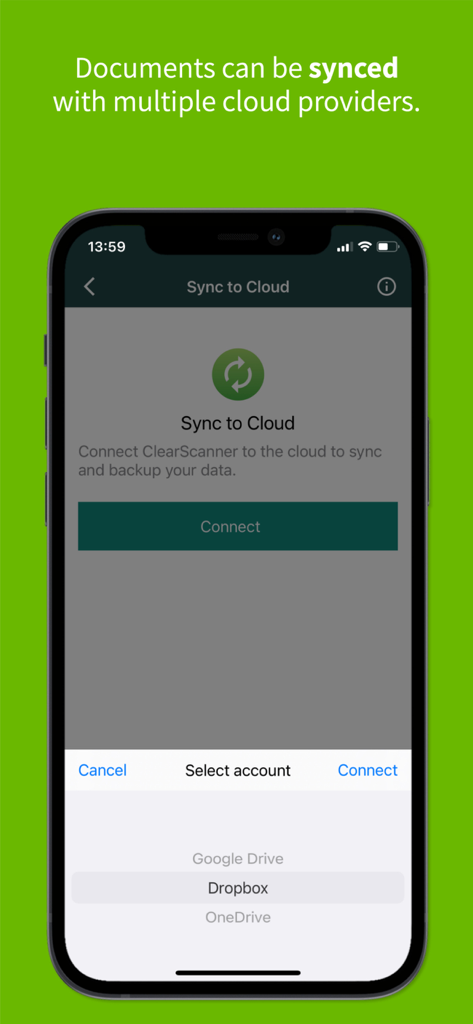
Clear Scanアプリのインターフェイスが、Google Drive、Dropbox、OneDrive用のクラウド同期オプションを表示している様子
説明
Download
類似アプリ
似た機能とユーザー体験を持つアプリ

PDF PRO Scan Image & Documents
Balzo srl

The PDF Scanner, PDF editor HQ
NEXT K.U.M. LTD

CamScanner - PDF Scanner App
INTSIG Information Co., Ltd

Adobe Scan: PDF & OCR Scanner
Adobe Inc.

WPS Office: PDF, Docs, Sheets
KINGSOFT OFFICE SOFTWARE CORPORATION LIMITED

iLovePDF - PDF Editor & Scan
ILOVEPDF S.L.

Scanner App: Genius Scan
The Grizzly Labs

Microsoft Lens: PDF Scanner
Microsoft Corporation

Document Scanner by Lufick
Lufick
このページはアプリまたはその開発者の公式ページではなく、情報提供および論評を目的として作成された独立した編集出版物です。明示的に別段の記載がない限り、アプリおよびその開発者は、MWM、Apple、Google Play、アプリのパブリッシャー、またはアプリの開発者と提携、承認、後援、認可、またはその他の公式的な関係はなく、このページのいかなる内容も、アプリがMWMのサービスを使用して開発されたことを意味するものではありません。すべての商標、ロゴ、スクリーンショット、その他のコンテンツはそれぞれの所有者の財産です。