
このページはアプリまたはその開発者の公式ページではなく、情報提供および論評を目的として作成された独立した編集出版物です。明示的に別段の記載がない限り、アプリおよびその開発者は、MWM、Apple、Google Play、アプリのパブリッシャー、またはアプリの開発者と提携、承認、後援、認可、またはその他の公式的な関係はなく、このページのいかなる内容も、アプリがMWMのサービスを使用して開発されたことを意味するものではありません。すべての商標、ロゴ、スクリーンショット、その他のコンテンツはそれぞれの所有者の財産です。

ダウンロード
75M+ユーザー評価
評価数
6.7M開発元
カテゴリ
Business対応言語
19最新バージョン
26.03.19サイズ
332.5 MBリリース日
2017年5月31日Adobe Scan: 主要機能分析
モバイルドキュメント管理の効率化を支える革新的な機能群
OCRテキスト認識
スキャン画像内のテキストを認識し、検索可能かつ編集可能な状態に変換することで、情報の再利用を促進します。
高機能モバイルスキャナー
モバイルデバイスを高性能なPDFおよび文書スキャナーに変え、紙媒体を効率的にデジタル化できます。
クラウド自動保存
スキャンした文書はAdobe Document Cloudに自動的に保存され、いつでもどこからでもアクセスし、安全に共有することが可能です。
名刺情報抽出
名刺から連絡先情報を直接抽出し、わずか数秒でスマートフォンの連絡先に追加できます。
Acrobat Reader連携
スキャンしたPDFをAcrobat Readerで開き、コメントの追加、ハイライト、フォームへの入力、署名といった高度な文書操作を行えます。
スキャン画像補正
指の写り込み、汚れ、折り目などを除去する「Magic eraser」ツールにより、スキャンしたドキュメントを鮮明でプロフェッショナルな状態に補正します。
Office形式へのエクスポート
スキャンしたドキュメントをWord、Excel、PowerPointなどのMicrosoft Office形式にエクスポートし、多様な用途での編集や再利用を可能にします。
自動補正機能
スキャン時に曲がったり傾いたりしたページを自動で修正し、手間なくプロフェッショナルな見た目のPDFを作成できます。
広範なスキャン対象
レシート、ID、メモ、名刺、ホワイトボードなど、多種多様な物理的なドキュメントをPDFまたはJPEGファイルとして柔軟にデジタル化できます。
高速一括スキャン
「High-speed scan」機能により、複数の書類をまとめて高速でスキャンし、大量の紙媒体を短時間でPDFに変換することで、作業時間を大幅に節約します。
よくある質問
について知っておくべきこと Adobe Scan: PDF & OCR Scanner
Is Adobe Scan a free PDF scanner app?
Yes, Adobe Scan is free to download and use on your mobile device. It turns your device into a PDF and document scanner for creating, saving, and organizing digital files.
What types of documents can I scan with Adobe Scan?
Adobe Scan can scan various items, including receipts, IDs, notes, recipes, photos, business cards, whiteboards, and general paper documents. It converts them into PDF or JPEG files.
Does Adobe Scan support OCR for searchable text?
Yes, Adobe Scan includes OCR (Optical Character Recognition) technology. It uses advanced image-to-text features to make words in your scans searchable and editable.
Can I edit text within scanned documents using Adobe Scan?
Yes, Adobe Scan allows you to edit text in scanned documents. Its image-to-text technology makes words and even handwritten text editable.
How do I remove imperfections from my scans in Adobe Scan?
The Magic eraser tool in Adobe Scan removes imperfections like thumbs, stains, and creases from your document scans. This feature helps ensure a clear and professional appearance.
Can Adobe Scan combine several documents into a single PDF?
Yes, Adobe Scan allows you to combine multiple scans into one single file. This feature is available through an in-app purchase subscription.
Does Adobe Scan automatically save my scanned documents?
Yes, Adobe Scan automatically saves all your scans to Adobe Document Cloud. This provides instant access and sharing capabilities across your devices.
Can Adobe Scan convert documents to JPEG format?
Yes, Adobe Scan can convert your scanned documents into JPEG files in addition to PDFs. You can also export scans to Word, Excel, or PowerPoint formats.
What is the Straighten tool in Adobe Scan?
The Straighten tool in Adobe Scan automatically fixes pages that appear curved or tilted during scanning. It lines everything up to produce neat and professional-looking PDFs without manual effort.
Is Adobe Scan compatible with Adobe Acrobat Reader?
Yes, Adobe Scan integrates with Acrobat Reader. You can open your PDF scans directly in Acrobat Reader to comment, highlight, fill forms, and sign documents securely across devices.
以下のスクリーンショットと説明は、アプリの公式ストアリスティングから直接取得されたものであり、アプリ開発者の所有物です。
アプリストア
スクリーンショット

スマートスキャン開始
このアプリは、自動境界線検出機能で書類の正確な範囲を捉え、文書、IDカード、ホワイトボードなどのドキュメントタイプから最適なスキャンモードを選択できます。
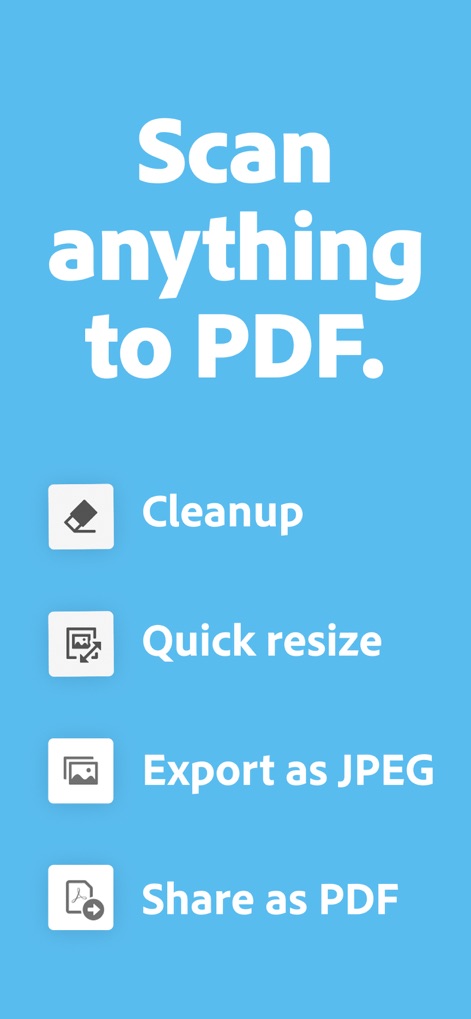
あらゆるものをPDFへ
本ツールは、どんな書類や画像をPDFに変換し、Cleanup機能で不要な要素を削除したり、JPEG形式でのエクスポートもサポートします。

複数ページをまとめて
ユーザーはワンタップで複数ページを連続スキャンでき、下部に表示されるページサムネイルを通じて、Magic eraserやテキスト編集などのツールで各ページを調整可能です。

スキャン文書を編集
この機能により、スキャンされた文書内のテキスト(例:「HR HANDBOOK」)を直接編集でき、画面上のキーボードを使用して修正や追加が簡単に行えます。

スキャンを即座に共有
このアプリは、ユーザーが作成したスキャン文書を「Share link」で共有したり、「Email」で直接送信したりするなど、多様な共有オプションを提供し、どこへでも手軽に配信できます。

PDFをひとつに統合
ユーザーは複数のスキャン済みPDFを一つのファイルに結合でき、ページナビゲーション機能(例:「Page 1 of 2」)で内容を確認しながら、Magic eraserなどで細部を調整することも可能です。

スキャンを簡単管理
ユーザーはスキャンしたドキュメントを一覧で管理し、メニューから「Export PDF」で出力形式を選んだり、「Combine files」で複数の文書を統合したりするなど、多様な操作が可能です。

不要物を簡単に除去
この機能は、ドキュメント上の手書きのメモや汚れといった不要な部分を簡単に削除でき、「Fill with surrounding color」オプションで自然な仕上がりが得られます。

ページサイズを選択
ユーザーは「A4 Portrait」などのプリセットから最適なページサイズを選択でき、表示されている青いハンドルを調整することで、スキャン範囲のクロップも自由に行えます。

OCRでテキスト抽出
このアプリは、OCR機能によりスキャン画像からテキスト(例:「brand identity」)を抽出し、検索可能な状態にするだけでなく、重要な部分をハイライトすることも可能です。
説明
Download
類似アプリ
似た機能とユーザー体験を持つアプリ

PDF PRO Scan Image & Documents
Balzo srl

The PDF Scanner, PDF editor HQ
NEXT K.U.M. LTD

CamScanner - PDF Scanner App
INTSIG Information Co., Ltd

WPS Office: PDF, Docs, Sheets
KINGSOFT OFFICE SOFTWARE CORPORATION LIMITED

iLovePDF - PDF Editor & Scan
ILOVEPDF S.L.

Scanner App: Genius Scan
The Grizzly Labs

Microsoft Lens: PDF Scanner
Microsoft Corporation

Clear Scan: Doc Scanner App
INDY MOBILE APP COMPANY LIMITED

Document Scanner by Lufick
Lufick
このページはアプリまたはその開発者の公式ページではなく、情報提供および論評を目的として作成された独立した編集出版物です。明示的に別段の記載がない限り、アプリおよびその開発者は、MWM、Apple、Google Play、アプリのパブリッシャー、またはアプリの開発者と提携、承認、後援、認可、またはその他の公式的な関係はなく、このページのいかなる内容も、アプリがMWMのサービスを使用して開発されたことを意味するものではありません。すべての商標、ロゴ、スクリーンショット、その他のコンテンツはそれぞれの所有者の財産です。