Doc Scan Pro - PDF Scanner

Doc Scan Pro - PDF Scanner

ダウンロード: App Store
ロゴ: Doc Scan Pro - PDF Scanner

Doc Scan Pro:プロフェッショナル向けオールインワンPDFスキャナー&モバイルオフィス

iPhoneを、書類のスキャン、OCR、署名、ファックスを簡単に行える強力なツールに変えましょう。ワークフローを合理化し、業界をリードするセキュリティでペーパーレス化を実現します。

ダウンロード: App Store

開発元

IFUNPLAY CO., LTD.

カテゴリ

Business

ダウンロード

234K+

ユーザー評価

4.7/5

評価数

1K+

対応言語

3

生産性に焦点を当てる

このインターフェースを利用する 234K+ 人のユーザー.

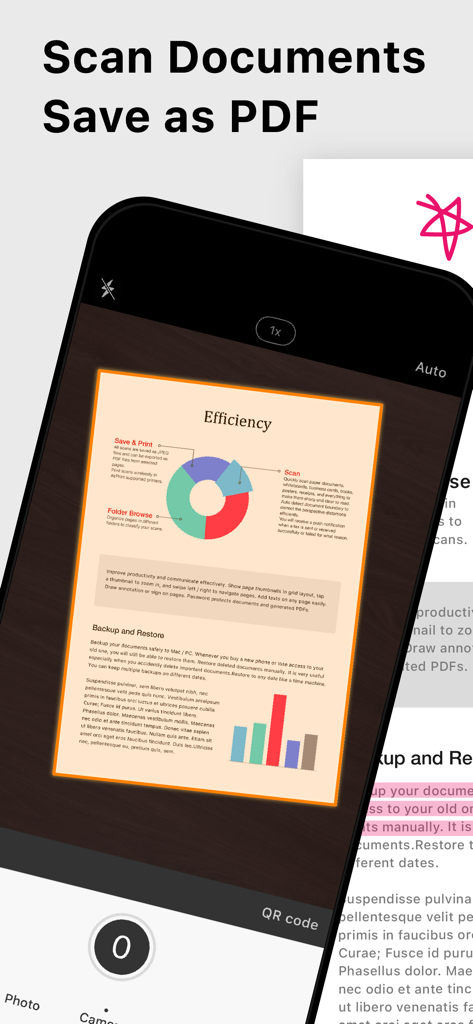
書類がPDF形式でスキャンされているDoc Scan Proアプリのインターフェース

書類がPDF形式でスキャンされているDoc Scan Proアプリのインターフェース

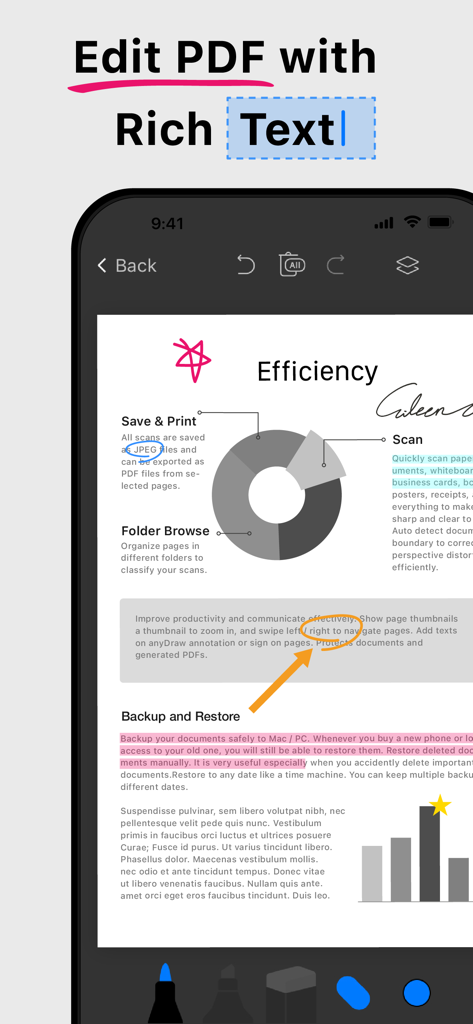
Doc Scan Proアプリでリッチテキストとカラフルな注釈を使用してPDFを編集しているiPhone画面

Doc Scan Proアプリでリッチテキストとカラフルな注釈を使用してPDFを編集しているiPhone画面

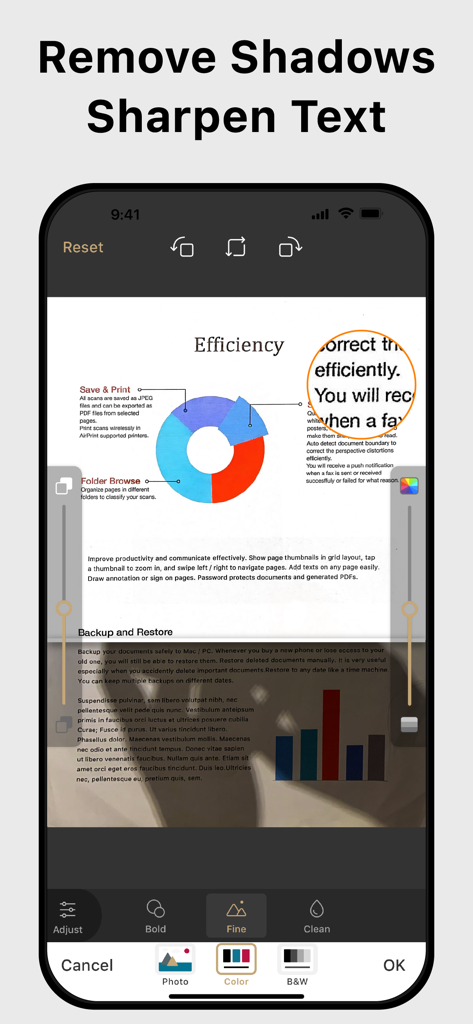
影の除去とテキストのシャープ化機能でドキュメントスキャンを強化しているスマートフォンの画面

影の除去とテキストのシャープ化機能でドキュメントスキャンを強化しているスマートフォンの画面

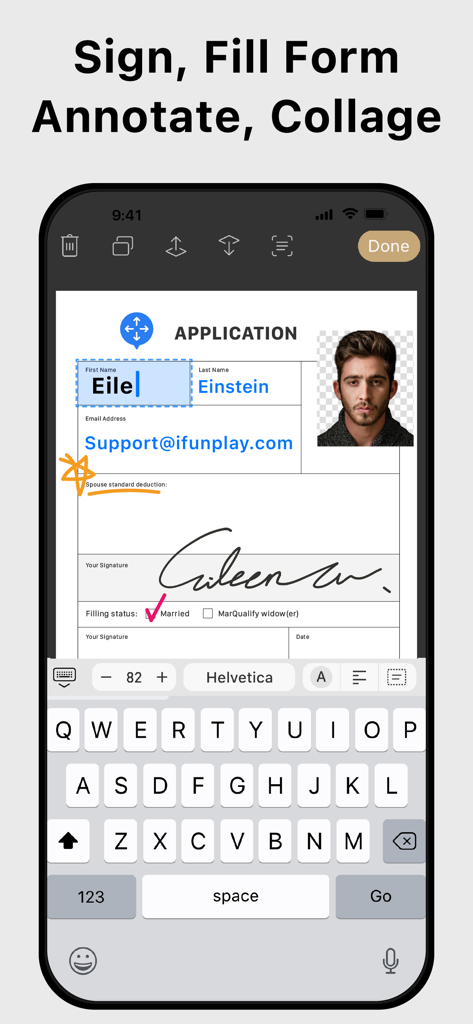
デジタル署名とID写真で申請書に記入しているユーザーを示すモバイルアプリのインターフェース

デジタル署名とID写真で申請書に記入しているユーザーを示すモバイルアプリのインターフェース

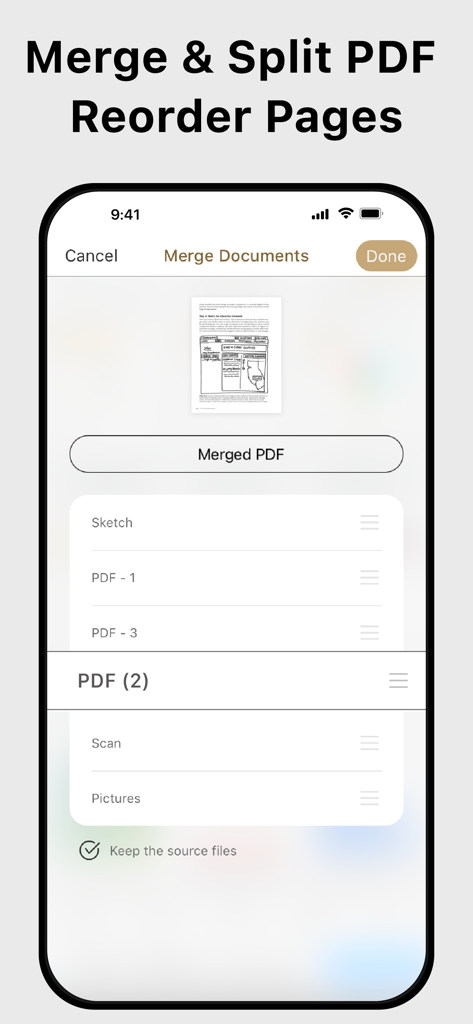
PDFドキュメントをマージおよび分割し、ページを並べ替える機能を示すモバイルアプリのインターフェース。

PDFドキュメントをマージおよび分割し、ページを並べ替える機能を示すモバイルアプリのインターフェース。

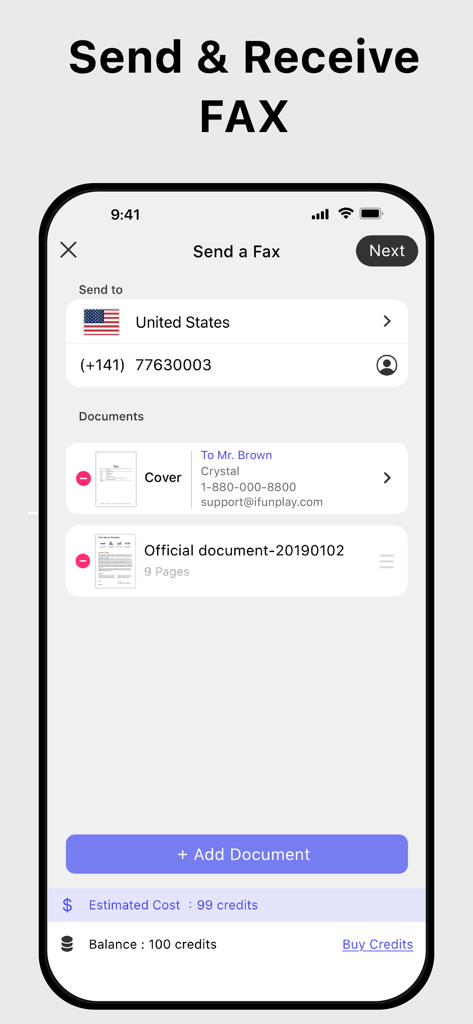
選択したドキュメントとクレジット残高でファックス送信プロセスを示しているDoc Scan Proアプリのモバイルインターフェース。

選択したドキュメントとクレジット残高でファックス送信プロセスを示しているDoc Scan Proアプリのモバイルインターフェース。

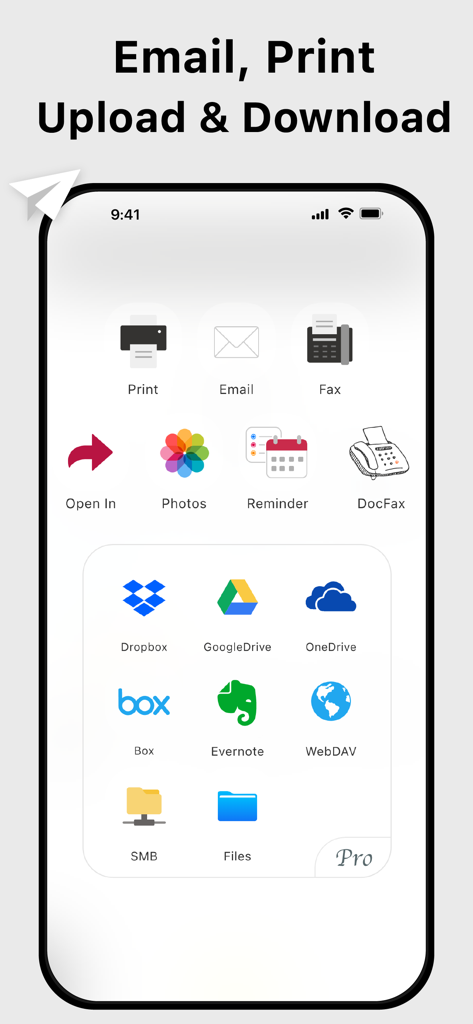
電子メール、ファックス、Googleドライブ、Dropboxなどのドキュメント共有とクラウドストレージオプションを表示するスマートフォンの画面

電子メール、ファックス、Googleドライブ、Dropboxなどのドキュメント共有とクラウドストレージオプションを表示するスマートフォンの画面

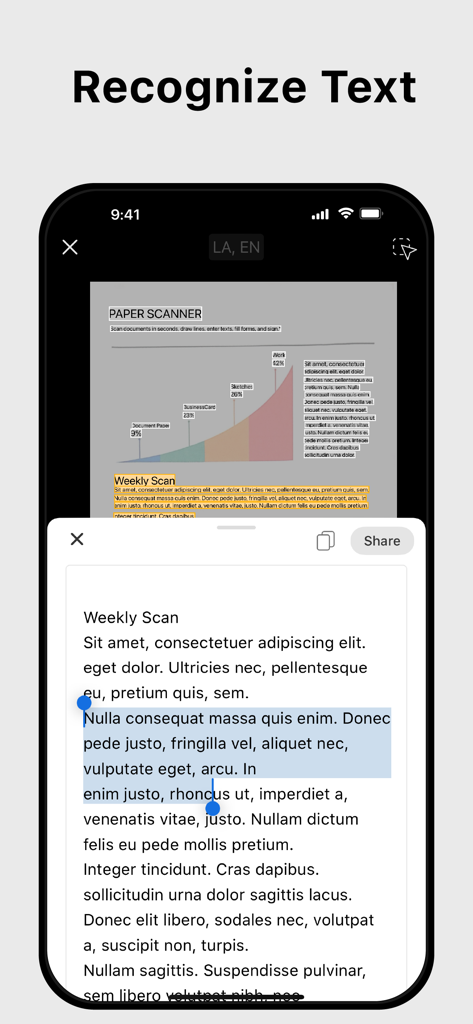
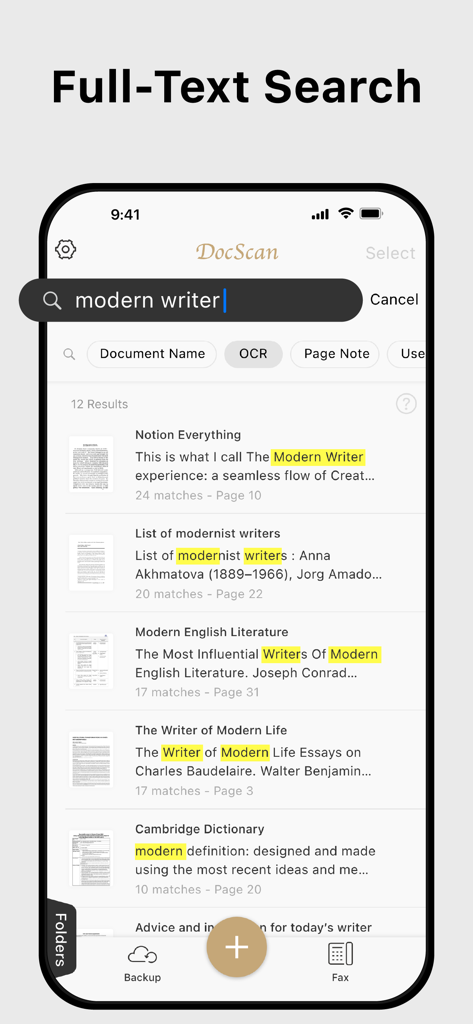
スキャンされたPDFドキュメントのキーワードのOCR結果を示す、Doc Scan Proアプリのテキスト認識およびOCR機能

スキャンされたPDFドキュメントのキーワードのOCR結果を示す、Doc Scan Proアプリのテキスト認識およびOCR機能

スキャンされたPDFドキュメントのキーワードのOCR結果を示す、Doc Scan Proの全文検索インターフェース。

スキャンされたPDFドキュメントのキーワードのOCR結果を示す、Doc Scan Proの全文検索インターフェース。

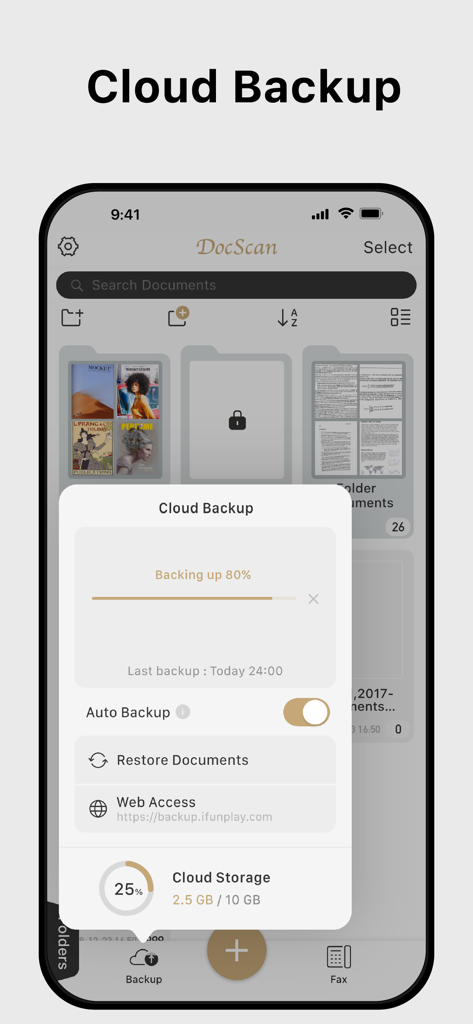
Doc Scan Proアプリのクラウドバックアップおよびストレージ管理インターフェース

Doc Scan Proアプリのクラウドバックアップおよびストレージ管理インターフェース

オフィス全体をポケットに

このアプリを際立たせるツール、 234K+ 人のユーザーが選択.

📄

高精度OCR&スキャン

紙の書類を検索可能なPDFまたは編集可能なWord文書に即座に変換します。契約書、領収書、複数ページのレポートのデジタル化に最適です。

✍️

インスタント電子署名&フォーム入力

合意を数秒で完了させます。プリンターなしで、画面上で直接申請書に記入し、安全な電子署名を追加できます。

📠

プロフェッショナルなグローバルFAX

レガシーシステムとのギャップを埋めます。リアルタイム配信通知により、世界中の医療、法律、政府機関にファックスを送受信できます。

アプリについて

について知っておくべきこと Doc Scan Pro - PDF Scanner.

説明

Scan, OCR, Edit & Share PDF Documents with Ease Transform your iPhone or iPad into a powerful pocket scanner, PDF editor, and photo collage maker. Quickly scan multi-page documents, edit text / image, fill forms, sign, and share them in various formats—anytime, anywhere. Key Features ● High-Quality Scanning & OCR • Auto-detect document borders and correct perspective distortion • Enhance images by removing shadows and sharpening text • Extract text from scanned images with OCR and export as TXT or DOCX ● Edit & Annotate • Fill out forms, highlight important details, or sign documents • Add text, lines, and images to scanned documents • Merge multiple scans into a single PDF ● Organize & Secure Your Documents • Easily search and manage files with folders and custom naming rules • Protect sensitive documents with password encryption ● Seamless Sharing & Cloud Integration • Share scans via PDF, JPEG, TXT, or DOCX through email, fax, SMB, WebDAV, and cloud storage (iCloud Drive, ● Dropbox, Google Drive, One Drive, Box, Evernote, etc.) • Print via AirPrint or save directly to Photo Albums ● Advanced Features • Photo Collage: Combine multiple pages into one sheet (e.g., two sides of an ID on a single A4 page) • QR Code Scanner: Scan from the camera or photo albums to open URLs, call numbers, send emails, or add contacts • Fax Anywhere: Send and receive faxes globally, with real-time status notifications ● Import & Export • Import PDFs and JPEGs from other apps or cloud storage • Support exporting searchable PDFs • Export documents to iTunes, Reminders, and Apple/Google/Outlook Calendars ● Receive Faxes: (non-auto-renew subscription) • Purchase a number to receive faxes • Deny all faxes when no need to receive any fax Subscription Plans Unlock premium features with Silver, or Gold plans, including: • Cloud Backup & Restore: Access previous versions of your documents anytime • Flexible subscription options: Monthly or annual plans available • Subscription renews automatically unless auto-renew is turned off at least 24 hours before the end of the current period • Account will be charged for renewal within 24 hours before the end of the current period. The cost depends on the selected plan • Subscriptions may be managed by the user, and auto-renewal may be turned off by going to the user's Account Settings after purchase • Any unused portion of the free trial will be forfeited when the user purchases a subscription or cancel it Terms of Service: https://ifunplay.com/legal.html

最新バージョン

19.4.14

サイズ

268.8 MB

リリース日

2011年11月12日

プロフェッショナルオフィスをポケットに

デスクスキャナーを捨てた234,000人以上のプロフェッショナルに加わりましょう。Doc Scan Proをダウンロードして、どこからでも安全にスキャン、署名、ファックスを送信しましょう。

ダウンロード: App Store

App information, icons, screenshots, and descriptions displayed on this page are sourced from the Apple App Store and are the property of their respective developers. Download estimates and rankings are based on MWM's proprietary models and may not reflect actual figures. This page is provided for informational and analytical purposes only.

Believe this page infringes your intellectual property? File a dispute