Documents Pro, Download & Edit

Documents Pro, Download & Edit


ダウンロード: App Store
ロゴ: Documents Pro, Download & Edit

Documents Pro:究極のオールインワンモバイルオフィススイート

外出先でのファイル編集、ダウンロード、管理を行う700万人のユーザーに仲間入りしましょう。スプレッドシート、クラウドストレージ、安全な転送を処理できる強力なハブに8つのアプリを置き換えます—どこでも、オフラインでも。

開発元

Savy Soda Pty Ltd

カテゴリ

Productivity

ダウンロード

1M+

ユーザー評価

3.5/5

評価数

112K+

対応言語

16

すべてのピクセルに効率

このインターフェースを利用する 1M+ 人のユーザー.

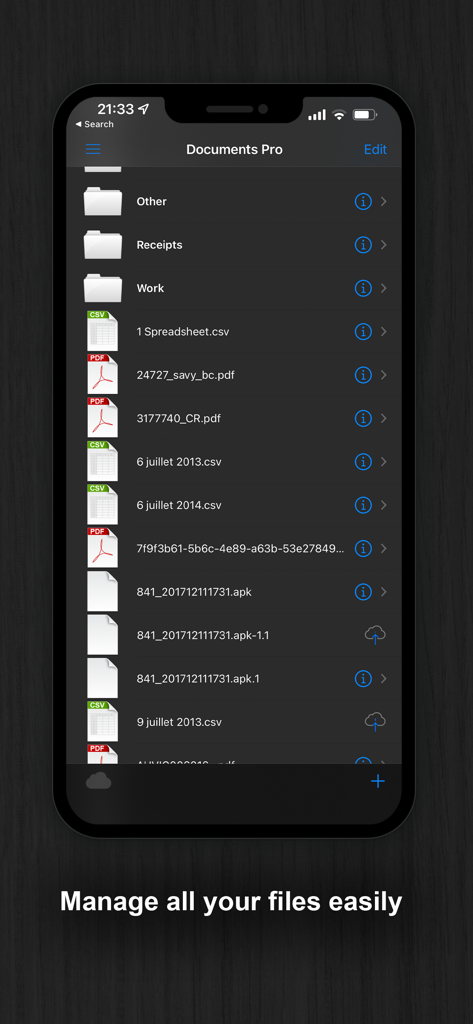
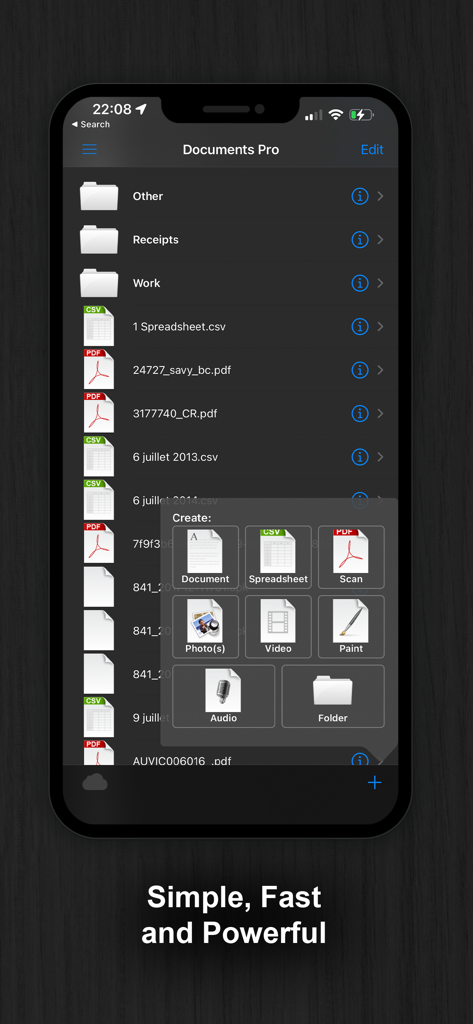
フォルダと、ダークモードテーマのPDFやCSVなどのさまざまなファイルタイプが表示されるモバイルファイルマネージャーインターフェイス。

フォルダと、ダークモードテーマのPDFやCSVなどのさまざまなファイルタイプが表示されるモバイルファイルマネージャーインターフェイス。

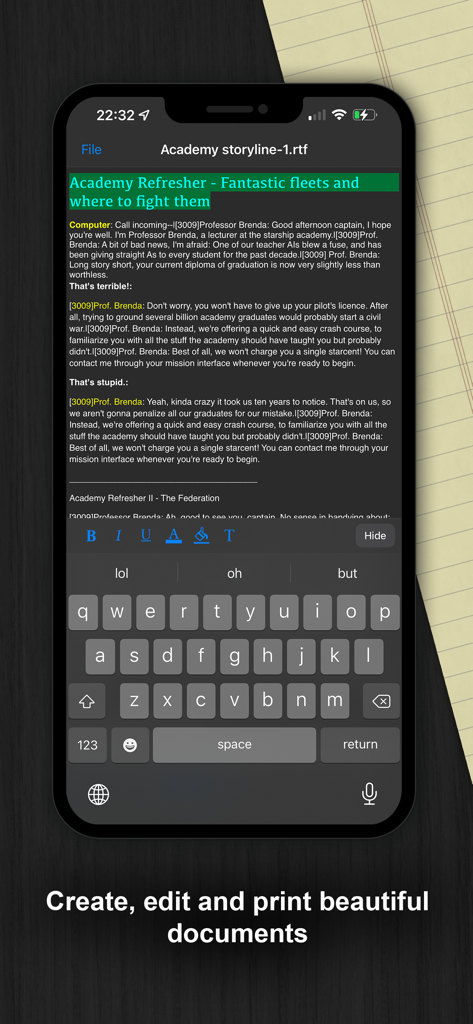
ダークモードのDocuments Proアプリのモバイルテキスト編集インターフェイス

ダークモードのDocuments Proアプリのモバイルテキスト編集インターフェイス

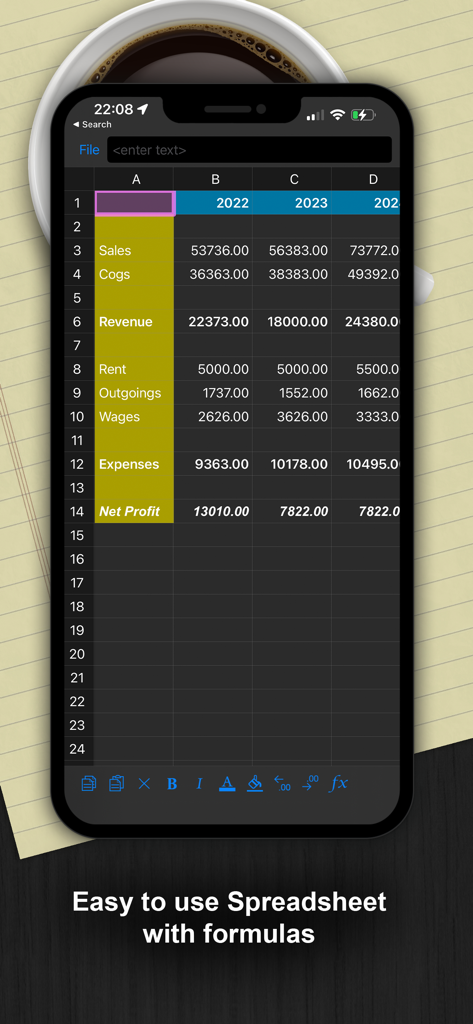
財務データと数式が表示されるダークモードのモバイルスプレッドシートインターフェイス

財務データと数式が表示されるダークモードのモバイルスプレッドシートインターフェイス

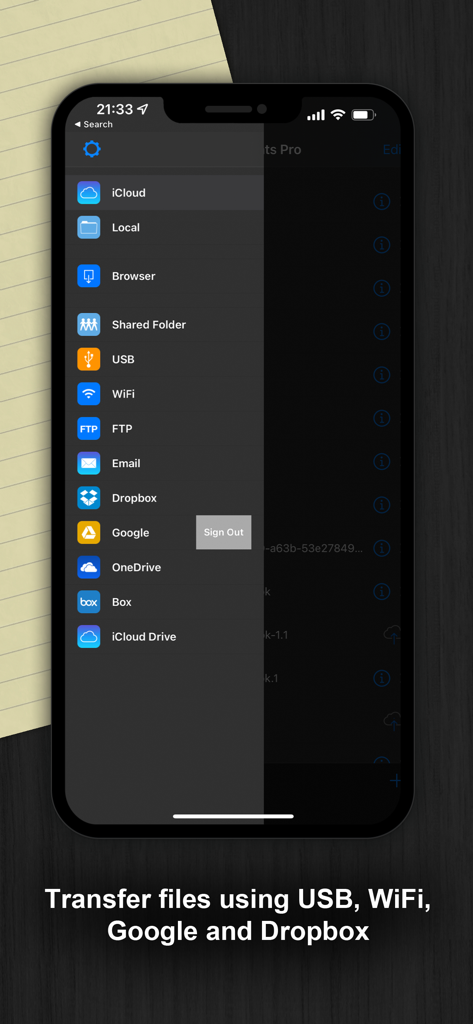
USB、WiFi、Dropboxを含むファイル転送とクラウドストレージオプションが表示されるDocuments Proアプリのサイドバー。

USB、WiFi、Dropboxを含むファイル転送とクラウドストレージオプションが表示されるDocuments Proアプリのサイドバー。

ファイル整理と作成オプションが表示されるDocuments Proアプリのインターフェイス

ファイル整理と作成オプションが表示されるDocuments Proアプリのインターフェイス

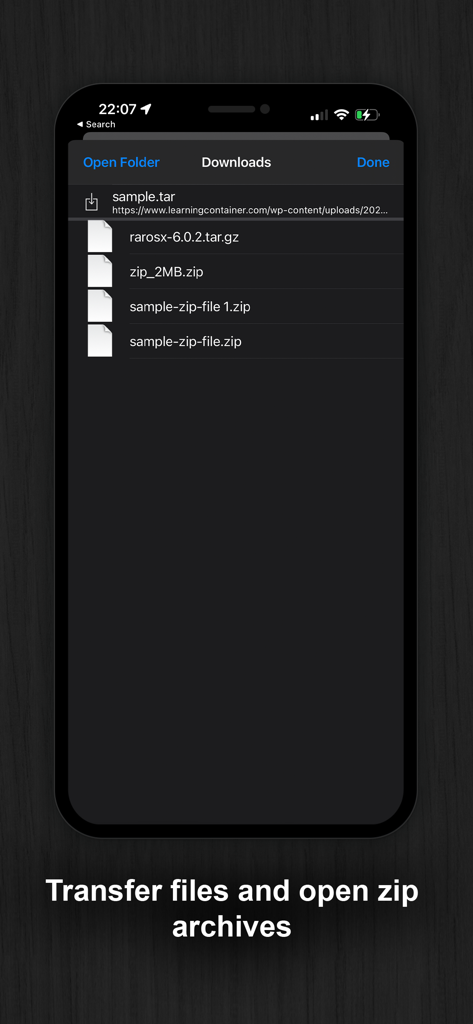
ダウンロードされたzipおよびtarアーカイブのリストが表示されるアプリ画面

ダウンロードされたzipおよびtarアーカイブのリストが表示されるアプリ画面

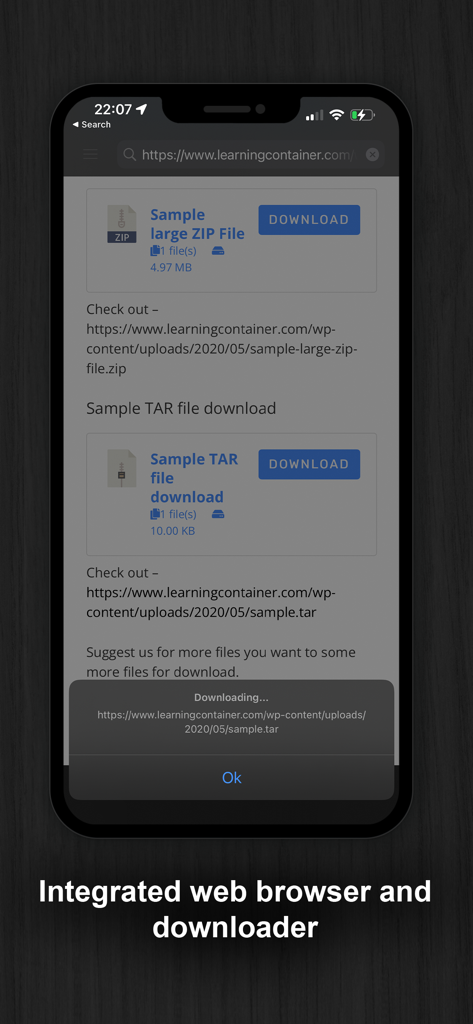
統合Webブラウザとファイルダウンローダーツールを特徴とするDocuments Proアプリのスクリーンショット。

統合Webブラウザとファイルダウンローダーツールを特徴とするDocuments Proアプリのスクリーンショット。

究極のポケットオフィス

このアプリを際立たせるツール、 1M+ 人のユーザーが選択.

☁️

統合クラウドハブ

Dropbox、Google Drive、OneDriveに一か所からアクセスできます。アプリの切り替えをやめ、単一の安全なダッシュボードからすべてのクラウドストレージの管理を開始しましょう。

📊

プロモバイル編集

完全な数式サポートを備えたスプレッドシートを作成し、ドキュメントを書き、PDFをプレビューします。オフラインでも完璧に機能する完全なオフィススイートです。

📡

ワイヤレスデスクトップ同期

デバイスをWiFi HDに変換します。ケーブルや複雑なソフトウェアなしで、ブラウザを使用してiPhoneとPCまたはMac間でファイルを転送できます。

アプリについて

について知っておくべきこと Documents Pro, Download & Edit.

説明

• Free Pro Mobile Office and File Manager • • Trusted by Over 7 Million iOS Users • Built on top of the acclaimed documents iPhone suite. Documents PRO is the most comprehensive file manager and mini office suite for the iPhone. View and edit many types of files including documents, spreadsheets, photos, and media. Easily copy and share files using WiFi, dropbox, SkyDrive, and Google Docs. DOCUMENTS PRO FREE EDITION by SavySoda™ - Take your documents anywhere - Works with Dropbox™ Works with iCloud™ Works with Microsoft OneDrive™ Works with Google Drive™ Works with Box™ DOCUMENTS PRO DETAILS The ultimate All-In-One Mobile Office Suite for the iPhone. 8 Premium Apps in One. Most essential productivity & business apps in one easy to use, high quality package. Transfer documents to/from your iPhone via FTP or WiFi, Google, or Email. Edit & View many types of documents on the fly. A powerful, top value, must have app for any iPhone. INCLUDES - Latest iSpreadsheet (mobile spreadsheet app) - Integrated FTP Server and WiFi HD (mobile hard drive) - Text Editor (Easy to use text pad) - Google Sync (Upload & Download directly to Google) - Photo Album (Photo manager) - Direct Email (Email any documents to anyone) - Pixi Sound Recorder (High Quality Sound Recorder) - Integrated Preview (Preview any known document) GENERAL FEATURES - Full Portrait & Landscape Support - Smooth all black interface - Formatting & Formulas in Spreadsheet - Works online or offline - Folder Management WIFI HD - Transfer Files between iPhone, iPod, Mac, PC, or any network device with a Browser - Easy to use, no additional software necessary - Can be used as file server Google Docs Connection - Upload & Download directly to your google docs account Direct Email - Email files as attachments to anyone - Select email from contacts iSpreadsheet - Full CSV support - Formatting - Formulas - Selection Assist - Multi Touch Interface - Beautiful Smooth UI File Preview: - View any file, PDF Reader - Microsoft Word: .doc, .docx - Microsoft Excel: .xls, .xlsx - Microsoft PowerPoint: .ppt, .pptx - Images: .jpg, .jpeg, .tif, .gif, .svg - iWork: Pages, Number, Keynote - Adobe Acrobat: .pd - Web Pages: .htm, .html - Web Archive: .mht - Audio: .mp3, .wav Pixi Sound Recorder: - 44.1khz high quality recording - Scrolling - Playback Text Editor - Wide screen or normal view text editing Photo Album - Take photos - Resize, Zoom - Preview in Slide Show Direct Email - Email documents to anyone - Access to address book More Apps: http://www.savysoda.com Note on Auto-Renewing Subscription - Documents Pro contains optional in-app subscription to activate premium services - "1 Month, 3 Month and 1 Year Premium Subscription". Premium subscription adds support for more file types. The active work area is increased and all ads from the Application are removed. Biometric security features are unlocked by the premium subscription feature. The price of subscription in local currency is displayed in Extra Features page in app. 1 Month Subscription USD 99 cents. 3 Month Subscription USD 1.99. 12 Month Subscription USD 2.99. Subscriptions are auto-renewable and can be cancelled through User Account Settings. Payment will be charged to iTunes Account at confirmation of purchase. Account will be charged for renewal within 24-hours prior to the end of the current period, and identify the cost of the renewal. No cancellation of the current subscription is allowed during active subscription period. There is also a 7 day free trial for the membership; the free trial period is not transferrable and any remaining free time is cancelled if a paying subscription starts. EULA: www.documentsforios.com/eula.html Privacy Policy: www.documentsforios.com/privacypolicy.html

最新バージョン

18.0

サイズ

44.3 MB

リリース日

2009年5月21日

1つのアプリでワークフローをマスター

アプリの肥大化をやめた700万人以上のユーザーに加わり、よりスマートなオールインワンモバイルオフィスを手に入れましょう。今すぐプロのようにファイル編集、同期、管理を開始しましょう。

ダウンロード: App Store
FAQ

よくある質問

について知っておくべきこと Documents Pro, Download & Edit

Documents Proとは何ですか?

Documents Proは、iPhone向けの包括的なモバイルオフィススイートおよびファイルマネージャーです。ユーザーはさまざまなファイルタイプを表示、編集、管理でき、オールインワンの生産性ツールとして機能します。

Documents Proアプリでファイルを管理できますか?

はい、Documents Proを使用すると、ドキュメント、スプレッドシート、PDFを含むすべてのファイルを簡単に管理できます。フォルダ管理機能が提供され、さまざまなファイルタイプがサポートされています。

Documents Proでドキュメントを編集できますか?

はい、Documents Proを使用すると、さまざまなドキュメントを作成、編集、印刷できます。テキストエディター、スプレッドシート用のiSpreadsheetが含まれており、アプリ内で直接多くのファイルタイプを編集できます。

Documents Proはどのクラウドサービスでのファイル転送をサポートしていますか?

Documents Proは、Dropbox、iCloud、Microsoft OneDrive、Google Drive、Boxと統合されています。ユーザーは、これらの一般的なクラウドサービスとの間で、アプリケーション内で直接ドキュメントを転送できます。

Documents Proとの間でファイルを転送するにはどうすればよいですか?

Documents Proは、FTP、WiFi、Google、および電子メールを介したファイル転送を容易にします。包括的なファイル管理のために、USBやDropboxやOneDriveなどのさまざまなクラウドサービス経由での接続もサポートしています。

Documents Proには数式を含むスプレッドシートアプリケーションが含まれていますか?

はい、Documents Proには、完全なCSVサポート、書式設定、数式を備えたモバイルスプレッドシートアプリであるiSpreadsheetが含まれています。簡単なデータ操作のためのマルチタッチインターフェイスを提供します。

Documents Pro Premiumサブスクリプションにはどのような機能がありますか?

Documents ProのPremiumサブスクリプションは、より多くのファイルタイプのサポート、アクティブな作業領域の増加、アプリケーションからのすべての広告の削除を提供し、生体認証セキュリティ機能をロック解除します。

Documents Pro Premiumサブスクリプションの料金はいくらですか?

Documents Pro Premiumサブスクリプションは、1か月あたり99セント、3か月あたり1.99ドル、12か月あたり2.99ドルのUSDです。現地の通貨での価格はアプリ内に表示されます。

Documents Pro Premiumの無料トライアルはありますか?

はい、Documents ProはPremiumメンバーシップの7日間の無料トライアルを提供しています。この無料トライアル期間は譲渡できず、有料サブスクリプションが開始された場合、残りの無料期間はキャンセルされます。

Documents Proで表示できるファイルタイプは何ですか?

Documents Proは、PDF、Microsoft Word(.doc、.docx)、Excel(.xls、.xlsx)、PowerPoint(.ppt、.pptx)、画像(JPG、GIF)、iWork(Pages、Numbers)、オーディオ(MP3、WAV)など、さまざまなファイルタイプを表示できます。

Documents Proには統合Webブラウザとダウンローダーが含まれていますか?

はい、Documents Proには、ダウンローダーとしても機能する統合Webブラウザが搭載されています。これにより、ユーザーはWebを閲覧し、アプリケーションインターフェイス内でさまざまなファイルを直接ダウンロードできます。

Documents Proはzipアーカイブを開いて管理できますか?

はい、Documents Proはzipアーカイブを開いて管理できます。ユーザーはファイルを転送し、その後、これらの圧縮ファイルをアプリケーション環境内で直接開くことができます。

Documents Proのプライバシーポリシーはどこで確認できますか?

Documents Proのプライバシーポリシーはオンラインでアクセスできます。ユーザーは、個人データがどのように処理されるかを理解するために、www.documentsforios.com/privacypolicy.htmlで完全なポリシーを確認できます。

App information, icons, screenshots, and descriptions displayed on this page are sourced from the Apple App Store and are the property of their respective developers. Download estimates and rankings are based on MWM's proprietary models and may not reflect actual figures. This page is provided for informational and analytical purposes only.

Believe this page infringes your intellectual property? File a dispute