
このページはアプリまたはその開発者の公式ページではなく、情報提供および論評を目的として作成された独立した編集出版物です。明示的に別段の記載がない限り、アプリおよびその開発者は、MWM、Apple、Google Play、アプリのパブリッシャー、またはアプリの開発者と提携、承認、後援、認可、またはその他の公式的な関係はなく、このページのいかなる内容も、アプリがMWMのサービスを使用して開発されたことを意味するものではありません。すべての商標、ロゴ、スクリーンショット、その他のコンテンツはそれぞれの所有者の財産です。


Doodle Magic: Glow Art Drawing
指先一つで、デジタル空間に光のアートを創造できる。このアプリは、ユーザーに現実離れした鮮やかな表現力を与える。
ダウンロード
500k+ユーザー評価
評価数
42.0K開発元
カテゴリ
Graphics & Design対応言語
10最新バージョン
1.3.2サイズ
102.6 MBリリース日
2025年2月26日クリエイティブな表現と使いやすさに焦点を当てた主要機能の評価
Doodle Magic: Glow Art Drawing アプリの機能分析
直感的なユーザーインターフェース
すべてのスキルレベルのユーザー向けに設計された、使いやすいインターフェースで直感的な操作が可能です。
鮮やかなネオングローカラー
アートワークに生命を吹き込む魅惑的なネオンカラーを探索できます。
子供にも優しい設計
子供から大人までが指や定義済み画像を使って絵を描くことを学ぶのに理想的で、家族全員で楽しめます。
光るブラシとスケッチツール
直感的なツールとブラシを使用して、魔法のような落書きやスケッチを作成できます。
多様なアートモード
光るマンダラ、ネオンスケッチ、魔法の万華鏡アートなど、多様な創造的な表現が可能です。
リラックスできる創作活動
無制限のカラーオプションで、リラックスして自由に絵を描くことができる、ストレスのないアート体験を提供します。
作品の保存と共有
作成した傑作を保存し、ソーシャルメディアを通じて友人や家族と簡単に共有できます。
元に戻す/やり直す機能
内蔵された元に戻すおよびやり直しボタンにより、間違いを簡単に修正し、安心して創作活動に集中できます。
よくある質問
について知っておくべきこと Doodle Magic: Glow Art Drawing
What is Doodle Magic: Glow Art Drawing?
Doodle Magic: Glow Art Drawing is an app for creating stunning neon artworks using vibrant colors and glowing brushes on a wide drawing canvas.
What are the key features of Doodle Magic: Glow Art Drawing?
Doodle Magic: Glow Art Drawing offers vibrant neon glow colors, glowing brushes, sketch tools, undo/redo, save/share, and an easy-to-use interface for creativity.
Can users save and share artwork created with Doodle Glow Art?
Yes, Doodle Glow Art allows users to save their completed masterpieces and share them on social media platforms with friends and family directly from the app.
Is Doodle Magic: Glow Art Drawing suitable for children?
Yes, Doodle Magic: Glow Art Drawing is kid-friendly. It is perfect for both children and adults to learn painting with fingers or predefined images.
What types of art can be created using Doodle Glow Art?
Doodle Glow Art enables users to create glowing mandalas, neon sketches, magic kaleidoscope art, and other vibrant neon artworks.
Does Doodle Magic: Glow Art Drawing include undo and redo functions?
Yes, Doodle Magic: Glow Art Drawing features built-in undo and redo buttons. This allows users to correct any mistakes effortlessly while drawing.
How does Doodle Magic: Glow Art Drawing protect user data?
Doodle Magic: Glow Art Drawing protects all personal data in accordance with its Terms of Use and Privacy Policy, linked within the description.
Does Doodle Magic: Glow Art Drawing support mirror drawing?
Yes, Doodle Magic: Glow Art Drawing provides a feature for mirror drawing, enabling users to create symmetrical and styled artistic designs.
What brush options are available in Doodle Glow Art?
Doodle Glow Art provides various glowing brushes and sketch tools, allowing users to experience a variety of brush types for their neon artwork.
Can beginners easily use Doodle Magic: Glow Art Drawing?
Yes, Doodle Magic: Glow Art Drawing features an easy-to-use interface, designed for all skill levels, from beginners to professionals, to express creativity.
以下のスクリーンショットと説明は、アプリの公式ストアリスティングから直接取得されたものであり、アプリ開発者の所有物です。
アプリストア
スクリーンショット
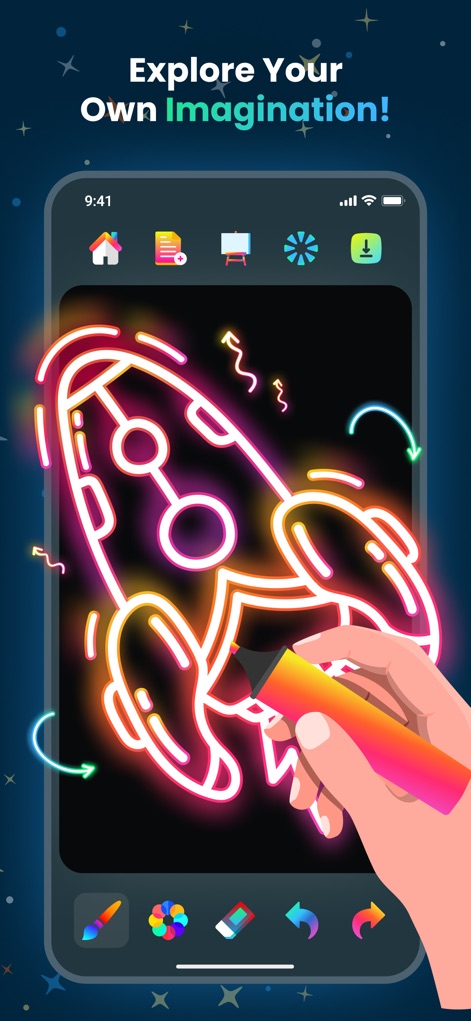
このアプリでは、鮮やかなネオンカラーで描かれたロケットのイラストと、直感的に操作できる筆先を活用し、ユーザーは創造的なアイデアを形にできます。
創造力を解放
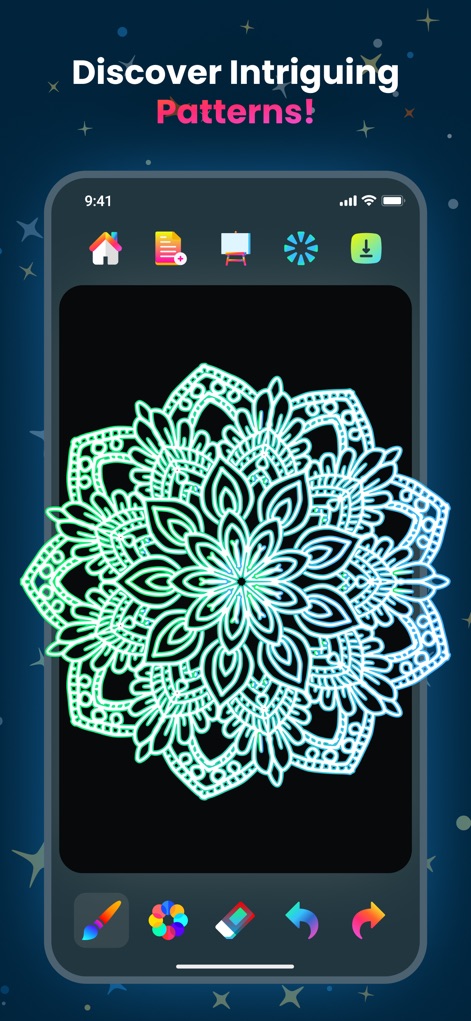
本ツールを使用すると、ユーザーは複雑で美しい曼荼羅模様を簡単に作成でき、グラデーションするネオンの輝きによって作品に深みを与えられます。
魅惑のデザイン
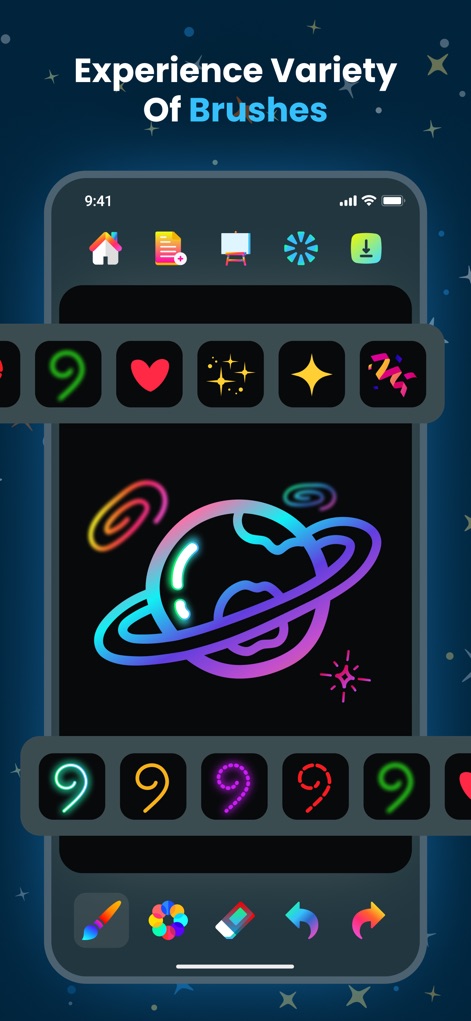
この機能により、ユーザーは様々な形状の光るブラシオプションから選択でき、描画されたネオンの惑星のようにユニークな作品を創造できます。
多彩なブラシ
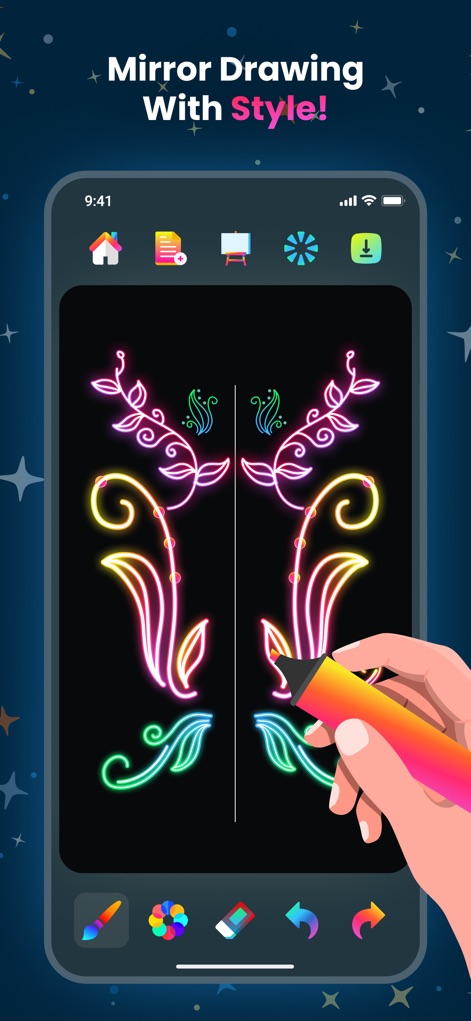
ユーザーはリアルタイムで反映されるミラー機能を利用して、左右対称に生成される華やかなフローラルデザインを簡単に描画し、独特の芸術表現を楽しめます。
シンメトリー描画
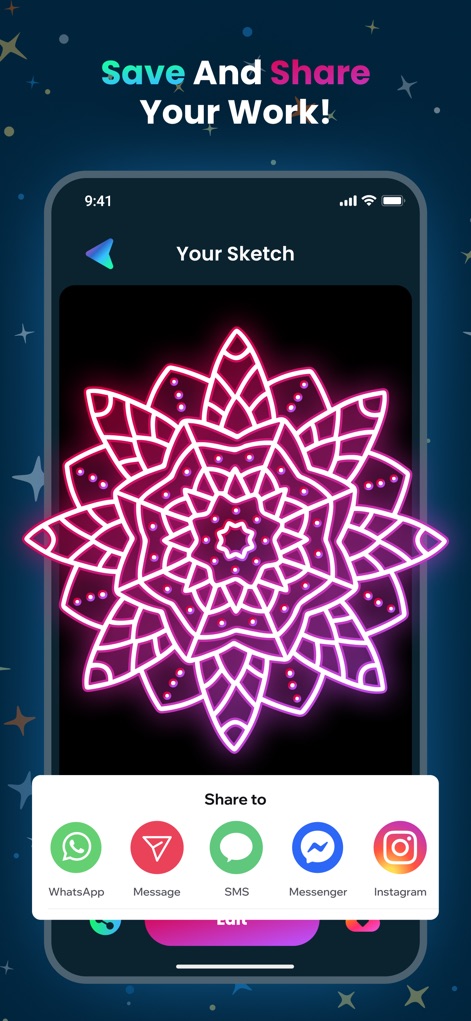
完成したネオン曼荼羅アートを、複数のソーシャルメディア共有オプションを通じて友人や家族と簡単に共有でき、ユーザーの創造性を広めることができます。
作品を共有
説明
Download
類似アプリ
似た機能とユーザー体験を持つアプリ

8bit Painter - Pixel Art
Takayuki Miyagawa
Neon Draw - Glow Doodle Art
CEM SOFTWARE COMPANY LIMITED
MapChart App
Minas Giannekas
NiBoard: Whiteboard & Sketch
Enid Hadaj
Simple Whiteboard by Qrayon
Qrayon, LLC
Realistic Paint Studio
Aleksandr Komarov
Draw and Paint for Kid Toddler
Raymond GUITTONNEAU
12 WhiteBoards
hideko ogawa

SketchBook -drawing & painting
ISMITECH COMPANY LIMITED
このページはアプリまたはその開発者の公式ページではなく、情報提供および論評を目的として作成された独立した編集出版物です。明示的に別段の記載がない限り、アプリおよびその開発者は、MWM、Apple、Google Play、アプリのパブリッシャー、またはアプリの開発者と提携、承認、後援、認可、またはその他の公式的な関係はなく、このページのいかなる内容も、アプリがMWMのサービスを使用して開発されたことを意味するものではありません。すべての商標、ロゴ、スクリーンショット、その他のコンテンツはそれぞれの所有者の財産です。