Dual Messenger for WA Web
ダウンロード: App Store

このページはアプリまたはその開発者の公式ページではなく、情報提供および論評を目的として作成された独立した編集出版物です。明示的に別段の記載がない限り、アプリおよびその開発者は、MWM、Apple、Google Play、アプリのパブリッシャー、またはアプリの開発者と提携、承認、後援、認可、またはその他の公式的な関係はなく、このページのいかなる内容も、アプリがMWMのサービスを使用して開発されたことを意味するものではありません。すべての商標、ロゴ、スクリーンショット、その他のコンテンツはそれぞれの所有者の財産です。

ロゴ: Dual Messenger for WA Web
ダウンロード: App Store

Dual Messenger for WA Web

現代のデジタルマネージャーのための、究極のオールインワンユーティリティ。カスタムデザインのフォントやユニークなキーボードスタイルでメッセージを目立たせながら、1台のデバイスで個人用アカウントと仕事用アカウントをシームレスに使い分けましょう。

主要数値

ダウンロード

18K+

ユーザー評価

4.7/5

評価数

400

開発元

SELEN ALAN

カテゴリ

Utilities

対応言語

1

最新バージョン

1.9

サイズ

20.4 MB

リリース日

2025年2月17日
機能

1つのアプリで、チャットを完全にコントロール

現代のデジタルマネージャーが、複数アカウントを管理し、すべてのメッセージでユニークなスタイルを表現するための必須ツールキット。

デュアルアカウントマスター

副業とプライベートを完璧に分離。ログインとログアウトの手間なく、1台のデバイスで2つのアカウントを管理できます。

あなたのスタイルを表現

退屈なテキストの送信はもうやめましょう。筆記体、ゴシック、ネオンフォントを使用して、あなたの雰囲気に合ったメッセージを送り、あらゆるチャットであなたのブランドや個性を際立たせましょう。

以下のスクリーンショットと説明は、アプリの公式ストアリスティングから直接取得されたものであり、アプリ開発者の所有物です。

アプリストア

スクリーンショット
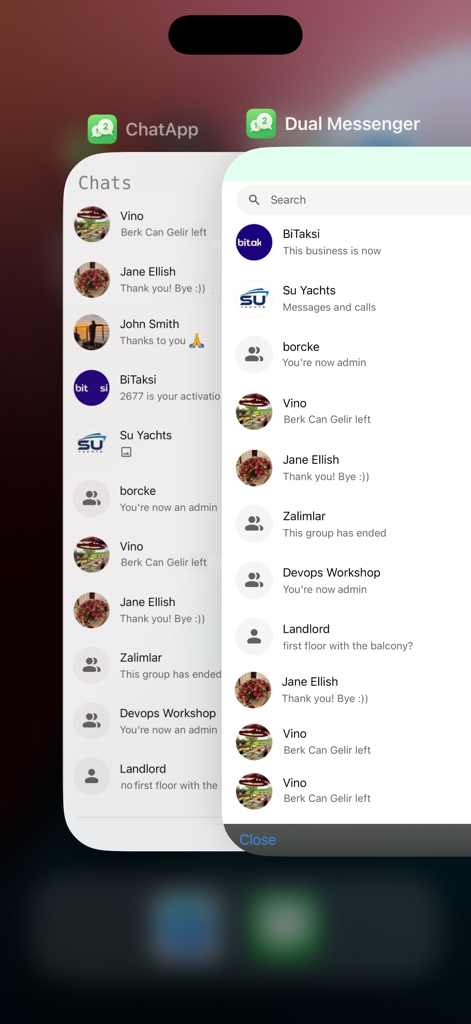
Dual Messenger for WA Web - iPhone画面に、デュアルメッセンジャーアカウントを表す2つの重なり合ったチャットウィンドウが表示されています
iPhone画面に、デュアルメッセンジャーアカウントを表す2つの重なり合ったチャットウィンドウが表示されています

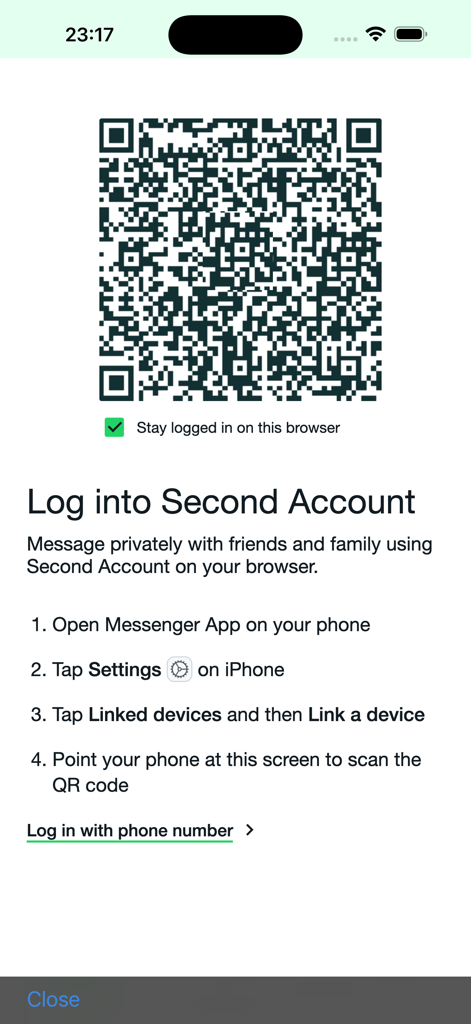
Dual Messenger for WA Web - QRコードとセカンドアカウントをリンクするための手順が表示された、WA Web用デュアルメッセンジャーのログイン画面
QRコードとセカンドアカウントをリンクするための手順が表示された、WA Web用デュアルメッセンジャーのログイン画面

Dual Messenger for WA Web - 緑色の背景に白いインターフェースシンボルが特徴の、WA Web用デュアルメッセンジャーのアプリアイコン
緑色の背景に白いインターフェースシンボルが特徴の、WA Web用デュアルメッセンジャーのアプリアイコン

Dual Messenger for WA Web - WhatsAppとTelegramのウェブサービスへのクイックリンクを示す、デュアルメッセンジャーのアプリ内ブラウザ画面
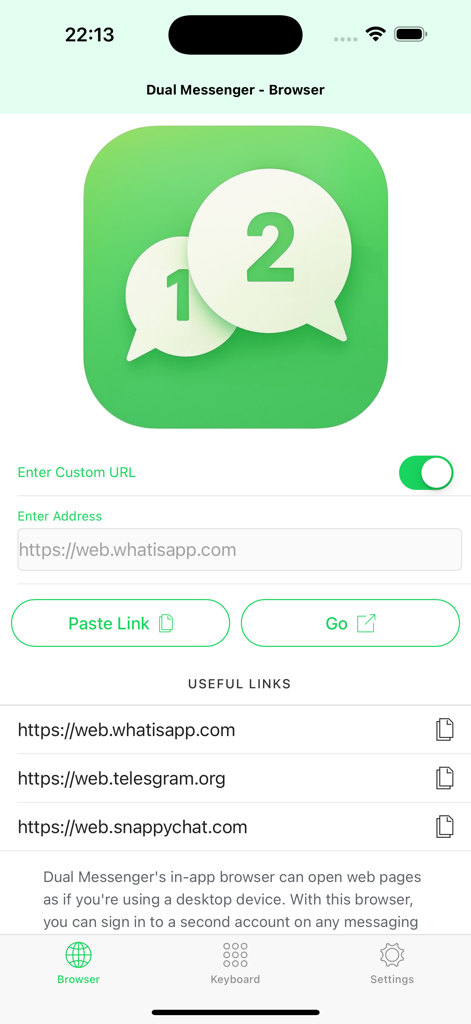
WhatsAppとTelegramのウェブサービスへのクイックリンクを示す、デュアルメッセンジャーのアプリ内ブラウザ画面

Dual Messenger for WA Web - チャットインターフェースでカスタムゴシックキーボードがエステティックフォントスタイルを表示
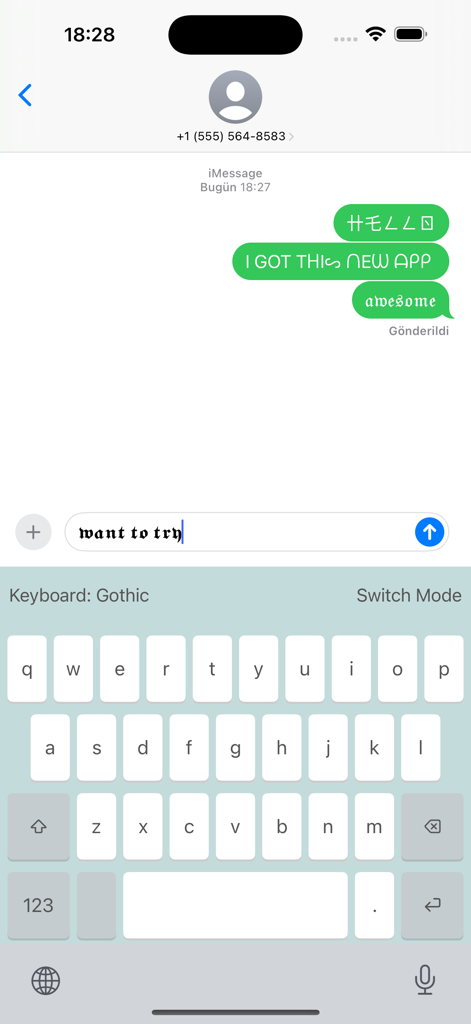
チャットインターフェースでカスタムゴシックキーボードがエステティックフォントスタイルを表示

Dual Messenger for WA Web - iPhoneでカスタムデュアルメッセンジャーキーボードをアクティブにするための手順画面
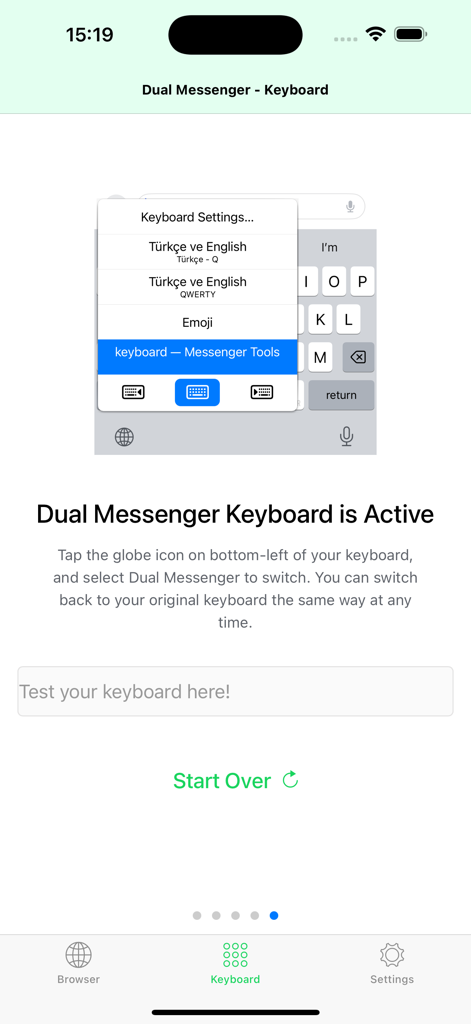
iPhoneでカスタムデュアルメッセンジャーキーボードをアクティブにするための手順画面

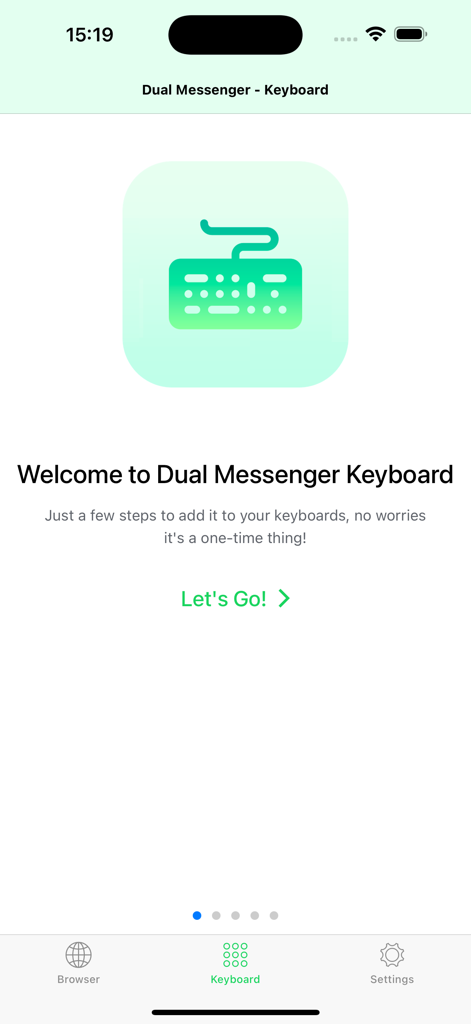
Dual Messenger for WA Web - デュアルメッセンジャーキーボード機能のセットアップ用ウェルカム画面

デュアルメッセンジャーキーボード機能のセットアップ用ウェルカム画面

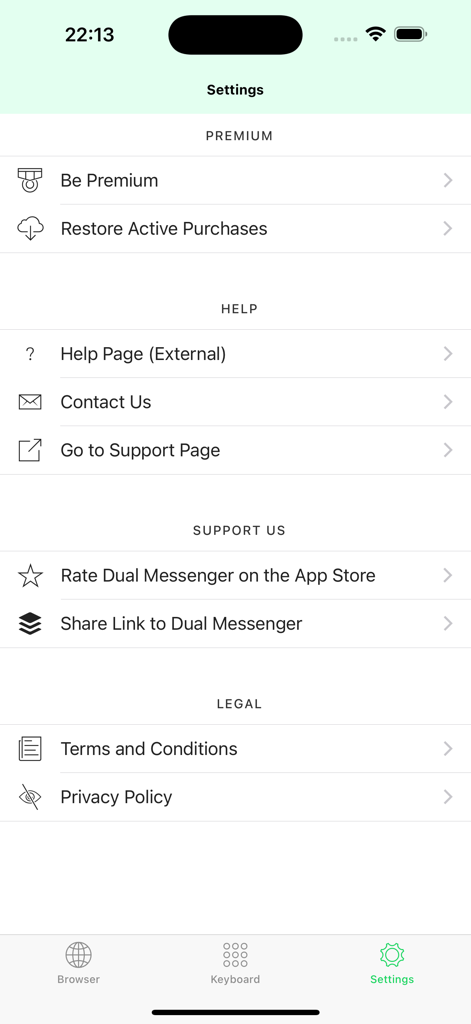
Dual Messenger for WA Web - プレミアムサブスクリプションとサポートオプションが表示された、WA Web用デュアルメッセンジャーの設定画面

プレミアムサブスクリプションとサポートオプションが表示された、WA Web用デュアルメッセンジャーの設定画面

説明

IN-APP BROWSER – LOGIN TO SECOND ACCOUNT OF CHAT APPS AND ACCESS CHAT APPS IN ONE PLACE! Dual Messenger comes with a built-in desktop browser designed specifically for messaging apps. If your favorite chat platform has a web version, you can use it directly within Dual Messenger without switching between apps. Stay connected effortlessly! -- Tired of plain, boring text? Want to access your favorite messaging apps more conveniently? Dual Messenger is here to take your chatting experience to the next level! Packed with exciting features, this app helps you express yourself in unique ways and stay connected more efficiently. * Fun and easy-to-use custom keyboard. * Access multiple chat apps from one place. * Save time and make your messages stand out. * No complicated setup—just install and start using! FUNNY KEYBOARD – TYPE LIKE NEVER BEFORE! Why stick to normal text when you can make your messages stand out? Dual Messenger features a special keyboard that lets you type in cool and creative styles with just one tap! Choose from a variety of fun modes, including: * Gothic – Add a medieval touch to your messages. * Old English – Elegant and classic typography. * Reverse Typing – Flip your text for a fun twist. * Double Typing – Double up every letter effortlessly. * Vapor Style – Aesthetic and retro text effects. * Cursive – Stylish and fancy writing. * Neon – Bright and eye-catching letters. ...and more! No extra effort is needed—just type as you normally would, and Dual Messenger will do the rest! Try it out and impress your friends and family with uniquely styled messages. -- Subscriptions -- Premium subscription allows unlimited access to all features, monthly and yearly options are available with up to 7 days free trial.. You can cancel your subscription at any time. Cancel within 24 hours before the end of your free trial period or auto-renewal date to avoid charges. Subscriptions can be managed by you and auto-renewal can be turned off by going to the Account Settings: - Go to Settings App. - Tap your initials/name. - Tap Subscriptions. - Find and Tap the Subscription you want to cancel - Tap Cancel -- Legal Disclaimer -- Dual Messenger is an independent tool and is not affiliated with, endorsed by, or sponsored by WhatsApp Inc., Telegram Messenger LLP, or any of their subsidiaries. All trademarks, logos, and brand names are the property of their respective owners. Dual Messenger is a browser that allows you to efficiently use publicly available interfaces or content. Any use of trademarks is made under nominative fair use and is strictly for identification and reference purposes only and does not imply any association or endorsement. Terms and Conditions: http://selenalanapps.com/terms.html Privacy Policy: http://selenalanapps.com/privacy.html

Download

ダウンロード: App Store

このページはアプリまたはその開発者の公式ページではなく、情報提供および論評を目的として作成された独立した編集出版物です。明示的に別段の記載がない限り、アプリおよびその開発者は、MWM、Apple、Google Play、アプリのパブリッシャー、またはアプリの開発者と提携、承認、後援、認可、またはその他の公式的な関係はなく、このページのいかなる内容も、アプリがMWMのサービスを使用して開発されたことを意味するものではありません。すべての商標、ロゴ、スクリーンショット、その他のコンテンツはそれぞれの所有者の財産です。