EasyDrawing AR: Sketch & Trace
ダウンロード: App Store

このページはアプリまたはその開発者の公式ページではなく、情報提供および論評を目的として作成された独立した編集出版物です。明示的に別段の記載がない限り、アプリおよびその開発者は、MWM、Apple、Google Play、アプリのパブリッシャー、またはアプリの開発者と提携、承認、後援、認可、またはその他の公式的な関係はなく、このページのいかなる内容も、アプリがMWMのサービスを使用して開発されたことを意味するものではありません。すべての商標、ロゴ、スクリーンショット、その他のコンテンツはそれぞれの所有者の財産です。

ロゴ: EasyDrawing AR: Sketch & Trace
ダウンロード: App Store

EasyDrawing AR: Sketch & Trace

あなたの想像力を瞬時に物理的なアートに変えましょう。アイデアを説明するだけで、AIがスケッチを生成し、拡張現実(AR)を使って紙にトレースできます—プロのスキルや高価なハードウェアは必要ありません。

主要数値

ダウンロード

291K+

ユーザー評価

3.2/5

評価数

100

開発元

Lei Zhao

カテゴリ

Entertainment

対応言語

1

最新バージョン

17

サイズ

137.9 MB

リリース日

2019年7月24日
機能

あなたの創造的な可能性を解き放つ

AI生成の力と拡張現実(AR)を組み合わせ、どんなアイデアも物理的な傑作に変えましょう—アートスキルは必要ありません。

AI搭載インスピレーション

空白のページを見つめるのはもうやめましょう。どんなプロンプトでも入力するだけで、AIが数秒でトレース準備完了のクリーンな手書きスケッチを生成します。

高精度ARトレース

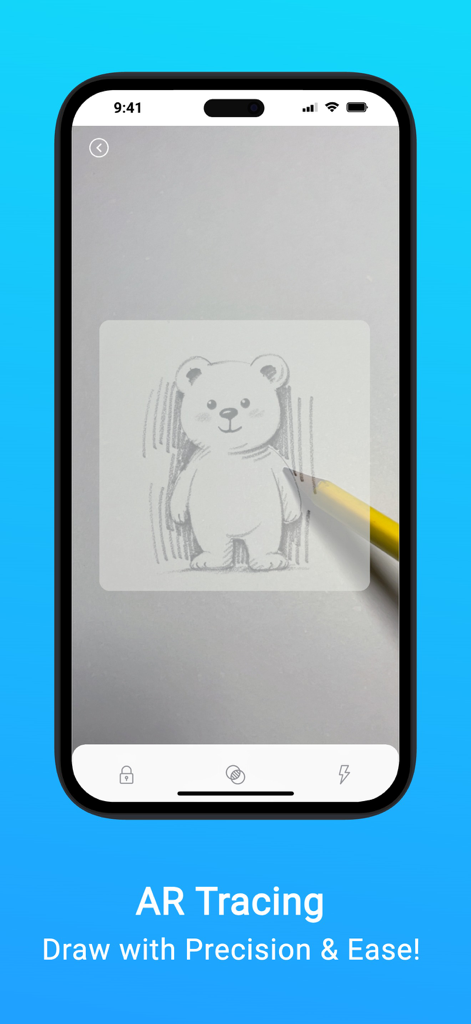
カメラを使って、どんな表面にもスケッチを投影します。スケール、回転、不透明度を調整して、シームレスでプロフェッショナルな描画体験を実現します。

以下のスクリーンショットと説明は、アプリの公式ストアリスティングから直接取得されたものであり、アプリ開発者の所有物です。

アプリストア

スクリーンショット
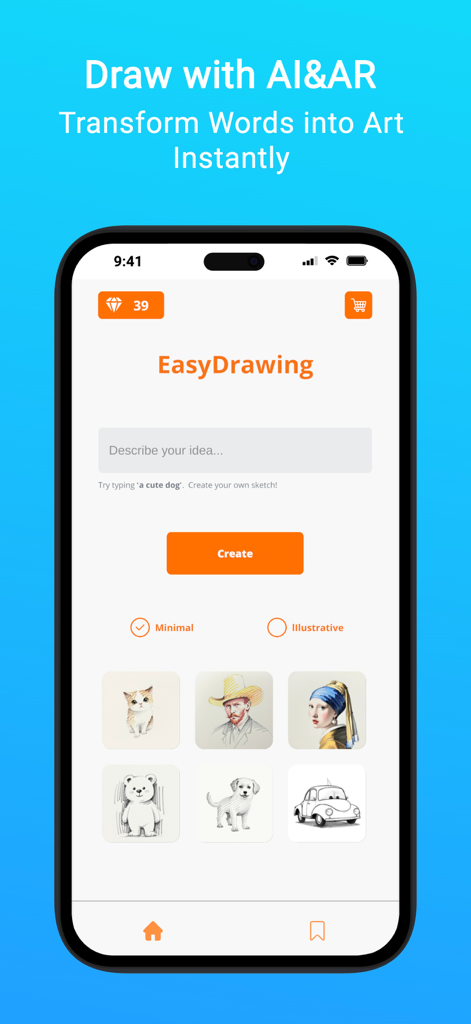
EasyDrawing AR: Sketch & Trace - AIスケッチ生成とトレースのためのEasyDrawing ARモバイルアプリインターフェース
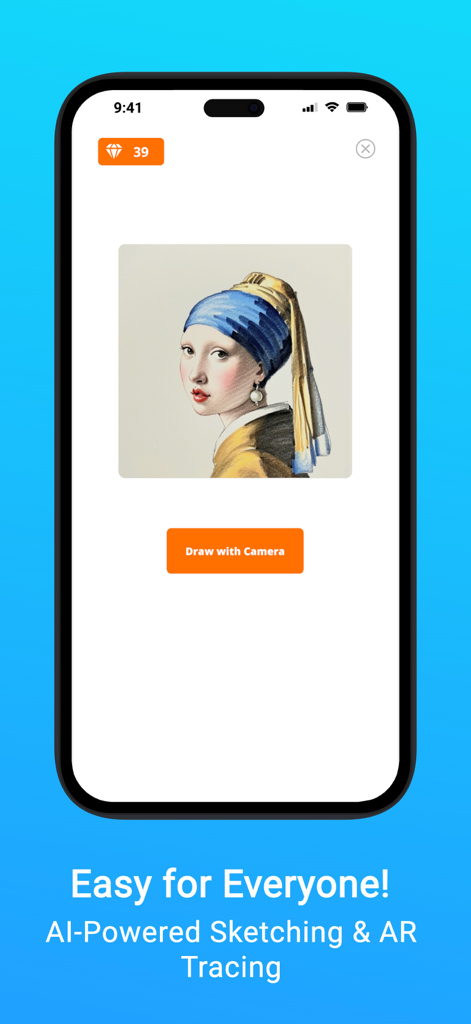
AIスケッチ生成とトレースのためのEasyDrawing ARモバイルアプリインターフェース

EasyDrawing AR: Sketch & Trace - EasyDrawing ARアプリインターフェース、古典絵画と、AIスケッチとARトレースのためのカメラで描画するボタンを表示
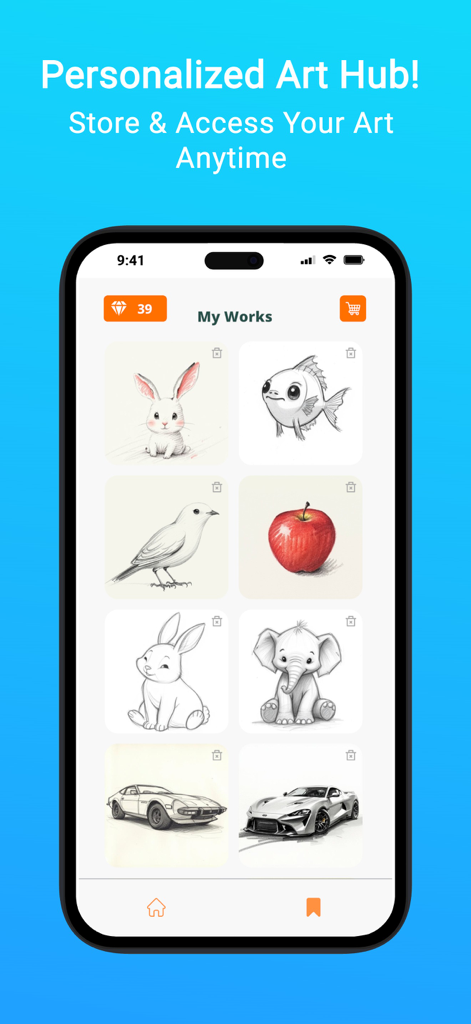
EasyDrawing ARアプリインターフェース、古典絵画と、AIスケッチとARトレースのためのカメラで描画するボタンを表示

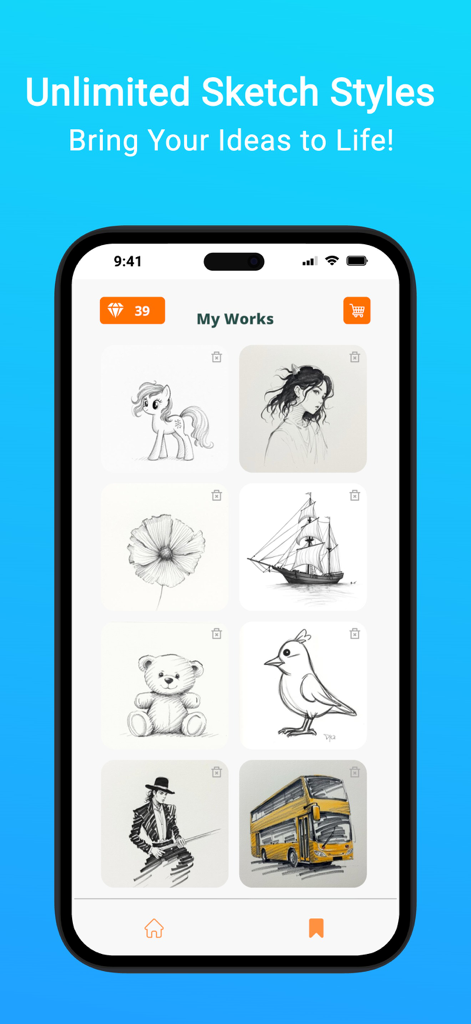
EasyDrawing AR: Sketch & Trace - EasyDrawing ARアプリの保存された動物や車のスケッチが表示されたスマートフォン画面
EasyDrawing ARアプリの保存された動物や車のスケッチが表示されたスマートフォン画面

EasyDrawing AR: Sketch & Trace - 紙にテディベアをスケッチするために使用されるARトレース機能を示すスマートフォン画面
紙にテディベアをスケッチするために使用されるARトレース機能を示すスマートフォン画面

EasyDrawing AR: Sketch & Trace - EasyDrawing ARアプリの「マイワークス」画面、動物、人物、オブジェクトなどのさまざまなスケッチのグリッドを表示

EasyDrawing ARアプリの「マイワークス」画面、動物、人物、オブジェクトなどのさまざまなスケッチのグリッドを表示

説明

Sketch. Trace. Create. EasyDrawing AR transforms your ideas into pencil-style sketches using AI and helps you trace them directly onto paper through your device’s camera. This is the easiest way to start drawing creatively, whether you are new to art or looking to practice sketching. Just describe what you want to draw, and the app instantly creates a simple, clean sketch you can trace in augmented reality. No projector or advanced setup is required. How It Works 1. Describe your idea in plain English. For example, cute baby dragon or Seoul Tower at sunset. 2. The AI generates a hand-drawn-style sketch that matches your idea. 3. Use your iPhone or iPad to project the sketch onto real paper through the camera. 4. Move, resize, rotate, and adjust the transparency to match the paper layout, then start tracing by hand. Key Features AI sketch generator that turns words into line-style art AR tracing view to overlay sketches onto paper Adjustable position, scale, rotation, and opacity Simple and accessible for beginners, kids, and hobbyists Camera-based alignment support for better accuracy No projector or special hardware required Save your result and manually share to TikTok, Instagram, or YouTube Why People Love EasyDrawing AR Transforms imagination into drawing quickly Fun and educational for kids, teens, and adults Great for building drawing confidence and hand-eye coordination Lightweight and portable, perfect for use anywhere Ad-free drawing environment for better focus Use Cases Daily drawing and practice School art class activities Tattoo stencil planning Cake or craft decoration templates Do-it-yourself mural or wall art guides Printable coloring pages for kids Subscriptions and Credits Choose a monthly subscription or pay-as-you-go credits All plans include full access to AI sketch generation and AR tracing Enjoy regular updates and new features No hidden fees and cancel anytime Device Requirements Requires iOS 15.0 or later ARKit-compatible iPhone or iPad is recommended for best performance Get Started Now Download EasyDrawing AR today and turn your ideas into artwork using the power of AI and AR. No art skills or setup needed. Just sketch, trace, and enjoy.

Download

ダウンロード: App Store

このページはアプリまたはその開発者の公式ページではなく、情報提供および論評を目的として作成された独立した編集出版物です。明示的に別段の記載がない限り、アプリおよびその開発者は、MWM、Apple、Google Play、アプリのパブリッシャー、またはアプリの開発者と提携、承認、後援、認可、またはその他の公式的な関係はなく、このページのいかなる内容も、アプリがMWMのサービスを使用して開発されたことを意味するものではありません。すべての商標、ロゴ、スクリーンショット、その他のコンテンツはそれぞれの所有者の財産です。








