
このページはアプリまたはその開発者の公式ページではなく、情報提供および論評を目的として作成された独立した編集出版物です。明示的に別段の記載がない限り、アプリおよびその開発者は、MWM、Apple、Google Play、アプリのパブリッシャー、またはアプリの開発者と提携、承認、後援、認可、またはその他の公式的な関係はなく、このページのいかなる内容も、アプリがMWMのサービスを使用して開発されたことを意味するものではありません。すべての商標、ロゴ、スクリーンショット、その他のコンテンツはそれぞれの所有者の財産です。


Eight: Business Card Manager
Eightは、単なる名刺スキャンアプリではない。これは、あなたのプロフェッショナルな影響力を増幅させるツールであり、ネットワークを未来へと同期させる。
ダウンロード
1M+ユーザー評価
評価数
58.1K開発元
カテゴリ
Business対応言語
2最新バージョン
10.69.6サイズ
135.4 MBリリース日
2011年6月18日プロフェッショナルネットワーキングを革新する主要機能の評価
Eight: Business Card Manager アプリ分析
AIを活用した名刺の無制限無料デジタル化
高度なAI技術により、無制限に名刺情報を無料で高精度にデジタル化し、多言語対応で詳細を漏れなく取り込みます。
名刺情報の安全な管理
スキャンされた名刺情報は暗号化され、安全に管理されるため、ユーザーは機密性の高い連絡先情報を安心して預けることができます。
高度な検索機能とタグによる連絡先の迅速な発見
スキャンした名刺情報から、名前、会社名、部署、役職での検索に加え、メモの全文検索やタグによるグループ化で、必要な連絡先情報を素早く見つけ出すことができます。
ネットワークの動向と連絡先の最新情報維持
Eightでつながっているコンタクトが昇進や転職などで名刺情報を変更した場合に通知を受け取り、Eight内でメッセージを送ることで、常に最新の情報を把握し関係を構築できます。
自動的なデジタルプロフィール作成
名刺を撮影するだけで、独自のデジタル化技術により、迅速かつ正確にコンタクトのデジタルプロフィールが作成されます。
簡単な名刺スキャンプロセス
カメラを名刺にかざすだけで、簡単に名刺をデジタル形式に変換でき、誰でも直感的に利用できる設計です。
デジタル名刺の共有と交換
Eightユーザー間ではアプリを介して即座にデジタル名刺を交換でき、非Eightユーザーに対してもQRコードやURLを通じて仮想名刺を共有することが可能です。
無制限のクラウドストレージ
スキャンされたすべての名刺に対して、容量と期間の制限なくクラウドストレージが提供され、安心して情報を保存できます。
よくある質問
について知っておくべきこと Eight: Business Card Manager
Is the Eight: Business Card Manager app free to use?
Yes, Eight: Business Card Manager is a free-to-use application. It offers unlimited free digitization of business cards and unlimited cloud storage for all scanned cards.
How accurate is Eight: Business Card Manager for scanning cards?
Eight ensures high accuracy and precision in business card digitization using advanced AI-powered scanning technology. It captures all information from the front of the card.
Does Eight: Business Card Manager support multiple languages for scanning?
Yes, Eight supports digitizing business card information in multiple languages, scanning every detail to ensure nothing is missed from the cards.
How do I share digital business cards using Eight: Business Card Manager?
Eight users exchange digital cards instantly by opening the app and holding their phones together. For non-Eight users, you share a QR code or URL linked to your Virtual Card.
Does Eight: Business Card Manager offer unlimited cloud storage for scanned cards?
Yes, Eight: Business Card Manager provides unlimited cloud storage capacity and duration for all your scanned business cards and contact information.
How much does Eight Premium for Business Card Manager cost?
Eight Premium costs 600 yen per month or 6,000 yen per year. These subscriptions are auto-renewed and paid in local currency.
How is the Eight Premium subscription for Business Card Manager billed?
Eight Premium is billed to your Apple ID. Subscriptions auto-renew unless canceled at least 24 hours before the period ends. You can manage settings in your iTunes Store Account Settings.
How does Eight: Business Card Manager secure my business card information?
Eight encrypts scanned business card information to ensure its safety and secure management. This protects your professional contact data.
Is it easy to scan business cards with Eight: Business Card Manager?
Yes, scanning business cards with Eight is easy. Simply hold the business card in front of your camera, and the app digitizes it into a digital format automatically.
What additional features does Eight Premium offer?
Eight Premium offers enhanced scanning to digitize both sides of a business card, batch downloading of contact data, and integration with phone book applications.
以下のスクリーンショットと説明は、アプリの公式ストアリスティングから直接取得されたものであり、アプリ開発者の所有物です。
アプリストア
スクリーンショット
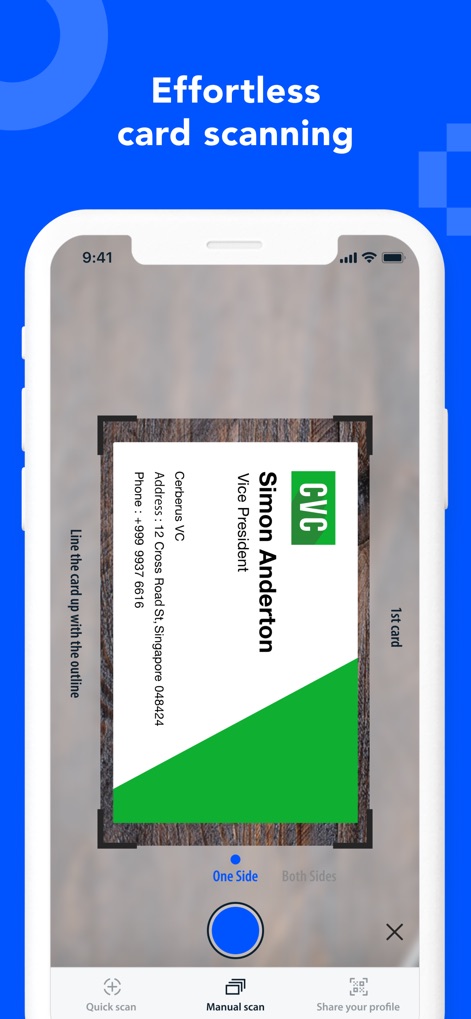
この画面では、名刺が指定されたスキャン枠内に正確に配置されており、「片面」と「両面」のスキャンオプションが選択可能です。
簡単名刺スキャン
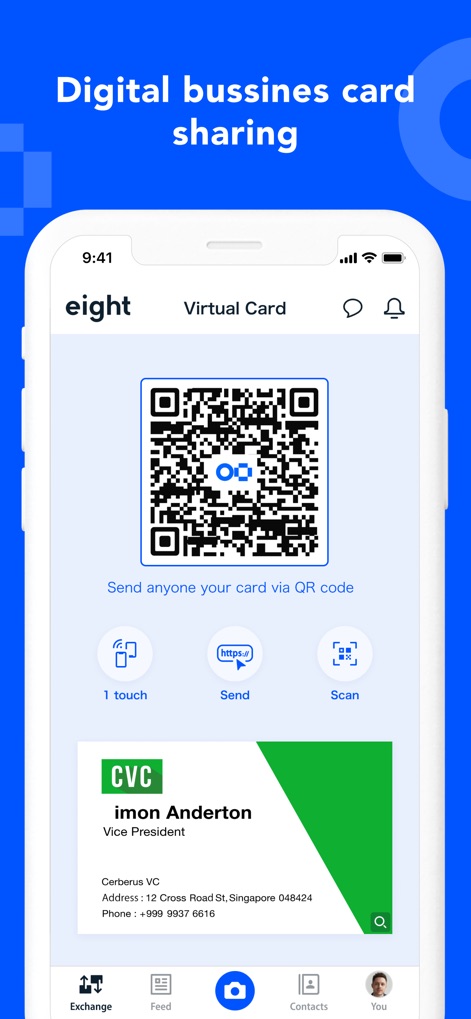
大きなQRコードが表示され、ユーザーはこれを介してデジタル名刺を共有できます。「1タッチ」や「送信」などの共有オプションも利用可能です。
スマートな名刺交換
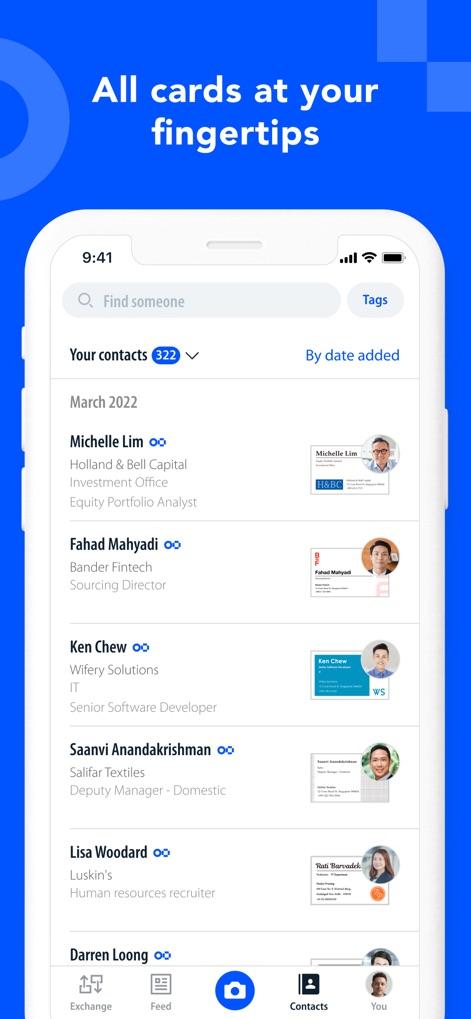
連絡先は名前、会社名、役職とともにリスト形式で表示され、各エントリの横には視覚的に認識しやすいプロフィール画像が表示されています。
連絡先を一覧表示
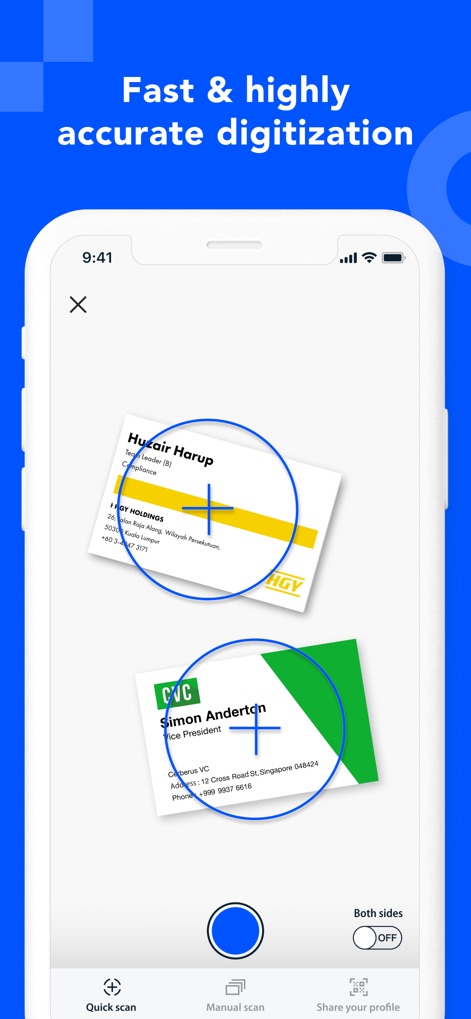
複数の名刺が同時に画面に捉えられ、特定の円形フォーカスエリアが詳細情報の正確な認識を示唆しています。
高速・高精度な認識
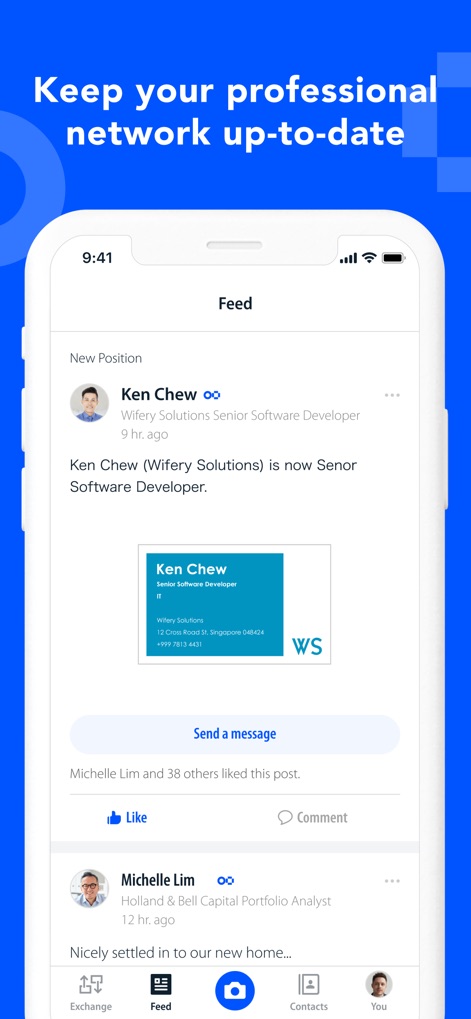
「フィード」機能により、ユーザーはネットワーク内の人物の「新しい役職」などのキャリア変更をタイムリーに確認し、「いいね」や「コメント」で交流できます。
常に最新のネットワーク
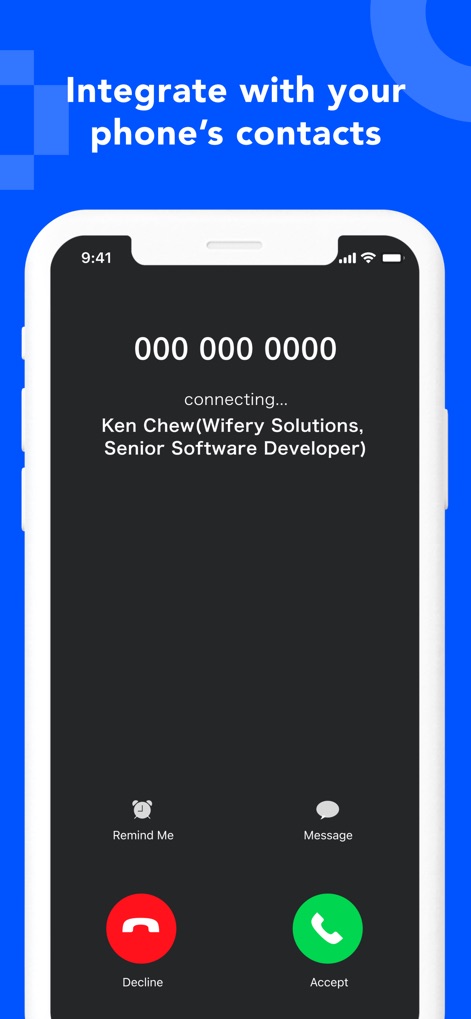
アプリに登録された連絡先情報(名前、会社、役職)が電話の着信画面に表示され、「メッセージ」や「リマインダー」などのアクションに直接アクセスできます。
電話機能と連携
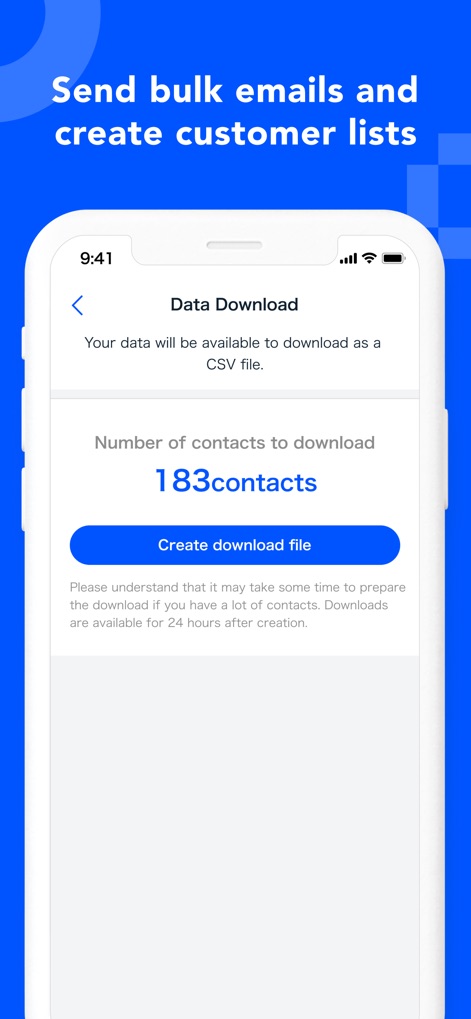
「データダウンロード」画面では、ダウンロード可能な連絡先の「総数」が明示されており、ワンタップで「ダウンロードファイルを作成」できます。
連絡先の一括管理
説明
Download
類似アプリ
似た機能とユーザー体験を持つアプリ

Blinq: Digital Business Card
Blinq Technologies Pty Ltd

HiHello: Digital Business Card
HiHello, Inc.

Popl: AI Lead Capture
Popl Co

CamCard AI Business Assistant
INTSIG Information Co., Ltd

Evernote Scannable
Evernote Corporation

Business Card Scanner by Covve
Covve Visual Network Limited

bCard: Digital Business Card
Oleksandr Solodkyi

BizConnect Card Scanner
ATMAS SOFTWARES PRIVATE LIMITED

DBC: Digital Business Card
IT FOR TOMORROW LTD
このページはアプリまたはその開発者の公式ページではなく、情報提供および論評を目的として作成された独立した編集出版物です。明示的に別段の記載がない限り、アプリおよびその開発者は、MWM、Apple、Google Play、アプリのパブリッシャー、またはアプリの開発者と提携、承認、後援、認可、またはその他の公式的な関係はなく、このページのいかなる内容も、アプリがMWMのサービスを使用して開発されたことを意味するものではありません。すべての商標、ロゴ、スクリーンショット、その他のコンテンツはそれぞれの所有者の財産です。